
설명
Image Optimization (formally known as Image Optimizer) is an easy-to-use WordPress plugin that reduces image size through various compression and resizing techniques – all of which preserve the highest possible image quality. Image Optimization supports many popular formats, including JPEG, PNG, WebP, AVIF, and GIF.
Reduced file sizes for boosted performance
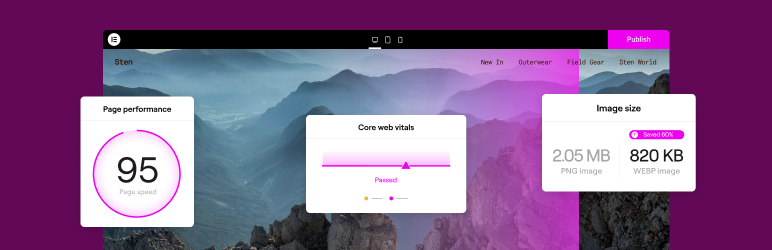
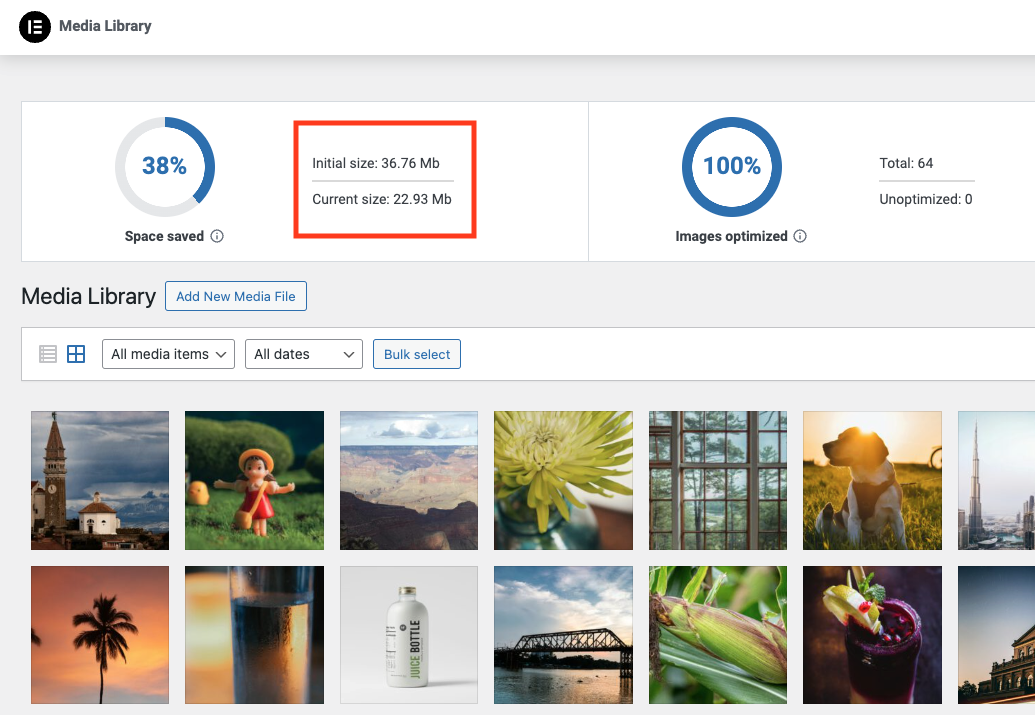
Image Optimizer ensures faster loading times, enhanced user experience, and overall boosted website performance. It reduces the size of your website’s images, improving Core Web Vitals and search engine rankings. With Image Optimizer’s exceptional capabilities and unique algorithms, you can fine tune images and reduce their file sizes while retaining quality with lossless or lossy compression.
Features
- Image formats supported include JPEG, PNG, WebP, AVIF and GIF.
- Works in the background: The only plugin in the category that optimizes your images in the background, without you having to stay on the page during optimization.
- Resize large images: The user can set a maximum pixel width, after which images will automatically be resized. (default value set to 1920px)
- 2 compression levels: Lossless – highest quality with minimal compression; Lossy – maximum compression with somewhat reduced quality.
- Optimize on upload: Automatically optimizes images when you upload them.
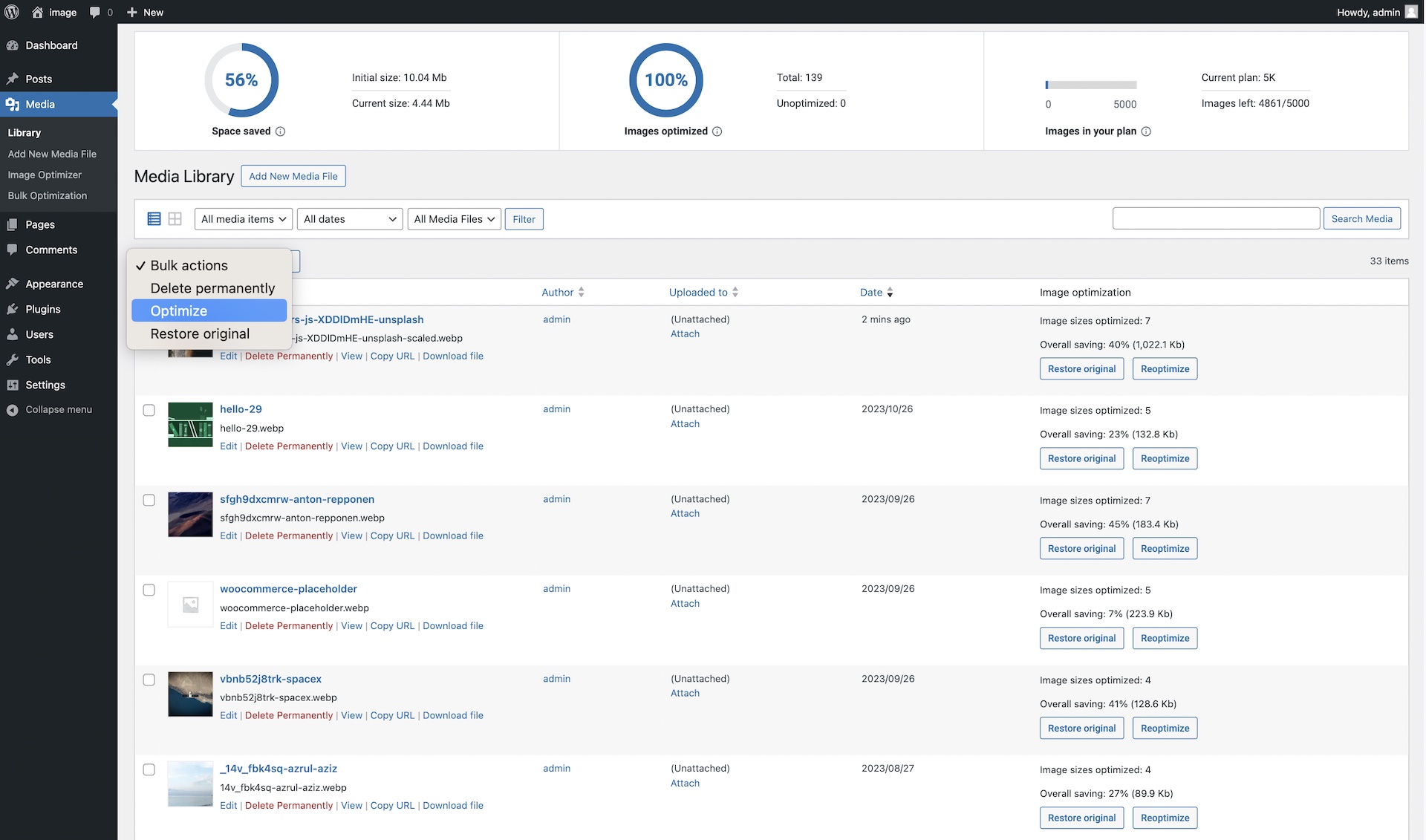
- Bulk or individual optimization: Flexible image optimization options, whether it’s on-demand scaling and compression, or bulk optimization for your entire image library.
- EXIF Metadata: Select whether to clear image metadata to reduce size even further without impacting image quality.
- Backup original images: Ability to delete backups permanently to save space. (We recommend backing up your website beforehand.)
- Restore original images (all sizes) for selected media files if needed.
- Convert to WebP and AVIF: Get efficient and faster-loading formats with WebP and AVIF for even better web performance.
- Image thumbnails: Resize all image sizes by default. Allow the user to choose specific image sizes based on WordPress-registered thumbnail sizes.
Bulk or single image optimization
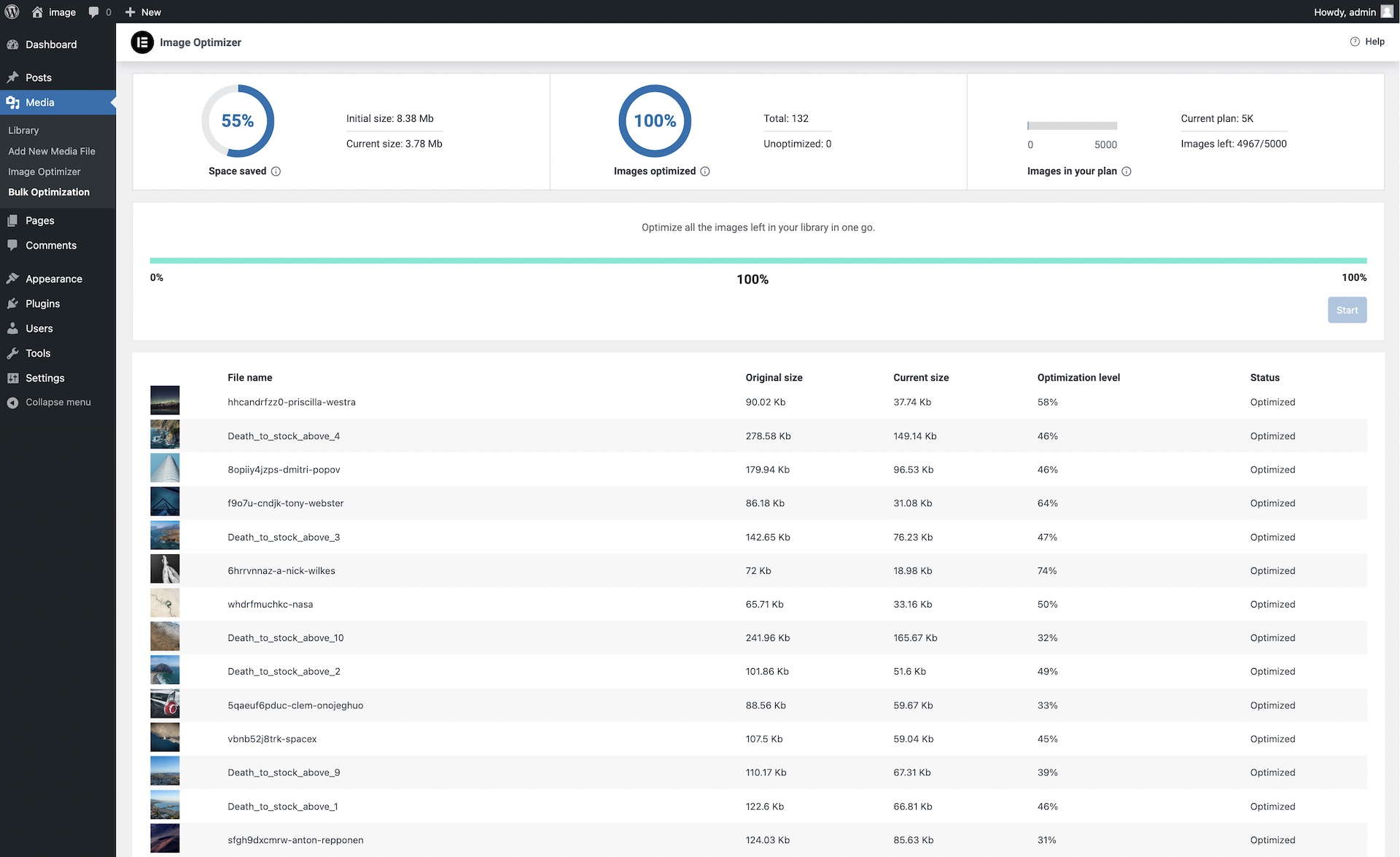
Image Optimizer by Elementor lets you optimize all images in your library either one at a time, or in a batch according to your preferences and settings. Easily configure the plugin to scale or compress your images on-demand, or automatically have them triggered as they are being uploaded. Or, if you have a large number of images already uploaded, the bulk optimization feature allows you to resize and/or compress your entire library of existing images in just a few clicks.
Two Compression Levels
With Image Optimizer’s advanced algorithms, you can compress images and reduce their file size at the level that makes the most sense for you. We offer 2 types of compression for processing images giving you the perfect balance of compression and quality.
Lossless Compression: Lossless compression reduces image file sizes without sacrificing or diminishing the quality of your images. This type of compression reduces file sizes by removing unused or unnecessary data so that no image details are lost along the way. Hence, you are able to reduce the file size and still maintain the quality of your image.
Lossy Compression: Lossy compression performs maximum compression resulting in lightweight images and smaller file sizes. It reduces image size by removing image data that is generally invisible to the human eye and minimizes any compromise in image quality.
Convert to WebP and AVIF: Convert images to the slimmer WebP or AVIF formats for even better optimization with a 25-30% savings over JPEG and PNG. Most browsers support WebP, however if they don’t, you can have fallback versions of the image available in the same format as the original image.
By tailoring compression to the level you need, your visitors will enjoy faster load times, improved responsiveness, and a seamless browsing experience. Our approach also enables your website to rank higher in search results. Since a search engine’s ranking is heavily influenced by speed, user experience, and Core Web Vitals, Image Optimizer is an invaluable tool for any website, especially one that’s abundant with images.
Get started today
For more information about Image Optimizer, visit our official website or Try It Now.
If you have any questions or need support, feel free to contact us or visit our help center.
This plugin requires a connection to an active Elementor account in order to identify the user and provide the purchased service. This connection is triggered manually by the user via the plugin’s settings panel.
This plugin uses a 3rd party service operated by Elementor, which accepts a standard image in JPG, PNG, GIF or WEBP format and returns a web optimized image based on the selected settings. This flow is triggered by the user or automatically (based on the selected plugin settings) on a compatible image upload or by manually initiating the optimization process.
Related Plugins
Email Deliverability: Effortlessly manage transactional emails. High deliverability, logs and statistics, and no SMTP plugins needed.
스크린샷

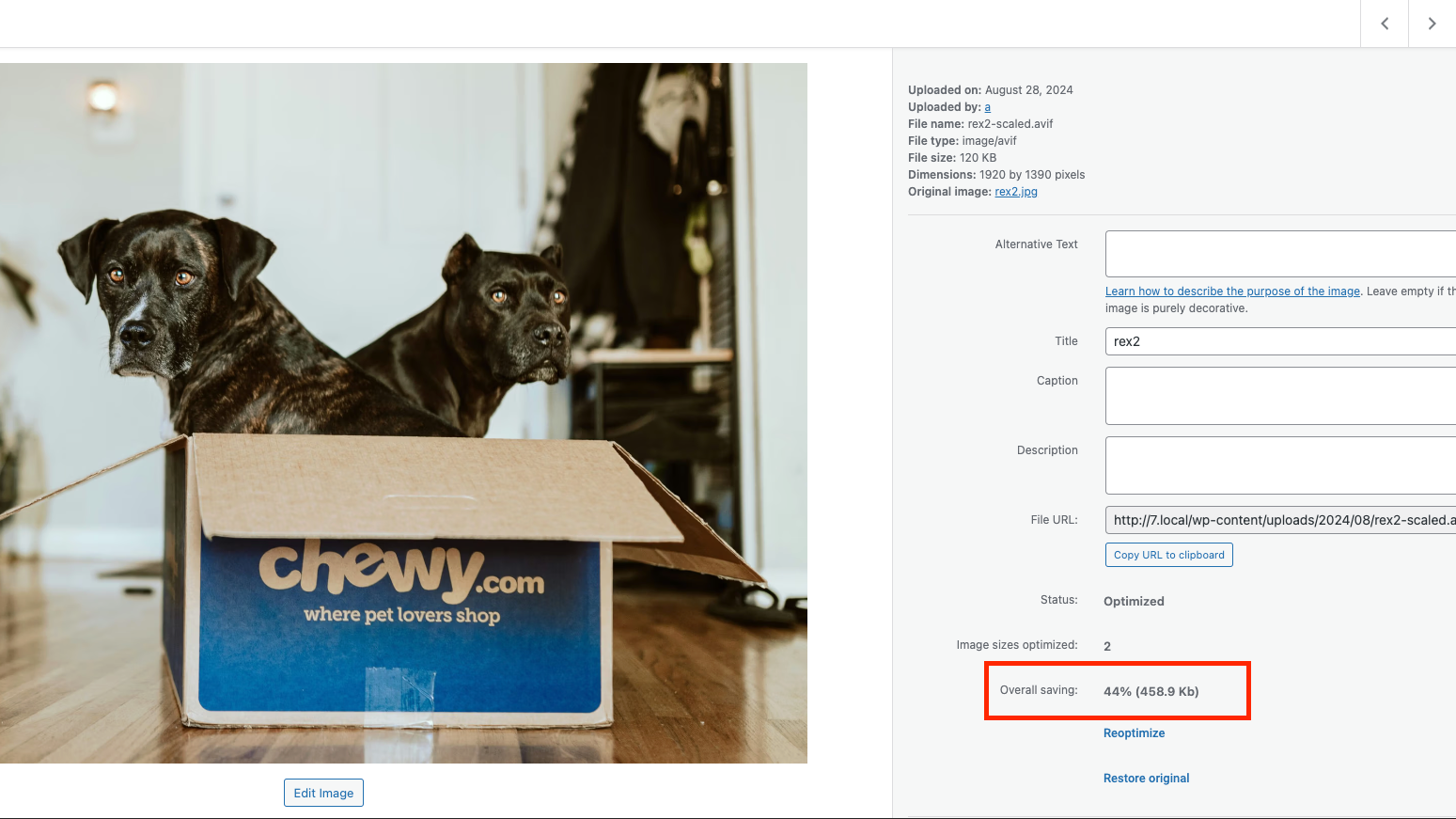
설치
Get started with a few easy steps
- Install using the WordPress built-in Plugin installer, or Extract the zip file and drop the contents in the wp-content/plugins/ directory of your WordPress installation.
- Activate the plugin through the ‘Plugins’ menu in WordPress.
- Go to the Image Optimization tab within the Elementor menu.
- Press the ‘Connect’ button and follow the instructions.
FAQ
-
Can I use Image Optimization for any of my WordPress websites?
-
Absolutely. Elementor’s Image Optimization is a stand-alone WordPress plugin that can be used to optimize images for any or all of your WordPress websites.
-
Why do I need to optimize images on my website?
-
Image optimization can significantly improve your website’s loading time, which is crucial for user experience and SEO. It reduces the size of your images without compromising their quality, leading to faster page load times and better performance scores.
-
Why should I consider Elementor’s Image Optimization?
-
This plugin takes a modern approach, designed to handle all the “heavy lifting” of converting and compressing images on a dedicated server, so your own server won’t suffer from downtime or the need to keep the tab open. It offers on-the-fly optimization, WebP and AVIF conversion, and other features tailored to WordPress users’ needs.
-
Will the original version of my images be lost after compression?
-
No, the Image Optimization plugin will save both the original and the compressed versions of your images. You can always restore the original image if needed.
-
Why should I consider converting my images to WebP or AVIF?
-
WebP and AVIF are modern image formats that provide superior lossless and lossy compression. They can significantly reduce image file sizez, leading to faster website load times. Most web browsers today support these format, but if they don’t, the original backup will be used.
-
Can I choose which images to compress?
-
Absolutely! You can either compress images in bulk, compress specific image files individually, or automatically compress upon image upload.
-
Is the EXIF metadata of images removed?
-
EXIF data can be removed if you choose to in the settings page. Best practice for better image optimization would be to remove EXIF metadata.
-
Is it possible to re-optimize images?
-
Yes. By changing the requested level of optimization in the settings page, you can re-optimize all images at once. In addition, at any point in time, you can reoptimize any of your images individually, whether after restoring the original, making changes to the optimization settings, or for any other reason.
-
Do you offer support?
-
Yes, the Elementor team offers full support for image optimization questions. You can contact us via https://elementor.com/contact/
-
How can I report security bugs?
-
You can report security bugs through the Patchstack Vulnerability Disclosure Program. The Patchstack team help validate, triage and handle any security vulnerabilities. Report a security vulnerability.
후기


기여자 & 개발자
“Image Optimizer – Compress Images and Convert to WebP or AVIF”(은)는 오픈 소스 소프트웨어입니다. 다음의 사람들이 이 플러그인에 기여하였습니다.
기여자
변경이력
1.7.7 2026-09-16
- Tweak: Security enhancements for REST access control
1.7.6 2026-06-30
- Tweak: Renamed plugin to Image Optimization
- Tweak: Improved Elementor One migration flow
- Tweak: Updated Elementor packages
1.7.5 2026-06-02
- Tweak: Security enhancements for the restore functionality
- Fix: Bulk optimization shifts the Media screen layout
- Fix: Fix incorrect error handling in meta boxes
1.7.4 2026-03-31
- Tweak: Improved WPML support
- Fix: Optimize All button missing for Elementor One users
- Fix: Fix incorrect optimization status update
1.7.3 2026-02-17
- 조정: 가시성 향상을 위해 워드프레스 관리자 공지 표시를 활성화함
- 수정: 기능 사용 추적과 관련된 문제를 해결함
- 수정: 미디어 라이브러리 화면의 이미지 최적화 통계에서 발생하던 시각적 글리치를 해결함
1.7.2 2026-01-29
- 조정: 테스트 환경을 위한 워드프레스 및 PHP 버전 호환성 업데이트
- 조정: 남은 이미지 추적을 위한 일괄 최적화 로직 개선
- 조정: 접근 제어를 위한 보안 강화
- 수정: 리뷰에서 발생하던 스타일 로딩 누락 경고를 해결함
1.7.1 2026-01-20
수정: 이전 Connect 사용 시 엣지 케이스에서 발생하는 치명적 오류
1.7.0 2026-01-20
조정: 플러그인 위치를 통합된 Elementor 메뉴 아래로 이동
조정: 통합된 모양과 느낌을 위해 플러그인 설정 인터페이스 재설계
조정: “Elementor One” 지원 추가
수정: 특정 구독 ID를 포함하도록 직접 업그레이드 링크 수정
1.6.9 2025-11-04
수정: 진행 중으로 멈춘 최적화 상태 처리 개선
수정: 일괄 최적화 흐름에서 누락된 이미지 크기 포함되도록 수정
수정: 토스트 리뷰 알림 문제 해결
1.6.8 2025-09-10
새로운 기능: 사용자 피드백을 수집하기 위한 리뷰 및 CSAT 흐름
새로운 기능: 사용률 80% 도달 알림 추가
조정: 대용량 갤러리 최적화로 대량 이미지 처리 속도 향상
수정: 일부 사이트에서 발생하던 이미지 세부 정보 문제 해결
1.6.7 2025-05-27
새로운 기능: 동영상 Walk through 추가
조정: 미디어 라이브러리에서 대량 최적화 바로가기 추가
조정: 연결 보안 강화
수정: 번역 로딩 지연 처리
1.6.6 – 2025-04-10
조정: 최적화 과정을 개선하기 위해 재시도 메커니즘 추가
조정: 비활성화 전에 모든 작업을 중지하여 예기치 않은 문제 방지
조정: 모든 미디어 파일에 대한 파일 크기 최적화 표시 개선
조정: 새로운 기능을 위한 ‘무엇이 새로워졌나’ 모달 추가
1.6.5 – 2025-02-03
- 수정: Connect 모달을 이미지 최적화 설정 페이지로 이동
1.6.4 – 2025-02-03
- 조정: Connect 흐름 개선
- 수정: 대량 최적화 취소 버튼이 작동하지 않음
- 수정: 엣지 케이스에서 Connect 리프레시 토큰이 갱신되지 않음
1.6.3 – 2024-12-19
- 수정: 엣지 케이스에서 설정 패널이 빈 화면으로 표시되는 문제
1.6.2 – 2024-12-17
- 추가: 만료된 플랜에 대한 갱신 알림 추가
- 추가: 체험 플랜 사용자 대상 업그레이드 알림 추가
1.6.1 – 2024-11-28
- 수정: 특정 상황에서 RTL(오른쪽왼쪽) 표시 문제
1.6.0 – 2024-11-19
- 추가: 대상 플랜에 대해 최대 25MB 이미지 지원 추가
- 조정: 기한이 지난 작업 생성 방지
1.5.4 – 2024-10-01
- 추가: 대시보드에서 사용자가 연결할 수 있도록 돕는 알림 추가
- 수정: 정의되지 않은 속성 관련 알림
- 수정: 캐싱 플러그인에 대한 지원 개선
1.5.3 – 2024-09-24
- 추가: Connect가 유효하지 않을 때 재설정하는 옵션 추가
- 조정: AVIF 표시 지원 개선
- 수정: 플러그인 이름 헤더에 잘못된 문자 포함 문제
1.5.2 – 2024-08-21
- 신규: 사이트 URL 업데이트를 위한 해결책 구현
- 조정: 서드파티 솔루션에서 올 때 AVIF 치수 계산용 폴백 추가
- 조정: 대형 이미지 갤러리를 위해 비동기 크기 계산 추가
- 조정: 플러그인 페이지의 CTA(행동 유도) 업데이트
- 수정: 파일 확장자 문제
- 수정: 엣지 케이스에서 최적화 버튼이 멈추는 문제
- 수정: 엣지 케이스에서 전체/최적화된 카운트 통계 계산 문제
1.5.1 – 2024-07-29
- 수정: 업로드 시 최적화가 일부 엣지 케이스에서 작동하지 않던 문제 수정
1.5.0 – 2024-07-29
- 신규: 이미지를 AVIF로 변환하는 옵션
- 수정: 전체 절감액 표시
- 수정: 대형 갤러리의 일괄 최적화 통계 계산 문제 수정
1.4.1 – 2024-07-08
- 수정: 재연결 시 API 오류 메시지가 표시되던 문제
1.4.0 – 2024-06-26
- 신규: ‘One Step’ 연결 및 활성화 기능 구현
- 조정: JPEG/무손실(Lossless)이 WebP로 변환되지 않을 때의 새로운 오류 메시지
- 조정: WebP로 변환 설명 문자열
- 수정: 높이와 너비가 같을 때 이미지가 크기 조정되지 않던 문제
- 수정: 비관리자 사용자에게 포인터 커서가 표시되던 문제
- 수정: 최적화된 이미지의 전체 절감량이 올바르게 계산되지 않던 문제
1.3.0 – 2024-03-05
- 조정: 설정 변경 시 재최적화 옵션 업데이트
- 조정: RTL(오른쪽-왼쪽) 조정 추가
- 수정: 최적화 버튼 상태가 업데이트되지 않던 문제
- 수정: Elementor 계정을 비활성화하거나 전환할 때 발생하던 오류
1.2.1 – 2024-02-28
- 수정: 이미지 최적화 통계가 로드되지 않던 문제
- 조정: 확장된 일괄 최적화가 사용자의 웹사이트에 영향을 주지 않는다는 공지 추가
1.2.0 – 2024-02-19
- 조정: 성능 향상을 위해 상태 확인 횟수 감소
- 조정: 캐시된 썸네일을 제거하여 Elementor 지원 개선
- 조정: 활성화 중 요구 사항 충돌을 방지하기 위해 DB 버전 검사 추가
- 수정: 다양한 오류로 최적화가 실패하던 문제
- 수정: 잘못된 워드프레스 이미지 메타 오류로 일괄 최적화가 중단되던 문제
- 수정: 일괄 최적화 시 너무 큰 이미지 파일의 최적화를 피하도록 변경
- 수정: 플러그인 설정 페이지에 RTL 지원 추가
1.1.0 – 2024-02-06
- 조정: 상단 바에 할당량 초과 상태 디자인 추가
- 조정: 현재 토큰이 만료된 경우 일괄 토큰 갱신
- 조정: 모든 플러그인 에셋, 네임스페이스 및 텍스트 도메인을 image-optimization으로 이름 변경
- 조정: 이미지 유형 업데이트 시 게시물 콘텐츠 내 하드코딩된 참조 교체
- 조정: 이미지 업데이트 전에 파일 체크섬 검증 추가
- 조정: 동일한 파일명으로 기존 이미지를 덮어쓰지 않도록 방지
- 수정: 일괄 최적화 화면에서 열이 제대로 분배되지 않는 문제
- 수정: 크레딧이 부족한 상태에서 최적화 시도 시 잘못된 동작
- 수정: 파일 누락 오류가 잘못 표시되는 문제
- 수정: 연결 해제 시 로컬 데이터 삭제
- 수정: 손상된 이미지로 인한 최적화 오류
1.0.2 – 2024-01-16
- 조정: 설정에서 압축 수준을 설명하는 툴팁 추가
- 조정: 요구 사항을 충족하지 않은 상태에서 플러그인을 활성화하려 할 때 실패 알림 추가
- 수정: 사용량 진행 표시줄이 잘못 채워지는 문제
1.0.1 – 2024-01-10
- 조정: 할당량 초과 시 사용자 알림 메시지
- 조정: 일괄 최적화 성공 메시지 추가
- 조정: 일괄 최적화 진행 표시줄 아래에 진행률 백분율 숫자 추가
- 수정: 오류 발생 시 상단 바의 ‘다시 시도’ 옵션이 작동하지 않는 문제
1.0.0 – 2024-01-08
- 초기 릴리스