
설명
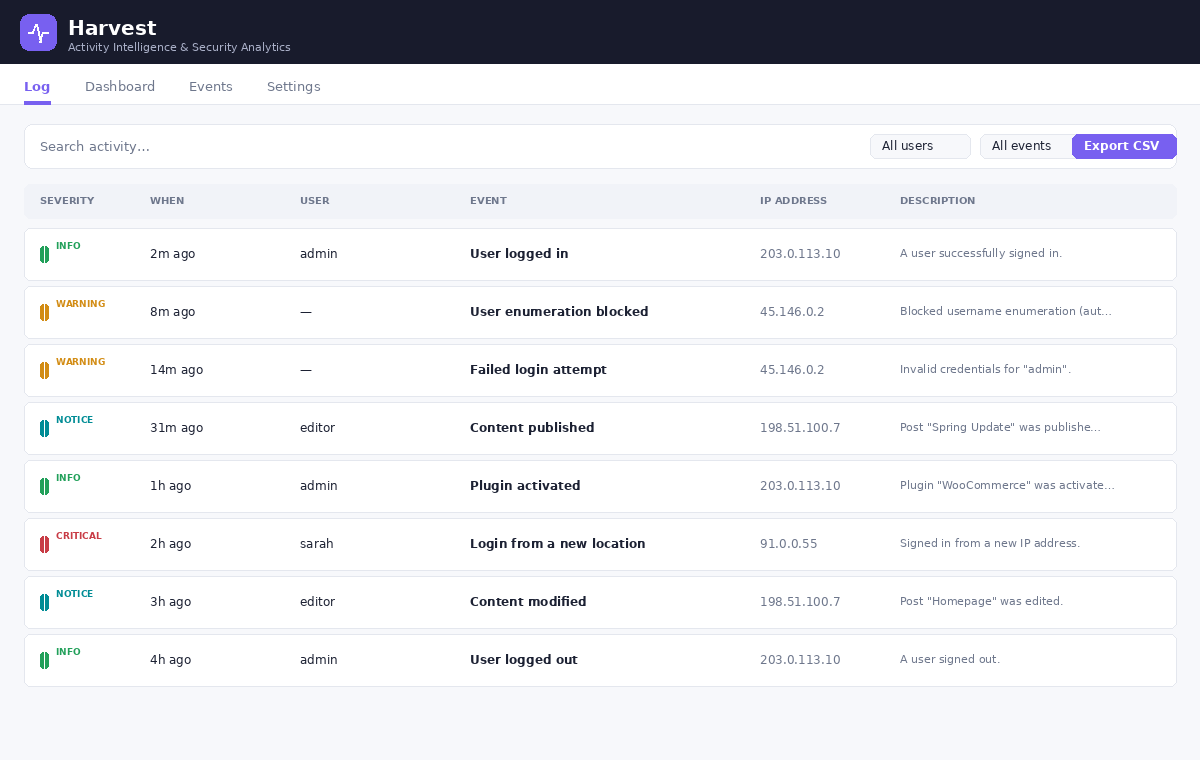
ManicSoup Activity Log keeps a detailed, searchable record of everything that happens on your WordPress site — the who, what, when, and from-where of each change. Use it to monitor for security issues, hold users accountable, and troubleshoot problems fast.
Everything logs to a dedicated database table (it doesn’t bloat your posts table) and shows up in a clean, fast admin viewer with search, filtering, and CSV export. No external service, no account required — your data stays on your site.
What gets logged
- Logins & sessions — successful logins, logouts, and failed login attempts.
- Content — publishing, editing, status changes, trashing, restoring, and deleting posts, pages, and custom post types.
- Users — registrations, deletions, role changes, profile edits, password changes and resets.
- Plugins & themes — installs, activations, deactivations, updates, deletions, and theme switches.
- System — WordPress core updates and changes to key site settings.
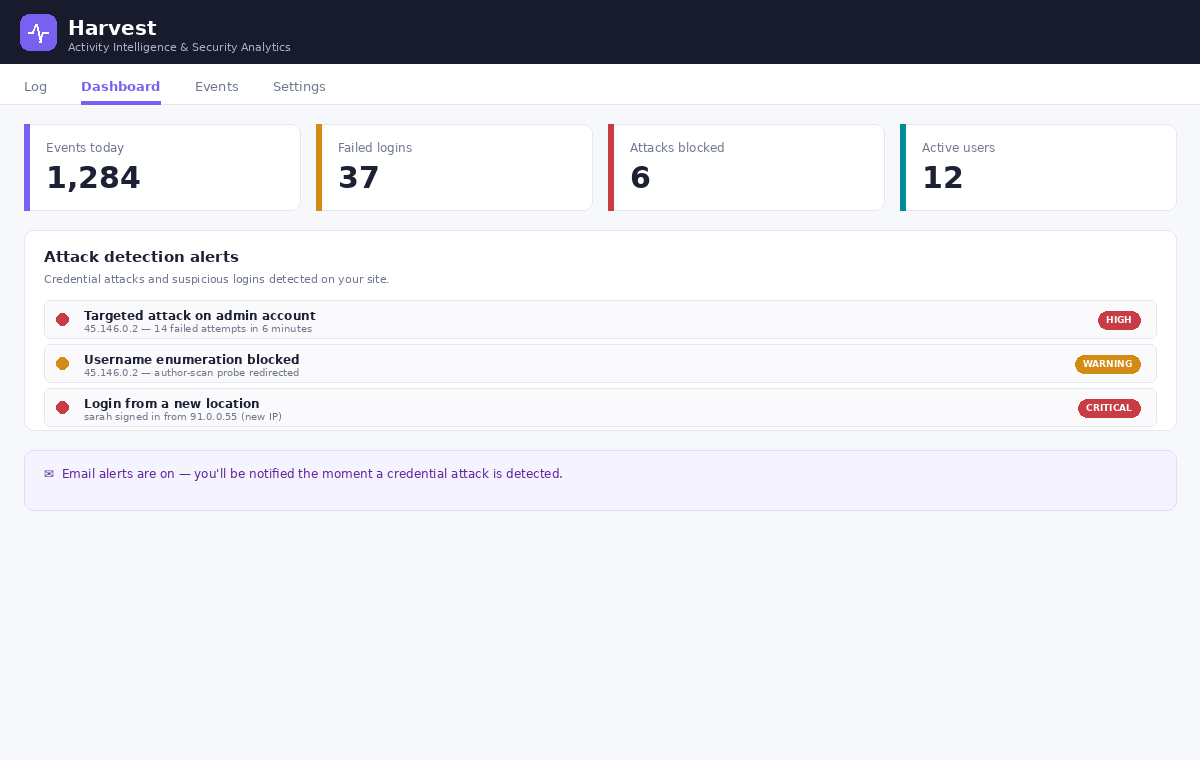
Built-in attack detection
The plugin watches your login activity and alerts you by email when it spots trouble — repeated failed logins, attacks targeting your admin or specific accounts, and logins from new locations. You stay informed about credential attacks as they happen.
Features
- Full activity logging engine
- Searchable, sortable, paginated log viewer
- Free-text search across the log
- CSV export of the current view
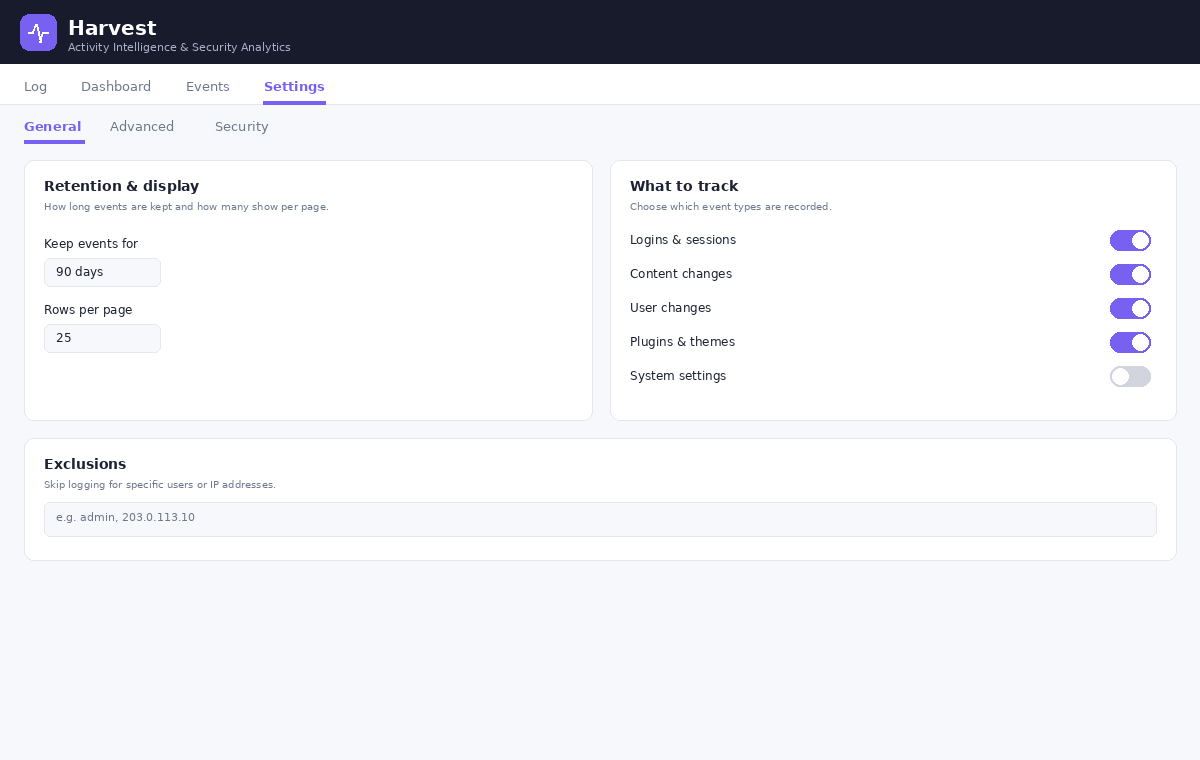
- Enable or disable individual event types
- Exclude specific users or IP addresses from logging
- Configurable retention (auto-purge old entries, or keep forever)
- Reverse proxy / WAF support (resolves real client IPs)
- Attack detection & email alerts
Everything listed above is fully functional with no restrictions, no license key, and no time limits.
A separate premium edition
A separate premium edition of this plugin, with additional investigation, response, and automation tools, is available from the developer at https://www.manicsoup.com/. The premium edition is a distinct product and is not hosted on WordPress.org. This free edition is complete and fully functional on its own; you never need the premium edition to use everything described above.
스크린샷
설치
- Upload the plugin to
/wp-content/plugins/, or install it through the Plugins screen in WordPress. - Activate it through the Plugins screen.
- Open the plugin in the admin menu to view your activity log. Logging begins immediately.
FAQ
-
Does this plugin send my data anywhere?
-
No. It logs entirely to your own database and never contacts an external service. Your activity data stays on your site.
-
Will this slow my site down?
-
The plugin writes to its own dedicated table and is built to be lightweight. You can also exclude noisy events or users, and set a retention period to keep the log trim.
-
Can I control how long logs are kept?
-
Yes. Set a retention period in days, or set it to 0 to keep everything indefinitely.
-
Is anything locked or limited until I pay?
-
No. Everything in this plugin is fully functional with no restrictions. A separate premium edition with additional tools exists, but it is a distinct product available from the developer’s own website, not an unlock of features in this plugin.
후기
이 플러그인에 대한 평가가 없습니다.
기여자 & 개발자
“ManicSoup Activity Log & Security Monitoring”(은)는 오픈 소스 소프트웨어입니다. 다음의 사람들이 이 플러그인에 기여하였습니다.
기여자
변경이력
2.0.0
- Renamed: the plugin is now ManicSoup Activity Log & Security Monitoring.
- Fixed: admin styles and scripts failed to load, leaving plugin screens unstyled.
- Fixed: outdated branding in the plugin header.
1.47.0
- Built-in attack detection with email alerts for credential attacks, targeted-account attacks, and logins from new locations.
- Activity logging engine, log viewer, search, CSV export, retention, and exclusions.
- Interface and performance improvements.