

설명
Mass Resizer is a lightweight but powerful plugin for bulk image optimization.
It resizes large images, converts them to WebP, replaces them across posts/pages, and safely manages media files without risking broken content.
Key Features
Bulk Image Resize
• Automatically resizes images to a maximum width/height
• Maintains aspect ratio (no cropping, unless enabled)
• Skips small images to reduce unnecessary processing
Safe WebP Conversion
• Converts JPEG/PNG to modern WebP format
• Inherits original image metadata (alt, caption, description)
• Creates proper attachment entries with parent relations
• Preserves titles and SEO attributes
Safe Replace Mode
• Replaces all occurrences of images in posts and pages
• Updates featured images as well
• Multiple registered sizes are replaced (full + intermediate sizes)
Safe Delete Mode
To prevent content breakage, original images are deleted only when both conditions are met:
1. Replace Old Images = enabled
2. Crop = disabled
If delete was requested in unsafe configuration, the plugin logs a warning and ignores the deletion.
Admin Statistics + Logs
After each run, the plugin displays a detailed summary:
• Images cropped
• Images converted to WebP
• Pages updated
• Originals deleted
• Total completed operations
All warnings (missing files, unsupported types, editor errors) are logged and shown to the administrator.
Automatic Server Capability Detection
The plugin checks whether your server supports:
• JPEG editing
• WebP conversion
Unsupported features are automatically disabled with an explanation.
Fully Internationalized (i18n)
All dynamic strings include translator comments, following WordPress.org standards.
스크린샷
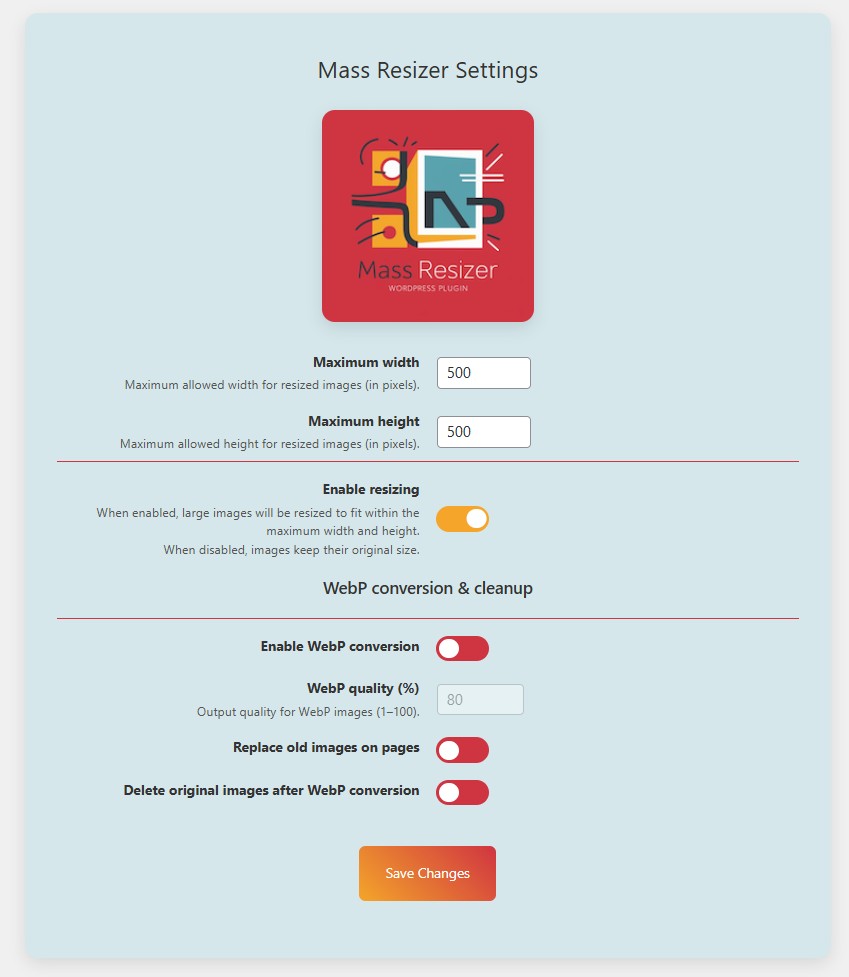
Mass Resizer settings page.
설치
- Upload the
mass-resizerfolder to/wp-content/plugins/. - Activate the plugin via Plugins Installed Plugins.
- Open Mass Resizer in the WordPress dashboard and configure your desired options.
- Use the Media Library bulk actions to process selected images.
FAQ
-
Does the plugin delete my original images?
-
Only when both features are enabled:
• “Replace old images”
• “Delete original images”
Otherwise, deletion is blocked to prevent broken pages. -
Will my SEO metadata be preserved?
-
Yes. WebP attachments automatically inherit:
• alt text
• caption
• description
• parent relation
• date fields -
Does Mass Resizer modify existing posts?
-
If “Replace old images” is enabled, the plugin updates posts/pages that contain the converted images.
Otherwise, no post content is changed. -
Can I use it on a large site?
-
Yes. The plugin is optimized to handle large numbers of images, and includes safety checks, capability detection, and detailed logging.
후기

기여자 & 개발자

변경이력
2.10.93 (10.12.2025)
-
Security & safety
– Added strict sanitization for all numeric options.
– Added hard upper limit for image dimensions.
– Improved safe-delete logic (deletes originals only when safe). -
Stability & UX
– Added detailed admin report with full statistics after processing.
– Improved error logging (missing files, unsupported types, editor failures).
– Implemented automatic image/WebP capability detection with clear notices. -
Compatibility
– Improved i18n: translators comments added for all placeholder strings.
– Code refined to meet WordPress.org standards.
– WebP attachments now inherit alt text, caption, and description from the original image.
2.9.207 (29.12.2024)
- Security improvements and minor fixes.
2.9.201 (11.11.2024)
- Added support for replacing featured images.
- General optimization and bug fixes.
2.9.200 (10.11.2024)
- Added multilingual interface (RU/EN).
- Introduced logging system with admin notices.
- UI improvements and better compatibility with WordPress themes.