

설명
This plugin provides a dynamic display of your Minecraft server’s status, including current active players. Simply input your server’s address and port to get started.
Key Features
- Real-time Server Status: Instantly view whether your Minecraft server is online or offline.
- Active Player Display: See a list of currently active players on your server.
- Optional Server Details: Add a custom server name, description, icon, and modpack download link.
- Improved Frontend Actions: Copy the full server address with port and open Dynmap fullscreen without inline JavaScript handlers.
- Supports only Java Minecraft. Bedrock may be supported on popular demand.
Technology
Utilizes the robust PHP-Minecraft-Query library for retrieving server information. More details can be found on Packagist.
스크린샷
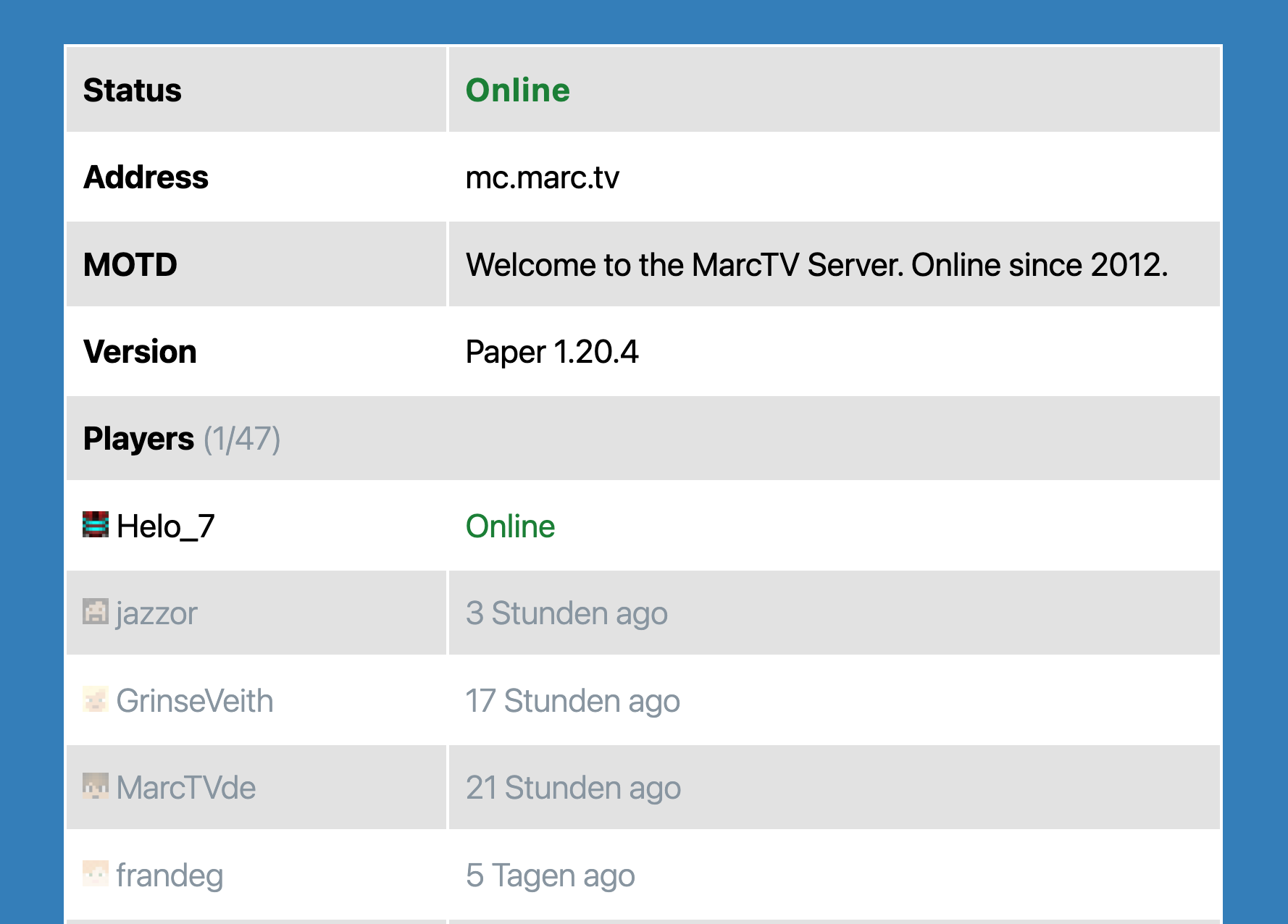
블록
이 플러그인은 1개의 블록을 제공합니다.
- Minecraft Server Status Shows information about a Minecraft Server in a block.
설치
- Upload the plugin files to the
/wp-content/plugins/mc-server-statusdirectory, or install the plugin through the WordPress plugins screen directly. - Activate the plugin through the ‘Plugins’ screen in WordPress
후기

2026년 3월 16일
Ok so it’s simple to install BUT once installed and activated there is NOTHING!!!, no settings no nothing. Worst piece of crap ever, look elsewhere. NOT RECOMMENDED

2025년 6월 20일
Everything is great! Thank you!

2024년 4월 1일
Simple Gutenberg Plug-In that works flawless for my server!
기여자 & 개발자

변경이력
1.6.1
- Prepared release for WordPress 7.0 compatibility.
1.6.0
- Added optional server name, description, icon, and modpack download URL fields.
- Improved output escaping for server data and Dynmap embeds.
- Improved copy-to-clipboard behavior to include the server port.
- Replaced inline frontend click handlers with delegated JavaScript handlers.
1.5.3
- Bugfix: Avoid PHP warnings when the Dynmap URL does not contain a host.
1.5.2
- Added offline failure message from server ping when server cannot be reached.
- Bugfix: Added safe null/array handling to avoid PHP warnings for malformed responses.
- Block now shows offline status with error text when ping fails.
- Dependencies updated.
- Tested compatibility with WordPress 6.9
1.5.1
- Dependencies updated.
- Tested compatibility with WordPress 6.8
1.3.0
- Better Dynmap and styling.
1.1.0
- Added prefix to generic function names.
- Tested up to WordPress 6.4.
- Added fix to prevent Direct File Access to plugin files.
1.0.0
- Initial Release