
설명
You want to add events, team members, testimonials, or listings to your WordPress site. But the standard editor only handles posts and pages. You need something more, but you don’t want to overcomplicate things or slow down your site.
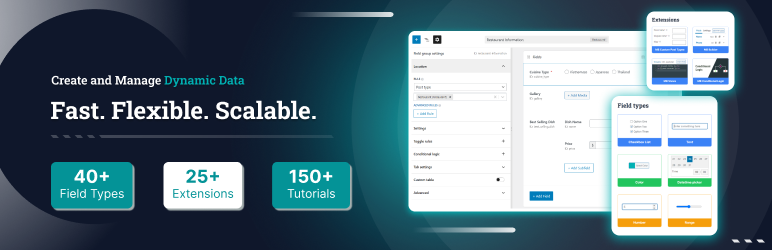
Meta Box gives you everything you need to build dynamic WordPress sites – with over 40+ field types for adding custom fields to posts, pages, custom post types, taxonomies, settings pages, users, and comments. It’s lightweight (no bloat), flexible (works with any theme or plugin), and fast (uses native WordPress storage). No lock-in, no extra baggage.
Any type of custom fields, anywhere
Add custom fields to any part of WordPress:
- Posts & Pages – Add extra fields to regular content
- Custom post types – Use with our free CPT UI plugin to create custom post types and taxonomies
- Taxonomies – Categories, tags, and custom taxonomies via MB Term Meta
- Settings pages – Theme/plugin options via MB Settings Page
- Users – Profile fields via MB User Meta
- Comments – Comment fields via MB Comment Meta
40+ field types (and you can add your own)
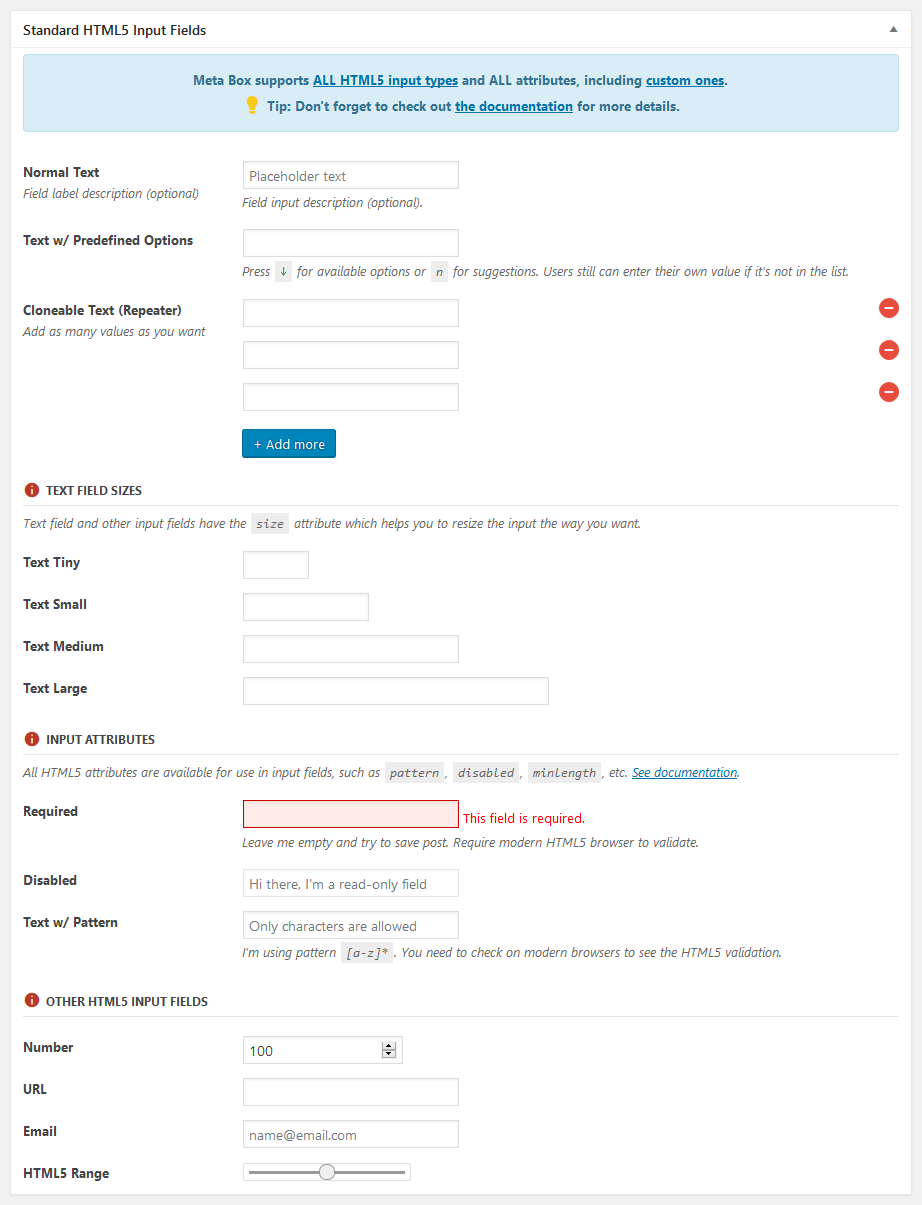
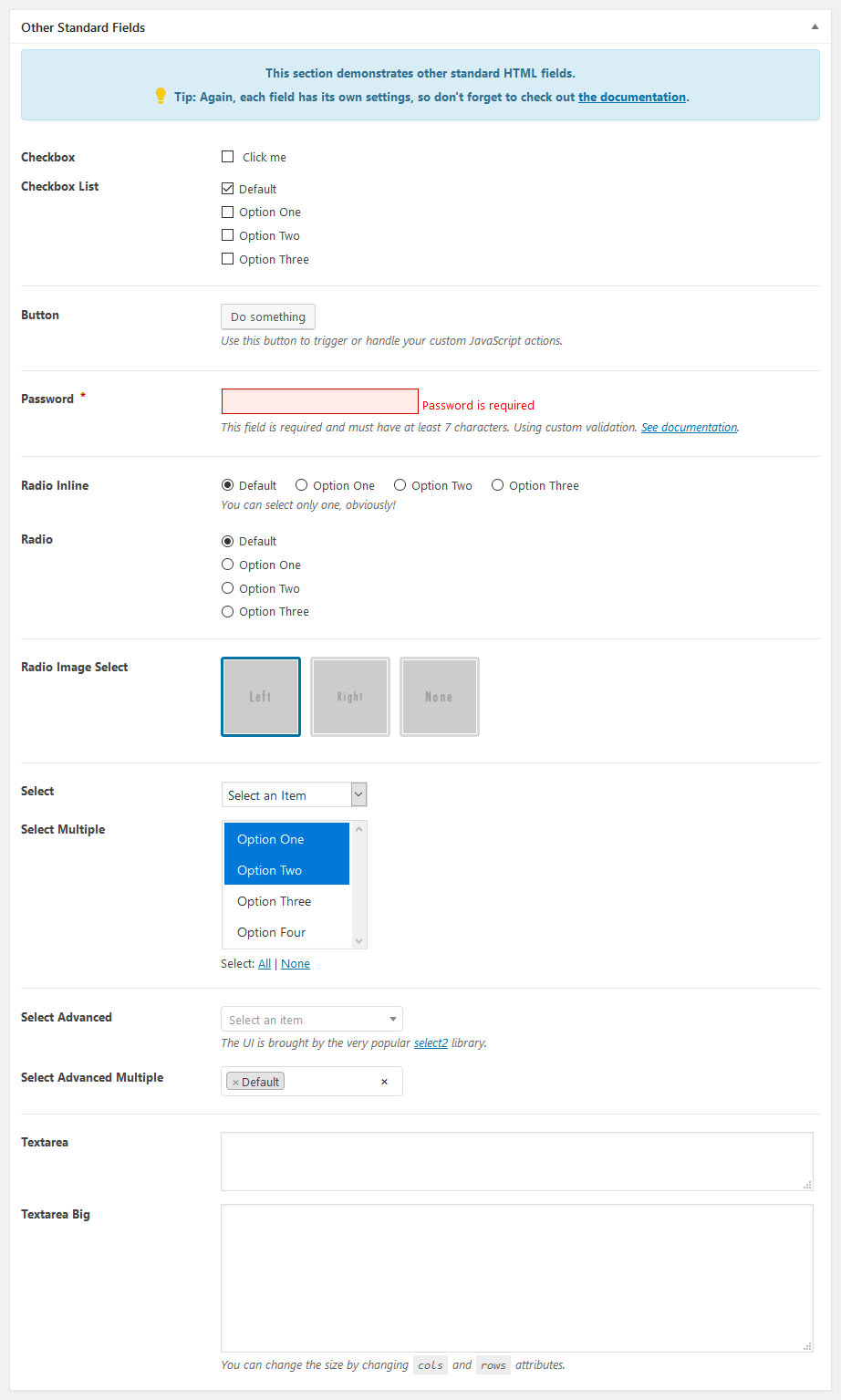
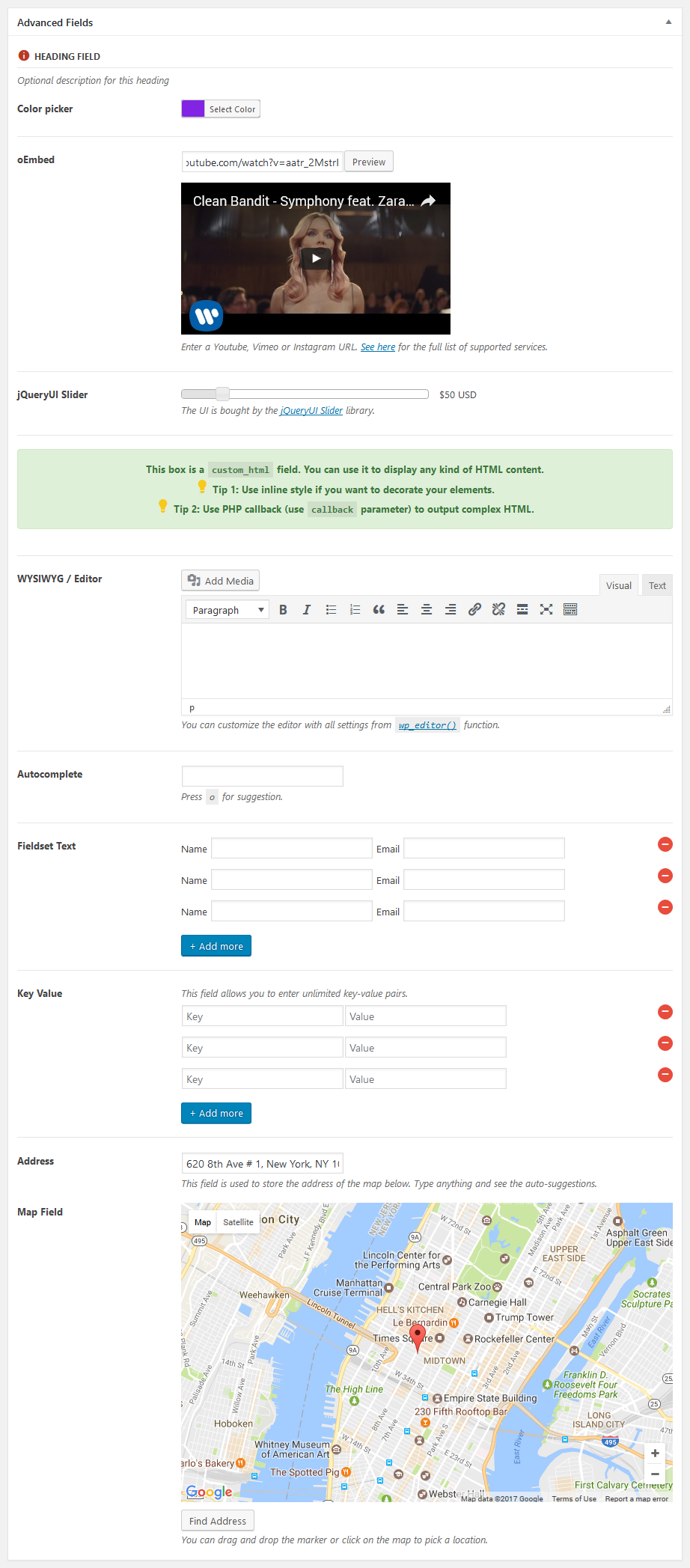
Meta Box ships with 40+ built-in field types: text, textarea, WYSIWYG, image, file upload, post select, checkbox, radio, date/time picker, taxonomy, user, oEmbed, and more. You can also create custom field types. Most fields support cloning and repeatable groups.
Developer-friendly by design
- Lightweight API – Won’t bloat your site
- Modular – Add only what you need
- Native storage – Uses WordPress meta tables by default for speed and compatibility, and can be extended to custom tables for advanced setups
- Composer support – Integrates with modern PHP workflows
- Hooks – Extensive actions and filters for customization
- Integration-ready – Works with any theme or plugin
Get more with Meta Box
Meta Box Lite is the UI version of Meta Box that helps you manage everything visually – custom fields, post types, taxonomies, and more – without touching code.
Meta Box AIO is an all-in-one plugin that bundles all free and premium extensions, giving you everything from conditional logic to frontend submissions, custom tables to Gutenberg blocks – all in one package.
Documentation
Full documentation and tutorials are available to get you started:
이것도 좋아하실 수 있습니다
이 플러그인을 좋아하신다면, 저희의 다른 WordPress 제품들도 마음에 드실 것입니다:
- Slim SEO – 최소한의 설정으로 빠르고 가벼우며 모든 기능을 갖춘 WordPress용 SEO 플러그인.
- Falcon – 워드프레스를 더 빠르고, 더 깔끔하며, 더 안전하게 만드는 가벼운 동반자.
- GretaThemes – 깔끔하고 간단하며 잘 작동하는 무료 및 프리미엄 WordPress 테마.
- Auto Listings – WordPress용 자동차 판매 및 딜러십 플러그인.
External services
This plugin may connect to third-party services when you use certain features. No data is sent until those features are used.
Google Maps
The map field uses the Google Maps JavaScript API to show maps and look up addresses.
When a map field is displayed in the admin or on the frontend, the browser loads the Google Maps script. Address searches and map coordinates are sent to Google. You must supply your own Google Maps API key.
This service is provided by Google: terms of use, privacy policy.
OpenStreetMap
The OSM field uses OpenStreetMap tiles to show maps and Nominatim to look up addresses.
When an OSM field is displayed, the browser requests map tiles from OpenStreetMap. Address searches are sent to Nominatim.
This service is provided by the OpenStreetMap Foundation: terms of use, privacy policy. Nominatim usage is also covered by the Nominatim usage policy.
스크린샷


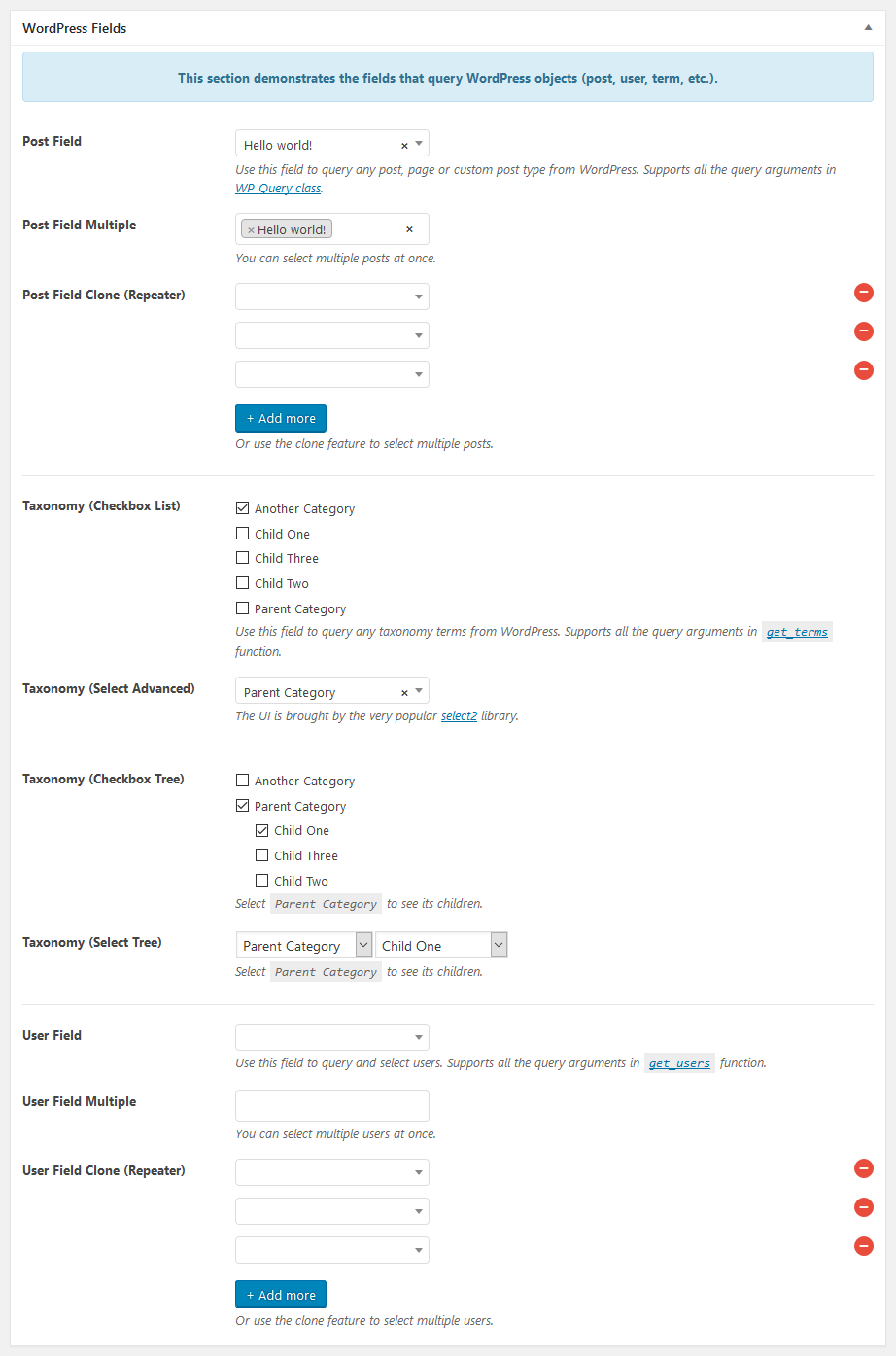
설치
To install Meta Box:
- WordPress 대시보드에서 플러그인 > 새로 추가를 방문하세요.
- 메타 박스 검색
- 지금 설치 버튼을 클릭하여 플러그인을 설치하세요.
- 활성화 버튼을 클릭하여 플러그인을 활성화하세요.
FAQ
-
이 플러그인에서 발견된 보안 버그는 어디에 신고하나요?
-
Meta Box – 워드프레스 Custom Fields Framework 플러그인의 소스 코드에서 발견된 보안 버그는 Patchstack 취약점 공개 프로그램을 통해 신고해 주세요. Patchstack 팀이 검증과 CVE 할당을 지원하고, 이 플러그인의 개발자에게 알려드립니다.
-
Where can I find the source code?
-
The source code is available on GitHub: https://github.com/wpmetabox/meta-box
후기


기여자 & 개발자
“Meta Box – A Framework for Dynamic Websites”(은)는 오픈 소스 소프트웨어입니다. 다음의 사람들이 이 플러그인에 기여하였습니다.
기여자


변경이력
5.15.1 – 2026-09-17
- Fix multibyte IDs breaking WordPress 7.1 meta box tooltips
- Fix focus handling for hidden validation error elements
5.15.0 – 2026-09-03
하이라이트:
This version adds support for WooCommerce HPOS that allows you to use Meta Box fields to WooCommerce orders (with WooCommerce’s High-Performance Order Storage (HPOS) feature). For more information, see our blog post.
5.14.1 – 2026-08-16
- Tighten security for Abilities: users now need the
edit_postcapability (or equivalent) to read custom field values, so sensitive data is only accessible to users who can edit content - Improve the readme with a link to the source code on GitHub, plus documentation for the Google Maps and OpenStreetMap fields, including terms of use and privacy policy links
- Fix minor issues found in the WordPress.org plugin review (PHP syntax in the dashboard, plugin package contents)
5.14.0 – 2026-07-30
하이라이트:
This release introduces Block Bindings for Meta Box fields, allowing you to bind field values directly to blocks in the WordPress editor. Meta Box fields now appear as a source in the block bindings panel, making it easy to use custom field data inside blocks without shortcodes or PHP.
See our blog post for an overview or the documentation for usage details.
기타 변경:
- Update select2 library to fix missing placeholder
5.13.1 – 2026-07-14
- Fix missing authorization check in
ajax_delete_filefor enhanced security - Allow HTML in switch on/off and button group labels (e.g., Dashicons)
5.13.0 – 2026-07-06
하이라이트:
이번 릴리스에서는 Abilities가 도입되어 사용자 정의 게시물 유형과 택소노미를 관리할 수 있으며, 글과 용어를 생성, 조회, 업데이트, 삭제할 수 있습니다.
자세한 사용 방법은 개요를 위한 블로그 글 또는 문서를 확인하세요.
기타 변경:
block_editor필드의 전체 화면 모드에서 스크롤할 수 없는 문제 수정 (#1689)- 커스텀
search_by_title필터 대신WP_Query의search_columns를 사용하세요 - MB Blocks 내부의 지도/osm 필드에서 자동완성 드롭다운의 z-index를 수정합니다.
5.12.1 – 2026-06-10
- 스타일을 워드프레스 7에 맞게 업데이트
- OSM 필드의 wp_style_add_data 문제 수정
- 수정: 미디어 필드 데이터 속성에서 유효하지 않은 JSON이 발생하지 않도록 방지합니다
- 수정: input-list walker에서 $object->label을 esc_html()로 이스케이프 처리합니다
5.12.0 – 2026-04-22
- 새 필드 유형
link은 ACF와 유사한 네이티브 워드프레스 환경으로 링크를 추가할 수 있습니다. block_editor필드에 대한 허용된 블록에 대해 자식 블록을 자동으로 추가
5.11.4 – 2026-03-30
block_editor필드용 사용자 정의 블록 자산을 큐에 넣기 위한 내부 훅 추가
5.11.3 – 2026-03-24
- 블록 편집기 필드에
toolbar_position옵션을 추가합니다. 이 옵션은 값으로top(기본값) 또는contextual을 허용합니다. 이 옵션은 블록의 편집 툴바를 어디에 표시할지에 대한 것입니다. - 차단 편집기 필드에서 빈 단락이 저장되는 문제 수정
- 중복 블록 제거 후에도 지속되는 유효성 오류 수정
- 검증 중에
set_post_data()를 호출할 때 추가로 빈 복제본이 저장되는 문제 수정
5.11.2 – 2026-03-05
블록 편집기 필드에 대한 개선 사항:
- 탐색경로 추가
- Block Visibility 플러그인과의 호환성 수정
- 서드파티 블록 로드되지 않음 수정
- CSS를 개선하세요
기타 변경:
- 날짜/시간 필드의 저장 시간 형식 수정
- SVG에 큰따옴표가 포함된 경우 아이콘 필드 드롭다운의 깨진 표시 수정
- 보안 문제로
ajax_delete_file의 경로 순회 취약점 수정 - 시간 선택 필드에 타임스탬프를 설정하면 안 됩니다
5.11.1 – 2026-02-02
블록 편집기 필드에 대한 개선 사항:
- 블록 인스펙터 사이드바 추가
- 블록의 목록 보기 표시를 위한 구조 패널 추가
- 전체 화면 모드 추가
height설정을 추가하고(기본값은300px) 편집기를 크기 조절할 수 있도록 허용합니다
블록 편집기 필드 수정:
- 이미지 블록에 이미지를 업로드할 수 없음 수정
- 블록 편집기 필드를 사용할 때 빈 사이트 편집기 수정
- 커스텀 리치 텍스트 포맷이 작동하지 않는 문제 수정
image_advanced및file_advanced필드와의 충돌 수정
기타 변경:
- 필수 날짜/시간 필드로 새 항목을 생성할 수 없음 수정
5.11.0 – 2026-01-15
5.10.19 – 2025-11-24
- 복합 이름이 아닌
use문은 효과가 없습니다. 이를 수정하세요
5.10.18 – 2025-11-24
datetime입력란에 대한 사용 중단 경고 메시지 수정
5.10.17 – 2025-11-07
- WPML 통합: 입력란이 없을 때 헬퍼 함수의 값을 필터링할 때 오류 수정.
5.10.16 – 2025-11-05
- WPML 통합:
글입력란에 대한 번역된 ID를 가져오도록 필터 도움말 함수 - 클로닝
게시물입력란의 값이 지워지지 않는 문제 수정
5.10.15 – 2025-10-06″
(이 문자열은 버전/날짜 표기이므로 번역하지 않아도 됩니다.)
- 지도에서 핀 변경을 비활성화하기 위해
map/osm입력란에marker_draggable옵션을 추가하세요.
5.10.14 – 2025-09-15
- 종속성 업데이트
5.10.13 – 2025-08-14
- 항목 메타에 대한
get_current_screen()오류 수정
5.10.12 – 2025-08-13
- 조건부 논리로 인해 Open Street Maps 입력란이 (때때로) 표시되지 않는 문제 수정
- 모든 입력란이 iframed 편집기에서 올바르게 렌더링되도록 iframed 편집기를 위한 에셋을 등록합니다.
5.10.11 – 2025-07-15
블록의 유효성 검사 수정
5.10.10 – 2025-05-21
- 날짜 및 시간 필드 수정 시 null 반환
- Polylang Pro와 함께 작동하지 않는 단일 이미지 필드 수정
- 비밀번호 표시 아이콘이 작동하지 않는 문제 수정
5.10.9 – 2025-05-08
- 비밀번호 표시 전환 버튼 추가 (#1630)
- OSM 필드에 제스처 처리 지원 추가 (#1631)
- Datetime & select2: 사이트의 로캘 대신 사용자의 로캘 사용
5.10.8 – 2025-03-14
- 대시보드를 재설계하세요
5.10.7 – 2025-02-25
- 수정: 빈 시작 클론과 최대 클론
5.10.6 – 2025-01-11
- 대시 ID에 대한 유효성 검사 수정
- 그룹 내에서 인라인 선택기가 표시되지 않는 날짜 및 시간 필드 수정
fieldset_text에 대해 작동하지 않는label_description수정- 필드 이름이 없지만
label_description이 있는 경우에도 필드 레이블 div가 표시되는 문제 수정 image_select필드의 JS를 제거하고 CSS로만 스타일링- 키 값 입력에 간격 추가
5.10.5 – 2024-12-16
- 새 항목 추가 작업을 위한 유효성 검사 수행
- 블록 편집기의 사이드바에 있는 메타 박스의 스타일을 개선합니다.
- 입력 스타일을 개선하기 위해 앞에 추가 및 뒤에 추가 사용
- 그룹 내 하위 필드와 함께 작동하지 않는 지도/OSM 필드 및 지리적 위치 수정
- 선택 고급 설정이 복제 가능한 설정으로 일반 선택으로 수정됩니다.
- 유효성 검사 수정
5.10.4 – 2024-11-20
- OSM/지도 필드: 선택 필드 유형 지원 추가
$url을(를)rwmb_oembed_not_available_string필터에 추가하세요.- 파일 입력, 배경 및 버튼 그룹에 대한 작은 CSS 개선
- 이미지를 사용자 지정 폴더에 저장하고 사용자 지정 테이블을 사용할 때 헬퍼 함수가 값을 반환하지 않는 문제 수정
5.10.3 – 2024-10-30
- 수정: 저장 후 표준
- 수정: 필드 세트 텍스트가 빈 값을 저장하는 문제
- 수정: 하위 필드의 ID
5.10.2 – 2024-09-26
- 조건부 논리 문제 수정
- 프론트 엔드 또는 블록 편집기에서 기본 택소노미 메타 박스를 제거할 때 발생하는 오류 수정
checkbox_tree의 프론트 엔드에서 누락된 .hidden 수정select_tree에 대한 필수 속성 수정
5.10.1 – 2024-09-07
clone_empty_start문제 수정 (유효성 검사, 이제 첫 번째 클론의 데이터 표시, 손상된text_list필드 등)