
설명
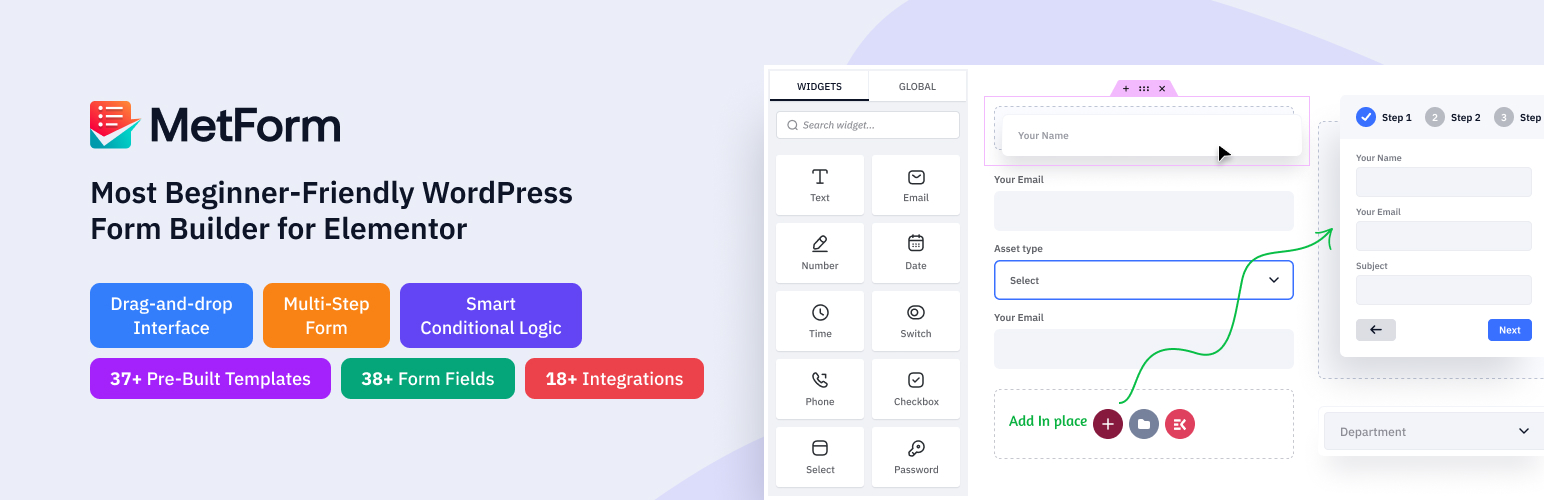
MetForm은 드래그 앤 드롭 워드프레스 문의 양식 빌더로, 엘리멘터용 추가 기능입니다. 이 엘리멘터 문의 양식 빌더 플러그인은 직관적인 실시간 양식 제작 환경을 제공하여, 전문 지식 수준에 관계없이 누구나 전문적으로 디자인된 웹사이트 양식을 생성할 수 있게 합니다.
코드 없이 여러 연락처 폼을 관리하고 맞춤 설정할 때 가장 빠르고 안전한 경험을 제공합니다.
최고의 엘리멘터 문의 양식 빌더 플러그인 사이트 – 600,000+ 워드프레스 사용자 지원
MetForm는 워드프레스의 기능을 확장하여 자원봉사 신청서, 행사 양식, 대출 신청서, 음식점 예약, 계산 양식, 입학 서류, 뉴스레터 구독, 데이터 삭제 요청, 상품 주문, WooCommerce 결제, 구독 양식, 환자 양식, 건의 양식, 설문조사 또는 설문조사 후 양식 등 다양한 맞춤형 양식을 만드는 데 도움을 줍니다.
USEFUL LINKS
기능 살펴보기 | 지원이 필요하신가요? | 문서 확인 | 동영상 튜토리얼 | 로드맵 확인 및 기능 요청 | 프로 버전 구매
WordPress Contact Form Builder with Calculation Form & Conditional Form Support
This WordPress form plugin is built with Elementor, where each field is an Elementor widget you can arrange using drag and drop facility. You can also add images or videos below your form to engage users. Our free contact form builder offers various field input styles to match your brand.
A standout feature of MetForm is the option to create custom field groups and reuse them in any contact form with one click. The free version includes form templates for feedback forms, booking forms, and calculation forms.
다단계, 조건부, 피드백, 이벤트, 채용 지원, 예약, 맞춤형 소셜 회원가입, 제품 회원가입 양식의 데모도 제공되어 초보자에게 이상적입니다.
44+ Form Templates – Contact Form Templates, Booking & Calculation Form Templates
MetForm은 처음부터 완전히 만들 필요 없이 기능적인 양식을 빠르게 배포할 수 있도록 사전 제작된 템플릿으로 구성된 포괄적인 라이브러리를 제공합니다. 이 컬렉션은 간단한 문의 및 뉴스레터 회원가입 레이아웃부터 더 복잡한 이벤트 회원가입, 채용 지원서, 다단계 예약 시스템에 이르기까지 다양한 일반적인 사용 사례를 아우릅니다.
📊 양식 분석 – 모든 문의 양식의 성과를 추적하세요
MetForm Analytics는 각 폼에 대한 완전한 성과 대시보드를 제공합니다. 전환율, 트래픽 소스, 상위 리퍼러, 지역별 분석, 기기 및 브라우저 통계, 시간대별 제출 패턴까지 확인할 수 있습니다. Google Analytics도, 타사 스크립트도, 쿠키 문제도 없으며, 모든 데이터는 워드프레스 안에 그대로 유지됩니다.
퀴즈 폼의 경우, 점수 분포, 합격/불합격 비율, 문항별 난이도 분석, 완료율과 이탈률을 포함한 전용 리포팅을 제공하여 폼을 개선하고 전환율을 극대화하는 데 필요한 모든 정보를 제공합니다.
모바일 친화적이고 반응형 폼 빌더
Metform은 Elementor와 문제없이 작동하며, 반응성은 Elementor 페이지 빌더로 제어할 수 있습니다. 이 커스텀 폼 빌더를 사용하면 스마트 주문 폼이나 기타 온라인 폼이 모바일, 태블릿, 데스크톱 등 모든 해상도와 기기에서 훌륭하게 보입니다.
단축코드로 어디에나 임베드
You can use Metform anywhere to create an Elementor contact form. Also, you can use it with any editor with a built-in form shortcode. Utilizing the shortcode support for customization is easy.
Elementor 양식 제출 관리
Your online form submission data can be saved in admin. So, it will send data to the form admin and also send a confirmation email to form users.
스마트 조건형 양식 만들기
MetForm’s conditional form builder is a premium feature for creating smart, dynamic forms. Show or hide fields based on what the user selects or inputs — certain fields only appear after specific actions, making your conditional form cleaner and more personalized. Choose from 6 ready-made conditional form templates to start fast.
다단계 양식 만들기
긴 양식을 단계별 프로세스로 나누어 사용자 경험을 개선하세요. 양식을 더 작고 관리하기 쉬운 섹션으로 나누면 사용자가 겁을 먹거나 중간에 포기할 가능성이 줄어듭니다. MetForm을 사용하면 워드프레스의 어떤 양식이든 Elementor에서 쉽게 다단계 양식으로 전환할 수 있습니다.
일정 양식
시작일과 종료일을 지정하여 양식 공개를 자동화하세요. 이를 통해 회원가입이나 설문 조사처럼 시간에 민감한 이벤트에 맞춰 수동으로 공개하지 않아도 양식이 정확히 활성화되는 시점을 제어할 수 있습니다.
폼을 게시물로 변환
양식 필드를 게시물 제목, 콘텐츠 및 사용자 정의 게시물 유형에 매핑하여 방문자가 프런트엔드에서 직접 글이나 리뷰를 제출할 수 있게 합니다.
GDPR 준수 양식 제작
개인정보 보호 규정을 준수하고 데이터를 저장하기 전에 사용자의 명시적인 권한을 확보할 수 있도록 필수 동의 체크박스를 추가하세요.
퀴즈 & 설문 조사 양식 모듈
상호작용형 퀴즈와 상세한 설문 조사를 생성하세요. 특정 질문에 점수를 할당하고, 총점을 계산하며, 사용자 응답에 따라 맞춤 결과를 표시하세요.
문의 양식 항목을 CSV로 내보내기
폼 항목을 CSV로 내보내고 싶으신가요? 네, Metform Elementor 폼 빌더 애드온으로 가능합니다.
Free HubSpot Integration
MetForm을 HubSpot과 연결하여 모든 폼 제출을 CRM으로 직접 자동 동기화하고, 수동 데이터 입력을 없애세요.
Mailchimp 통합
모든 문의 양식의 리드를 바로 Mailchimp 목록으로 보내고, 이메일 구독자를 자동으로 늘리세요.
✨MetForm의 주요 기능 — Elementor 폼 빌더
- Elementor를 기반으로 제작: MetForm은 Elementor를 기반으로 합니다. 즉, 이 문의 양식 빌더는 Elementor와 유사한 직관적인 드래그 앤 드롭 작업 흐름과 사용자 지정 사항의 실시간 미리보기를 제공합니다. 또한 Elementor Builder로 구동되는 인상적인 양식 제작 기능을 갖춘 이 합리적인 이메일 제작 도구는 별도의 학습 곡선이 거의 없습니다.
따라서 초보자들도 보고 수집을 위한 문의 양식, 연락처 양식, 예약 양식 등의 다양한 양식을 쉽게 생성할 수 있습니다. MetForm으로 워드프레스 예약 양식을 만드는 방법을 알아보세요 👇
- Elementor 폼 입력 필드: 리드 생성부터 설문 조사 폼, 또는 복잡한 스타일의 폼까지, 선호하는 스타일로 구축할 수 있도록 40개 이상의 Elementor 위젯 필드를 설계했습니다.
MetForm 필드
텍스트 필드, 이메일 필드, 숫자 필드, 날짜 필드, 시간 필드, 선택 필드, 텍스트영역 필드, 체크박스 필드, 라디오 필드, 스위처 필드, 범위 슬라이더 필드, URL 필드, 비밀번호 필드, 응답 메시지, 옵트인, reCAPTCHA, 평가, 파일 업로드 등 등이 있습니다.
-
사용자 확인 이메일: 회원가입을 완료하거나 캠페인을 완료한 직후 양식 제출자에게 자동 확인 이메일을 보냅니다.
-
관리자 알림 이메일: 사용자가 폼 제출을 완료한 후 성공적인 주문 알림을 관리자에게 전송합니다.
-
관리자 패널에 저장된 양식 항목: 사용자가 양식을 작성하기 위해 제공한 모든 데이터를 저장하고 관리자 패널에 표시합니다.
-
양식 항목을 CSV로 내보내기: 하나의 연동으로 모든 양식 제출, 연락처, 메시지를 Google Sheets로 직접 내보내세요.
-
양식을 Google 스프레드시트로 내보내기: 인기 있는 Elementor 양식 생성기 MetForm을 사용하면 모든 사용자의 개인 연락처, 데이터베이스 및 메시지를 Google 스프레드시트로 내보낼 수 있습니다.
-
양식 제출을 위해 로그인 필수: 필수 필드는 빨간 별표 또는 오류 메시지로 표시하여 문의 양식을 스팸 없이 완전하게 유지하세요.
-
사용자 브라우저 데이터 캡처: 웹 브라우저, 방문한 URL, 제목, 방문 시간, 방문 횟수, 사용자 프로필 등 사용자의 브라우저 정보를 표시합니다.
-
제출 후 폼 숨기기: 사용자가 모든 필요한 필드를 입력하고 제출 버튼을 누른 후 공용 Elementor 폼을 숨깁니다.
-
총 엔트리 제한: 모든 양식에 최대 제출 한도를 설정하고, 이 Elementor 문의 양식 빌더로 한도에 도달하면 오류 메시지가 자동으로 표시되도록 합니다.
-
폼 제출 성공 후 리다이렉트: 이 Elementor 폼 메이커를 사용하면 코드 없이도 폼 제출 성공 직후 사용자를 원하는 URL로 리다이렉트할 수 있습니다.
-
필수 양식 필드 유효성 검사: 이 다단계 Elementor 문의 양식 빌더는 다단계 양식의 모든 단계에 걸쳐 필수 필드를 검증하고 오류 메시지를 즉시 표시하는 데 도움이 됩니다.
-
페이지 새로고침 없이 AJAX를 통한 폼 제출: 저희 Elementor 컨택트 폼 메이커는 페이지를 로드하지 않고 AJAX를 통해 간단한 컨택트 폼을 제출할 수 있도록 하여 사용자 친화적이고 시간을 절약할 수 있게 합니다. 따라서 온라인 방문자는 페이지 로딩 없이 AJAX를 사용하여 폼을 작성할 수 있습니다.
-
다중 열 레이아웃 지원: 표시하고 싶은 만큼 여러 열 레이아웃을 지정할 수 있습니다. 다단계 폼 빌더를 사용하여 클릭 한 번으로 열을 간단히 추가하세요.
-
쇼트코드 지원: 기술적이고 복잡하며 긴 코드를 알지 못해도 간단한 쇼트코드를 사용하여 강력한 기능을 추가할 수 있습니다. 이제 사용자 정의 옵션에 대한 쇼트코드 지원을 쉽게 받을 수 있습니다.
-
편집 가능한 성공적인 양식 제출 메시지: MetForm Elementor 양식 빌더는 성공적인 양식 제출 메시지를 편집할 수 있는 기능을 제공하여 사용자 맞춤형 메시지를 작성할 수 있습니다.
-
번역 준비 완료: 저희 워드프레스 컨택트 폼 빌더 플러그인은 여러 언어를 지원하므로 원하는 언어로 쉽게 번역할 수 있습니다.
-
최고의 사용자 지원: MetForm은 문서, FAQ, 튜토리얼, 블로그로 풍부하게 구성되어 있습니다. 이러한 자료에서 문제에 대한 답변을 찾을 수 있습니다. 또한, 지원 팀은 한 통의 전화로 연결할 수 있습니다.
다른 입력란들
-
전화번호 입력 필드: 사용자가 드롭다운에서 국가 코드 접두사를 선택할 수 있도록 하세요.
-
이미지 선택 입력 필드: 제출자가 하나를 선택할 수 있도록 이미지를 수직 또는 수평으로 업로드합니다.
-
토글 선택 입력 필드: 가장 강력한 토글 선택 기능을 사용하여 여러 섹션 중 하나의 섹션을 세로 또는 가로로 동시에 활성화할 수 있습니다. 하나의 섹션을 활성으로 선택하면 다른 섹션은 자동으로 비활성화됩니다.
-
간단 반복 입력 필드: 한 번의 클릭으로 나중에 사용할 필드 그룹을 생성합니다.
-
구글 맵 위치 입력 필드: 사용자가 폼에서 자신의 위치를 정확하게 지정할 수 있도록 합니다.
-
컬러 피커 입력 필드: 컬러 피커에서 색상을 선택하여 폼을 디자인합니다.
-
계산 필드 목록: 사용자가 폼 필드 간 계산을 수행한 후 자동으로 계산된 값을 표시합니다.
-
Payment Method Input Field: Select a payment method like Paypal or Stripe and make a user payment policy.
-
Signature Input Field: Get users’ realistic signatures on your form.
-
Like-Dislike Input Field: Allow users to react using like and dislike fields
MetForm Contact Form Builder Also Includes
- Multi-Step Form: Divide your large form into multiple sections to make it more user-friendly for customers to increase the completion rate.
- 스마트 조건부 논리: 여기 우리 가장 독특한 입력란인 “조건부 논리”가 있습니다. 사용자는 카테고리를 선택할 수 있으며, 해당 질문은 그 섹션에만 표시되고 그렇지 않으면 보이지 않습니다.
조건부 로직 데모 1 – 조건부 로직 데모 2 – 조건부 로직 데모 3 – 조건부 로직 데모 4
-
REST API Support: Get form submission data and submission notification to Third Party API URL or Webhook by integrating our Rest API very easily.
-
WooCommerce checkout: Shows you the add to cart product and checkout form on a single page, Also, MetForm enables you to complete orders and payments without leaving the page.
-
Auto Populate Field: Show additional fields after someone fills up the form.
- Calculation: Help you to perform your calculations and display the results within seconds in your form.
웹훅: 양식 제출을 기반으로 실시간 데이터 전송을 활성화하고 즉시 동작을 트리거합니다.
**✨** MetForm 통합 기능
🔷 MailChimp 통합: MailChimp를 쉽게 통합하여 메일링 리스트를 생성하고 관리하며, 자동 메일 발송, 뉴스레터, 리드 전송 및 기타 여러 옵션을 제공합니다.
🔷 워드프레스 ZoHo CRM 통합: Elementor 폼 빌더 MetForm의 ZoHo 통합으로 고객 관계를 관리하고 마케팅 및 영업 속도를 높이세요.
🔷 HubSpot 통합: 모든 연락처를 HubSpot 계정 안에 저장하여 잃을 걱정 없이 보관하세요. 결과적으로 방문자 또는 고객의 정보를 쉽게 관리할 수 있습니다.
🔷 결제 방법: 이 워드프레스 폼 빌더 플러그인은 PayPal 및 Stripe 같은 결제 게이트웨이와 통합되어 사용자에게 Elementor 문의 양식에서 결제 옵션을 제공합니다.
🔷 FluentCRM 통합: FluentCRM 내에서 모든 임베드 웹 폼 제출 데이터를 보기 및 관리하여 성공적인 이메일 마케팅과 성장 해킹을 지원합니다.
🔷 HelpScout 통합: HelpScout 문의 양식을 통해 성공적인 유대감을 형성하고 고객과의 관계를 그 어느 때보다 잘 관리하세요. 이 문의 양식의 동적 CRM 통합은 모든 연락처를 티켓이나 사례 번호 없이 분류할 수 있게 해 시간을 절약해줍니다.
🔷 Twilio 통합: Twilio 통합을 통해 고객, 클라이언트 또는 방문자와 통화나 메시지로 연결하세요.
🔷 ConvertKit 통합: 가장 단순한 인터페이스로 구축된 ConvertKit과 통합하여 모든 뉴스레터를 성공적으로 관리합니다.
🔷 ActiveCampaign 연동: ActiveCampaign 연동으로 연락처 목록 관리를 아주 쉽게 하세요.
🔷 Aweber 통합: 이메일 마케팅 서비스 제공업체인 Aweber와 간편하게 통합하여, 구독자와 연락을 유지할 수 있는 Aweber 양식을 생성하세요.
🔷 GetResponse 통합: 이메일 마케팅 목록을 정리하기 위한 다른 뉴스레터 통합 기능 중 하나입니다.
🔷 MailPoet 통합: 가장 쉬운 드래그 앤 드롭 기능으로 간단하고 쉬운 문의 양식을 만들기 위해 워드프레스 사이트를 MailPoet와 연결하세요.
🔷 Zapier 통합: 양식의 Zapier 통합을 통해 코딩 없이 수천 개의 인기 앱과 연결할 수 있습니다.
🔷 Slack Integration: Elementor 폼 데이터를 모두 리다이렉트하여 Slack과 통합하고 고객 정보를 더 빠르게 받을 수 있습니다.
🔷 Google reCAPTCHA 통합: Metform Elementor 폼 빌더는 원치 않는 스팸 및 악성 트래픽으로부터 사이트를 안전하게 보호하기 위해 Google reCAPTCHA를 통합할 수 있습니다.
🔷 reCAPTCHA 통합: Google reCAPTCHA를 사용해 귀하의 웹사이트를 스팸 및 악용으로부터 보호하세요.
🔷 지도 통합: MetForm – 문의 양식 빌더에 Google 지도 API 키를 추가하여 고객 위치를 확인하세요.
🔷 SureTriggers 통합: 서로 다른 웹사이트, 애플리케이션, 소프트웨어 및 워드프레스 플러그인들을 단일 플랫폼으로 통합하세요.
🔷 MailerLite 통합: 폼 제출 데이터를 기존 MailerLite 구독자 그룹에 직접 동기화하여 리드 수집을 간소화하세요.
Learn How to Install and Activate MetForm
😍 BACKED BY A TRUSTED TEAM
MetForm is a contact form builder by Wpmet, trusted by 3,000,000+ WordPress users worldwide.
» SOCIAL MEDIA SUPPORT
🙋🏼♂️ 우리 페이스북 커뮤니티에 가입하세요
👍 우리 페이스북 페이지를 좋아요 해주세요
🌐 X (트위터)에서 팔로우하세요
🌐 인스타그램에서 팔로우하세요
🌐 LinkedIn에서 연결하세요
👉 WordPress에서 평가해주세요
💥 OUR OTHER PLUGINS
If you like using the MetForm form builder, then consider checking out our other products:
⭕ ElementsKit The most popular all-in-one addons for Elementor.
⭕ ShopEngine It is an absolute WooCommerce Solution. You will have a great experience with this WooCommerce Builder for Elementor and Gutenberg.
⭕ GetGenie Ai GetGenie AI is an AI-powered Content & SEO Assistant. You can access it as a WordPress plugin and a SaaS model. The tool also offers a chatbot called GenieChat and an AI image generator named Genie Image.
⭕ Wp Social Power your WordPress site by using WP Social. It will assist you in adding a Social Login, Social Counter, and Social Login to your website.
⭕ GutenKit It helps to transform Gutenberg block editor into a full-fledged page builder.
⭕ PopupKit – PopupKit은 사용자 친화적인 워드프레스 팝업 빌더로, 사용자 정의 가능한 블록과 템플릿을 제공합니다.
⭕ EmailKit – To craft stunning and responsive emails for WooCommerce and WordPress, EmailKit is the top email builder.
⭕ Wp Ultimate Review – Check out the quick plugin, and manage and style customer reviews according to your preferences.
⭕ TableKit – Make fully-customizable multipurpose table & generate data table within Gutenberg block editor.
Visit wpmet to learn more about how to get the best out of WordPress using our plugins.
Check out Tutorials, Tips & Tricks! 👌
설치
- Upload the plugin files to the `/wp-content/plugins/plugin-name directory, or install the form builder plugin through the WordPress plugins screen directly.
- 워드프레스의 ‘플러그인’ 화면에서 플러그인을 활성화하세요.
- 모든 설정은 관리자 사이드바 -> MetForm에서 찾을 수 있습니다.
예: 이 플러그인은 Elementor 빌더가 필요합니다.
FAQ
-
What type of WordPress form can you make with MetForm form builder?
-
MetForm allows you to make WordPress forms with a new experience. With the most flexible drag and drop feature, the form builder supports your Elementor site to become a powerful site. Some form types the Elementor forms builder offers are –
-Contact Form
-Multi Step Form
-Calculation Form
-Feedback Form
-Conditional Form
-Volunteer Application
-Booking Form
-Event Form
-Loan Application
-Job Application
-Restaurant Reservation
-Admission Form
-Newsletter Signup
-Data Erasure Request
-Product Order Form
-WooCommerce Checkout
-Subscribe Form
-Patient Form
-Suggestion Form
-Offline Contact Form
There are more form types you can build with MetForm. Check it here. -
네, MetForm은 Mailchimp, AWeber, ActiveCampaign, Get Response 등 다양한 뉴스레터 통합 기능을 제공합니다.
-
Does MetForm include spam protection?
-
물론입니다! 이 드래그 앤드 드롭 빌더는 스팸 보호를 보장합니다. 일부 폼 템플릿은 최신 reCAPTCHA v2 및 v3 보호 기능을 포함하고 있으며, MetForm은 강력한 reCAPTCHA 위젯도 제공합니다. 미리보기
-
MetForm은 다른 워드프레스 플러그인 및 서비스와 통합되나요?
-
여러 다른 워드프레스 플러그인이 설치되어 있어도 MetForm은 문제를 일으키지 않습니다. 어려움 없이 사이트의 다른 서비스를 원활하게 운영하며 이 놀라운 연락처 폼 빌더를 사용할 수 있습니다.
-
문서 자료는 어디에서 찾을 수 있나요?
-
Check our Documentation section here to understand the alpha and omega of MetForm.
하지만 이 비디오를 참고할 수 있습니다 https://www.youtube.com/watch?v=rvawKRgLC14
-
How can I report security bugs?
-
You can report security bugs through the Patchstack Vulnerability Disclosure Program. The Patchstack team help validate, triage and handle any security vulnerabilities. Report a security vulnerability.
후기


기여자 & 개발자
“MetForm – Contact Form, Survey, Quiz, Conditional Forms, Form Templates & Custom Form Builder for Elementor”(은)는 오픈 소스 소프트웨어입니다. 다음의 사람들이 이 플러그인에 기여하였습니다.
기여자


“MetForm – Contact Form, Survey, Quiz, Conditional Forms, Form Templates & Custom Form Builder for Elementor”(이)가 11 개 언어로 번역되었습니다. 기여해 주셔서 번역자님께 감사드립니다.
개발에 관심이 있으십니까?
변경이력
Version: 4.3.1 // 2026-09-30
- Added: Early asset loading for MetForm shortcodes in regular post content.
- Added: Fallback style loading for assets discovered after
wp_head(). - Added: Advanced styling controls for Multi Select options.
- Improved: Frontend script loading for shortcode-rendered forms.
- Improved: Support for widget-specific and MetForm Pro frontend assets.
- Improved: Prevented duplicate stylesheet output when multiple forms are rendered on the same page.
- Improved: Forms and Entries list action-status handling.
- Fixed: Missing MetForm styles when rendering forms with the
[metform]shortcode. - Fixed: Elementor control and responsive styles not applying to shortcode forms.
- Fixed: CSS loading issues when MetForm is used inside Elementor’s Shortcode widget.
- Fixed: Security issues involving data exposure, email HTML injection, debug-file disclosure, and stored XSS.
- Fixed: Submission failure logging for REST API rejections, including expired nonces.
- Fixed: Google reCAPTCHA v2/v3 validation and improved error handling for failed verification requests.
- Fixed: Security hardening for form field names to prevent a stored XSS issue reported via Patchstack.
Version: 4.3.0 // 2026-08-30
- Added: Conditional Redirect feature for form submissions.
- Improved: Powerup plugin installation process from onboarding process.
- Improved: Overall form field stability and behavior issues.
- Improved: Updated js packages for better Compatibility.
- Fixed: File Upload widget not resetting after form submission issue.
- Fixed: Resolved translation issues for improved localization compatibility.
- Fixed: Conditional “Hide this field” issue for switch widget.
- Fixed: Conditional field data storage issue in entries.
- Fixed: Conditional validation issues for Select, Multi-select, and Range Slider fields.
- Fixed: Single Range Slider functionality issue.
- Fixed: Range Slider width control issue.
- Fixed: Range Slider default value handling.
- Fixed: Date and Time widget re-rendering issue.
Version: 4.2.0 // 2026-08-12
- Improved: Admin dashboard UI/UX.
Version: 4.1.9 // 2026-08-09
- Fixed: Corrected the formatting of file validation strings to ensure they are properly translatable.
- Fixed: Text area field font size not applying on the frontend.
- Fixed: Authenticated stored cross-site scripting vulnerability in the mf_form_id widget setting.
Version: 4.1.8 // 2026-07-22
- Fixed: Email header injection issue in admin notification email fields.
- Fixed: Replaced hardcoded admin interface strings with translatable text for localization support.
Version: 4.1.7 // 2026-07-12
- Improved: Onboarding process.
- Fixed: Validate entry ownership before updating the form submission to prevent IDOR.
Version: 4.1.6 // 2026-07-05
- Added: Form analytics feature to track submissions and monitor form performance with insights.
- Added: Conditional redirect support for form submissions based on rules.
- Improved: Entry list and entry details UI in the admin dashboard.
- Improved: Form list UI in the admin dashboard.
- Fixed: Compatibility issue with The7 theme and CM Tooltip Glossary plugin conflict.
- Fixed: Resolved conditional email field validation and hidden field visibility issues.
- Fixed: Country flag display issue in mobile number fields for multistep forms.
- Fixed: Multilingual issue.
Version: 4.1.5 // 2026-06-09
- Added: Dynamic field value support in conditional logic for advanced form validation and field comparison.
- Added: Dynamic values support for hidden fields and submit tracking.
- Improved: Form picker modal UI for metform main widget.
- Improved: Payment submission feature.
- Fixed: Limit entries value saving issue.
- Fixed: Hard-coded untranslatable string issue.
Version: 4.1.4 // 2026-05-03
- Added: Default number control for Number widget.
- Added: Support for .heic file types in the File Upload widget.
- Improved: Form picker modal for MetForm main widget.
- Fixed: Compatibility issue with Astra-portfolio plugin.
- Fixed: Load text-domain warning issue.
- Fixed: Simple-repeater widget issue where empty values were showing in entries.
- Fixed: Conditional logic issue where hidden referenced fields caused incorrect condition results.
Version: 4.1.3 // 2026-03-03
- Added: Option to delete associated files when deleting form entries.
- Added: Newsletter Signup Form is now available in the Free version.
- Added: Subscribe Form 1 is now available in the Free version.
- Added: Subscribe Form 2 is now available in the Free version.
- Improved: New form creation modal UI.
- Improved: Added support for .iges, .igs, .step, and .stp file types in the File Upload widget.
- Fixed: Compatibility issue with Royal Elementor Addons.
- Fixed: Editor panel script compatibility issue.
- Fixed: Global settings UI issue.
Version: 4.1.2 // 2026-01-14
- Fixed: Google drive integration issue.
Version: 4.1.1 // 2026-01-12
- Improved: Webp support for file upload widget.
- Fixed: Unauthenticated form submission issue related to forgeable cookie value.
- Fixed: Calculation field was not working properly when using OR conditions.
- Fixed: Third-party plugin notice issue.
Version: 4.1.0 // 2025-12-14
- Added: Range widget suffix/prefix with range value.
- Improved: Integration settings UI.
Version: 4.0.8 // 2025-11-30
- Fixed: Conflict issue with ShopEngine plugin.
Version: 4.0.7 // 2025-10-07
- Fixed: Summary widget issue with File upload widget.
- Improved: Form settings admin UI.
Version: 4.0.6 // 2025-08-31
- Improved: File upload widget.
- Fixed: Mailchimp and GetResponse list not appearing in MailChimp and GetResponse Integration settings.
- Fixed: Multi Select value doesn’t appear in entries data for image select widget.
Version: 4.0.5 // 2025-08-20
- Fixed: URL/Webhook input field not displaying in REST API integration settings.
- Fixed: Google Sheet list not appearing in Google Sheet integration settings.
Version: 4.0.4 // 2025-08-10
- Improved: Date widget.
- Improved: Form settings UI.
- Fixed: Integration settings UI issue.
Version: 4.0.3 // 2025-07-28
- Improved: Onboarding process.
- Fixed: Multi select widget issue.
Version: 4.0.2 // 2025-07-14
- Fixed: Cross-Site Scripting (XSS) vulnerability.
- Fixed: Dashboard security issue.
Version: 4.0.1 // 2025-07-02
- Improved: Editor panel UI/UX.
- Improved: Admin dashboard get help page.
Version: 4.0.0 // 2025-06-24
- Added: Elementor optimized markup support.
- Added: User confirmation email edit option with EmailKit.
- Improved: Admin settings dashboard UI/UX.
- Improved: Google sheet integration.
- Improved: Google reCAPTCHA widget.
- Improved: Security.
- Fixed: Pre-built templates section and container issue.
- Fixed: Pre-built quiz forms are not showing on the form creation modal.
- Fixed: Radio and checkbox issue for user confirmation and admin notification email.
- Fixed: Email shortcode issue with conditional widget.
- Removed: Promotional notice displayed during plugin activation.
Version: 3.9.9 // 2025-05-26
- Added: Simple message widget.
- Improved: All widgets icon.
- Fixed: GetResponse integration not working.
- Fixed: Itfirm theme conflict issue.
- Fixed: Form submission entry name issue.
Version: 3.9.8 // 2025-04-15
- Improved: Admin UI.
Version: 3.9.7 // 2025-03-25
- Improved: Form creation process.
- Fixed: Form settings notification issue on the admin area.
- Fixed: Onboarding UI issue.
Version: 3.9.6 // 2025-03-10
- Added: Compatibility with Elementor plugin performance improvement.
- Fixed: URL widget validation issue.
Version: 3.9.5 // 2025-02-24
- Improved: Admin UI.
Version: 3.9.4 // 2025-02-18
- Fixed: Compatibility issue with Elementor.
- Fixed: XSS security issue.
Version: 3.9.3 // 2025-01-20
- Improved: MailChimp integration security.
- Fixed: Email notification issue with selection type widgets.
- Fixed: Dual range slider not working and default value issue of range widget.
- Fixed: Translation warning issue for WordPress version 6.7.1.
Version: 3.9.2 // 2024-12-25
- Added: Submit button, Next Step, and Previous Step widgets on focus style control.
- Fixed: Calculation fields minimum and maximum fraction issue.
- Fixed: Multistep form fields does not navigate by tab key press.
- Fixed: Simple repeater widget select option issue with Multistep form.
Version: 3.9.1 // 2024-11-13
- Fixed: Date widget design issue.
- Fixed: Get value form url is not working for range date widget.
- Improved: FAQs and documentation section updated.
Version: 3.9.0 // 2024-08-21
- Removed: Edit with EmailKit button from WooCommerce email settings
Version: 3.8.9 // 2024-06-09
- Improved: Notify to admin on form submission feature.
- Improved: File uploading security.
- Fixed: Form required field auto scrolling issue.
- Fixed: .stl file type uploading not working.
- Fixed: Calculation widget is not working if toggle select widget has same value.
- Fixed: Translation issue.