

설명
Monolytics helps WordPress teams connect their site to Monolytics Cloud without manually copying tracking code.
With the plugin installed, a WordPress admin can:
- connect the current site to Monolytics from
wp-admin - verify whether the site is connected
- review whether DataLayer event tracking is enabled
- see how many sessions have been tracked for the connected domain in the current billing cycle
- disconnect the site locally without deleting the Monolytics domain or historical analytics data
- open the connected Monolytics dashboard in the correct site context
External services
This plugin connects to Monolytics-hosted services to authenticate the WordPress admin, create or reuse the connected site in Monolytics, and fetch canonical domain settings.
The plugin does not contact Monolytics until a WordPress administrator explicitly starts the connect flow from wp-admin.
It communicates with:
https://monolytics.app/as the public Monolytics service websitehttps://api.monolytics.appfor plugin onboarding, connection state, and canonical domain settingshttps://cloud.monolytics.appfor the hosted Monolytics authentication and dashboard experiencehttps://cloud.monolytics.app/tracker.jsonly after the site is connected and local tracking stays enabled on the public front end
When a site is connected, the plugin may send:
- the current WordPress site URL
- the WordPress site name
- the generated installation and domain identifiers required for the connected setup flow
- plugin setting updates such as the DataLayer interception state
These requests are required so Monolytics can create or reuse the correct connected site and keep WordPress plugin settings aligned with the canonical Monolytics domain configuration.
Service website: https://monolytics.app/
WordPress integration page: https://monolytics.app/integrations/wordpress/
Privacy policy: https://monolytics.app/privacy-policy/
Terms of use: https://monolytics.app/terms-of-use/
스크린샷
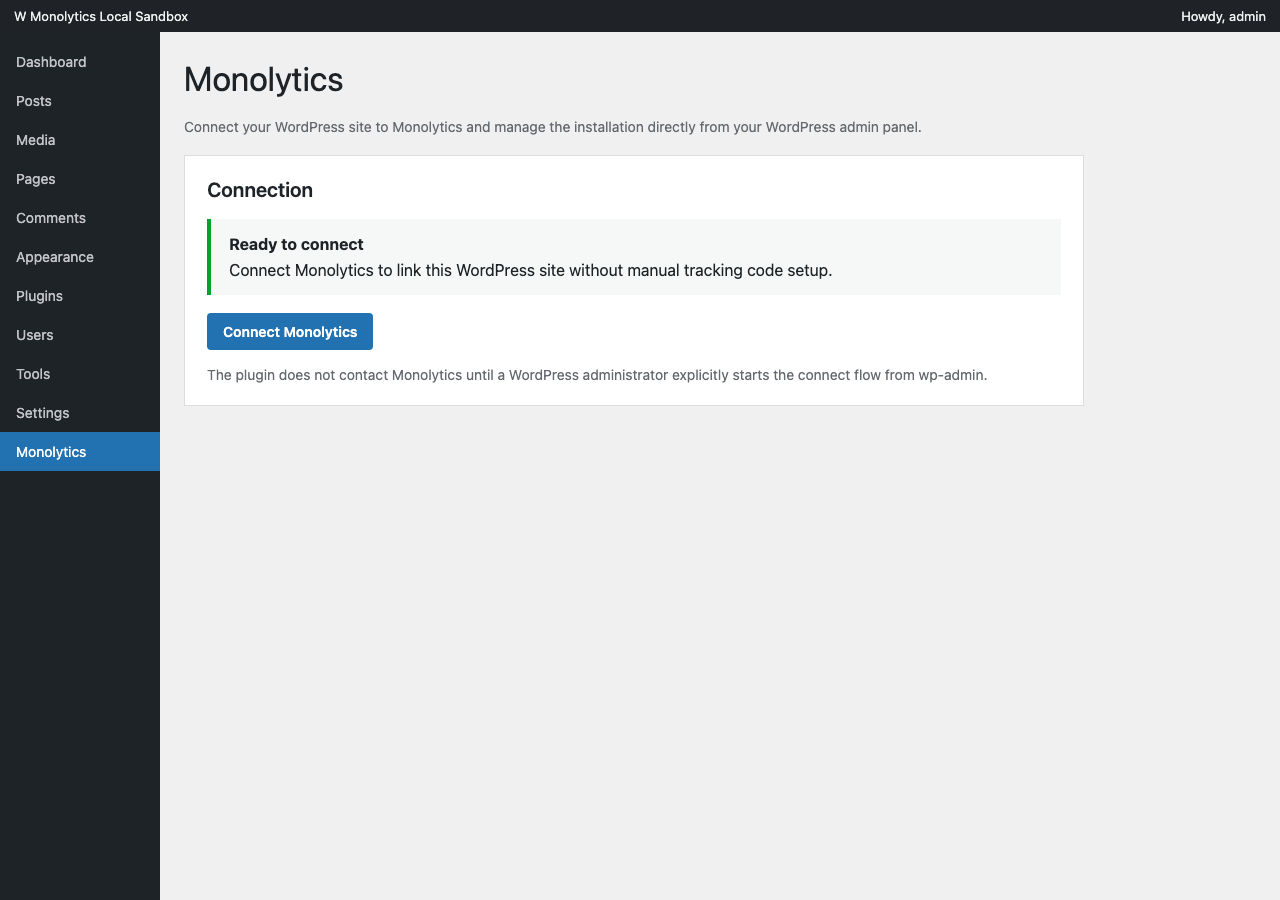
wp-admin with Connect Monolytics as the primary call to action.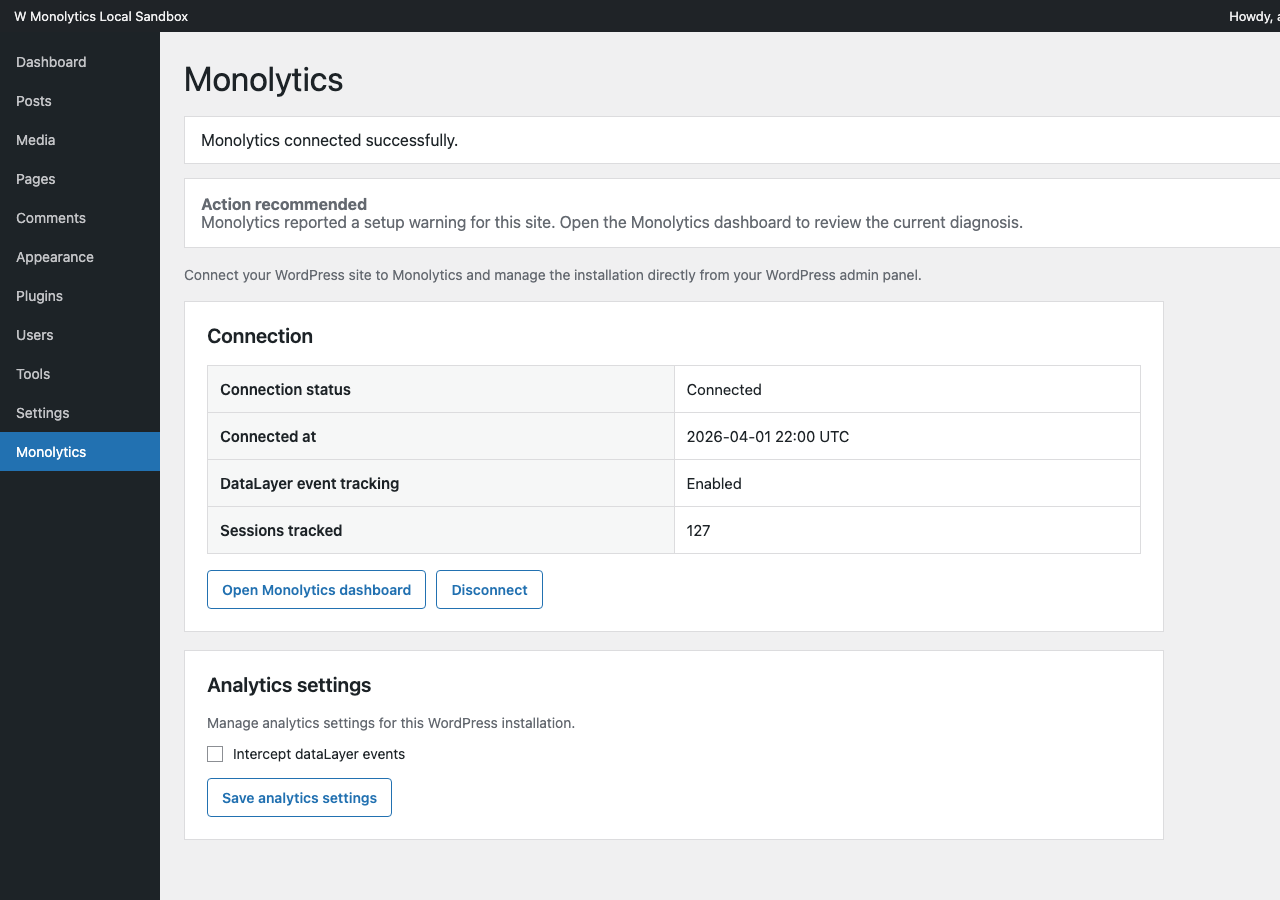
wp-admin with connection status, DataLayer tracking state, sessions tracked, and dashboard handoff.설치
- Install
Monolyticsfrom the WordPress.org plugin directory, or upload the plugin zip through the WordPress plugin installer. - Activate
Monolytics. - Open
Monolyticsin the WordPress admin sidebar. - Click
Connect Monolytics. - Complete the Monolytics login, signup, or Google auth flow.
- Return to WordPress and confirm the connected status.
FAQ
-
Do I need a Monolytics account?
-
Yes. The plugin uses a Monolytics-hosted connect flow. You can either log into an existing account or create one during setup.
-
Does the plugin track all of wp-admin?
-
No. The plugin is designed to avoid globally tracking the WordPress admin area by default.
-
Does disconnecting or uninstalling the plugin delete my Monolytics domain?
-
No. Disconnecting or uninstalling removes the local WordPress-side connection state and stops local tracker injection, but it does not delete the remote Monolytics domain or historical analytics data.
후기
이 플러그인에 대한 평가가 없습니다.
기여자 & 개발자

변경이력
1.1.5
- Declares compatibility with WordPress 7.0 after verification.
1.1.4
- Updates the plugin homepage and public listing links to the current Monolytics WordPress integration page.
1.1.3
- See the GitHub release notes or
CHANGELOG.mdfor the full list of changes in this version.
1.1.2
- See the GitHub release notes or
CHANGELOG.mdfor the full list of changes in this version.
1.1.1
- See the GitHub release notes or
CHANGELOG.mdfor the full list of changes in this version.