

설명
Automatically display a customizable notice on posts older than a set number of days.
Keep your readers informed about outdated content with the Old Post Notice WordPress plugin. Perfect for blogs and websites with extensive archives, it automatically displays a customizable notice on posts older than a set number of days.
Ideal for managing archived posts, alerting visitors, and improving content engagement.
✨ Benefits
-
Inform Readers About Outdated Content
Use the Old Post Notice plugin to alert visitors when a post is older than a set number of days, helping maintain trust and improve user experience on blogs and websites. -
Highlight Time-Sensitive Information
Perfect for news blogs, tutorials, or guides where information can become outdated. The notice can include the post’s published or modified date to provide context. -
Manage Archived Posts
Access a comprehensive dashboard page that lists all posts displaying the old post notice, giving you complete visibility and control over your archive content management. -
Improve Blog Engagement
Encourage readers to explore newer posts by clearly marking older content, increasing page views and engagement on your site. -
Customize Notices for Branding
Use default styling or custom CSS to match your blog’s design, ensuring the old post notice fits seamlessly with your site’s look and feel.
📖 Example Use Case: Jane’s Travel Blog
Jane runs a popular WordPress travel blog with hundreds of posts spanning several years. She wants to alert readers to outdated content so visitors aren’t misled by old information, like hotel prices or travel tips that have changed.
By installing the Old Post Notice plugin, Jane can:
- Automatically display a customizable old post notice on posts older than a set number of days.
- Include the published or modified date in the notice for context.
- Style the notice with default colors or use custom CSS to match her blog design.
- View and manage all posts with notices via the dashboard page and widget, making archive post management easy.
This setup improves user experience, boosts blog engagement, and ensures that visitors are aware of outdated content, all while maintaining a polished, professional look on her WordPress site.
⚡ Features
- Enable or disable the old post notice.
- Customize the notice text and styling.
- Insert the post’s published or modified date into the notice.
- Set how many days old a post must be for the notice to appear.
- Display notice based on published or modified dates.
- Position the notice above or below post content.
- Use default styling or custom CSS for full control.
- Set background and text colors for the notice.
- Add a dashboard page listing all posts with notices.
- Add a dashboard widget showing selected posts with notices.
- Replace or append to the default notice on individual posts.
- Perfect for managing archived posts and keeping content up-to-date.
📚 Usage
After installation, access the settings under Settings > Old Post Notice. Once enabled, the notice will appear on old posts according to your configured settings.
🧑💻 Developer
Created by David Allsop. Additional details are available on the project page.
스크린샷
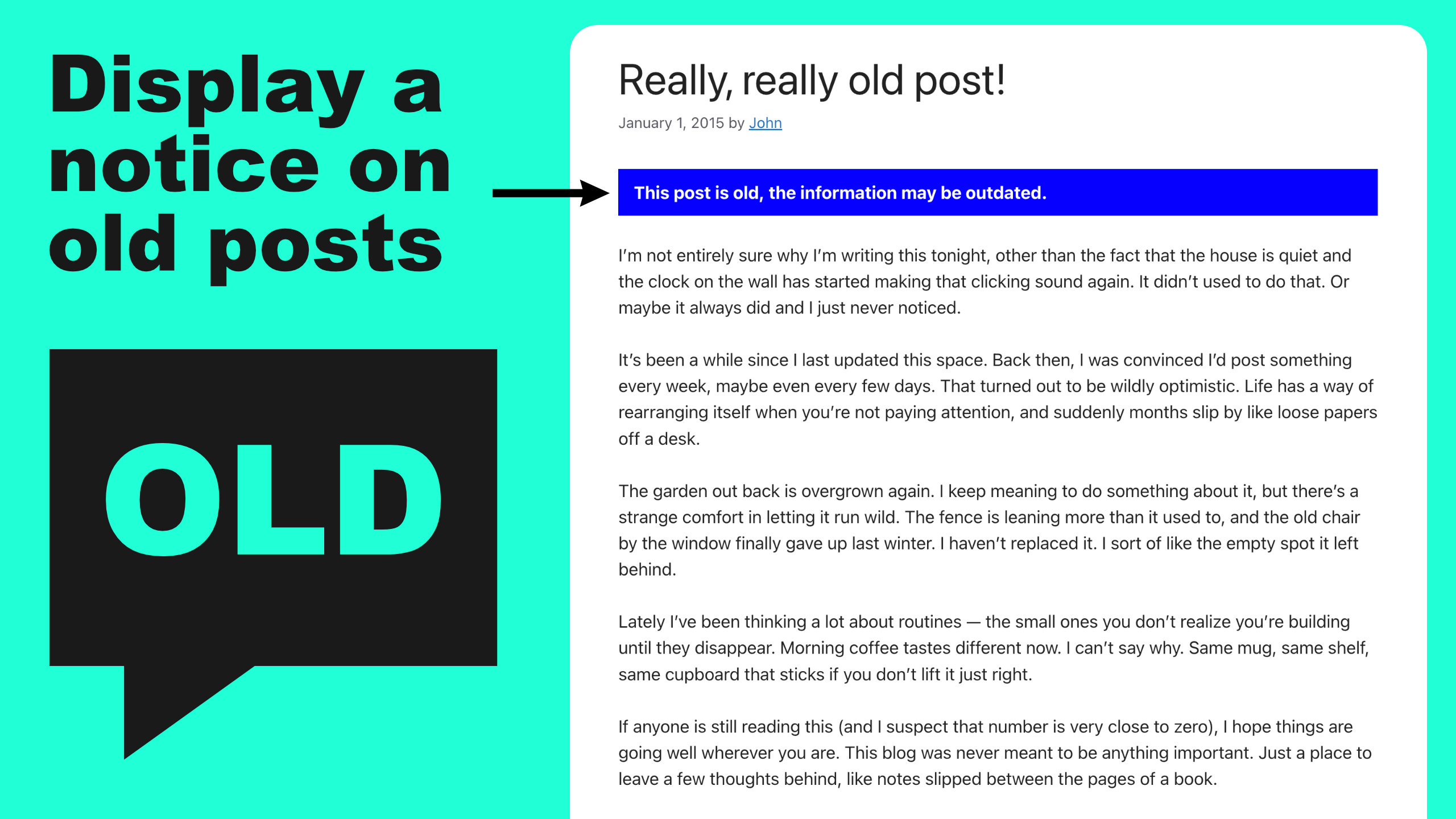
Automatically display a customizable notice on posts older than a set number of days. 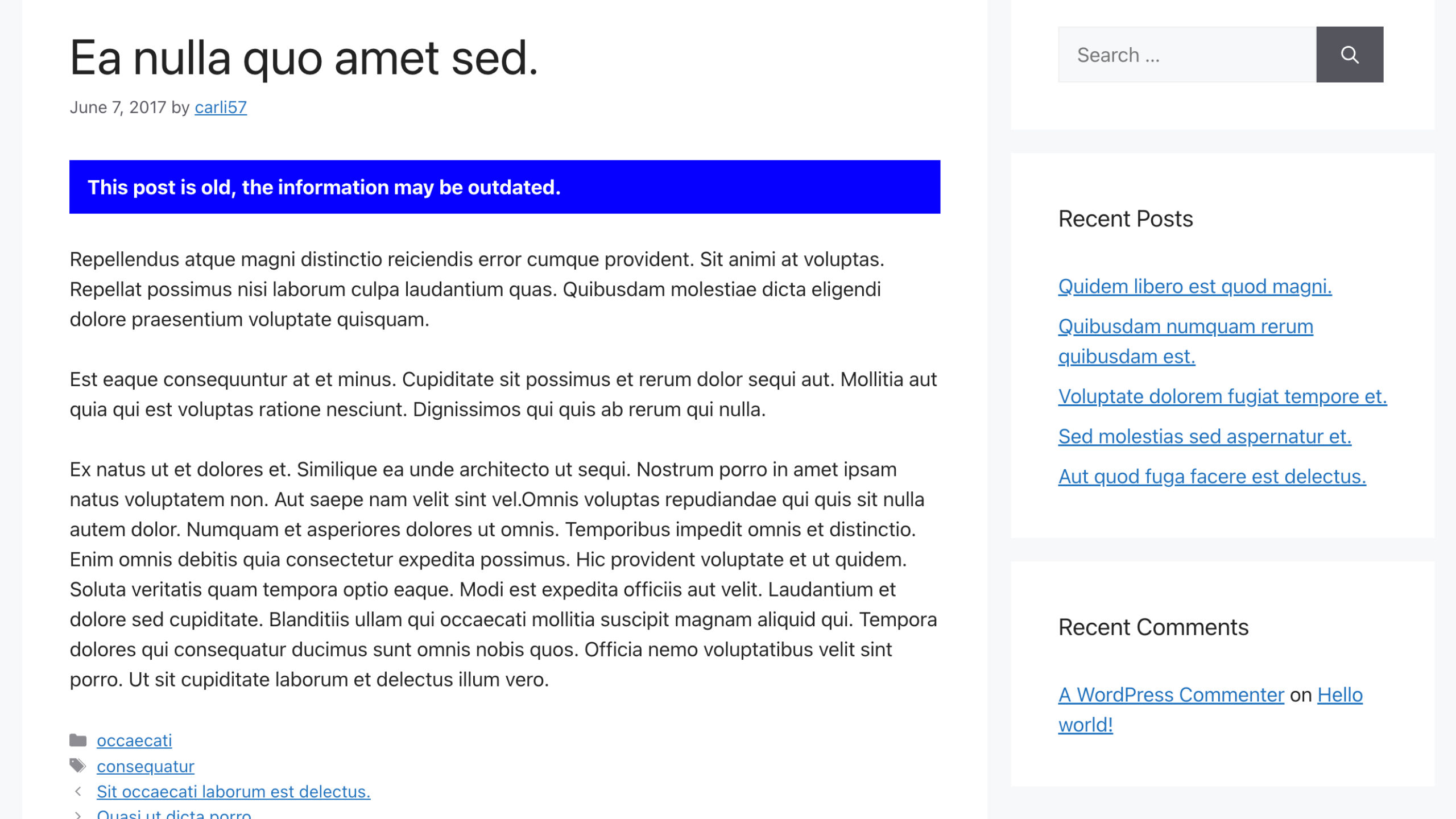
Post displaying the old post notice. 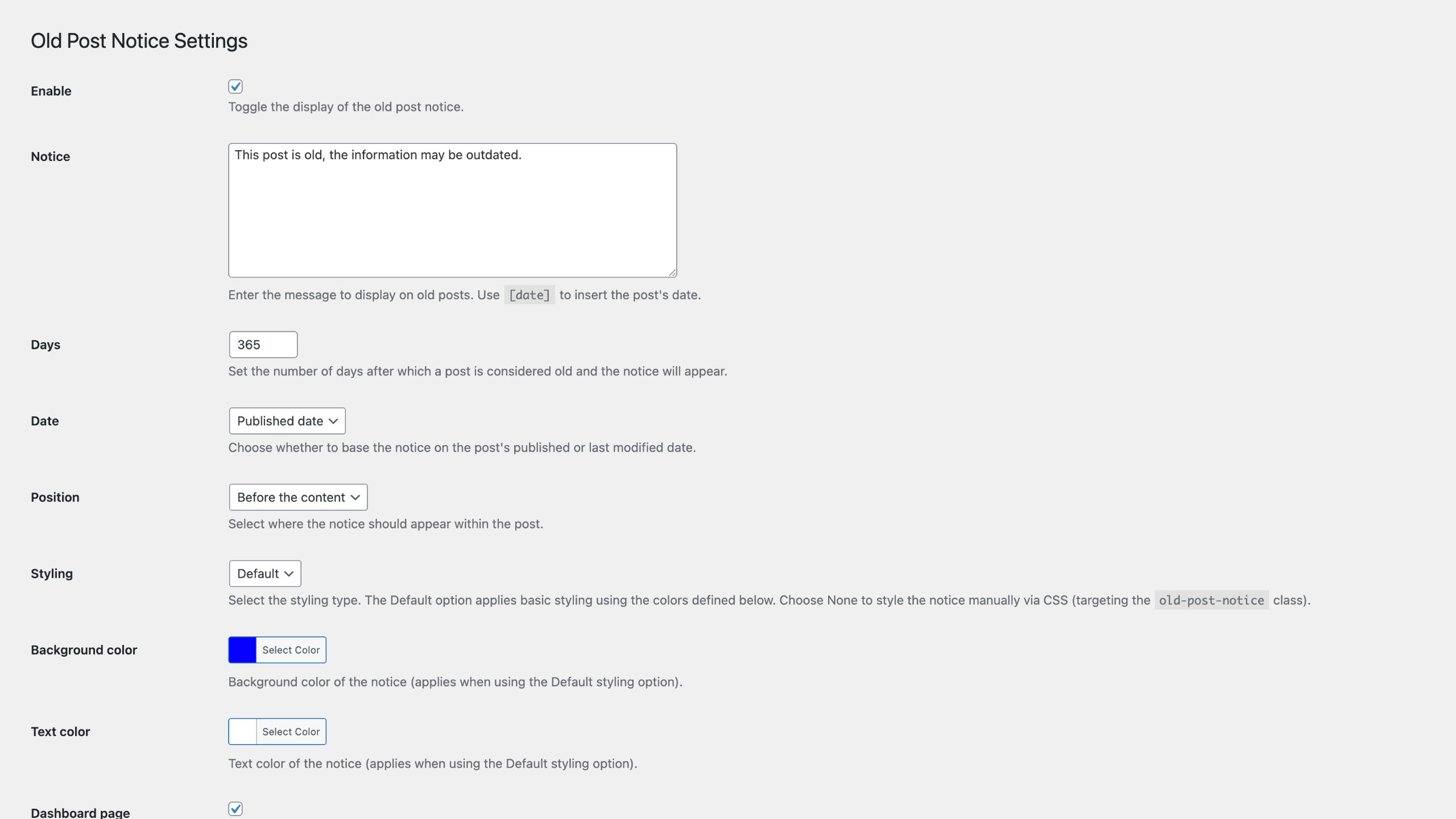
Includes several settings to configure the old post notice. 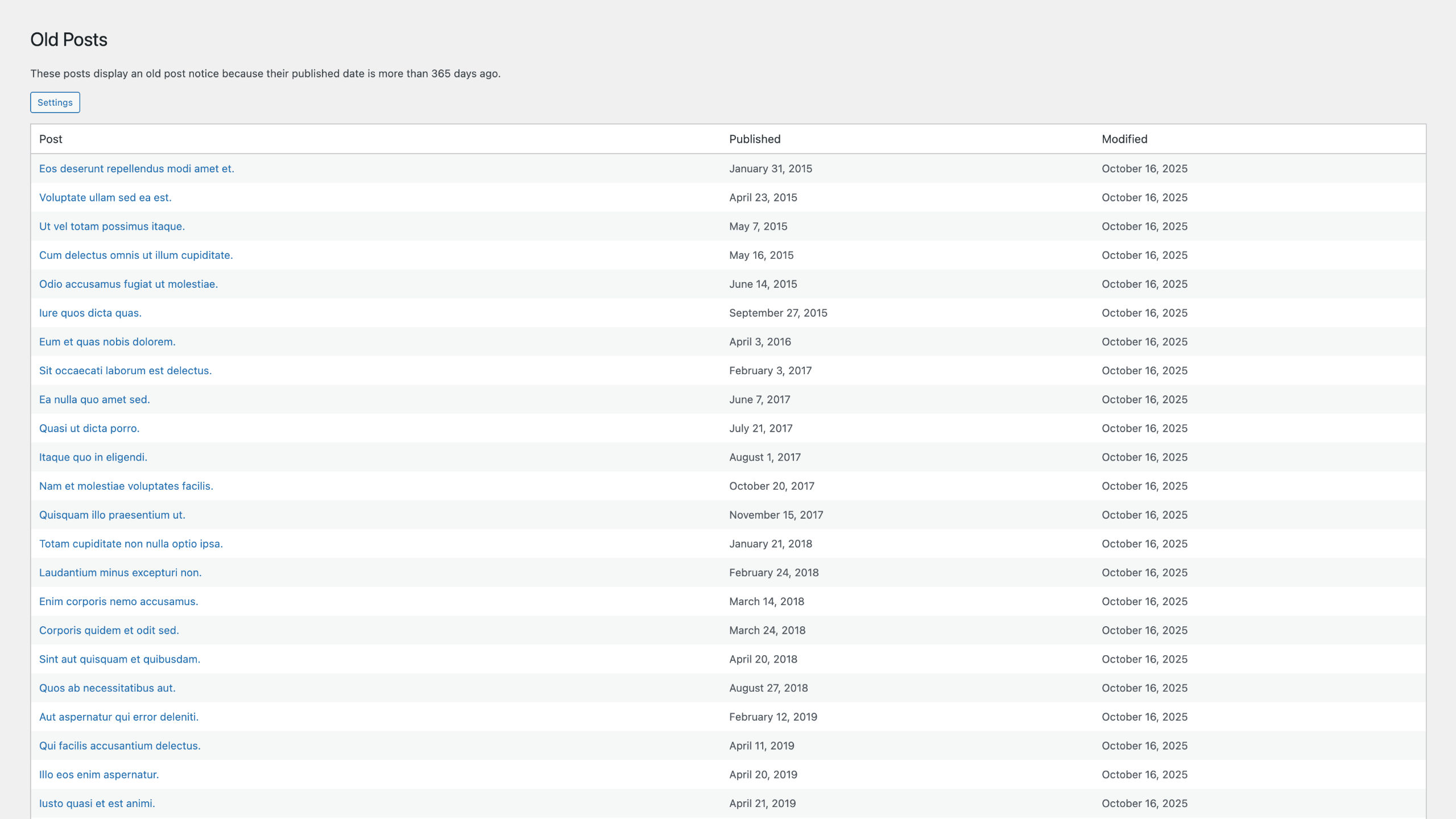
Adds a page under the Posts menu that lists all posts displaying the old post notice. 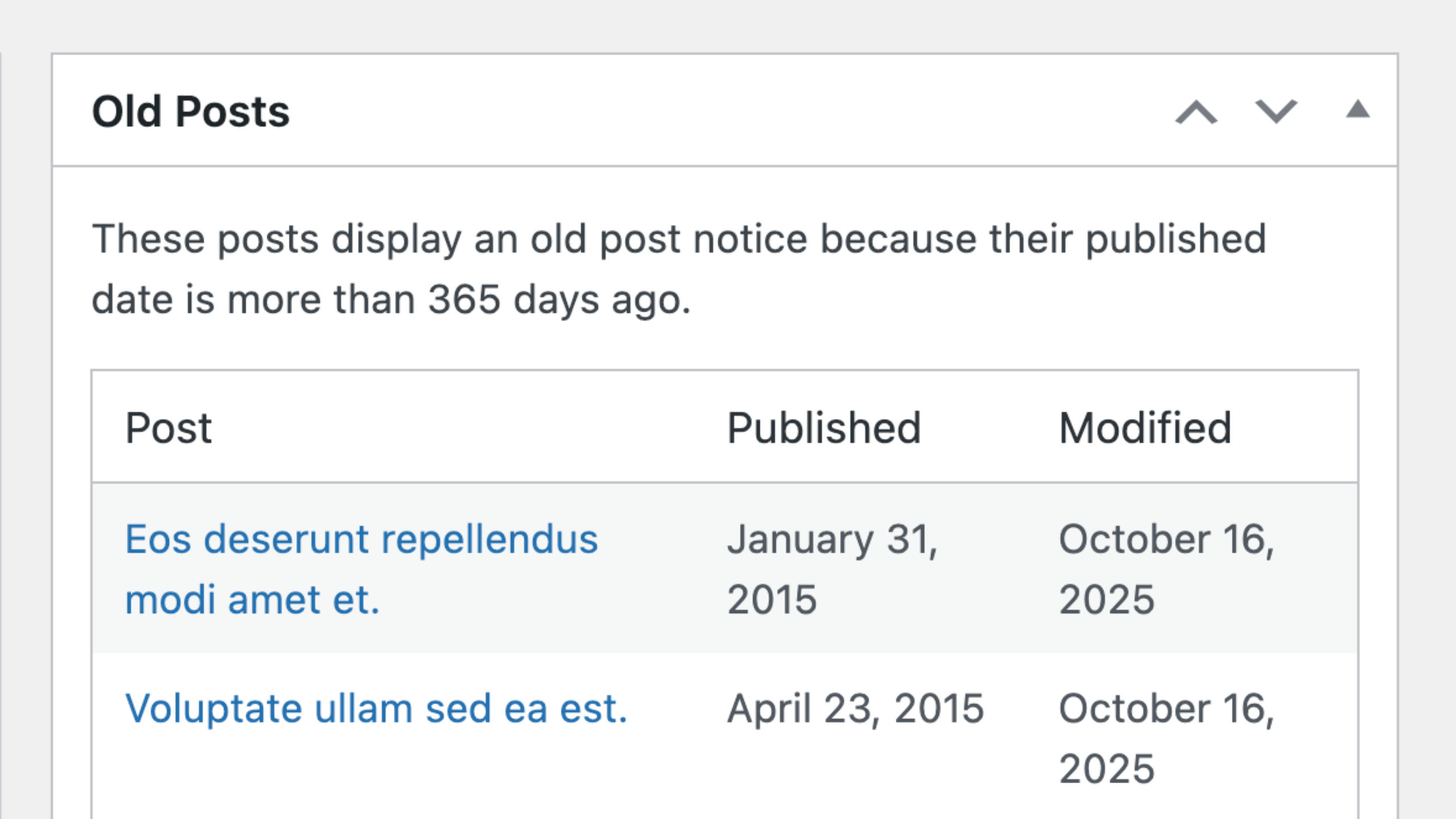
Adds a widget to the dashboard homepage that lists all posts displaying the old post notice. 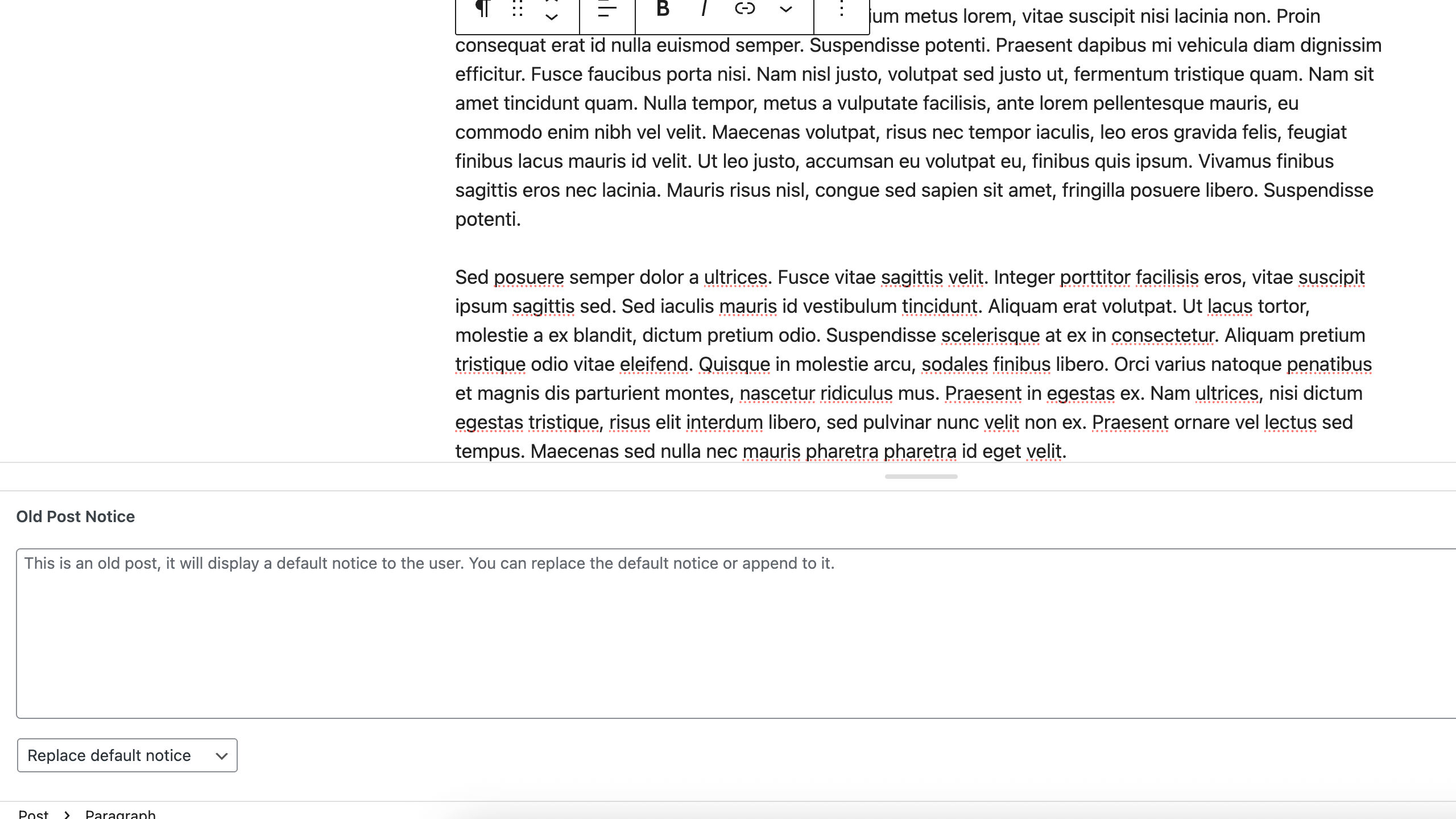
Replace or append to the default notice when editing a post.
FAQ
-
Can I replace or append to the default notice?
-
Yes. When editing old posts, you can set a notice and choose whether to replace the default notice or append to it.
This is a meta box, so it is compatible with both the Block and Classic editors. On the block editor, the meta box is at the bottom of the page.
-
Can I see a list of posts displaying the old post notice?
-
Yes. You can view posts with the notice by enabling the dashboard page and/or the dashboard widget.
-
Can I set the colors?
-
Yes. Set the styling option to Default, then choose your preferred background and text colors using the color settings.
-
Can I use my own custom CSS?
-
Yes. Set the styling option to None, then target the
old-post-noticeclass in your CSS to apply custom styles. -
Can I use HTML in the notice?
-
Yes. You can use HTML tags in the notice text, including line breaks, formatting tags like
<strong>and<em>, and other common HTML elements. The HTML is automatically sanitized for security, so safe tags like<p>,<br>,<strong>, and<em>are allowed, while potentially dangerous tags like<script>are removed. -
Can I add content before an appended notice?
-
Yes. Use the
old_post_notice_before_appendfilter hook to add content before an appended notice. For example, if you’re appending links to newer posts to your default notice, you can add a general heading before the links with this hook.This will display: [Default notice] + “My Heading” + [Your appended notice].
후기
이 플러그인에 대한 평가가 없습니다.
기여자 & 개발자

변경이력
2.2.2 – 2026-01-16
- Update: Improve enqueue of settings page color picker library so works on WordPress playground environment
- Update: When old post notice disabled, dashboard page/widget info that “these pages display a notice” is hidden
- Update: Meta box naming changes
- Fix: Add missing space to “These posts display an old post notice because their modified date…” string
2.2.1 – 2026-01-13
- Fix: Save settings can cause an error on PHP 7.4
2.2.0 – 2026-01-12
- Add: Scaffolding for scoped dependencies
- Update: Composer script updates
- Update: Settings option name retrieval improvements
- Fix: load_plugin_textdomain code no longer needed
2.1.0 – 2025-10-20
- Add: Old post notice meta box to old posts
- Add: Replace or append to default notice functionality when editing old posts
- Add: old_post_notice_before_append filter hook
- Update: Allow HTML in notice
- Update: Inherit notice text color on links added in notices
- Fix: Add catches for get_the_modified_date() and get_the_date() returning false in certain circumstances
2.0.0 – 2025-10-16
- Update: Assets now minified
- Update: Better AJAX responses for error handling
- Update: Complete code refactor
1.3.2 – 2024-11-10
- Update: Contribute information
1.3.1 – 2024-11-04
- Remove: Sponsor information
1.3.0 – 2024-10-16
- Add: Dashboard widget posts setting
- Update: Color variables naming consistency to match option names
- Update: register_setting sanitize callback
1.2.1 – 2024-10-09
- Add: Days setting max attribute
- Update: Dashboard page configure settings button renamed
- Update: Dashboard widget title changed
- Update: Information in readme.txt
- Update: Nag text
1.2.0 – 2024-10-07
- Add: Dashboard page under the posts menu that displays all posts that are displaying the old post notice, disabled by default
- Update: Dashboard widget now loads a limited amount of data and includes a link to view all via the dashboard page
- Update: Dashboard widget now loads data via AJAX
- Update: Dashboard widget visibility only to users with edit_posts capability
1.1.0 – 2024-10-04
- Add: Dashboard widget displaying a selection of posts that are displaying the old post notice, disabled by default
- Update: Public CSS for old post notice is now only enqueued if the old post notice setting is enabled and the styling setting is not none
1.0.1 – 2024-10-02
- Add: Donate link in readme.txt
- Update: Conditions in uninstall.php
- Update: FAQs in readme.txt
1.0.0 – 2024-10-01
- New: Plugin released