
설명
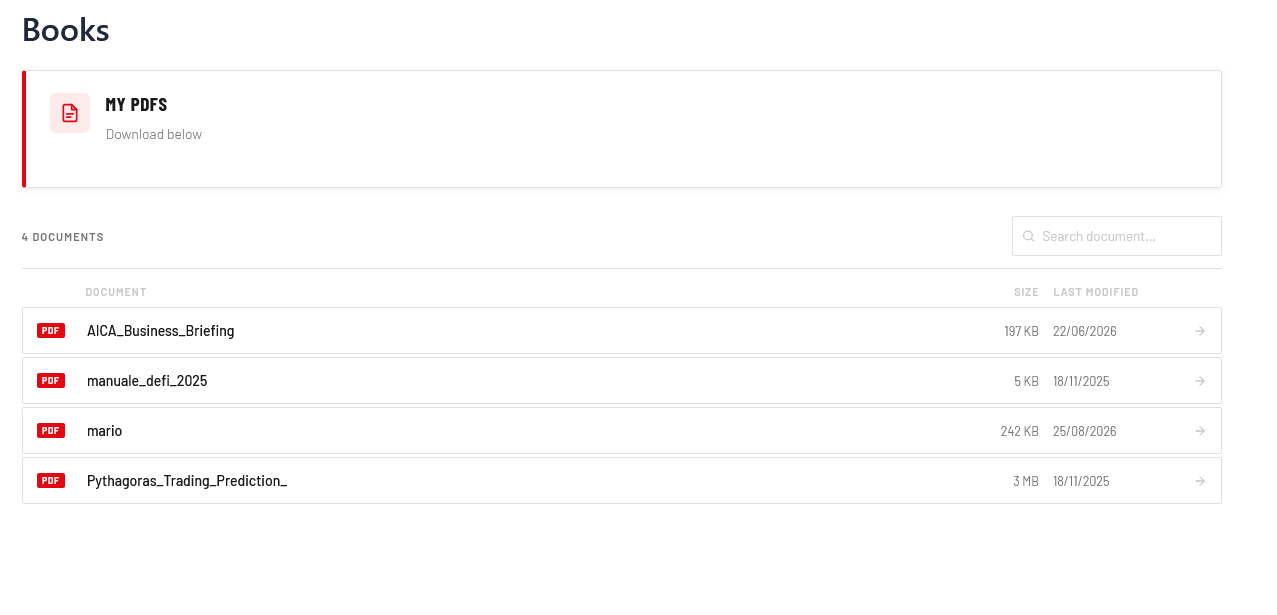
Omnisoul PDF Archive is the ultimate solution for organizing and displaying PDF documents on your WordPress website. Designed with elegance and user experience in mind, this plugin allows you to effortlessly showcase a directory of PDFs using a sleek, responsive, and modern tabbed interface.
Whether you need to display corporate documents, product manuals, school materials, or public records, Omnisoul PDF Archive makes it incredibly simple. Just drop the [omnisoul_pdf_archive] shortcode into any page or post, and the plugin will automatically scan your selected folder and subfolders to build a beautiful, interactive archive.
🌟 Key Features
- Auto-Scanning & Dynamic Tree: Automatically detects files and subfolders from your configured base directory.
- Beautiful Tabbed Interface: A clean, modern layout that perfectly handles nested directories, ensuring your users never get lost.
- Live Search: Includes an instant, client-side search bar to filter files in real-time (automatically appears when you have more than 3 documents).
- Built-in Folder Manager: Create new subfolders directly from the WordPress Admin Settings page without needing FTP access!
- Multi-Folder Support: Use the shortcode attribute
[omnisoul_pdf_archive folder="your-custom-folder/"]to display different folders on different pages. - Brand Customization: Choose your primary brand color directly from the settings page. The plugin automatically calculates hover and active states for a cohesive look.
- Responsive Design: Looks great and works flawlessly on desktop, tablet, and mobile devices.
- Zero Bloat & Fast: Extremely lightweight, using vanilla JavaScript and CSS with no heavy dependencies.
💼 Perfect For:
- Corporate Intranets: Share policies, HR documents, and forms.
- Educational Institutions: Organize syllabus PDFs, assignments, and reading materials.
- Local Governments & Municipalities: Public transparent archives and city council minutes.
- E-commerce & Businesses: Product manuals, technical specs, and warranties.
스크린샷

설치
- Upload the plugin files to the
/wp-content/plugins/omnisoul-pdf-archivedirectory, or install the plugin through the WordPress plugins screen directly. - Activate the plugin through the ‘Plugins’ screen in WordPress.
- Go to Omnisoul PDF Archive in the WordPress admin menu to configure your base folder and primary color.
- You can create new folders directly from the settings page.
- Upload your PDF files into your chosen folder via FTP or a File Manager plugin.
- Use the shortcode
[omnisoul_pdf_archive]on any page or post.
FAQ
-
Can I use multiple folders on different pages?
-
Yes! You can override the default folder by using the shortcode attribute:
[omnisoul_pdf_archive folder="wp-content/uploads/other-pdfs/"] -
Can I change the title and description?
-
Yes, you can customize the text displayed above the archive by using the
titleanddescriptionattributes:[omnisoul_pdf_archive title="My Documents" description="Click to download."]. -
How do I upload PDF files?
-
You can upload files to the directories you create using FTP, cPanel File Manager, or any WordPress File Manager plugin.
-
Can I customize the colors?
-
Absolutely. Go to the Omnisoul PDF Archive settings page and select your brand’s primary color. The plugin will automatically adapt the styling.
후기
이 플러그인에 대한 평가가 없습니다.
기여자 & 개발자

변경이력
1.0.0
- Initial release.