

설명
Optimazz는 Core Web Vitals에 가장 큰 영향을 미치는 최적화를 자동으로 안전하게 적용하는 올인원 성능 최적화 제품군입니다. 모든 모듈은 사용자가 직접 활성화할 수 있고 언제든 되돌릴 수 있으며, Optimazz는 다른 캐싱 플러그인의 파일을 절대 덮어쓰지 않습니다.
포함된 모듈:
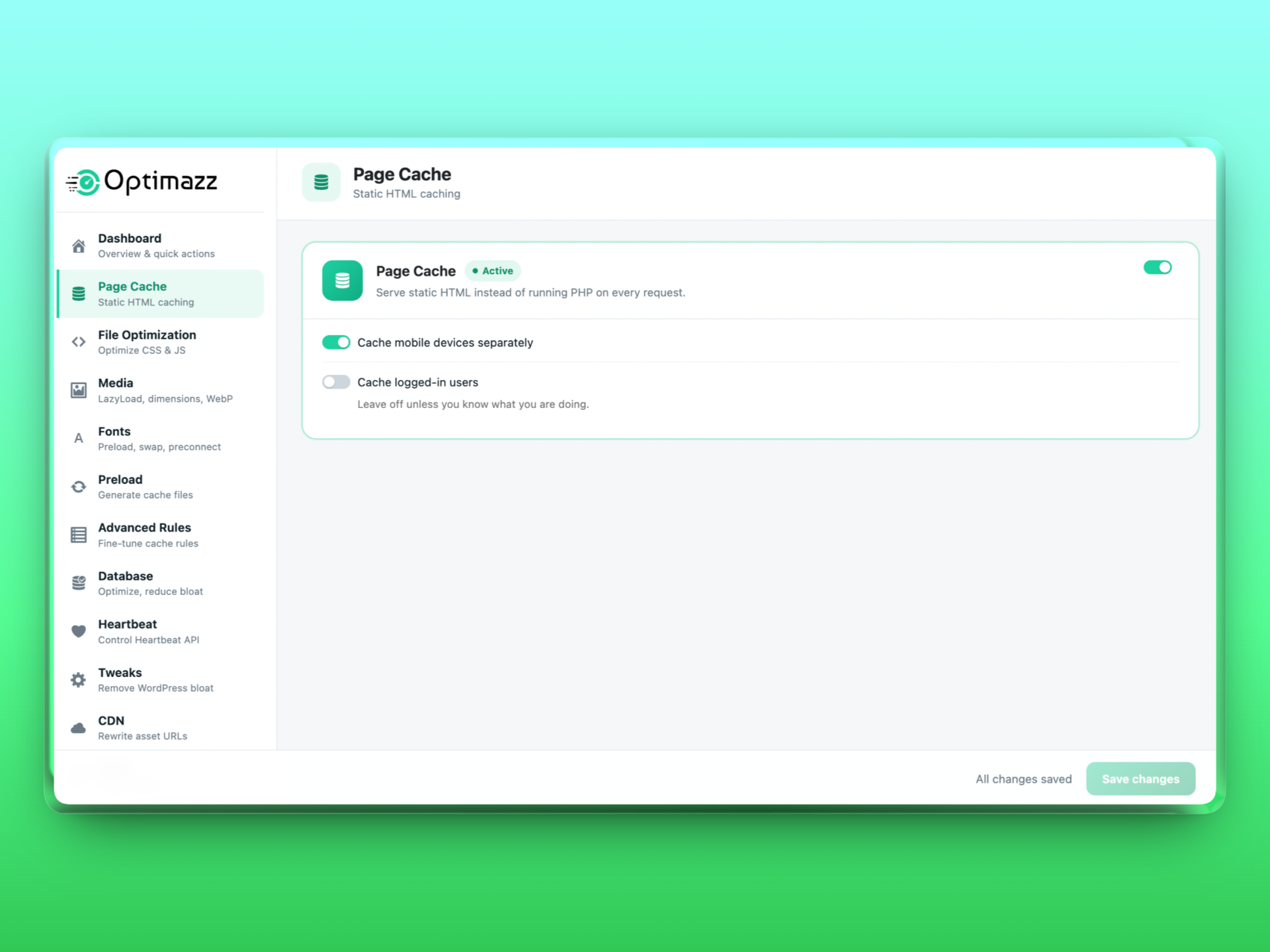
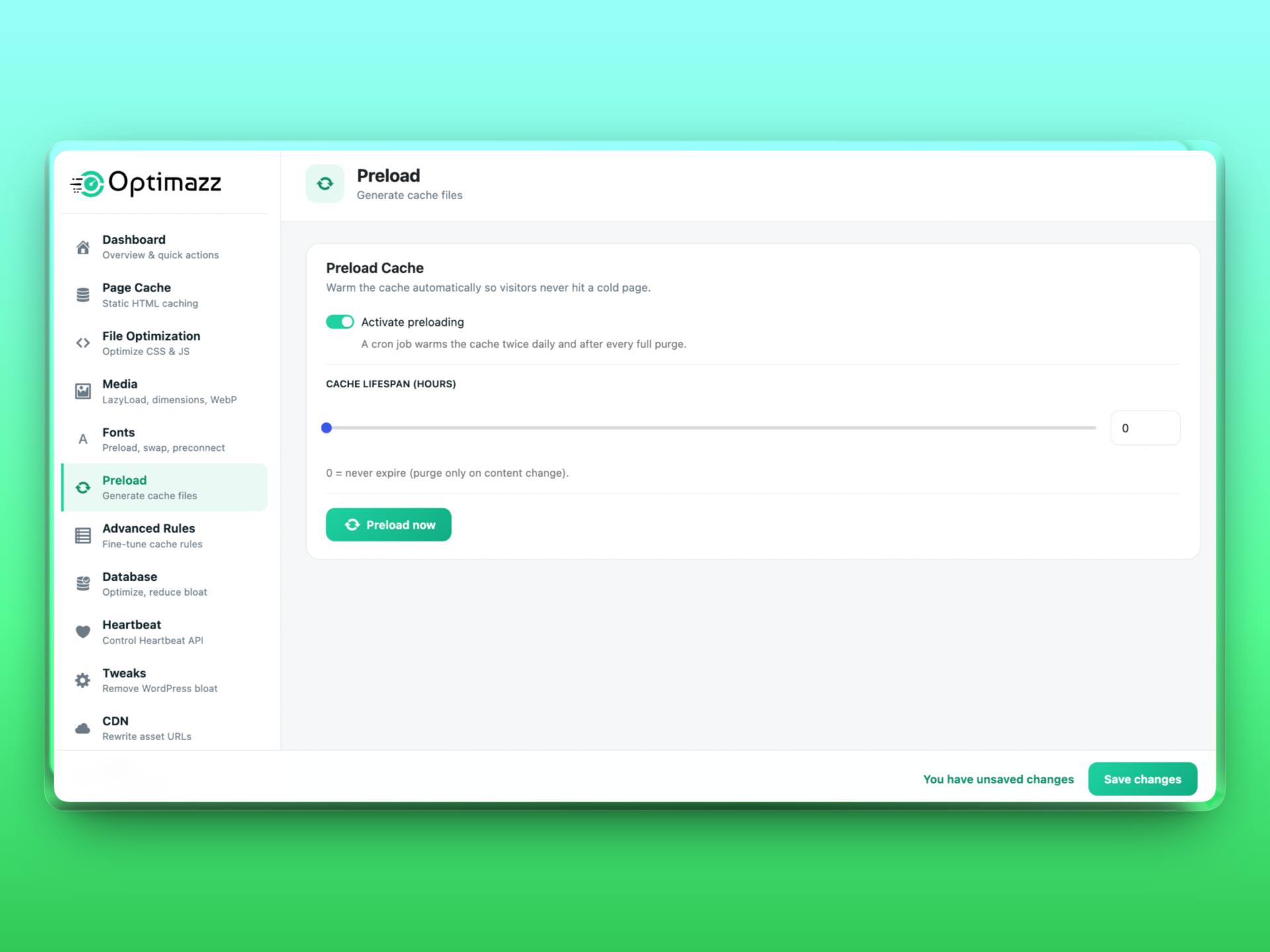
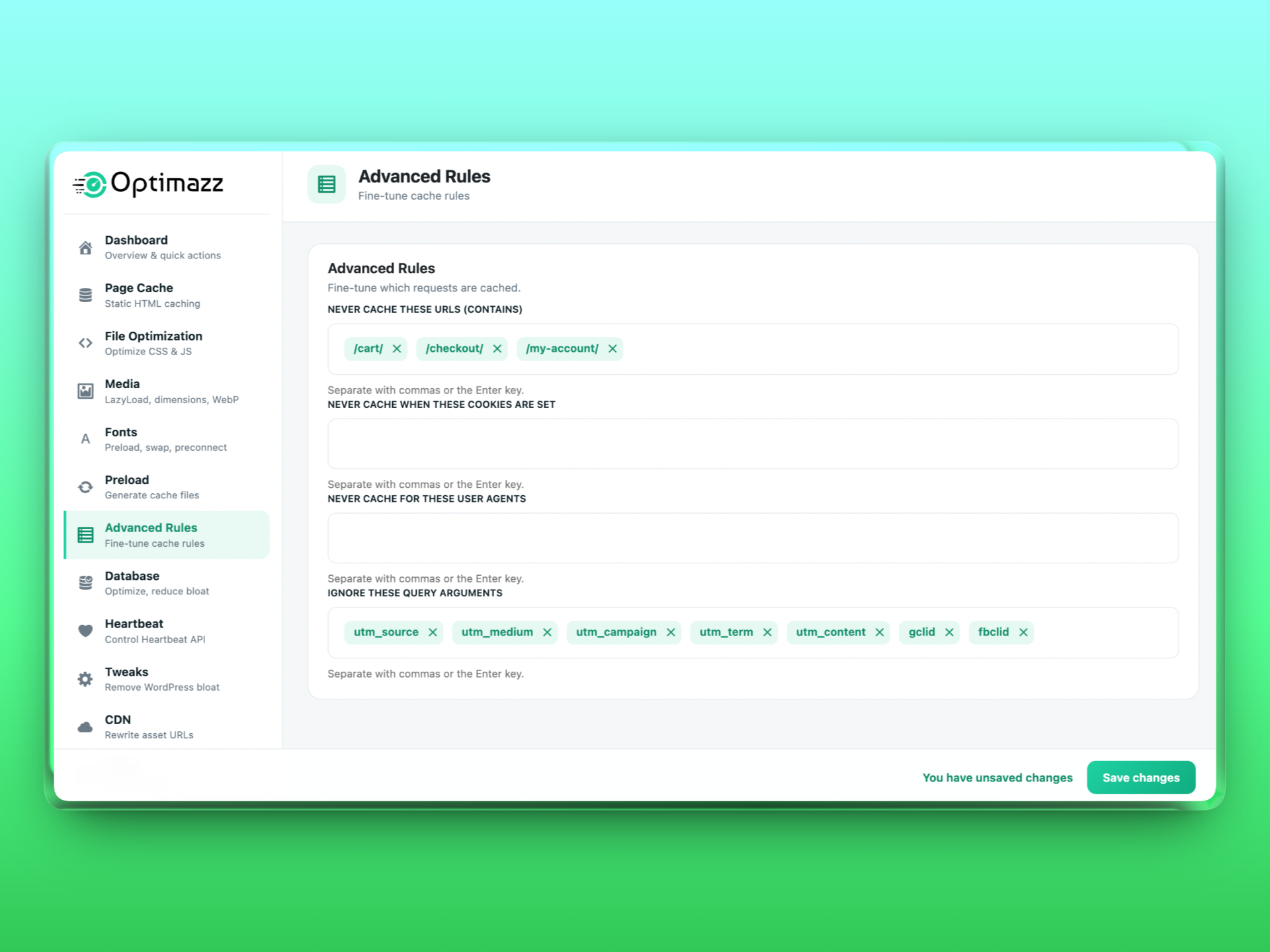
- 페이지 캐시 — 모든 요청마다 PHP를 실행하는 대신 정적 HTML을 제공하고, 로그인한 사용자·장바구니·쿼리 문자열을 대상으로 지능적인 제외 규칙을 적용합니다. 콘텐츠 변경 시 캐시를 자동으로 삭제하고, 방문자가 캐시가 비어 있는 페이지를 접하지 않도록 cron 기반 캐시 프리로더를 제공합니다.
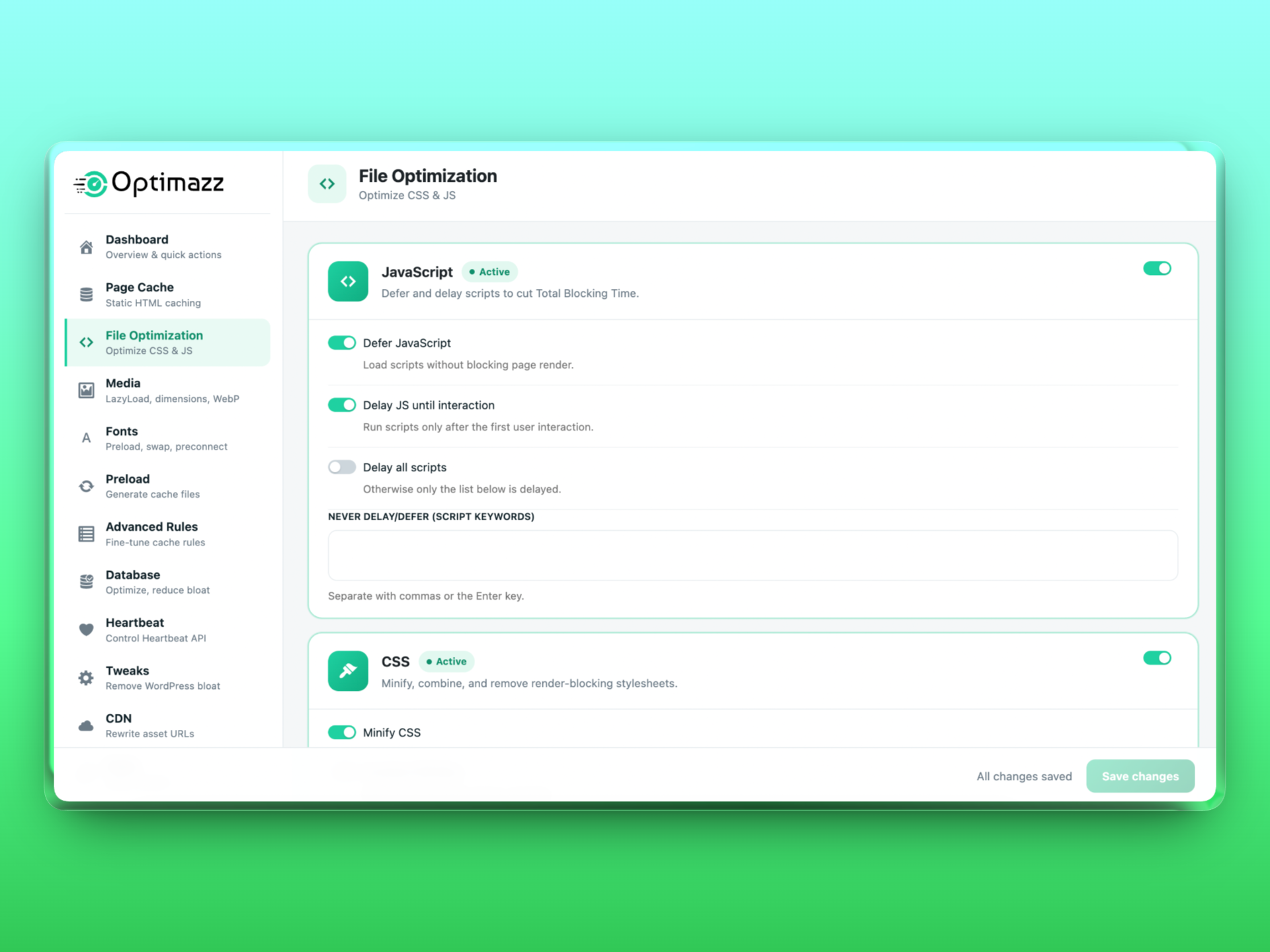
- JavaScript — 스크립트를 지연 실행하고 첫 사용자 상호작용이 발생할 때까지 실행을 늦춰 총 차단 시간(Total Blocking Time)을 줄이며, 제외 목록을 제공합니다.
- CSS — CSS를 최소화하고 결합한 후 비동기적으로 로드하여 렌더링을 차단하는 스타일시트를 제거합니다.
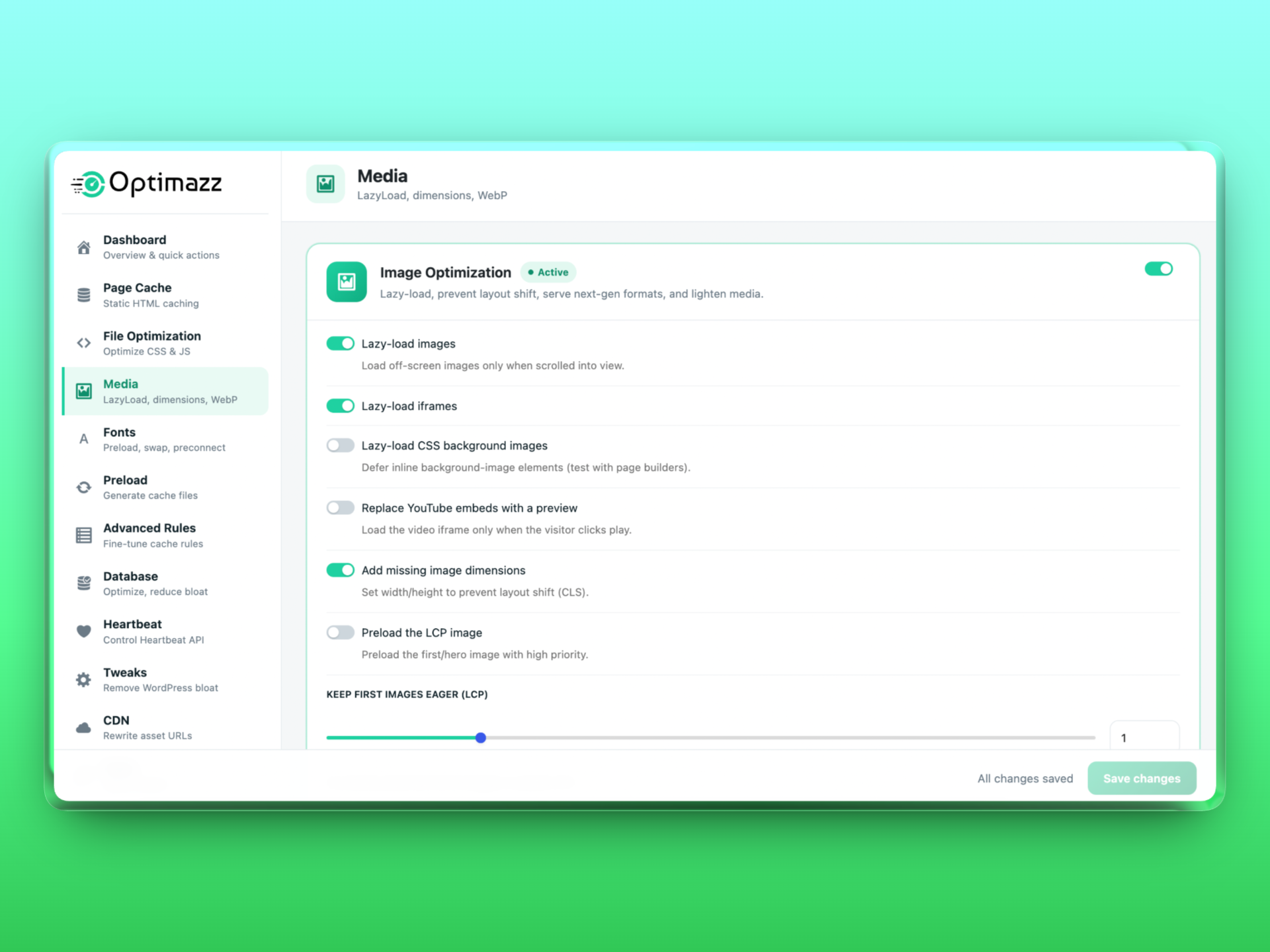
- 이미지 최적화 — 이미지와 iframe을 지연 로드하고, 레이아웃 이동을 방지하도록 누락된 크기 정보를 추가하며, WebP/AVIF를 생성하고 제공합니다. 기존 미디어 라이브러리를 일괄 압축하고, 불투명한 PNG를 JPEG로 변환하며, YouTube 임베드를 클릭하여 로드하는 미리보기로 대체합니다.
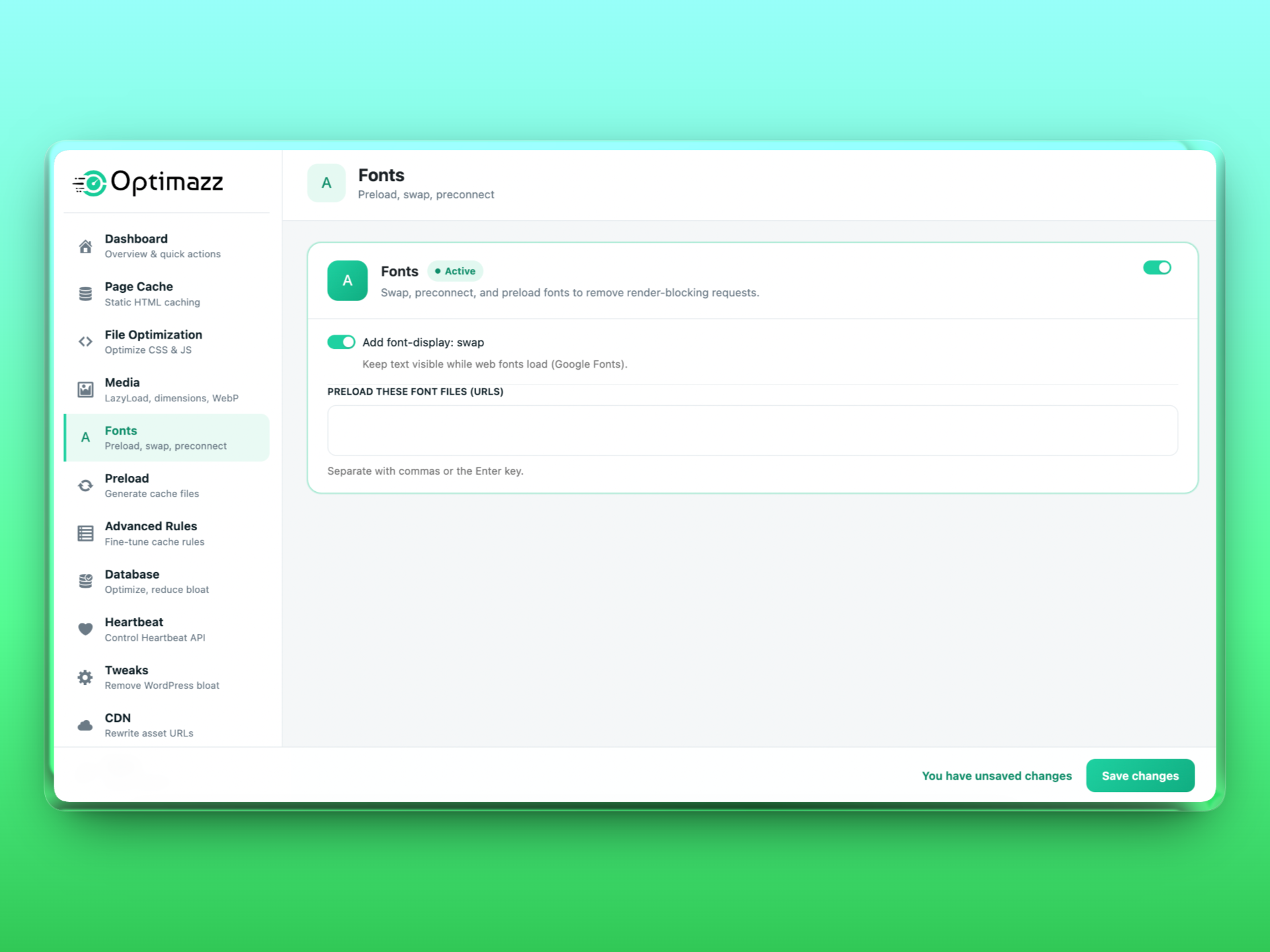
- 글꼴 —
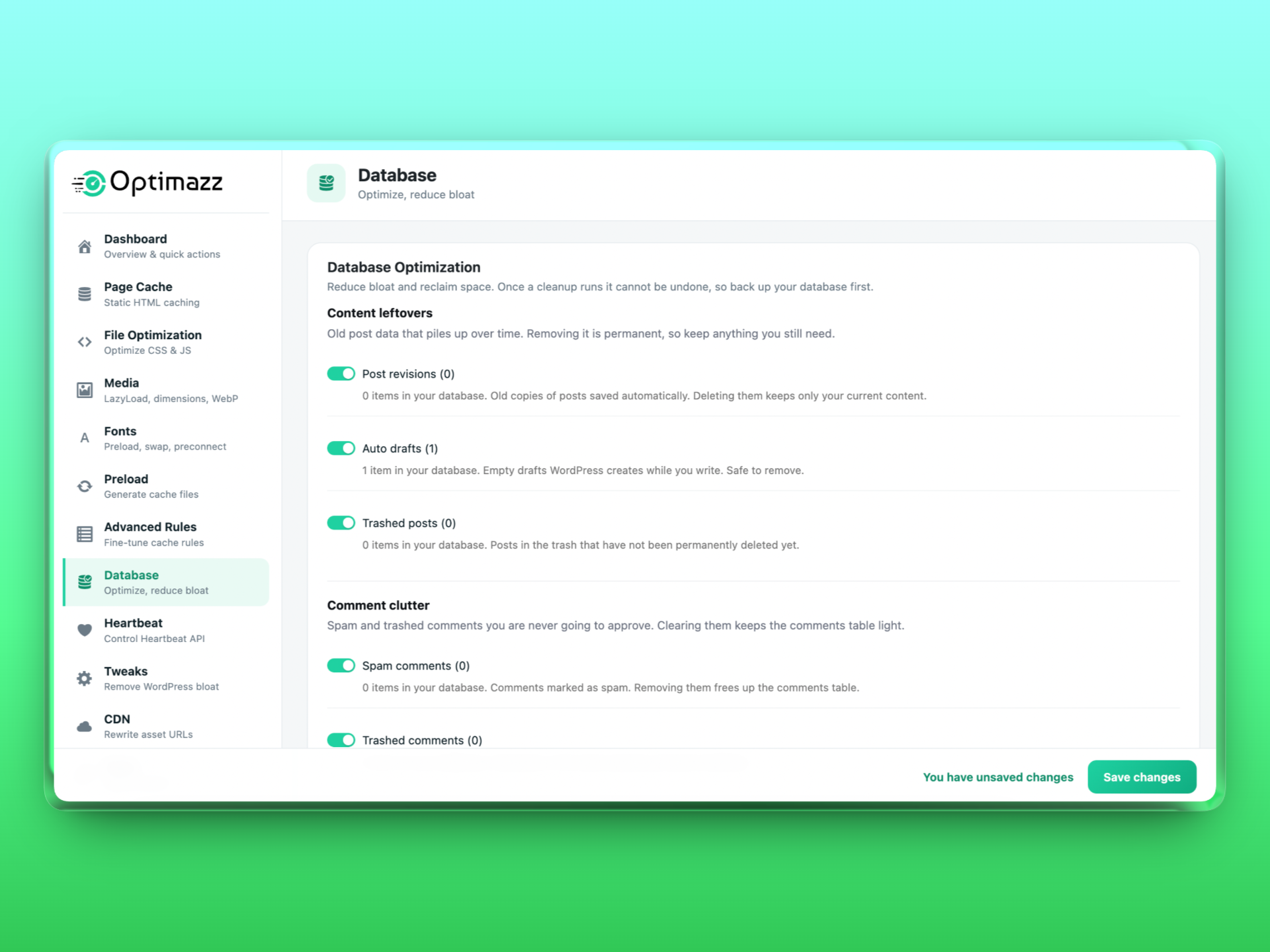
font-display: swap을 추가하고, 글꼴 호스트에 프리커넥트하며, 글꼴 파일을 프리로드합니다. - 데이터베이스 — 리비전, 자동 저장 초안, 휴지통에 있는 글, 스팸 및 휴지통에 있는 댓글, 만료된 트랜지언트를 정리하고, 테이블을 최적화하며, 자동 정리를 예약합니다.
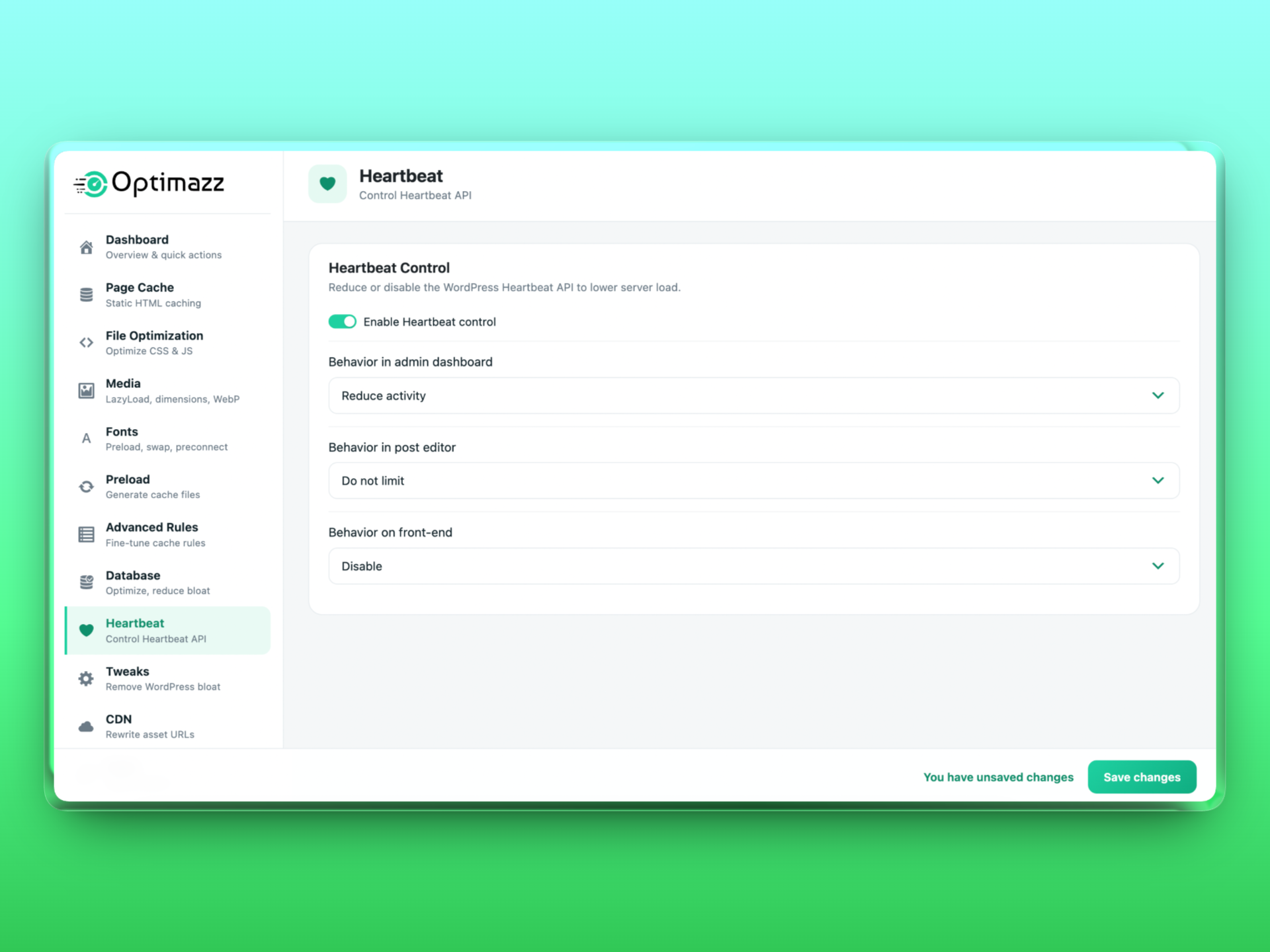
- Heartbeat — 서버 부하를 줄이도록 컨텍스트에 따라 WordPress Heartbeat API를 줄이거나 비활성화합니다.
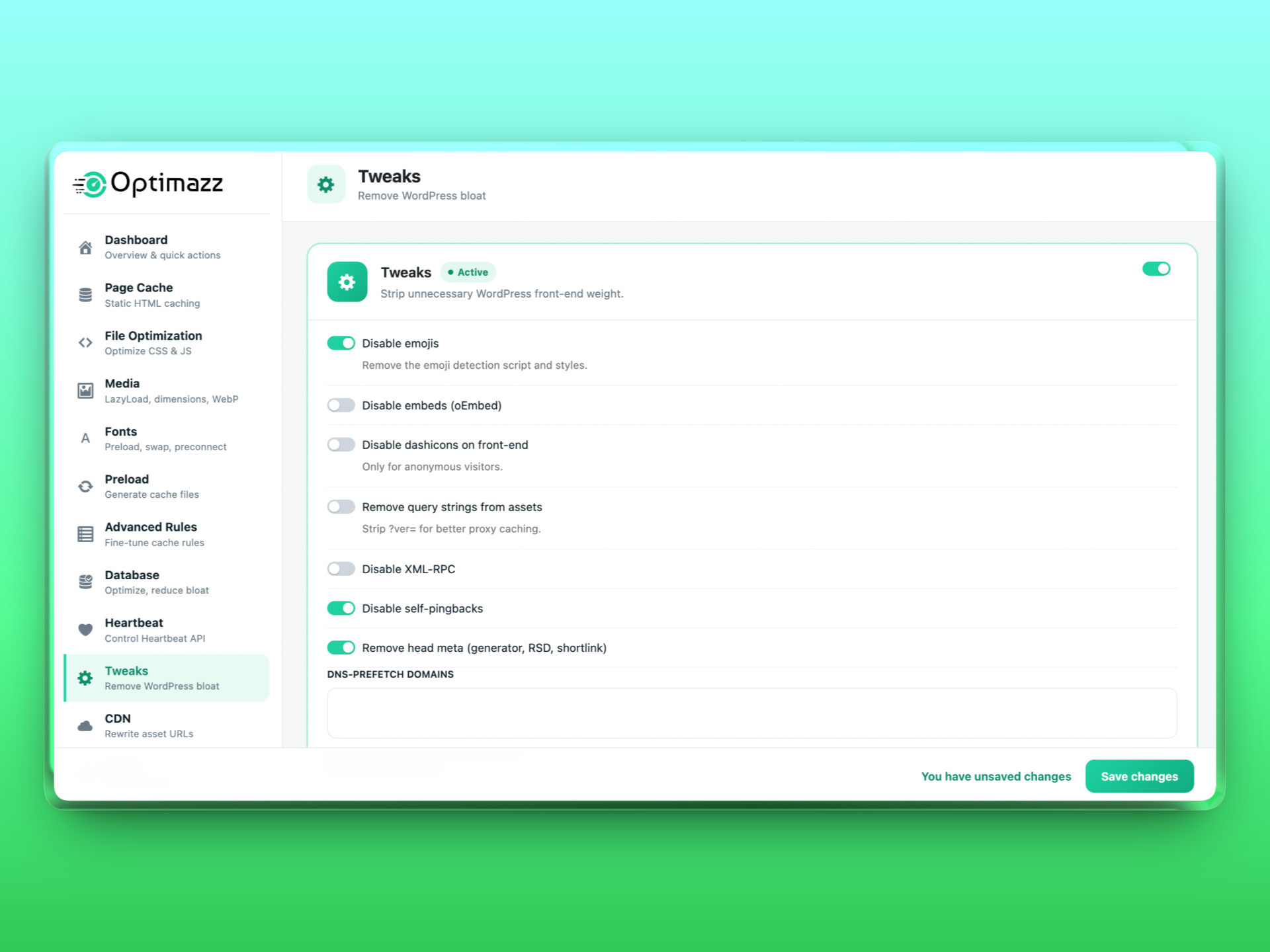
- 조정 — 이모지, 임베드, 대시콘, 쿼리 문자열, XML-RPC 및 핑백을 비활성화하고 DNS 프리페치 및 프리커넥트 힌트를 추가합니다.
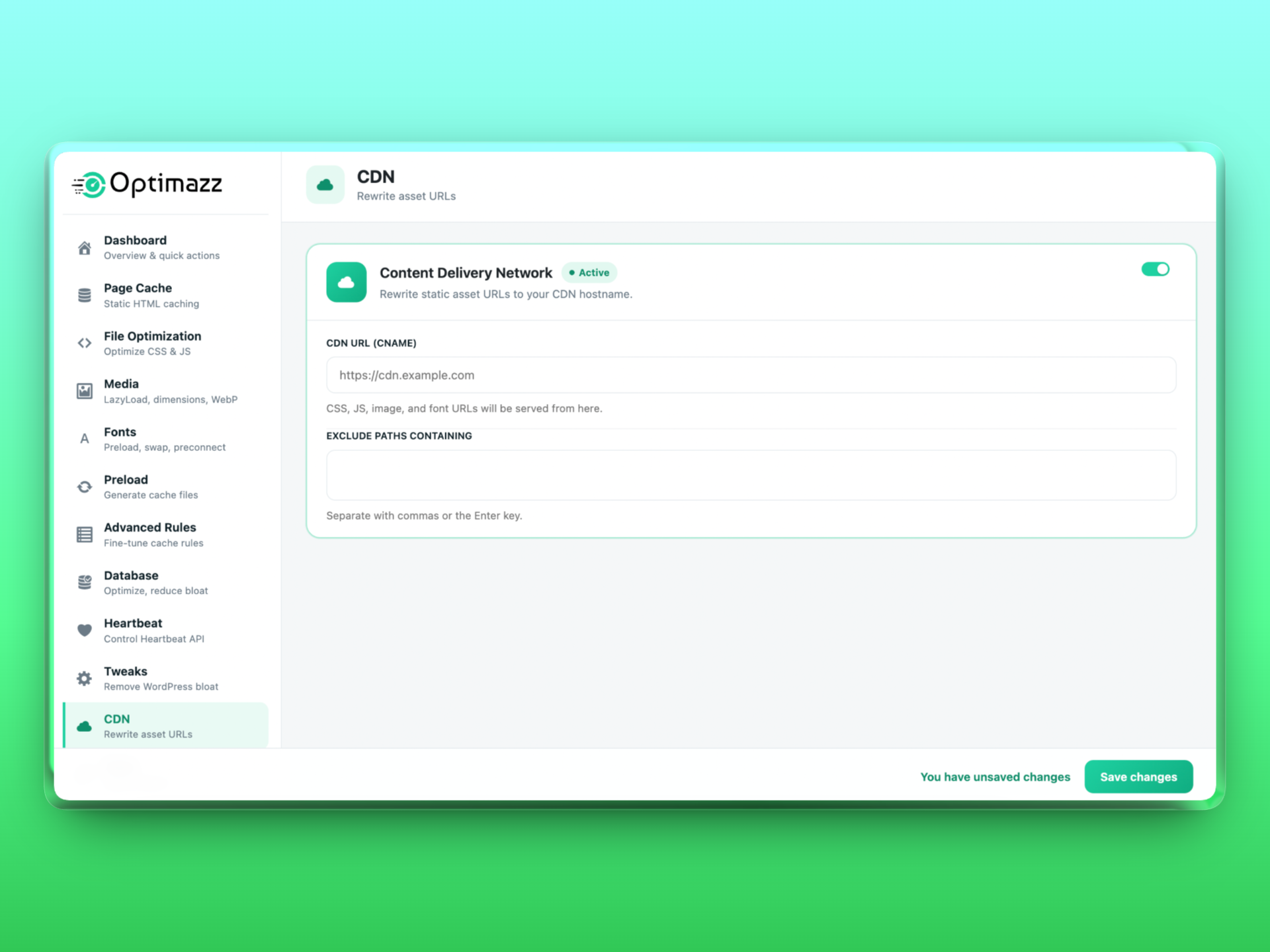
- CDN — 정적 자산 URL을 CDN 호스트 이름으로 다시 작성합니다.
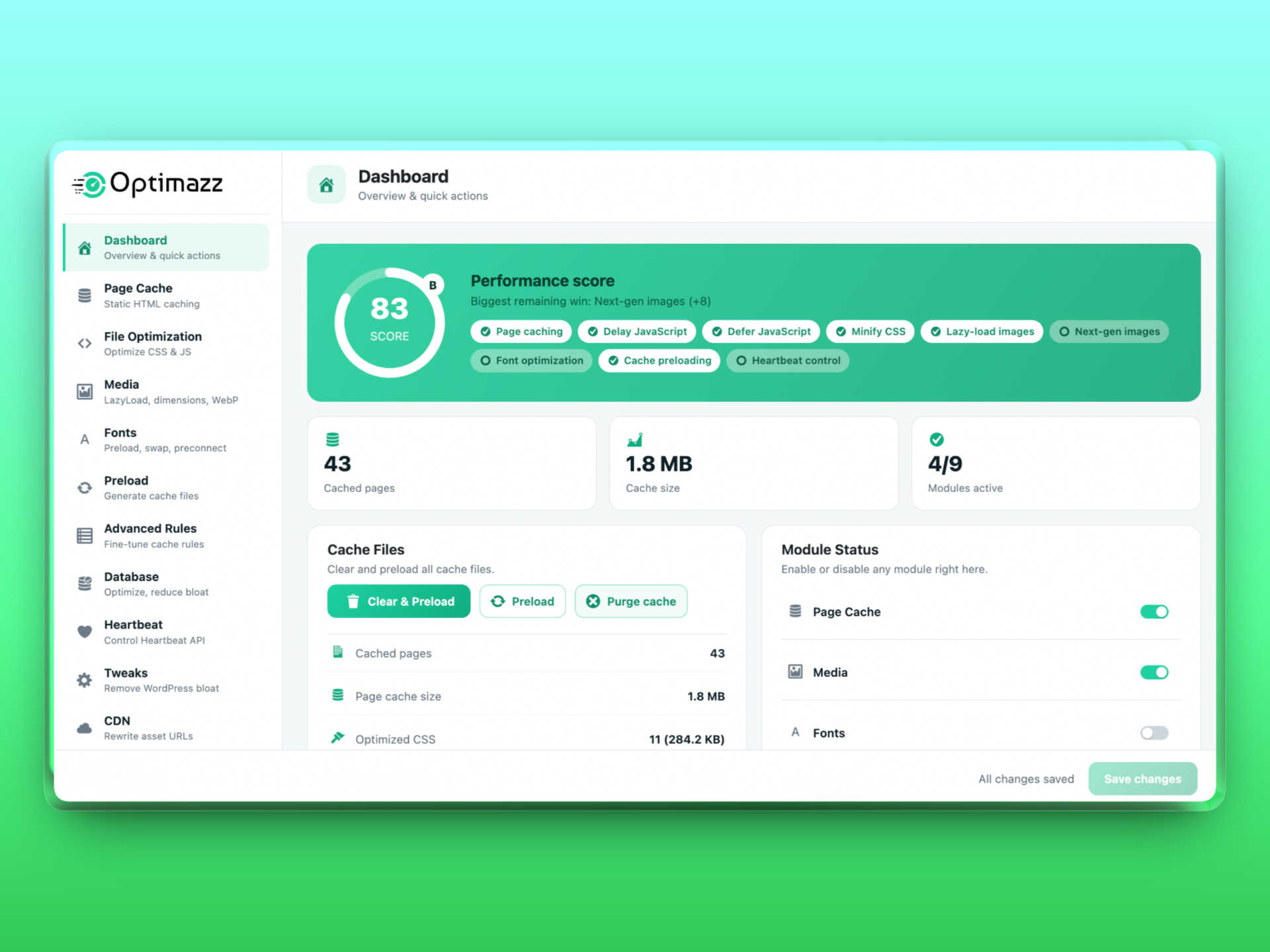
대시보드의 실시간 성능 점수는 현재 활성화된 최적화 기능과 아직 개선 여지가 가장 큰 부분을 보여 줍니다.
빌드 프로세스 및 소스 코드
관리자 인터페이스는 React 애플리케이션입니다. 사람이 읽을 수 있는 소스는 플러그인에 포함된 src/ 디렉터리(src/index.js 및 src/index.scss)에 있으며, 컴파일되고 압축된 출력 파일은 build/에 있습니다.
소스 코드에서 컴파일된 파일을 다시 생성하려면:
- 종속 항목 설치:
npm install - 빌드:
npm run build
이 플러그인은 공식 @wordpress/scripts(webpack) 툴체인을 사용하며, 사용자 지정 또는 숨겨진 빌드 구성을 사용하지 않습니다. 모든 소스 코드와 빌드 도구가 플러그인에 포함되어 있으며, 난독화되지 않았습니다.
외부 서비스
Optimazz는 작동을 위해 외부 서비스가 필요하지 않으며, 기본적으로 전적으로 자체 서버에서 작동합니다. 관리자가 선택적으로 제어할 수 있는 두 가지 기능에서 타사 호스트를 참조할 수 있습니다.
-
Google Fonts 최적화(Fonts 모듈). 테마 또는 다른 플러그인에서 이미 Google Fonts를 로드하고 있고 Fonts 모듈을 활성화한 경우에만 Optimazz가
fonts.googleapis.com및fonts.gstatic.com에 대한preconnect리소스 힌트를 추가하고 기존 글꼴 URL에display=swap을 추가할 수 있습니다. Optimazz는 사이트에서 이미 사용 중이지 않은 Google Fonts를 추가하지 않으며 개인정보나 사이트 데이터를 전송하지 않습니다.preconnect는 브라우저가 연결을 더 일찍 열도록 지시하는 힌트일 뿐입니다. 글꼴 자체는 플러그인 사용 전과 동일하게 방문자의 브라우저가 Google에서 요청하며, Google의 약관(https://policies.google.com/terms) 및 개인정보 보호정책(https://policies.google.com/privacy)이 적용됩니다. -
CDN 재작성(CDN 모듈). CDN 모듈을 활성화하고 CDN 호스트 이름을 입력하면 Optimazz가 자체 정적 리소스(CSS, JS, 이미지)의 URL을 해당 호스트 이름으로 재작성하여 방문자의 브라우저가 CDN에서 리소스를 로드하도록 합니다. CDN은 사용자가 선택하고 구성하는 서비스입니다. Optimazz는 자체적으로 CDN에 데이터를 전송하지 않으며 어떤 CDN 제공업체와도 제휴하지 않습니다. 선택한 CDN의 약관과 개인정보 보호정책을 확인하세요.
두 기능은 기본적으로 비활성화되어 있으며, 명시적으로 활성화한 후에만 적용됩니다.
스크린샷
설치
optimazz폴더를/wp-content/plugins/에 업로드하거나 플러그인 화면에서 설치하세요.- WordPress의 플러그인 메뉴에서 플러그인을 활성화하세요.
- 관리자 메뉴에서 Optimazz를 열고 원하는 모듈을 활성화하세요.
FAQ
-
Optimazz는 다른 캐싱 플러그인과 함께 작동하나요?
-
Optimazz는 다른 캐싱 플러그인의
advanced-cache.php드롭인을 덮어쓰지 않습니다. Optimazz 페이지 캐싱을 사용하려면 먼저 다른 페이지 캐싱 플러그인을 비활성화하세요. 다른 비캐싱 모듈은 대부분의 플러그인과 함께 작동합니다. -
페이지 캐싱이 내 호스팅 환경에서 작동하나요?
-
페이지 캐싱을 사용하려면
WP_CACHE가 정의되어 있어야 하며, Optimazz가 이를wp-config.php에 자동으로 추가합니다.wp-config.php에 쓸 수 없는 경우 Optimazz는 수동으로 추가할 줄을 알림으로 표시합니다. -
JavaScript를 지연해도 안전한가요?
-
상호작용할 때까지 지연하는 기능은 가장 큰 속도 향상 효과를 제공하지만, 상호작용 전에 실행되어야 하는 스크립트에 영향을 줄 수 있습니다. 먼저 “Delay”는 켜고 “Delay all”은 끈 상태로 시작한 다음, 문제가 발생하는 스크립트 키워드를 제외 목록에 추가하세요.
-
PNG를 JPEG로 변환하면 원본을 잃게 되나요?
-
불투명한 PNG만 변환되며, 원본은 선택적으로
uploads/optimazz-backup에 백업되고, 오류가 발생하면 변환이 롤백됩니다. -
플러그인이 외부 서버에 연결하거나 데이터를 수집하나요?
-
아니요. Optimazz는 사용자를 추적하거나 계정을 등록하거나 사이트 또는 방문자의 데이터를 Optimazz 서버로 전송하지 않습니다. 플러그인이 추가할 수 있는 유일한 선택적 타사 힌트에 대해서는 “외부 서비스” 섹션을 참조하세요.
-
이러한 작은 인라인 조각(지연 JavaScript 로더, 중요/비동기 CSS, 지연 로드 도우미 및 LCP 사전 로드 힌트)은 Optimazz가 프런트엔드 HTML에 삽입하는 실제 최적화 결과물입니다. 이는 플러그인이 수행한 작업의 결과이지 플러그인 자체의 에셋 로딩이 아닙니다. 상호작용할 때까지 지연되는 로더는 외부 파일로 대기열에 추가할 수 없습니다. 관리자 인터페이스와 플러그인 자체의 모든 에셋은 WordPress enqueue 함수를 통해 정상적으로 로드됩니다.
후기


기여자 & 개발자

변경이력
1.0.23
- Fixed: with WebP/AVIF serving on, some images (often the site logo) showed as broken on HTTPS sites whose content still used old http:// image addresses. Browsers upgrade a plain http:// image to https:// automatically, but block an http:// image inside a source — and never fall back. Next-gen image sources now always use https:// on HTTPS pages.
- Fixed: in responsive images, a size without a WebP/AVIF copy could be offered to the browser and show as broken; only sizes whose next-gen file exists are now listed.
- Fixed: tidier image markup — no attributes added after a self-closing slash, and no duplicate decoding/fetchpriority attributes.
- New: Google Fonts optimization (Fonts module). Page builders such as Elementor load every Google Font family as a separate request, each with every weight from 100 to 900 plus italics. Optimazz now merges them into a single request and loads only the weights and styles your pages actually use (weights 400 and 700 are always kept). On a typical Elementor site this turns three render-blocking requests into one and cuts the font CSS by more than half (measured: 170 KB down to 64 KB). Both options are on by default and can be switched off in the Fonts settings; requests that subset by text are never changed.
- Improved: the build tooling (
package.json) ships with the plugin again, so the admin interface can be rebuilt from the included source as described under “Build process and source code”. - Fixed: with the CDN module on, CSS minify/combine, WebP delivery and missing-image-dimension fixes were silently skipped, because the CDN rewrite ran before the other optimizations and they could no longer recognise your own files. The CDN rewrite now runs last, on the finished page.
- Improved: when the update safety check switches Safe Mode on to protect a site, it now keeps re-checking and switches Safe Mode back off by itself as soon as pages load correctly again, restoring full optimization (CSS combine, async CSS and JavaScript delay). Previously Safe Mode stayed on until someone turned it off manually, so a site could quietly run slower for a long time after a temporary problem. If pages break again within a day of being restored, Safe Mode stays on and the admin decides. Safe Mode that you switch on yourself is never changed automatically.
- Fixed: the update safety check now also recognises stylesheets served from your CDN hostname (when the CDN module is on), so a page that loads unstyled through the CDN is detected instead of being reported as healthy.
- Fixed: the “Optimazz Safe Mode is on” notice no longer lingers after Safe Mode was switched off via Undo last change, Reset or Import.
- Fixed: uninstalling Optimazz now removes all of its data, including the version marker, the safety-check state and its scheduled check, and the cached font-weight data.
1.0.22
- Fixed: on some hosts (certain LiteSpeed/WAF setups and managed hosts) pages loaded unstyled because the server does not serve — or routinely deletes — files under
wp-content/cache/, which is where Optimazz kept its generated CSS. Since the page HTML references those files by name, a page that could not load them rendered without styling. Optimazz now stores generated CSS underwp-content/uploads/optimazz/instead — the standard, always-served, persistent location page builders also use — so the stylesheets load reliably and are never wiped out from under a cached page. On update the page cache is refreshed automatically so pages pick up the new location with no manual step. - New: update safety guard. Shortly after the plugin updates, Optimazz quietly checks its own front page to confirm the optimized CSS actually loads. If it finds pages rendering unstyled — their generated stylesheets returning 404, usually because an external server or CDN cache is still serving old pages — it automatically switches on Safe Mode to keep the site working (pausing the risky CSS/JS transforms without changing your saved settings, so pages fall back to their original stylesheets) and shows an admin notice explaining what happened. After you clear your server/CDN cache and switch Safe Mode off from Tools, Optimazz re-checks and re-protects the site if anything is still broken — so an update can no longer leave a site visibly broken.
1.0.21
- Fixed: after updating, a site whose page cache was already populated could keep serving pages that loaded unstyled, until the cache was purged by hand. A plugin update never clears the page cache, so any HTML cached by an earlier version — still pointing at combined CSS/JS files that an older purge had removed — stayed in place and rendered without styling. Optimazz now clears the page cache automatically once, the first time it runs after an update, and re-aligns its caching drop-in; the generated CSS/JS assets are kept, so pages come back fully styled on the next visit with no manual purge needed. This completes the 1.0.20 fix for existing installs.
1.0.20
- Fixed: pages could intermittently load completely unstyled when CSS minify/combine was on together with page caching (or a server-level cache such as LiteSpeed). Optimazz names each generated CSS/JS file by a content hash and embeds those filenames in the cached HTML — but purging the page cache also deleted those generated files, so any HTML still held in a cache (Optimazz’s own, a CDN’s, or the server’s) pointed at stylesheets that had been removed, returning 404 and rendering the page without styling until they regenerated. Purging the page cache now preserves the hashed CSS/JS assets (they are self-invalidating — a source change produces a new filename), keeping the HTML and its stylesheets consistent.
1.0.19
- Fixed: page caching could silently stop working after a plugin update or a manual re-upload, making the whole site slow (every request fell back to full PHP). The advanced-cache.php drop-in embeds the path to the cache engine, and if the plugin folder was moved or recreated by the update, that path went stale — but Optimazz still recognised the drop-in as its own and never repaired it. Optimazz now detects a stale drop-in and rewrites it with the correct path automatically, and the drop-in itself falls back to the standard plugin location so caching keeps working immediately. If you were affected, the cache heals itself on the first page view after updating.
- Improved: the per-request cache readiness check no longer spins up the WordPress filesystem API just to read its own drop-in, removing needless overhead on every uncached request.
1.0.18
- New: Safe Mode (Tools screen). If a theme or page builder looks broken after you enable optimization, one toggle pauses just the riskiest transforms — combine CSS, async CSS, remove-block-CSS and JavaScript delay — while keeping page cache, minify, defer and lazy-load running. It changes nothing in your saved settings; those optimizations simply pause until you switch Safe Mode off, so recovery is instant and reversible. Filterable via
optimazz_safe_modeso a host can force it on during an incident. - New: Undo last change (Tools screen). Optimazz now keeps a one-step backup of your settings taken before every save, reset or Safe Mode toggle, so a single click restores the previous state — and undo is itself reversible (press it again to redo).
1.0.17
- Fixed: enabling CSS minify or combine no longer risks breaking an Elementor header, footer or page layout. Elementor writes its Theme Builder and per-page CSS to generated files under
wp-content/uploads/elementor/css/and rewrites them whenever you edit content; Optimazz now leaves those generated files byte-for-byte untouched by default (the same approach used by other major cache plugins), so the layout can never be affected by CSS optimization. Elementor’s own static library CSS is still optimized. Adjustable via theoptimazz_css_default_exclusionsfilter. - New: after you activate Optimazz it takes you straight to its settings page, so you can start configuring right away. This only happens the first time and is skipped when activating several plugins at once.
- Improved: page-builder compatibility is now handled by one central registry covering Elementor, Divi, Bricks, Beaver Builder, Oxygen, WPBakery and Swiper-based feed/gallery widgets. Their generated CSS is never minified/combined and their layout/carousel scripts are never delayed, so CSS and JS optimization stay safe on builder sites out of the box. Extendable via the
optimazz_compat_profilesfilter. - Improved: the Server Requirements panel now detects GD/Imagick more reliably (with functional fallbacks) and, whenever an image library shows as “Not enabled”, explains the usual cause — it was enabled for a different PHP version or handler than the one running your site — and shows the exact PHP version and php.ini path so you can fix it in your hosting panel.
- Fixed: an optional image library that isn’t installed (for example Imagick when GD is already handling everything) is now shown as a neutral “Not installed (optional)” with a muted marker, instead of a green tick next to the words “Not enabled” — no more mixed signal suggesting something is wrong when it isn’t.
1.0.15
- Fixed: the “Instagram Widget by WPZOOM” feed no longer collapses into a broken vertical stack when JavaScript delay is on. Its carousel is built by Swiper on page load, so its scripts are now never delayed (added to the built-in never-delay list). Any other Swiper/carousel widget can be protected the same way by adding a keyword to the JavaScript exclusion list.
- New: a “Recommendations” panel on the Dashboard shows what to optimize next, ranked by impact — for example “Enable Page Cache”, “Delay JavaScript to cut Total Blocking Time”, or “Set fonts to Optional to reduce layout shift”. Most items have a one-click Fix it button that applies the setting for you, and the list updates as you go. It reads only your own settings, server capabilities and cache state — no external service, no PageSpeed API, no data leaves your site.
1.0.14
- Fixed: enabling CSS optimization no longer makes a theme’s accessibility “skip links” (e.g. “Skip to content”) flash into the header on page load. Some themes hide these off-screen with a CSS transition; Optimazz now suppresses that transition on the common skip-link / screen-reader classes so they stay hidden (and still appear instantly on keyboard focus). Filterable via
optimazz_skiplink_guard_css. - Fixed: bulk image compression / conversion no longer stops with a “critical error” on large libraries. A single image the host cannot process (usually a very large one that would exhaust memory) is now skipped cleanly, the job only stops after many consecutive failures instead of a handful spread across the run, and the maximum image size that is attempted now scales to the server’s memory limit so it is skipped before it can crash the request.
- New: Font loading mode (Fonts module) — choose Optional, Swap or Block for
font-display. Optional eliminates the layout shift caused when a web font swaps in over the fallback (a major source of a high CLS score); it is forced onto Google Fonts URLs even when the theme hard-codeddisplay=swap. - Improved: images and iframes now reserve their space with
aspect-ratioso they no longer push content down as they load. This attacks Cumulative Layout Shift (CLS) directly and works even on themes that forceheight:auto. It is applied only when the dimensions are known and never overrides an explicit CSS height. - Fixed: the settings dropdowns (select controls) now render with the proper bordered box and a single arrow, matching the rest of the interface.
1.0.13
- New: a “Server Requirements” panel on the Tools screen shows what your host supports — PHP and WordPress versions, the image library (GD/Imagick), WebP and AVIF support, memory limit, execution time and WP-Cron — with clear warnings that explain why a feature may be unavailable or slow (for example, why WebP/AVIF cannot be generated on a given server).
- Fixed: WebP/AVIF conversion could stop with “There has been a critical error on this website” on a large image. AVIF encoding in particular can exhaust memory or the execution time limit — an unrecoverable fatal that cannot be caught. Very large images are now skipped before encoding (a configurable megapixel ceiling that applies on both the GD and Imagick engines and even on hosts that report no memory limit), and AVIF is processed in smaller batches, so the job completes instead of crashing.
- Improved: bulk media jobs now survive a single failed batch. If one image makes a request time out, the job skips that item and continues to the end instead of stopping with “The response is not a valid JSON response”.
1.0.12
- Fixed: the “Cached pages” counter on the Dashboard counted the internal empty index.html protection files as pages, so it showed the wrong number (and 0 KB pages). It now counts only real cached pages.
- Improved: the cache preloader is now firewall-friendly. It paces its requests, identifies itself with a clear user-agent, and — most importantly — stops immediately if the server or a security plugin/firewall responds with 403, 429 or 503, instead of continuing to send requests. This prevents the warmer from tripping a rate-limiter or web-application firewall, and the admin shows a clear message if warming was blocked. A new
optimazz_preload_delay_msfilter tunes the pause between requests.
1.0.11
- Fixed: bulk image compression and WebP/AVIF conversion could stop with “There has been a critical error on this website” when the image library hit a single file it could not process (a corrupt image, or a PHP 8 error from GD/Imagick). Each image is now processed defensively — a problematic file is skipped and the batch continues to the end, and the progress panel reports how many were skipped. Oversized images are also checked for both the GD and Imagick engines to avoid running out of memory.
- Improved: better cache preloading. Warming now follows the whole site like a sitemap — home, static front and posts pages, every public post type (pages, posts and custom types), then the busiest category and tag archives — most-important first, instead of only pages and posts, so more of the site is served warm from cache. The live progress now shows an estimated time remaining. New
optimazz_preload_maxfilter caps how many URLs are warmed.
1.0.10
- New: “Remove unused CSS” — opt-in options under File Optimization CSS. “Remove block-editor CSS on the front end” dequeues WordPress block-library and global styles (a large saving on classic or page-builder sites that do not render Gutenberg blocks on the front end), “Load WooCommerce CSS only on shop pages” stops WooCommerce stylesheets loading on pages that do not need them (kept on cart, checkout, account, product and shop), and “Load Easy Digital Downloads CSS only on EDD pages” does the same for EDD (kept on checkout, purchase confirmation, purchase history and download archives). Both cut render-blocking CSS and improve First Contentful Paint, especially on mobile. They remove whole known-unused stylesheets and never guess at individual rules, so they are safe and reversible. Developers can scope any other plugin’s stylesheets with the new
optimazz_plugin_css_scopesfilter. - Improved: refreshed the admin sidebar with a cleaner, consistent icon set.
- Fixed: the admin screen no longer flickers while scrolling (the fixed action bar was repainting a blurred backdrop on every scroll frame), and the plugin version now sits neatly below the menu instead of leaving an empty gap at the bottom.
1.0.9
- 수정됨: 이제 관리자 앱(React 대시보드)을 번역할 수 있습니다. 이전에는 플러그인이 JavaScript 번역 파일의 위치를 워드프레스에 알리지 않아, 워드프레스 메뉴가 번역되어도 영어로 표시되었습니다. 이제 wp_set_script_translations를 호출하므로, 대시보드에서 번역된 문자열이 로드됩니다(WordPress.org의 번역은 자동으로 제공됨).
- 수정됨: 이제 JavaScript 지연 로드로 인해 일부 레이아웃을 망가뜨리던 “jQuery is not defined” 또는 “wp is not defined” 오류가 더 이상 발생하지 않습니다. 페이지의 인라인 스크립트가 이러한 스크립트가 이미 존재한다고 기대하므로, jQuery, jQuery Migrate 및 워드프레스 코어 스크립트는 이제 항상 즉시 유지되며(지연되지 않음), 그 외의 모든 스크립트는 계속 지연 로드되므로 성능 향상 이점은 유지됩니다.
- 개선: 이제 작업 버튼(삭제 및 미리 로드, 미리 로드, 캐시 삭제 등)에 더 명확하고 반응형인 피드백이 적용됩니다. 마우스 오버 시 떠오르는 효과, 누를 때의 애니메이션, 은은한 진행 표시기, 삭제 시 아이콘 회전, 그리고 눈에 띄는 키보드 포커스를 제공합니다.
- 신규: “캐시 인계”. 캐시 상태 확인에서 다른 캐싱 플러그인의
advanced-cache.php가 Optimazz를 차단하고 있는 것이 발견되면 — 그래서 페이지가 실제로 캐시되지 않고 사이트가 더 느리게 느껴질 수 있으면 — 이제 원클릭 버튼으로 Optimazz를 캐시 드롭인으로 설정하고WP_CACHE를 활성화하여 캐싱이 마침내 동작합니다. 가능하면 충돌하는 플러그인 이름이 표시되며,wp-config.php에 쓰기 권한이 없으면 추가해야 할 정확한WP_CACHE줄이 표시됩니다. 이후에도 해당 플러그인이 여전히 활성화되어 있으면(캐시를 다시 가져갈 수 있음), 이제 Optimazz가 경고를 표시하고 원클릭 버튼으로 이를 비활성화할 수 있도록 제공합니다.
1.0.8
- 수정: 메인 히어로 이미지(가장 큰 콘텐츠 표시(LCP) 요소)는 더 이상 지연 로드되지 않습니다. 이전에는 화면 첫 부분에 보이는 가장 큰 이미지에
loading="lazy"가 적용되어 우선순위가 낮아질 수 있었고, 그 결과 플러그인을 활성화한 후 LCP가 더 느려질 수 있었습니다. 특히 모바일에서 더 두드러졌습니다. 이제 히어로 이미지는 항상 높은 우선순위로 즉시 로드되며(그리고 프리로드됨), 화면 아래쪽의 이미지는 이전과 같이 계속 지연 로드됩니다. 이것은 “플러그인을 설치한 후 내 사이트가 더 느려졌어요”에 대한 가장 중요한 수정입니다. - 새 기능: 이제 JavaScript 지연이 켜져 있으면 일반적인 서드파티 스크립트(예: Google Tag Manager 및 Analytics, Facebook 및 TikTok 픽셀, Hotjar, Microsoft Clarity, 채팅 위젯 등)는 기본값으로 첫 번째 상호작용이 있을 때까지 지연됩니다. 이들은 방문자에게 보이는 내용에 영향을 주지 않으므로, 지연하면 모바일 Total Blocking Time을 줄이고 반응형 성능을 개선할 수 있습니다(모바일에서 큰 이점). 반면 jQuery, 사용 중인 테마, 페이지 빌더 및 결제 스크립트는 항상 즉시 로드됩니다.
- 신규: 페이지 캐시 화면에 “캐시 상태” 점검이 추가되었습니다. 한 번의 클릭으로 페이지가 실제로 캐시에서 제공되고 있는지(HIT), 아니면 모든 요청마다 다시 생성되고 있는지(MISS) 확인할 수 있으며, 캐싱이 제대로 활성화되지 않는 일반적인 원인도 표시합니다 — 다른 캐싱 플러그인이
advanced-cache.php를 사용 중인 경우, 드롭인이 없는 경우,WP_CACHE가 활성화되지 않은 경우, 또는wp-config.php에 쓰기 권한이 없는 경우입니다. 사이트가 최적화 활성화 후 더 느리게 느껴졌다면, 이 기능이 그 이유를 보여줍니다. - 신규: 이제 대시보드에서 파일 또는 미디어 최적화가 활성화되어 있지만 페이지 캐시가 꺼져 있을 때 명확한 알림을 표시하며, 한 번의 클릭으로 캐싱을 켤 수 있는 버튼을 제공합니다. 캐싱 없이 최적화를 실행하면 각 요청마다 모든 페이지를 다시 빌드하게 되어 사이트가 더 느리게 느껴질 수 있으므로, 이를 해결할 수 있도록 사용자에게 안내합니다.
- 수정됨: 번역 템플릿(
languages/optimazz.pot)이 비어 있었습니다. 이제 WP-CLI의i18n make-pot으로 생성되며, 플러그인의 모든 번역 가능한 문자열(PHP 및 React 관리자 화면)을 포함하므로 플러그인을 완전히 번역할 수 있습니다.
1.0.7
- 새 기능: 이제 페이지 캐시 화면에 “브라우저 캐시 헤더” 제어 기능이 추가되었습니다. 이 기능은 Apache 및 LiteSpeed에서 Expires / Cache-Control 규칙을 추가하여 재방문 시 CSS, JavaScript, 이미지 및 글꼴을 브라우저 캐시에서 바로 로드하도록 합니다. 또한 캐시된 페이지를 새로 고치기 전까지 유지할 기간을 지정하는 “캐시 수명” 설정도 추가되었습니다.
- 수정됨: 메모리가 부족한 호스트에서 WebP/AVIF 일괄 변환(및 이미지 압축)이 “The response is not a valid JSON response” 오류와 함께 중간에 중단될 수 있었습니다. 대용량 이미지를 변환하는 동안 배치의 메모리가 부족해 요청이 종료되었기 때문입니다. 이제 배치 크기는 호스트의 PHP 메모리 제한에 맞게 조정되며, 128MB 호스트에서는 한 번에 한 이미지만 처리합니다. 메모리를 모두 소진할 수 있는 크기가 지나치게 큰 이미지는 작업이 중단되지 않도록 건너뛰고, 호스트가 허용하는 경우 WordPress의 이미지 메모리 제한을 높입니다. 이제 대규모 이미지 라이브러리도 작고 안전한 단계로 안정적으로 변환할 수 있습니다.
- 수정됨: 대형 페이지 빌더 또는 WooCommerce 사이트에서 “Clear & Preload” 및 “Preload”가 “The response is not a valid JSON response” 오류와 함께 중간에 중단될 수 있었습니다. 이제 프리로더는 요청마다 한 페이지씩 캐시를 미리 채우므로 각 호출이 서버의 시간 제한 내에서 안정적으로 완료되고 진행률 표시줄도 끝까지 원활하게 진행됩니다.
- 수정됨: LCP 이미지 프로드가 더 이상 사이트 로고를 대상으로 하지 않습니다. 이제 실제로 화면 상단에 표시되는 히어로 이미지를 선택하고, 이미지 자체의 srcset/sizes와 일치하도록 반응형으로 프리로드하여 원본 전체 크기 파일이 아닌 알맞은 크기의 파일을 가져옵니다. 또한 이미지는 하나만 프리로드하며, WebP/AVIF로 제공되는 경우에는 중복 다운로드를 방지하기 위해 프리로드를 건너뜁니다. 이를 통해 1.0.5 이후 일부 사이트에서 발생할 수 있었던 속도 저하 문제가 해결됩니다.
1.0.6
- 수정됨: ‘CSS 결합’을 활성화해도 메가 메뉴와 페이지 빌더 섹션의 레이아웃이 더 이상 깨지지 않습니다. 이제 스타일시트는 연속된 동일 미디어 그룹 내에서만 병합되고 원래 위치에 유지되므로, 이후 스타일시트가 이전 스타일시트를 계속 덮어쓸 수 있습니다. 즉, 스타일시트가 맨 위로 이동되지 않고 CSS 캐스케이드가 보존됩니다.
- 개선됨: 데이터베이스의 ‘지금 최적화’ 작업이 이제 다른 도구와 동일한 진행 패널을 표시하며, 정리 작업이 실행되는 동안 애니메이션 진행률 표시줄이 나타납니다.
1.0.5
- 개선됨: 이제 “Clear & Preload” 및 “Preload”에 실시간 진행 상황이 표시됩니다. 페이지가 준비되면서 캐시된 페이지 수가 소규모 단위로 증가하고 진행 상황 패널이 표시되며, 페이지를 새로 고쳐도 작업이 재개됩니다.
- 수정됨: 이제 WooCommerce 장바구니, 결제 및 계정 페이지는 페이지 슬러그나 언어와 관계없이 항상 캐시되지 않으며 CSS/JS 최적화도 적용되지 않습니다. 이를 통해 기본 설정에서 결제가 중단되는 문제를 방지합니다. 또한 결제 스크립트(Stripe, PayPal 및 기타 스크립트)도 항상 지연되지 않습니다.
- 수정됨: JavaScript 지연으로 인해 더 이상 표시되는 페이지의 로드가 지연되지 않습니다. ‘모두 지연’을 활성화한 경우에도 jQuery, 테마 및 Elementor 스크립트는 항상 즉시 실행되도록 유지되므로 JavaScript로 렌더링되는 사이트에서 최초 콘텐츠 렌더링과 최대 콘텐츠 렌더링이 느려지지 않습니다. 대체 타이머의 시간도 단축되었습니다.
- 새 기능: 인라인 스크립트의 JavaScript 압축 기능이 추가되었습니다. 줄 바꿈은 유지하면서 주석과 공백을 제거하므로 자동 세미콜론 삽입 문제에 안전하며, 문자열, 템플릿 리터럴 및 정규 표현식은 보존됩니다.
- 새 기능: Media 모듈이 활성화된 경우 이제 LCP(최대 콘텐츠 렌더링) 이미지가 기본적으로 미리 로드되어 모바일 로딩 속도가 빨라집니다.
- 새 기능: 화면 상단에 표시되는 히어로 배경 이미지(예: Elementor와 같은 페이지 빌더에서 사용하는 이미지)를 이제 감지하여 미리 로드하며, 지연 로드하지 않습니다. 이에 따라 페이지 빌더 기반 사이트의 LCP가 향상됩니다.
- 새 기능: 중요 CSS 필드가 추가되었습니다. 화면 상단에 표시되는 영역의 CSS를 붙여 넣고 ‘CSS 비동기 로드’를 활성화하면 스타일이 적용되지 않은 콘텐츠가 잠시 표시되는 현상 없이 렌더링을 차단하는 CSS를 제거할 수 있습니다.
- 수정됨: 비동기 CSS를 활성화한 경우 ‘CSS 결합’도 활성화되어 있어야만 중요 CSS가 인라인으로 삽입되었습니다. 이제 모든 경우에 중요 CSS가 인라인으로 삽입되므로 비동기 CSS로 인해 스타일이 적용되지 않은 콘텐츠가 잠시 표시되는 현상이 발생하지 않습니다.
- 개선됨: 비동기 CSS 및 ‘모든 스크립트 지연’ 옵션에 이제 효과가 명확히 표시되고 경고가 제공됩니다.
- 개선됨: 정리 주기, Heartbeat 동작, 이미지 즉시 로드 개수처럼 선택지가 적은 설정은 이제 드롭다운 대신 한 번의 클릭으로 선택할 수 있는 깔끔한 버튼 그룹을 사용합니다.
1.0.4
- 수정: 대용량 이미지에서 일괄 이미지 최적화 중 메모리 부족으로 인한 치명적 오류가 발생해 전체 작업이 중단될 수 있던 문제를 수정했습니다. 지나치게 큰 이미지는 이제 안전하게 건너뜁니다.
- 수정: 드문 이미지 크기 조정 실패로 PHP 8에서 치명적 오류가 발생할 수 있던 문제를 수정했습니다. 이제 크기 조정이 안전하게 대체 처리됩니다.
- 새 기능: JavaScript 지연 실행과 늦은 로드에 별도의 제외 목록을 적용하여, 한쪽에서 스크립트를 제외해도 다른 쪽 설정이 사라지지 않습니다. 각각 안내와 예시가 포함된 “절대 지연 실행하지 않음”, “절대 늦게 로드하지 않음”, “절대 최적화하지 않음” 필드를 추가했습니다.
- 수정: 이제 관리자 화면에 “이 스크립트들을 늦게 로드” 목록이 표시됩니다(이전에는 인터페이스에서 접근할 수 없었습니다).
- 개선: 제외 필드를 더 깔끔하고 이해하기 쉽게 정리했으며, 키워드 입력란에 표시되던 빈 “항목을 찾을 수 없음” 제안 상자를 제거했습니다.
- 개선: Optimazz 화면에서 관리자 푸터가 더 이상 플러그인 자체의 푸터와 겹치지 않습니다.
1.0.3
- 수정: Apache/LiteSpeed 서버에서 생성된 CSS 파일이 403 오류를 반환해 페이지에 스타일이 적용되지 않던 문제를 수정했습니다. 이제 캐시 디렉터리는 비공개 파일만 차단하고 생성된 자산은 허용합니다.
- 수정: 글을 편집하면 이제 해당 글의 카테고리, 태그, 작성자 및 날짜 아카이브와 블로그 페이지 및 피드도 삭제됩니다. 이전에는 글과 홈페이지의 캐시만 삭제되어 아카이브에 오래된 콘텐츠가 무기한 제공될 수 있었습니다.
- 수정: 새 댓글을 작성해도 더 이상 사이트 전체 캐시가 삭제되지 않고, 댓글이 작성된 페이지만 삭제됩니다. 댓글 수정, 승인 및 삭제 시에도 해당 페이지의 캐시가 삭제됩니다.
- 수정: 스타일시트를 이동하지 않고 제자리에서 다시 작성하여, 인라인 스타일이 섞여 있어도 캐스케이드 순서를 유지합니다.
- 수정: CSS 축소기가 하위 선택자 결합자와 의사 클래스를 더 이상 잘못 결합하지 않습니다(“.card :is(h1,h2)”가 그대로 유지됨). 또한 CSS 문자열 내부의 주석과 유사한 텍스트도 더 이상 제거하지 않습니다.
- 수정: CSS 결합에 실패해도 페이지에서 스타일시트가 더 이상 제거되지 않습니다.
- 수정: 최적화 설정을 변경하면 이제 페이지 캐시가 삭제되어 오래된 마크업이 제공되지 않습니다.
- 수정: 사용자별 캐시 키가 전체 세션 쿠키에서 생성되므로, 위조된 쿠키로 다른 사용자의 캐시 페이지에 접근할 수 없습니다.
- 수정: 대시보드의 “파일 최적화”가 JavaScript 또는 CSS 중 하나라도 활성화되어 있으면 켜짐으로 표시됩니다.
- 수정: 이제 페이지 캐시에 wp-admin, 로그인, cron 또는 XML-RPC 요청이 저장되지 않습니다.
- 매우 큰 페이지에서 PCRE 제한에 도달해도 출력이 비어 버리지 않도록 안전장치를 추가했습니다.
1.0.1
- CSS/미디어 최적화를 위한 하위 디렉터리 설치 대응 URL-경로 매핑을 추가했습니다.
- wp-config.php의 WP_CACHE 처리를 WP_Filesystem 한 번의 편집으로 단순화했습니다.
- React 관리자 소스(src/)를 포함하고 빌드 단계를 문서화했습니다.
1.0.0
- 최초 릴리스: React 관리자 대시보드와 함께 페이지 캐시 및 프리로더, JavaScript 지연 실행/늦은 로드, CSS 축소/결합/비동기 로드, 이미지 최적화(지연 로드, 크기 지정, WebP/AVIF, 일괄 압축, PNGJPEG, YouTube 파사드), 글꼴, 데이터베이스 정리, 하트비트 제어, 조정 기능 및 CDN을 제공합니다.