
설명
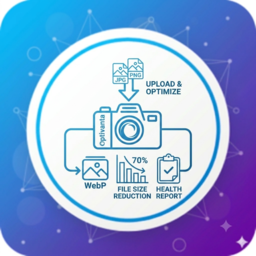
Optivanta Image Optimization is a lightweight WordPress plugin that helps reduce image file sizes and improve website performance without relying on external services or API keys.
All image optimization is performed directly on your server using the available PHP image libraries (GD or Imagick), giving you full control over your media while improving page load times.
Features
- Automatic JPEG and PNG optimization on upload
- Choose between Lossy and Lossless compression
- Resize oversized images using configurable maximum width and height
- Remove EXIF metadata from JPEG images
- Generate WebP versions when supported by your server
- Enable lazy loading for content images and iframes
- Bulk optimize existing Media Library images
- View optimization statistics and Media Library optimization status
- Open the new Image Health Dashboard with optimization score, storage savings, and scan insights
- Scan the Media Library for oversized images, missing WebP versions, and images that still need optimization
Why choose Optivanta?
- No API key required
- No external image optimization service
- No monthly usage limits
- Optimizes images locally using GD or Imagick
- Lightweight and easy to configure
- Compatible with modern WordPress installations
설치
- Upload the
Optivanta-image-optimizationfolder to the/wp-content/plugins/directory, or install the plugin through the WordPress Plugins screen. - Activate the plugin through the Plugins menu in WordPress.
- Go to Image Optimization in the WordPress admin menu.
- Configure your preferred optimization settings.
- Use Bulk Optimize to optimize existing images in your Media Library.
FAQ
-
Does this plugin require an API key?
-
No. Optivanta performs all optimization locally on your server using PHP GD or Imagick. No external API or third-party image processing service is required.
-
Which image formats are supported?
-
Currently, JPEG and PNG images in the WordPress Media Library are supported.
-
Does the plugin generate WebP images?
-
Yes. WebP images can be generated automatically when your server supports WebP through GD or Imagick.
-
Can I optimize images that were uploaded before installing the plugin?
-
Yes. Use the Bulk Optimize feature to optimize existing images in your Media Library.
후기
이 플러그인에 대한 평가가 없습니다.
기여자 & 개발자

자국어로 “Optivanta Image Optimization”(을)를 번역하세요.
개발에 관심이 있으십니까?
변경이력
1.1.0
- Improved image optimization workflow.
- Added performance and compatibility improvements.
- General bug fixes and code enhancements.
1.0.0
- Initial release.