

설명
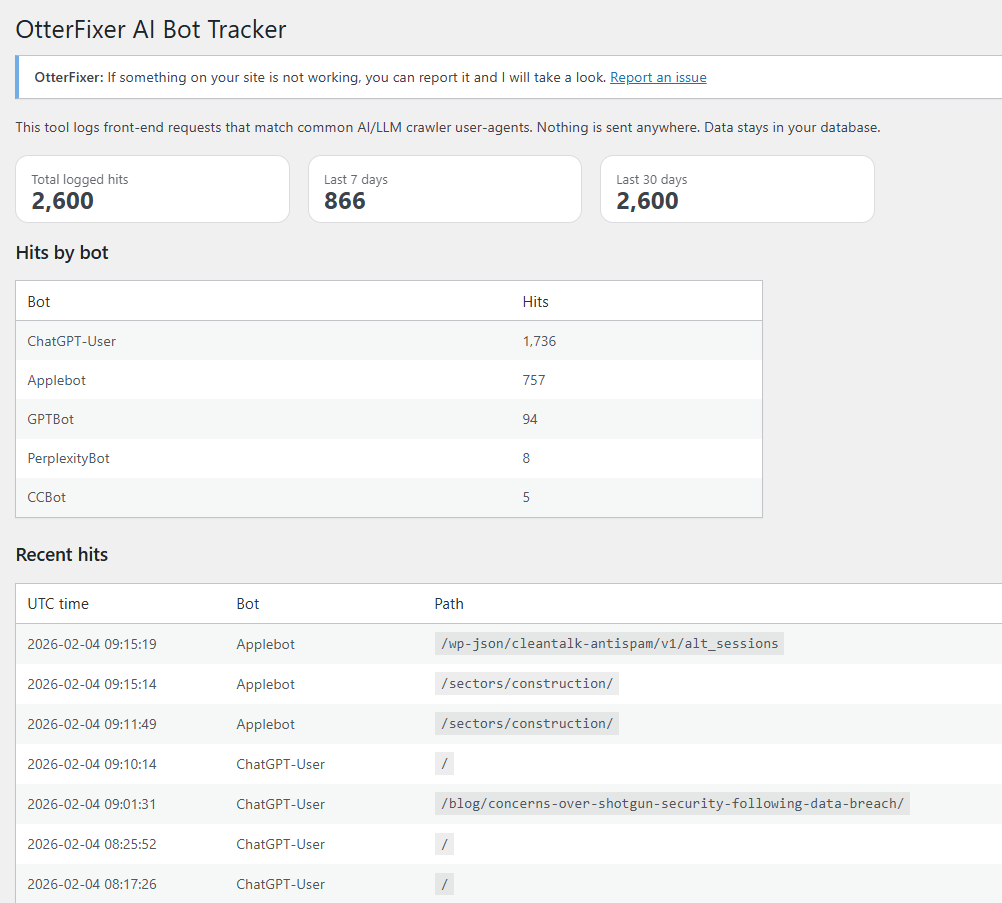
OtterFixer AI Bot Tracker logs front-end requests that match common AI/LLM crawler user-agents such as:
– GPTBot
– ChatGPT-User
– ClaudeBot
– PerplexityBot
– Google-Extended
It is designed to be simple and honest:
– No ads
– No bloat
– No tracking of real visitors
Important: The plugin only logs requests that match known bot user-agent patterns. If a real visitor spoofs a bot user-agent, they could be logged as well.
What is stored:
– UTC time
– Bot name
– Page path
– Anonymised IP (IPv4 last octet is zeroed, IPv6 is shortened)
– Full user-agent string
Nothing is sent anywhere. Data stays in your WordPress database.
Where to find it:
Tools OtterFixer AI Bot Tracker
Usage
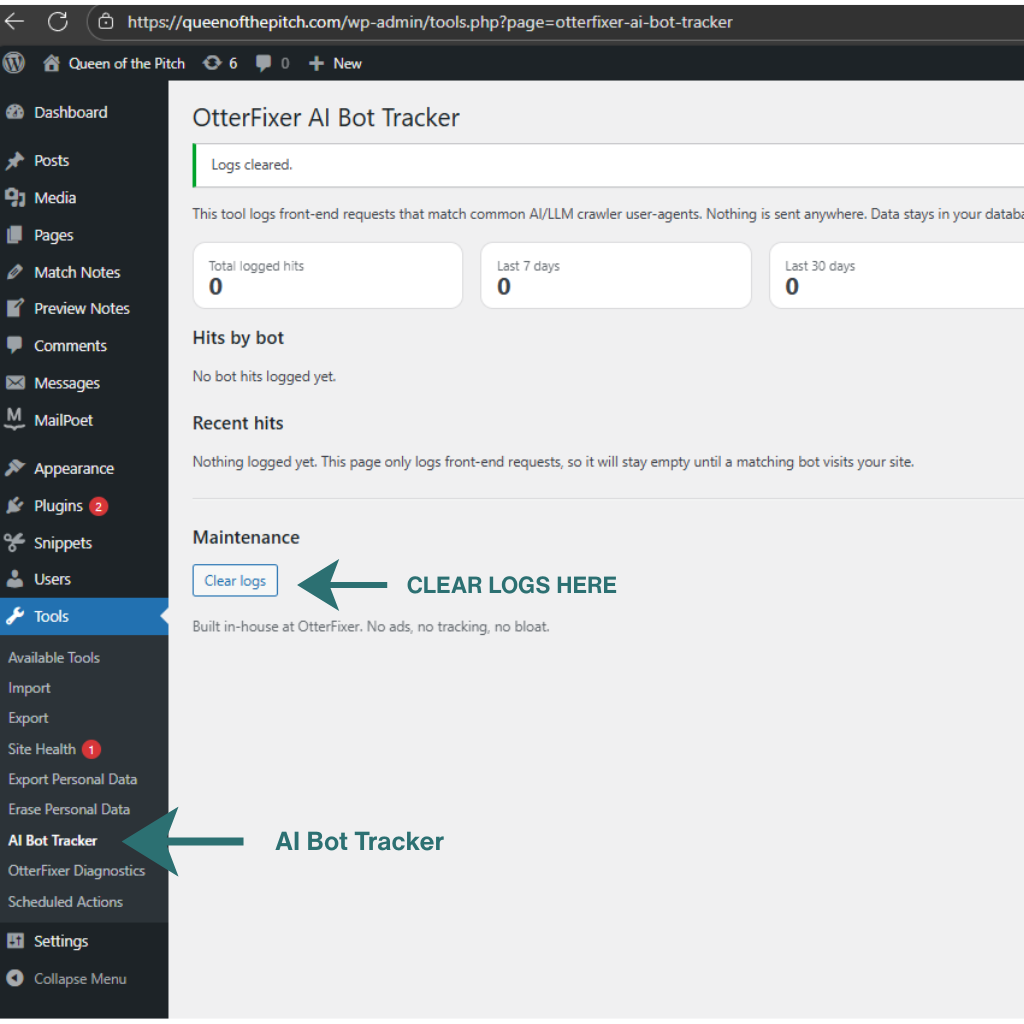
- Visit Tools AI Bot Tracker.
- Leave it running and check back whenever you want.
- When AI bots visit your site, you will see totals, a breakdown by bot, and the most recent hits.
Tip: If you have zero hits, it usually just means no matching crawler has visited yet.
How can I test it?
You can simulate a bot hit by loading any front-end URL with a matching user-agent.
Example (replace YOUR-SITE-URL with your home page URL):
curl -A “GPTBot” “YOUR-SITE-URL”
스크린샷
설치
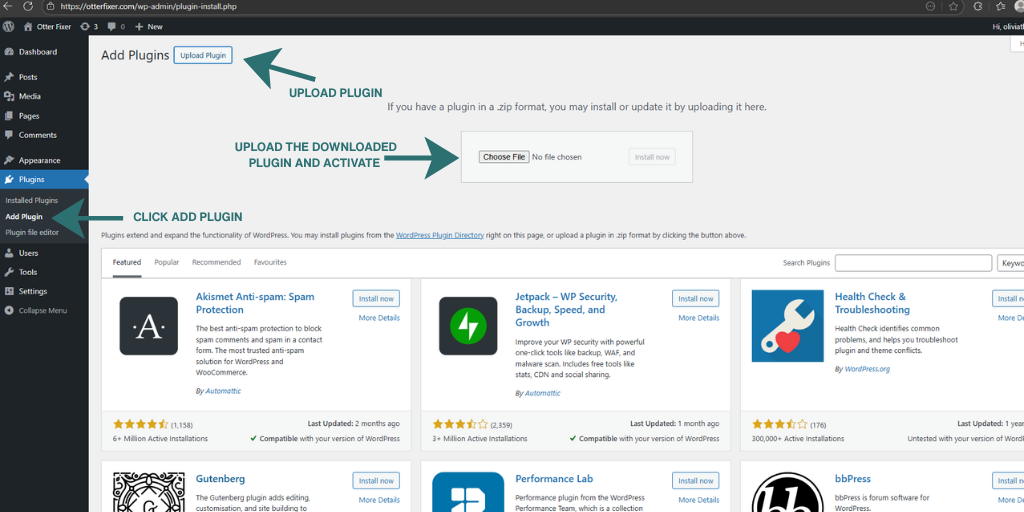
- Upload the plugin ZIP (Plugins Add New Upload Plugin)
- Activate
- Go to Tools OtterFixer AI Bot Tracker
FAQ
-
Does it send data anywhere?
-
No.
-
Does it change my site?
-
No. It only logs matching requests.
-
Does it block bots?
-
No. It is a tracker only.
-
Where is the report?
-
WP Admin Tools AI Bot Tracker
후기
이 플러그인에 대한 평가가 없습니다.
기여자 & 개발자

자국어로 “OtterFixer AI Bot Tracker”(을)를 번역하세요.
개발에 관심이 있으십니까?
변경이력
1.0.5
- Added clearer on-screen instructions and improved plugin action links.
- Anonymised stored IP addresses for privacy.
1.0.4
- Prefixes updated for WordPress.org review.
1.0.3
- Maintenance: Disable optional debug admin notice hook to comply with admin notice scope guidelines.
1.0.1
- Fix: resolve a PHP parse error and ensure admin “Get Help” link renders correctly.
1.0.0
- Initial release.