
설명
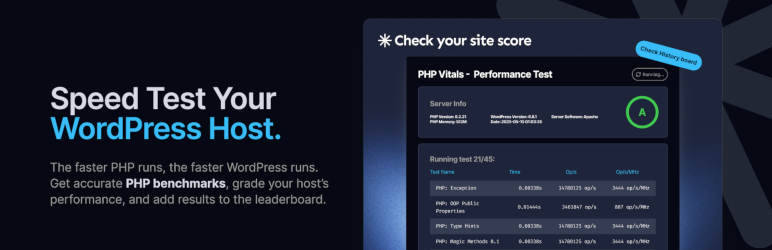
당신의 웹 호스팅 속도는 얼마나 빠른가요? 수십 개의 PHP 속도 테스트, 1개의 종합 등급: 호스팅 성능을 비교하는 쉬운 방법.
귀하의 웹 호스팅 PHP 성능에 투명성을 제공하기
웹사이트가 더 빠르게 실행될수록 더 좋습니다. 더 나은 SEO, 더 나은 사용자 경험, 더 나은 노력의 결과를 얻을 수 있습니다. 그러나 WordPress, Drupal, Joomla, Magento 등과 같은 PHP 기반 시스템에서는 중요한 성능 요소가 있습니다. 이는 눈에 잘 보이지 않으며 대부분 사용자의 통제 범위를 벗어납니다. 그것은 바로 웹 호스팅입니다. 귀하의 웹 호스트가 제공하는 인프라에서 PHP는 얼마나 빠르게 실행되나요?
PHP Vitals는 간단한 방법으로 알아볼 수 있게 해줍니다.
무료, 빠르고 쉬운 속도 테스트
1~2분 안에 PHP Vitals는 다양한 PHP 성능 테스트에서 귀하의 서버가 얼마나 잘 수행되는지를 정확하게 분석합니다. PHP Vitals를 실행하면 전체 등급을 확인할 수 있으며, 귀하의 웹 호스팅이 PHP Vitals 리더보드에서 어디에 위치하는지 볼 수 있습니다.
서버 하드웨어를 볼 수 없습니다. 얼마나 많은 다른 사람들이 자원을 공유하고 있는지 알 수 없습니다. 호스팅이 속도 제한이 있는지, 과도하게 할당되어 있는지, 오래된 CPU에 의존하고 있는지 알 수 없습니다. PHP Vitals는 당신이 지불한 돈으로 실제로 무엇을 얻고 있는지 밝혀줍니다.
무엇이 테스트되는가
PHP Vitals는 기본 PHP 함수에 중점을 둡니다. 기본 카테고리는 다음과 같습니다:
– php_features
– math
– string
– array
– crypto
– file
– serialization
테스트되는 특정 작업에는 다음이 포함됩니다:
– PHP 클래스 (getter/setter).
– 공용 속성과 메서드.
– 간단한 수학 연산.
– 복잡한 수학 연산.
– 문자열 연결.
– 정규 표현식 (regex).
– 함수: explode, strpos.
– 연산: 배열 정렬, 설정, 해제, 복사 및 기타.
– 비밀번호 해싱.
– MD5 해싱.
– SHA256 해싱.
MySQL 또는 데이터베이스 벤치마크가 포함되어 있지 않습니다.
기능
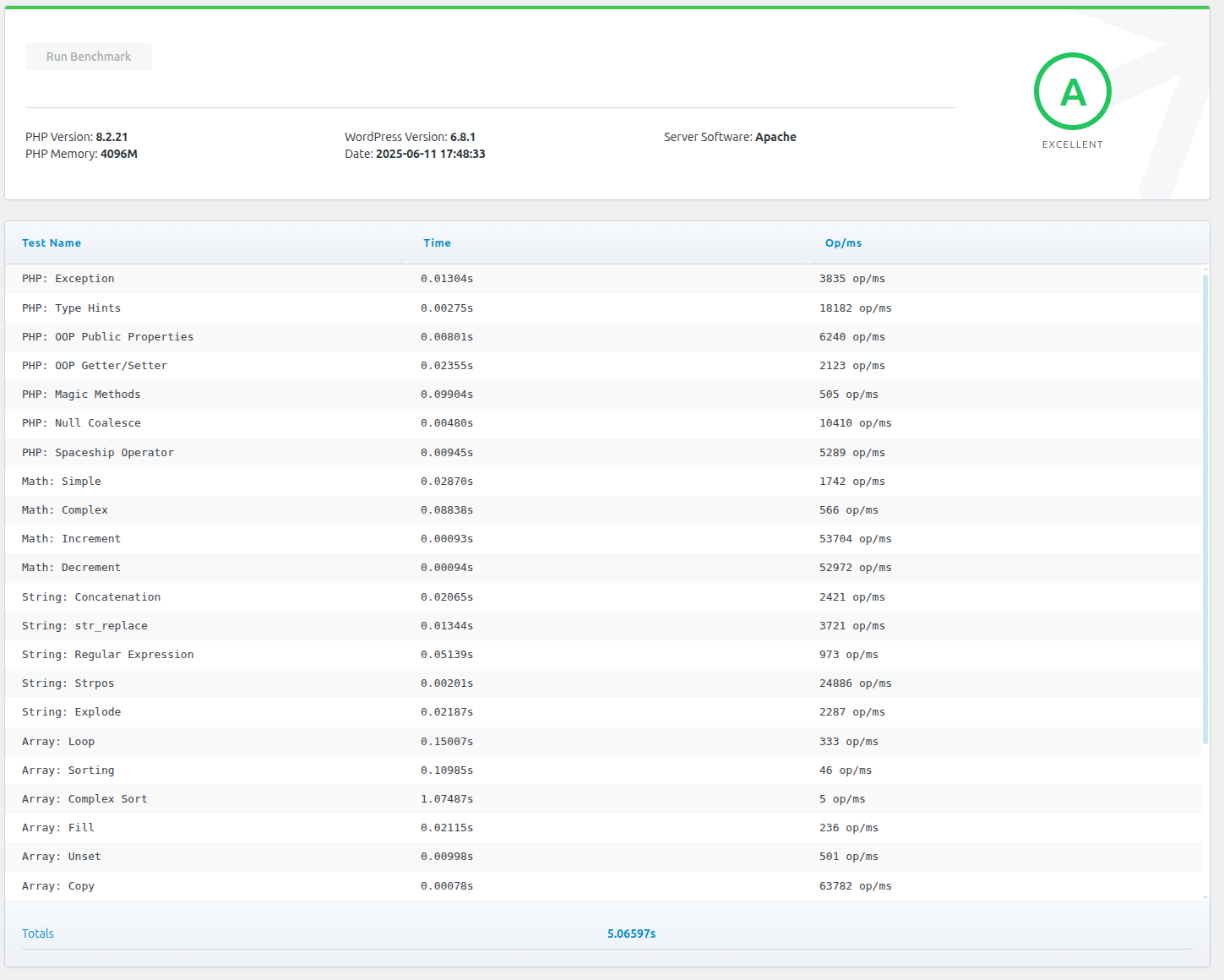
PHP Vitals의 PHP 성능 벤치마킹 테스트 모음은 보통 실행하는 데 1-2분밖에 걸리지 않습니다. 이 테스트는 실시간 성능 데이터를 제공합니다.
Each time you run PHP Vitals you’ll see a breakdown of individual test data and an overall grade (A+ to F). A visual grade scale shows where you sit on the scale, with a plain-language comparison such as “faster than X% of servers.” Test data is objective, for example the time taken for each test. Grades are based on the overall time taken. The subjective grading scale is likely to change over time (e.g. an A in 2025 is unlikely to still be an A in 2027).
Benchmark test names, categories, and iteration counts are fetched from phpvitals.com when you run a test; all test code executes locally on your server.
Every completed run is saved to a local benchmark history on your site (last 15 runs), whether or not you share results. Leaderboard sharing is optional: if enabled, completed benchmarks may also be submitted to phpvitals.com so developers can compare hosting performance worldwide. No personal data is collected.
After each run, you can copy a detailed php.ini optimization prompt (benchmark results, PHP configuration, and slowest tests) and open ChatGPT, Claude, Perplexity, or Gemini in a new tab. Nothing is sent to any AI service automatically—you paste and send only what you choose.
Optional hosting type and monthly cost settings help group your results with comparable servers on the leaderboard.
PHP Vitals data is presented through a responsive admin interface under Tools PHP Vitals.
WordPress에서의 사용
PHP Vitals is very straightforward. Install the plugin, open Tools PHP Vitals in your WordPress admin dashboard, and click “Run Benchmark”.
외부 서비스
This plugin connects to PHP 바이탈 for:
- Benchmark test metadata (names, categories, iteration counts) from
/api/tests— test code runs locally in the plugin - Grade thresholds from
/api/grades - Hosting type/cost labels from
/api/options - AI advisor prompt template from
/api/advisor-prompt(fallback bundled in the plugin if unreachable) - Optional leaderboard submission to
/api/benchmarkwhen sharing is enabled
When leaderboard sharing is enabled, each completed benchmark may submit:
- Overall run time and grade
- PHP and WordPress versions
- Server software and PHP memory limit
- Hosting type and monthly cost (if configured)
- Per-test timing output from the run
No personal account data or site content is collected.
스크린샷
설치
WordPress 플러그인 페이지에서 설치하세요. 또는 phpvitals.com에서 .zip 파일을 다운로드하여 WordPress 대시보드의 플러그인 옵션을 통해 수동으로 설치할 수 있습니다.
FAQ
Q: PHP Vitals는 무료 플러그인인가요?
A: 네, 100% 무료입니다.
Q: Does PHP Vitals collect or report any of my personal data or website data?
A: No personal data or information about your website content is collected or shared by default. Benchmark history is stored locally on your site. If you enable leaderboard sharing, summary benchmark data is sent to phpvitals.com as described under External services.
Q: Does PHP Vitals send my benchmark data to an AI service?
A: No. After a run, the plugin can copy an optimization prompt to your clipboard and open ChatGPT, Claude, Perplexity, or Gemini in a new tab. You choose whether to paste and send it. Nothing is sent to phpvitals.com or any AI provider unless you do that yourself.
Q: 왜 PHP 성능이 WordPress에 중요한가요?
A: WordPress는 PHP 기반의 CMS이기 때문에, WordPress 성능(예: 방문자에게 웹사이트가 얼마나 빨리 로드되는지)은 PHP 성능(즉, 호스팅 공급업체나 서버가 PHP를 얼마나 빨리 실행하는지)에 달려 있습니다.
Q: PHP Vitals를 누가 만들었나요?
A: 우리는 LAMP 스택과 PHP 개발을 사랑하는 호스팅 회사인 Webslice입니다. 우리는 공정한 경쟁을 좋아하기 때문에, 가장 큰 광고 예산이나 가장 친밀한 업계 관계가 아닌 순수한 성능을 기준으로 호스팅 공급업체(우리 자신을 포함하여)를 비교할 수 있는 방법을 원했습니다.
우리는 동일한 소유주와 팀을 가진 자매 회사 두 곳, SiteHost와 MyHost를 보유하고 있습니다.
후기

기여자 & 개발자

변경이력
1.6.3
- AI advisor fallback prompt aligned with phpvitals.com
1.6.2
- Updated AI advisor prompt from phpvitals.com
1.6.1
- UI fixes
- Tested up to WordPress 7.1
- readme 업데이트
- Bundled Spanish (es_ES) translations
1.6.0
- Fix Save settings being clipped on short screens
- Keep the View leaderboard button inside its card
- Local benchmarks with remote tests/grades; optional leaderboard sharing
- AJAX hardening, history, translations
- Admin UI: grade scale, logo, viewport-fit tables, faster/slower compare
- AI assistant panel: copy a php.ini optimization prompt and open ChatGPT, Claude, Perplexity, or Gemini
1.2.1
- Adjust styles
1.2.0
- Move to Tools menu
- Adjust hashing and crypt tests
- Add hosting information
- Dynamically assigned grades
1.1.0
- 클래스 및 함수 이름 업데이트
- readme 업데이트
1.0.2
- 벤치마크 테스트 조정
- 대시보드의 스타일을 수정하세요.
1.0.1
- 외부 서비스 문서화됨
- 이용 약관 및 개인정보 처리방침 링크
1.0.0
- 설명 및 FAQ 업데이트됨
0.9.8
- 리더보드에 전송되는 데이터의 사소한 수정
0.9.7
- 데이터베이스 쿼리에 대한 사소한 수정
0.9.6
- 초기 릴리스