
설명
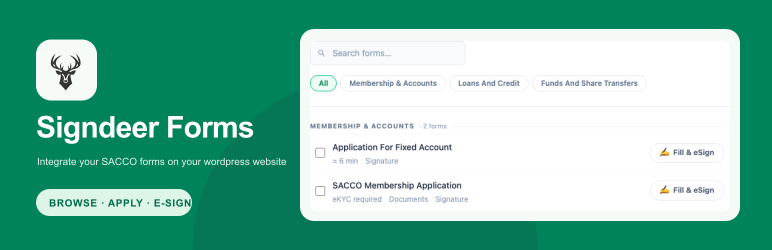
Signdeer Forms is a thin WordPress connector. WordPress supplies a shortcode
or block mount point; Signdeer renders the published forms directory in an
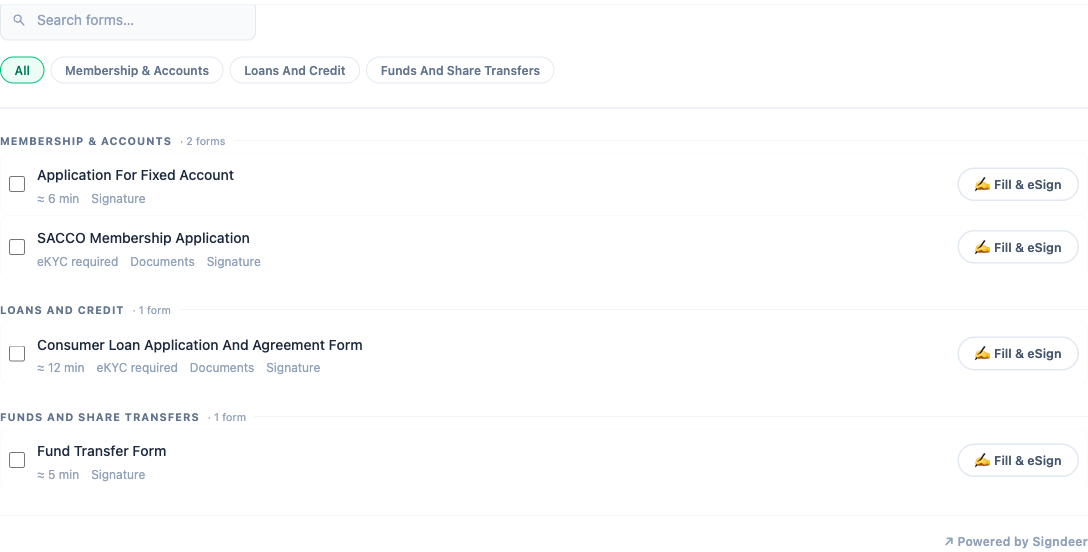
iframe and owns form selection, modal presentation, onboarding, eKYC,
documents, payment, eSigning, and case data.
Features:
- Current Signdeer hosted iframe integration
- Same custom-website SDK contract and secure postMessage validation
- Search, category tabs, selection, and form modal managed by Signdeer
- Optional partner attribution through a domain-bound
p7kkey - Lazy iframe loading and content-hashed local plugin assets
- No WordPress catalog cache, API token, or duplicate form data store
The shortcode always embeds the organization’s full published forms directory.
Category tabs belong to the Signdeer catalog; there is no category shortcode
or block filter.
Source and build
The readable SDK source is included in the plugin ZIP at
src/signdeer-forms-embed.ts; the readable host adapter is
assets/signdeer-forms-hosted.js. The build script is at
build/build-sdk.mjs and builds both included source files.
To rebuild the bundled SDK from the plugin directory, install Node.js and run:
npm install --no-save esbuildnode build/build-sdk.mjs
The script bundles the TypeScript SDK and the readable hosted adapter as
ES2018 browser IIFEs, writing assets/signdeer-forms-embed.min.js and
assets/signdeer-forms-hosted.min.js.
Privacy
When a visitor uses the hosted forms iframe, the browser communicates with
Signdeer over HTTPS and sends standard request information such as IP address
and user agent. The plugin does not receive or store the visitor’s identity,
documents, signatures, or case data. Update the site’s privacy notice as
needed.
Compatibility
The plugin ships the bundled custom-website embed SDK, so the WordPress
connector and custom integrations use the same iframe behavior. The plugin
loads its SDK from the plugin package. Custom website integrations use the
stable https://signdeer.com/embed-sdk-assets/signdeer-forms-embed.js URL.
The root-level /signdeer-embed.js and /signdeer-embed.css files may still be
generated by the app build, but they are not the integration URLs. The former
WordPress catalog/cache implementation is no longer part of the plugin.
스크린샷

블록
이 플러그인은 3개의 블록을 제공합니다.
- Signdeer Form List
- Signdeer Form Directory
- Signdeer Form Links
설치
- Upload the
signdeer-formsfolder to/wp-content/plugins/. - Activate Signdeer Forms in Plugins Installed Plugins.
- Open Settings Signdeer Forms.
- Enter the Signdeer origin and organization slug.
- Optionally enter the domain-bound Partner portal
p7kkey. Add
[signdeer_forms]to a page or post, or use a Signdeer forms block.[signdeer_directory] and
[signdeer_links]remain shortcode aliases for existing pages. They use the same hosted iframe; they do not render a legacy WordPress catalog.
후기
이 플러그인에 대한 평가가 없습니다.
기여자 & 개발자

변경이력
1.1.1
- Added the readable SDK source and documented reproducible build tooling.
- Corrected the Plugin URI and hardened URL and hostname setting sanitization.
- Expanded plugin-owned class, constant, option, and embed attribute prefixes.
1.1.0
- Rebuilt the public connector around the current hosted iframe and custom-website SDK.
- Removed the legacy WordPress-rendered catalog, API cache, and duplicate iframe runtime.
- Added lazy loading, content-hashed assets, and domain-bound partner attribution.
- Kept shortcode and block names as hosted-iframe compatibility aliases.
1.0.0
- Initial release.