

설명
Solutiontech Customer Chat is a lightweight and modern customer chat integration for WordPress and WooCommerce.
Designed without framework bloat or third-party tracking scripts, it allows your potential customers and site visitors to reach out to you or your sales and support team with zero friction.
🌟 Key Features
- Customizable Floating Widget: Modern button (bottom-right or bottom-left) with pulse or bounce animations.
- Notification Badge (“1”): High-converting unread message counter badge with customizable delay to capture visitor attention.
- Web Audio Pop Chime: Subtle synthesized bubble sound when the chat opens or badge triggers (zero external audio files).
- Smart Behavior Triggers: Auto-open chat popup based on time delay, page scroll percentage, or desktop exit-intent.
- Business Hours & Availability: Configure customer service hours and working days with automatic online/offline status and custom notices.
- Desktop QR Code Scanner: Allows desktop visitors to scan an offline-generated QR code with their mobile camera to chat immediately on their phone.
- Interactive Chat Popup: Realistic chat window with greeting messages, agent details, and custom call to action.
- Privacy & GDPR Compliance: Optional consent checkbox requiring visitors to agree before initiating a chat.
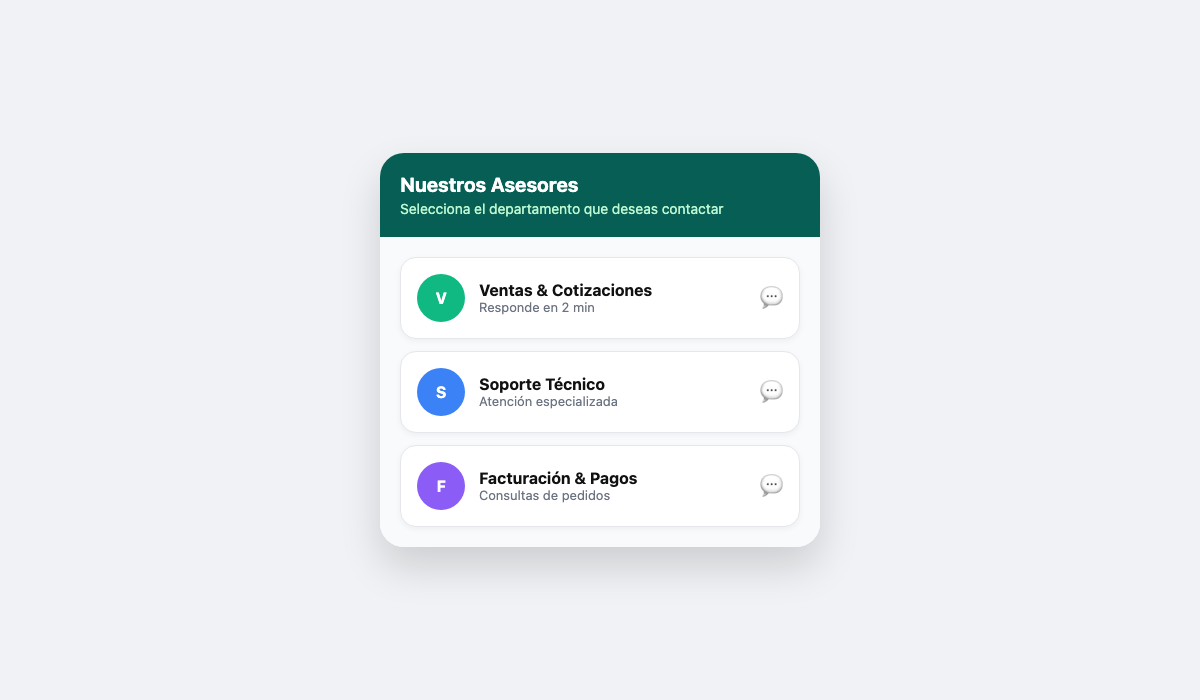
- Multi-Agent & Department Support: Add unlimited team members or departments (Sales, Technical Support, Invoicing) with custom avatars and roles.
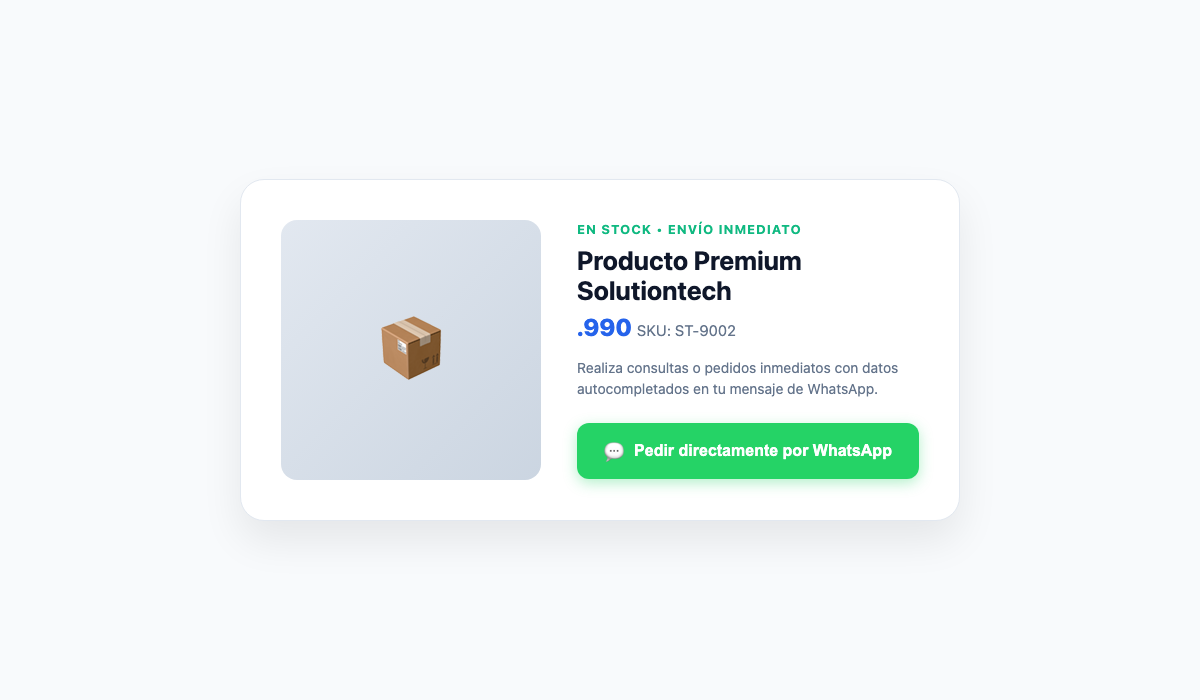
- WooCommerce Direct Sales: Add an inquiry or direct order button on single product pages with automatic details (Product Name, SKU, Price, URL) and on the Cart page.
- Smart Dynamic Tags: Use placeholders such as
{page_title},{page_url},{site_name},{product_name},{product_price}, and{product_sku}in pre-filled messages. - Conversion Tracking: Native integration with Google Analytics 4 (
gtag) and Meta Pixel (fbq), plus custom JavaScript events for Google Tag Manager (GTM). - Click-to-Chat Shortcode: Place customizable buttons anywhere in posts or pages with
[solutiontech_whatsapp]. - Lightweight & Fast: Pure vanilla JavaScript frontend, zero jQuery dependency on the frontend, perfectly compliant with Core Web Vitals.
- Zero External Dependencies: Built with zero remote trackers or third-party APIs. QR codes and audio chimes are rendered 100% locally in the client browser.
- 100% Secure & Standardized: Built adhering to the official WordPress Coding Standards, nonces, data sanitization, and output escaping.
External services
This plugin does not connect to or exchange user data with any external third-party API or service. All dynamic features, including the desktop QR code generator and audio chimes, run 100% locally in the visitor’s browser. Standard outbound chat links direct the user directly to the official WhatsApp messaging service (https://api.whatsapp.com/ or https://web.whatsapp.com/) only when explicitly clicked by the user.
스크린샷


설치
- Upload the
solutiontech-customer-chatdirectory to your/wp-content/plugins/folder, or install via the WordPress Plugins screen by uploading the ZIP file. - Activate the plugin through the ‘Plugins’ menu in WordPress.
- Navigate to Customer Chat in your WordPress admin menu.
- Enter your phone number (with country code, no + or spaces), configure your welcome messages, and click Save All Changes.
FAQ
-
What phone format should I use?
-
Enter your full international number without any plus (+) symbols, dashes, or spaces. For example:
* Chile:56912345678
* Spain:34600000000
* Mexico:5215512345678
* United States:15551234567
* Argentina:5491123456789 -
Does it slow down my website?
-
Not at all! The frontend script is written in clean, modern vanilla JavaScript with no jQuery dependency. It is optimized for high performance and excellent PageSpeed / Core Web Vitals scores.
-
Does it support WooCommerce?
-
Yes! When WooCommerce is activated, Solutiontech Customer Chat automatically displays an order/inquiry button directly on your product pages and a button on the cart page.
-
Can I configure multiple agents?
-
Yes! You can enable “Multi-Agent Mode” under the Team & Agents tab to list multiple representatives with their respective titles, numbers, and avatars.
-
How do I track conversions in Google Analytics 4?
-
Simply keep “Google Analytics 4” enabled in the Analytics tab. If your website loads
gtag.js, clicks will trigger awhatsapp_clickevent automatically. -
Does this plugin use external third-party services or CDNs?
-
No. Solutiontech Customer Chat operates 100% locally and offline. All icons, synthesized audio chimes, and QR codes are generated client-side without transmitting visitor data to external APIs.
후기
이 플러그인에 대한 평가가 없습니다.
기여자 & 개발자

자국어로 “Solutiontech Customer Chat”(을)를 번역하세요.
개발에 관심이 있으십니까?
변경이력
1.0.0
- Initial official release.
- Redesigned vertical admin navigation with zero horizontal scroll.
- Added notification badge, Web Audio pop chime, and behavior triggers.
- Added business hours scheduling and offline desktop SVG QR code.
- Added WooCommerce integration and GA4 / Meta Pixel event tracking.