
설명
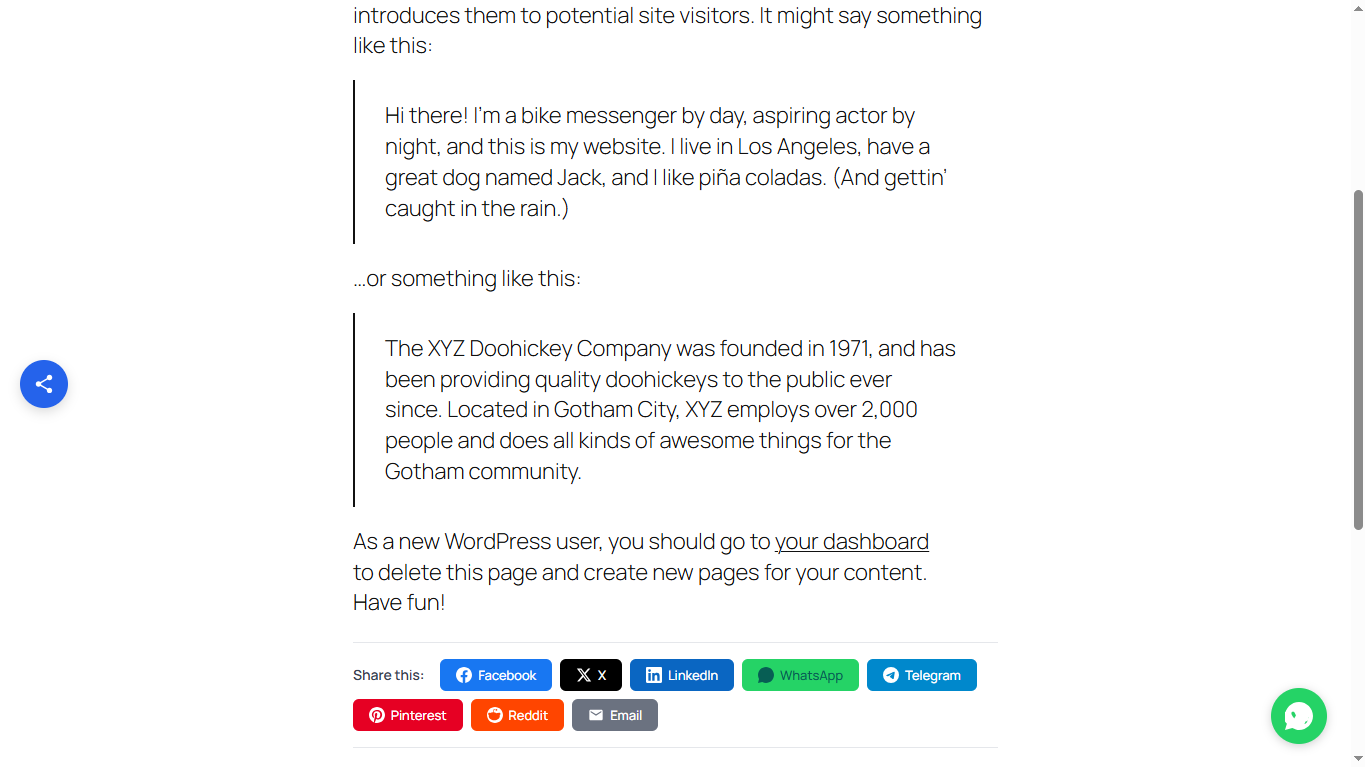
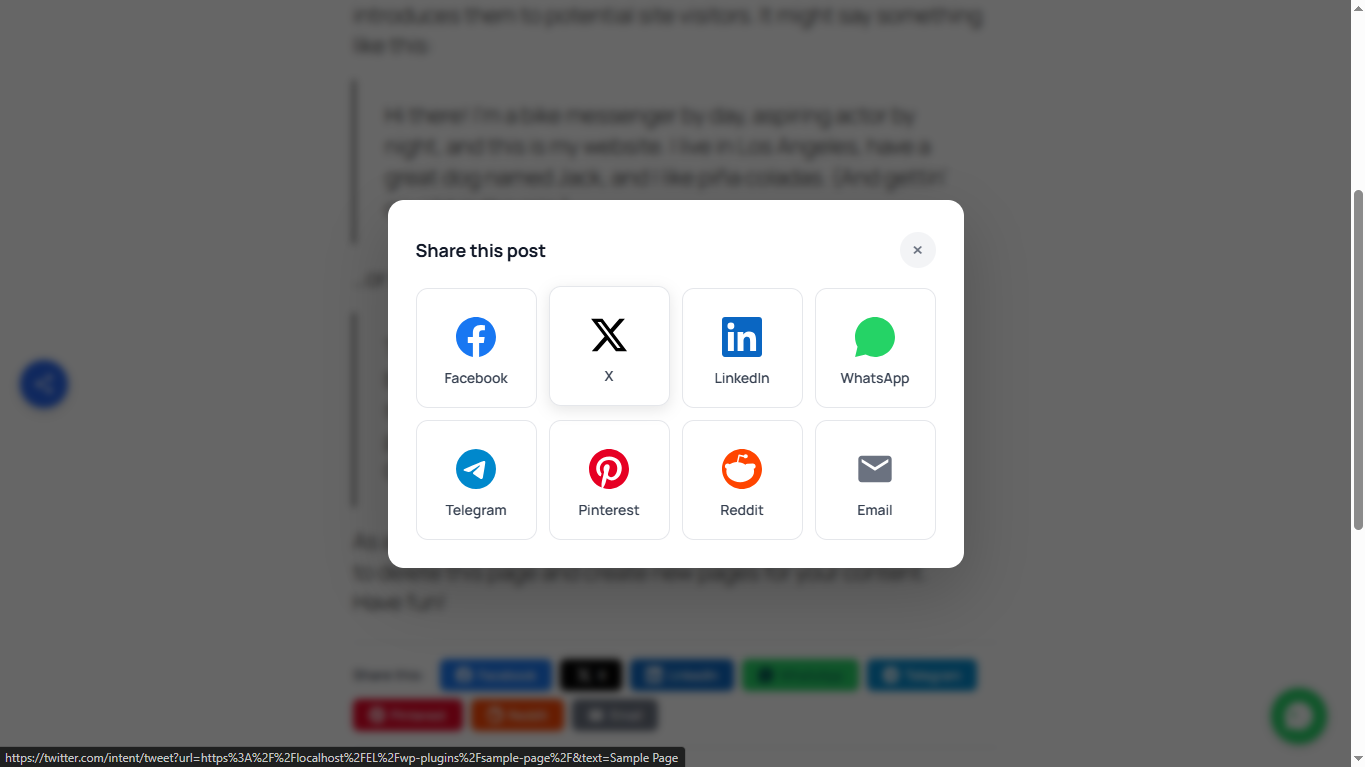
Starline Social Sharing Buttons adds elegant, customizable social sharing buttons to your WordPress posts and pages. Choose from 8 popular social networks and display buttons inline, as a floating widget, or in a scroll-triggered popup.
Features
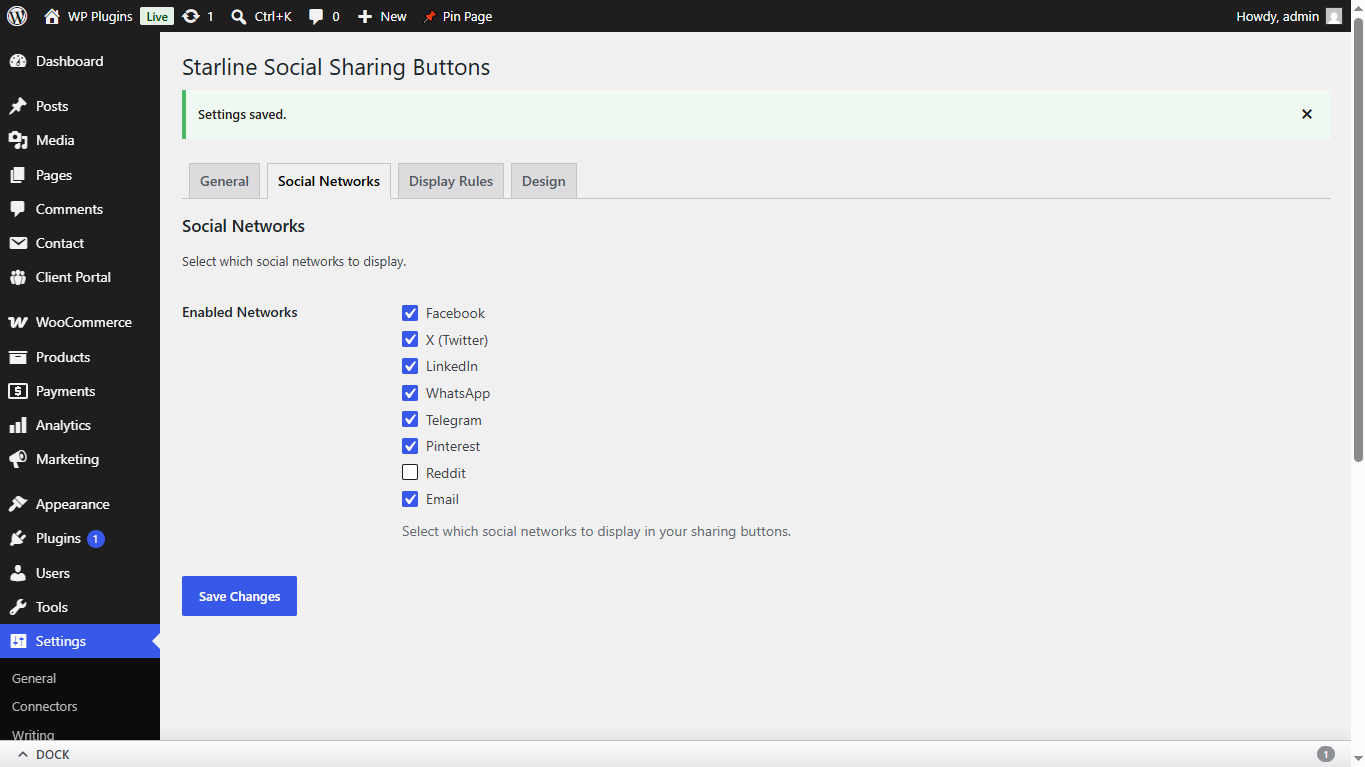
- 8 social networks: Facebook, X (Twitter), LinkedIn, WhatsApp, Telegram, Pinterest, Reddit, Email
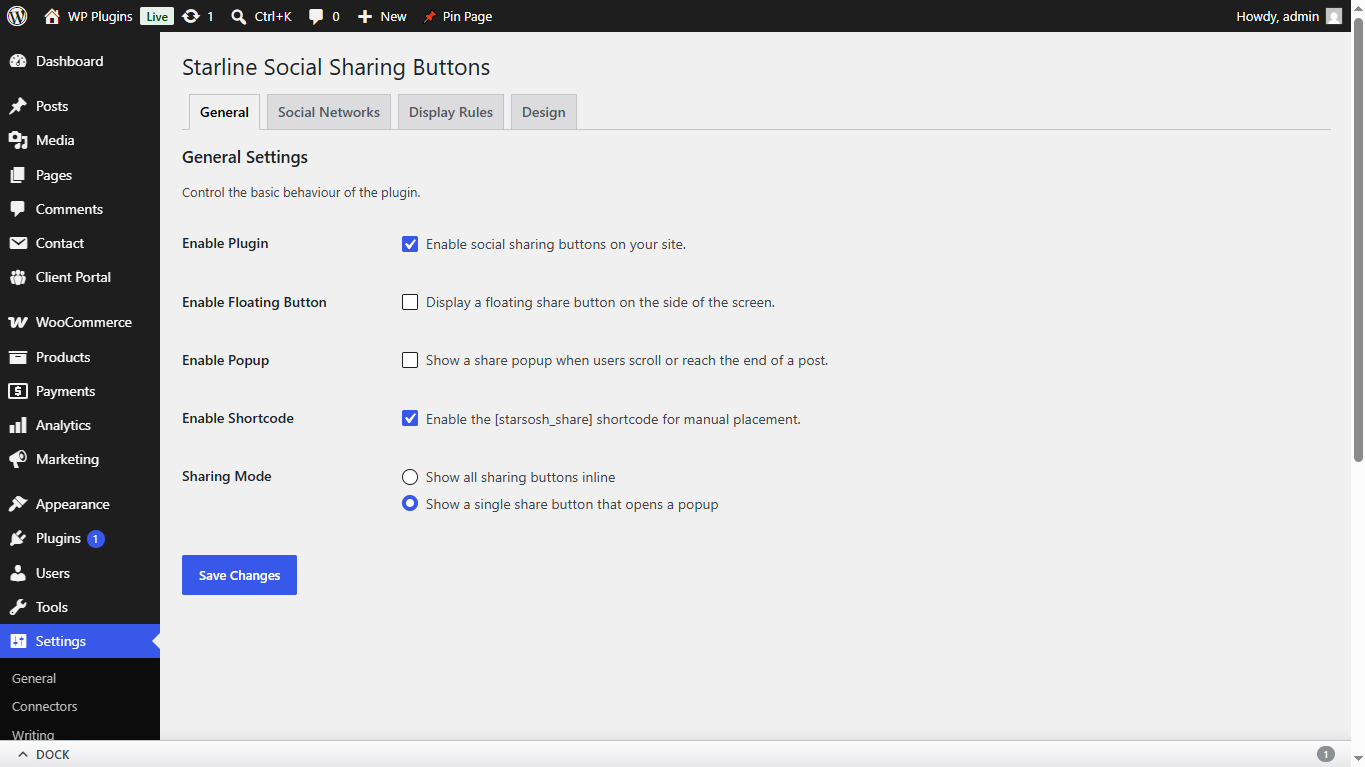
- Multiple display modes: inline buttons, floating sidebar toggle, scroll-triggered popup
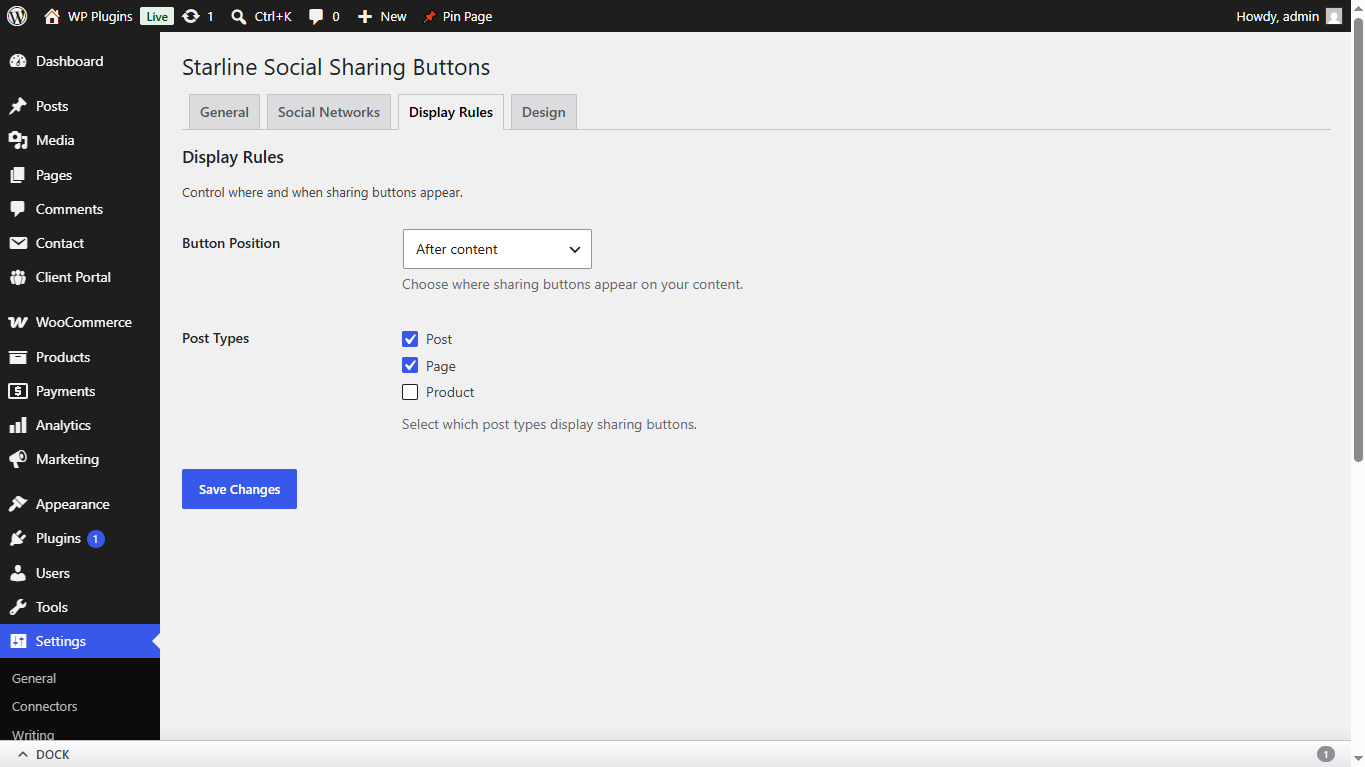
- Flexible placement: before/after title, before/after content, both, or footer
- Custom post type support: works with posts, pages, and any public custom post type
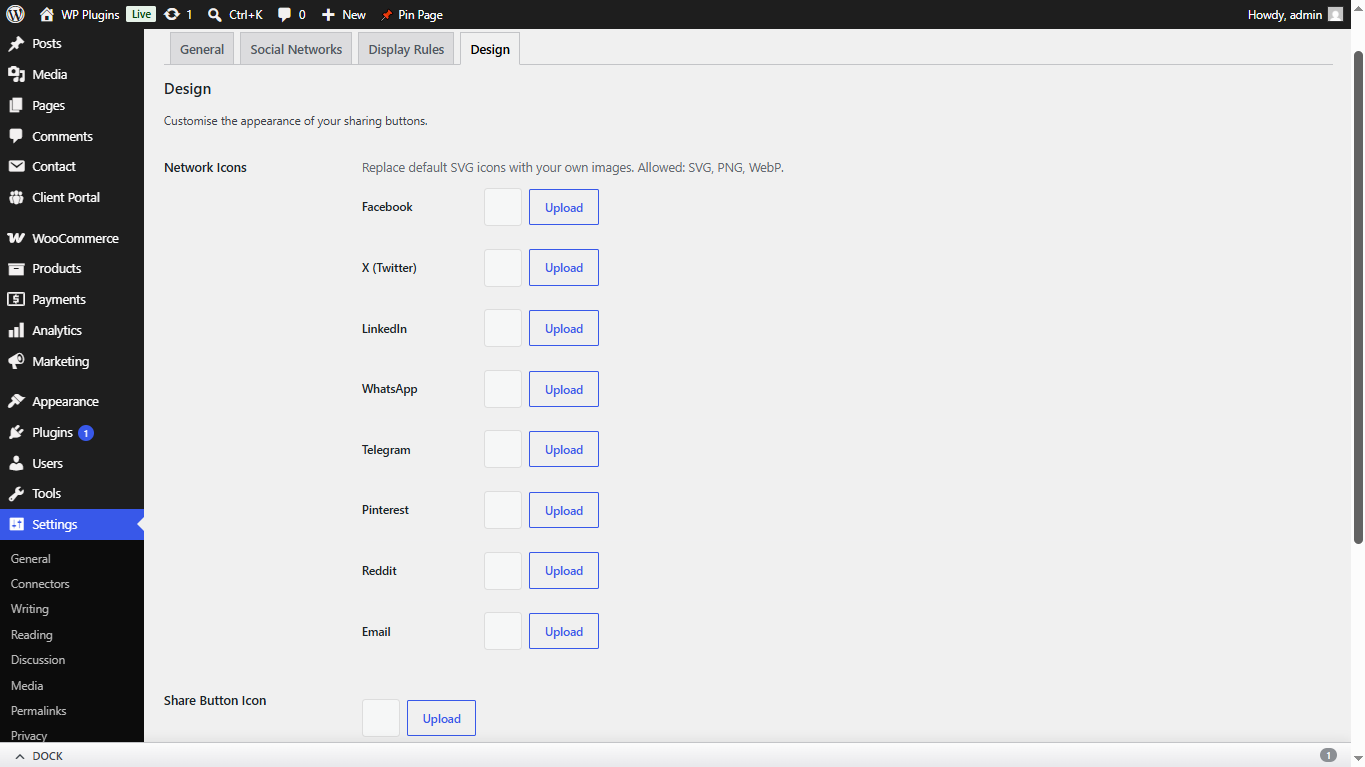
- Custom icons: upload your own PNG, WebP, or SVG icons per network
- Open Graph meta tags: automatically generates og:title, og:description, og:image, and Twitter Card tags
- SEO plugin compatible: auto-disables when Yoast SEO, Rank Math, or SEOPress is active
- Shortcode support: use [starsosh_share] for manual button placement
- Fully responsive: optimized for mobile with touch-friendly targets
- Accessible: ARIA labels, keyboard navigation, focus management, reduced motion support
- Translation ready: fully localized with .pot file included
- No external dependencies: vanilla JavaScript on frontend, no jQuery required
External Services
This plugin generates share links that, when clicked by a visitor, navigate to the respective social platform. No automatic or background requests are made — all data transmission is user-initiated via a deliberate click on a share button.
Facebook
* Purpose: Share the current page URL on Facebook.
* Data transmitted: Post URL.
* Trigger: User clicks the Facebook share button.
* Privacy Policy: https://www.facebook.com/privacy/policy/
* Terms of Service: https://www.facebook.com/legal/terms
X (Twitter)
* Purpose: Share the current page on X (formerly Twitter).
* Data transmitted: Post URL and post title.
* Trigger: User clicks the X share button.
* Privacy Policy: https://x.com/en/privacy
* Terms of Service: https://x.com/en/tos
LinkedIn
* Purpose: Share the current page URL on LinkedIn.
* Data transmitted: Post URL.
* Trigger: User clicks the LinkedIn share button.
* Privacy Policy: https://www.linkedin.com/legal/privacy-policy
* Terms of Service: https://www.linkedin.com/legal/user-agreement
WhatsApp
* Purpose: Share the current page via WhatsApp.
* Data transmitted: Post title, excerpt, and URL.
* Trigger: User clicks the WhatsApp share button.
* Privacy Policy: https://www.whatsapp.com/legal/privacy-policy
* Terms of Service: https://www.whatsapp.com/legal/terms-of-service
Telegram
* Purpose: Share the current page on Telegram.
* Data transmitted: Post URL and post title.
* Trigger: User clicks the Telegram share button.
* Privacy Policy: https://telegram.org/privacy
* Terms of Service: https://telegram.org/tos
Pinterest
* Purpose: Pin the current page to Pinterest.
* Data transmitted: Post URL, featured image URL, and post excerpt.
* Trigger: User clicks the Pinterest share button.
* Privacy Policy: https://policy.pinterest.com/en/privacy-policy
* Terms of Service: https://policy.pinterest.com/en/terms-of-service
Reddit
* Purpose: Share the current page on Reddit.
* Data transmitted: Post URL and post title.
* Trigger: User clicks the Reddit share button.
* Privacy Policy: https://www.reddit.com/policies/privacy-policy
* Terms of Service: https://www.redditinc.com/policies/user-agreement
Email
* Purpose: Share the current page via the visitor’s default email client.
* Data transmitted: Post title (subject line) and post excerpt with URL (email body).
* Trigger: User clicks the Email share button.
* Note: This opens the user’s native email client. No data is sent to a third-party server by this plugin.
Privacy
This plugin does not collect, store, or transmit any personal data from your site or its visitors. No cookies, analytics, or tracking mechanisms are used.
The only data transmission occurs when a visitor voluntarily clicks a share button, which opens their browser to the chosen social network’s share URL. This is a standard browser navigation and does not involve the plugin sending data in the background. See the External Services section above for details on each service.
Support
For support, feature requests, or bug reports, please visit the plugin’s support forum on WordPress.org or contact us at:
https://www.starlinewebsolutions.com/contact/
스크린샷
설치
- Upload the
starline-social-sharing-buttonsfolder to the/wp-content/plugins/directory, or install via Plugins > Add New. - Activate the plugin through the Plugins screen.
- Go to Settings > Starline Social Sharing Buttons to configure the plugin.
- Enable the plugin, select your preferred social networks, and choose display options.
FAQ
-
Facebook, X (Twitter), LinkedIn, WhatsApp, Telegram, Pinterest, Reddit, and Email.
-
Can I use custom icons?
-
Yes. Go to Settings > Starline Social Sharing Buttons > Design tab. You can upload custom PNG, WebP, or SVG icons for each network using the WordPress Media Library.
-
Will this plugin conflict with my SEO plugin?
-
No. When Yoast SEO, Rank Math, or SEOPress is detected, the plugin’s Open Graph and Twitter Card meta tags are automatically disabled to avoid duplicates.
-
Yes. Use the [starsosh_share] shortcode anywhere in your content. The shortcode must be enabled in Settings > Starline Social Sharing Buttons > General.
-
Which post types are supported?
-
Posts, pages, and any public custom post type. You can choose which post types display sharing buttons in Settings > Display Rules.
-
Is the plugin mobile-friendly?
-
Yes. The plugin is fully responsive with touch-friendly button sizes (minimum 42px), a mobile-optimized floating button, and full-width popup buttons on small screens.
후기
이 플러그인에 대한 평가가 없습니다.
기여자 & 개발자

자국어로 “Starline Social Sharing Buttons”(을)를 번역하세요.
개발에 관심이 있으십니까?
변경이력
1.0.0
- Initial release