

설명
튜터 LMS는 가볍고 다양한 기능을 갖춘 강력한 워드프레스 LMS 플러그인으로 온라인에서 쉽게 강좌를 생성하고 판매할 수 있습니다. 이 학습 관리 시스템의 모든 기능은 본격적인 온라인 강좌 마켓플레이스의 모든 체크포인트를 충족합니다.
무제한 코스, 퀴즈, 대화형 레슨을 생성하고 보고서를 생성할 수 있어 튜터 LMS는 최고의 무료 워드프레스 LMS 플러그인입니다. 따라서 코드 한 줄 작성하지 않고도 교육 기관, 온라인 강좌 또는 e러닝 웹사이트를 쉽게 관리할 수 있습니다.
또한 공식 페이스북 커뮤니티에 가입하여 모든 최신 소식을 확인하고 튜터 LMS의 일원이 될 수 있습니다.
또한 튜터 LMS 개요 동영상을 확인하세요:
전반적으로 튜터 LMS는 e러닝 애호가를 위한 최고의 워드프레스 LMS 플러그인입니다. 완벽한 e러닝 웹사이트를 구축하는 데 필요한 모든 핵심 기능이 포함되어 있습니다. 또한 핵심 플러그인을 더욱 강화할 수 있는 다양한 프리미엄 애드온도 있습니다! 몇 가지 중요한 애드온으로는 코스 빌더, 인증서, 소셜 로그인, 보고서, 콘텐츠 드립, 과제, 캘린더 등이 있습니다.
지금 바로 튜터 LMS를 다운로드하여 온라인 강의를 효율적으로 생성, 사용자 지정, 관리 및 판매하세요.
What People Have to Say:
🙆 “This LMS has pretty much everything you’d expect from an LMS and more: Course builder, lessons, several quiz/assignment types, video embed, Zoom integration, front-end dashboard, payment/WooCommerce integrations, and a lot of other great addons. It provides a streamlined experience and is easy to use for both admins, tutors and students. Great support and reasonably priced.” —mariusandersen
“몇 년 동안 워드프레스 기반 LMS를 사용해왔는데, 몇 주 만에 제가 가장 좋아하는 LMS가 되었습니다. 앞으로도 계속 사용하길 바랍니다.” -테리힉
🌟 주요 기능
Here are the most notable features of Tutor LMS:
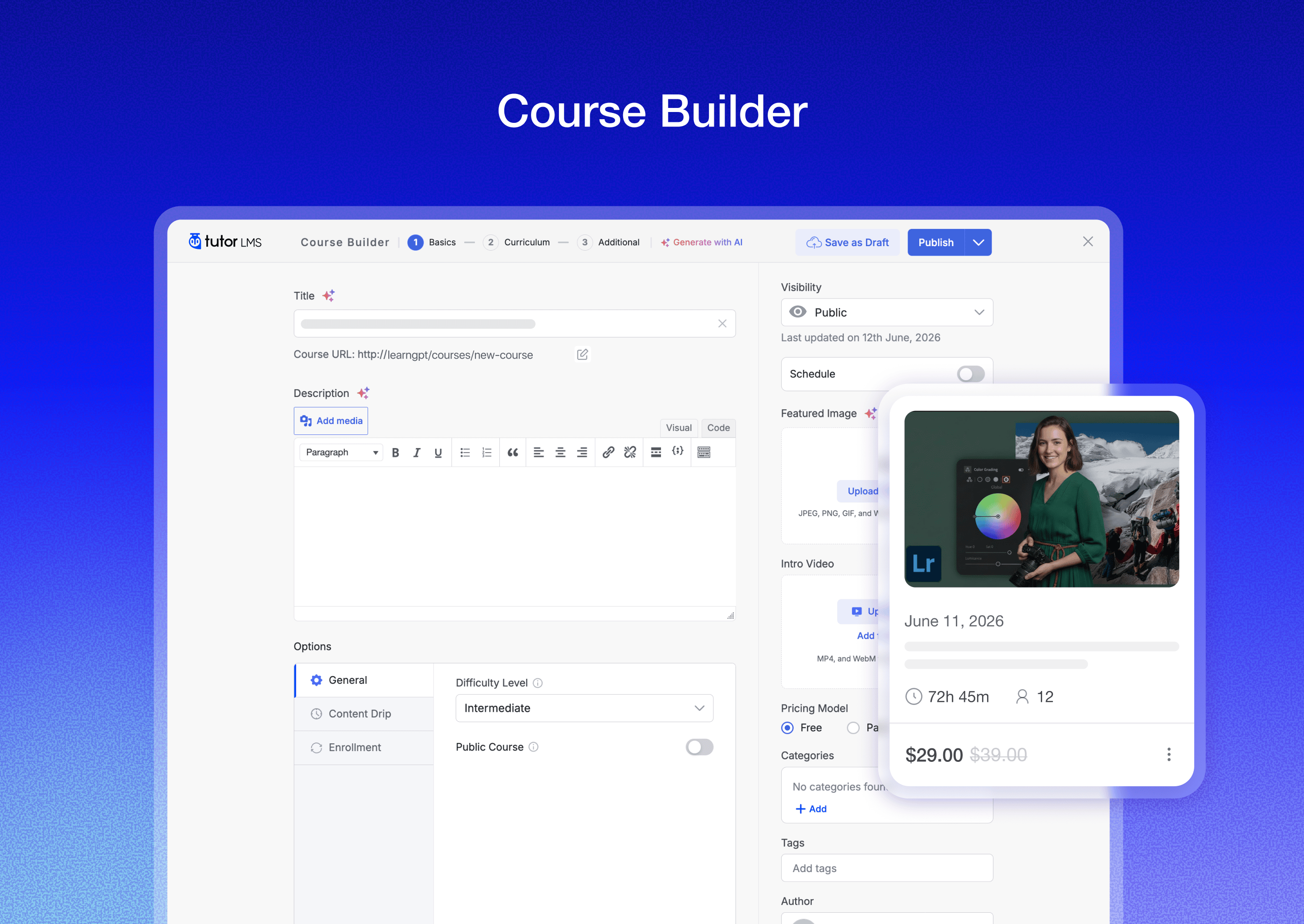
🏗️ Advanced course builder
🧩 Advanced quiz builder
🎮 Interactive quiz types
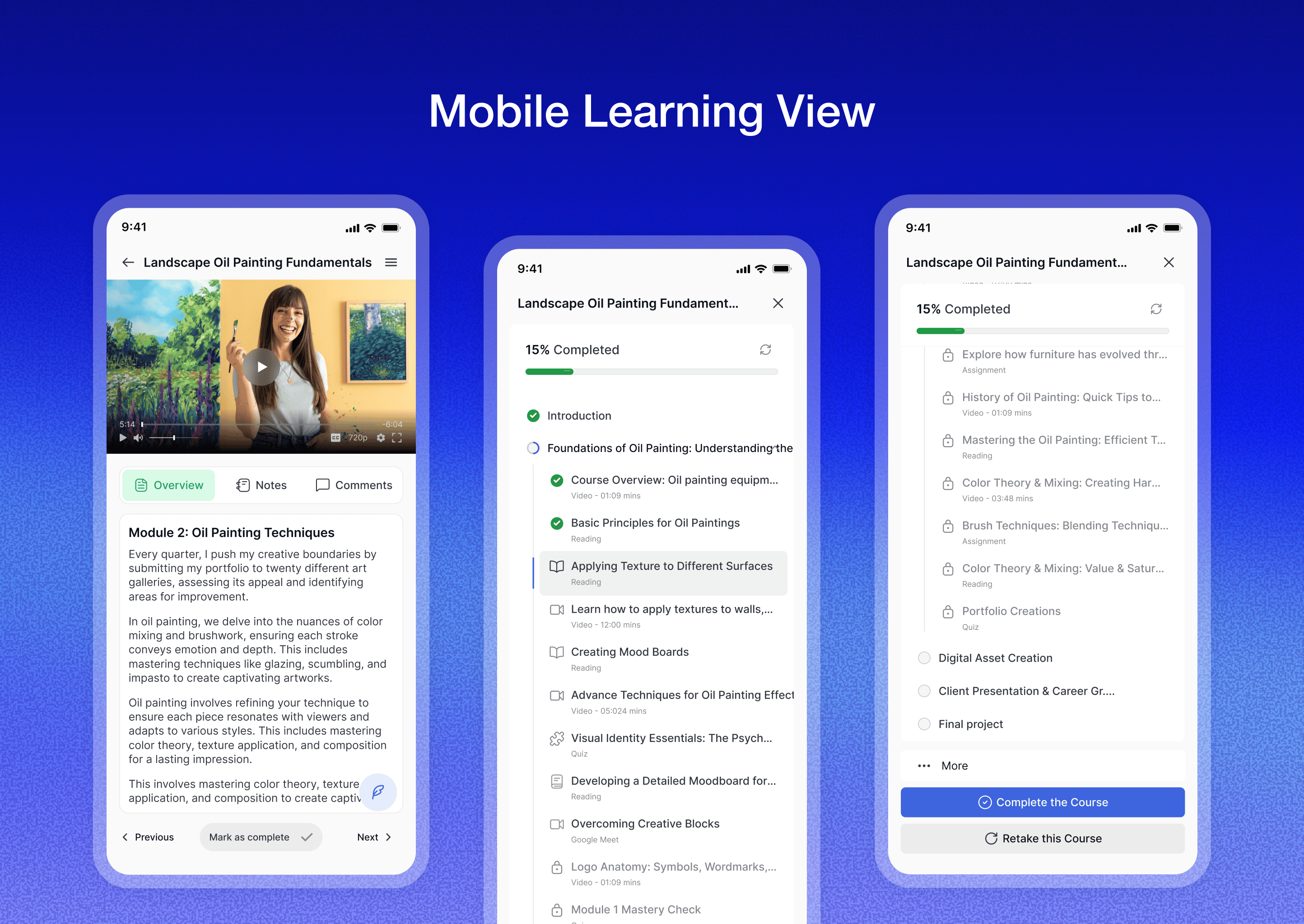
📱 App-like experience
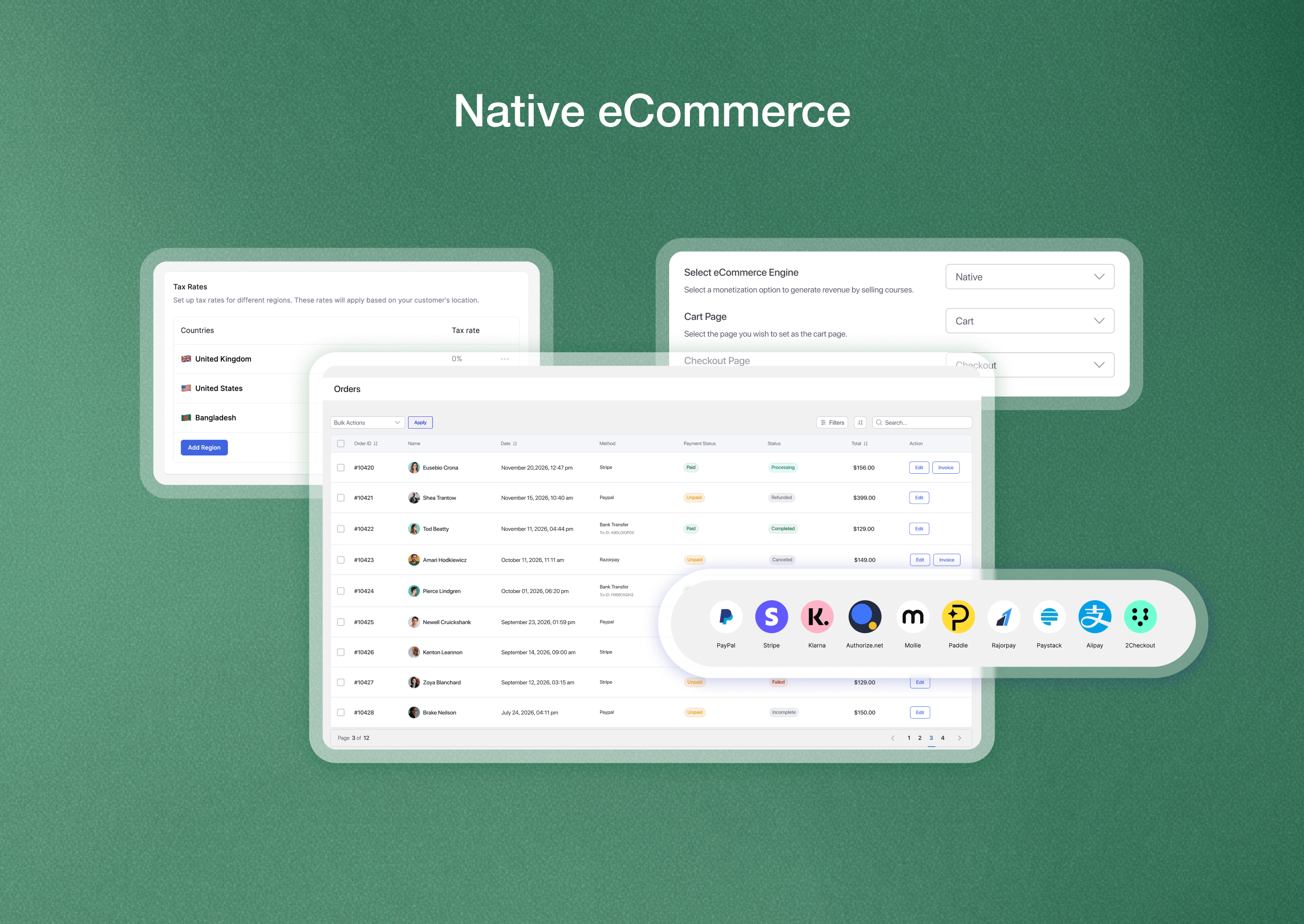
🛒 Native eCommerce
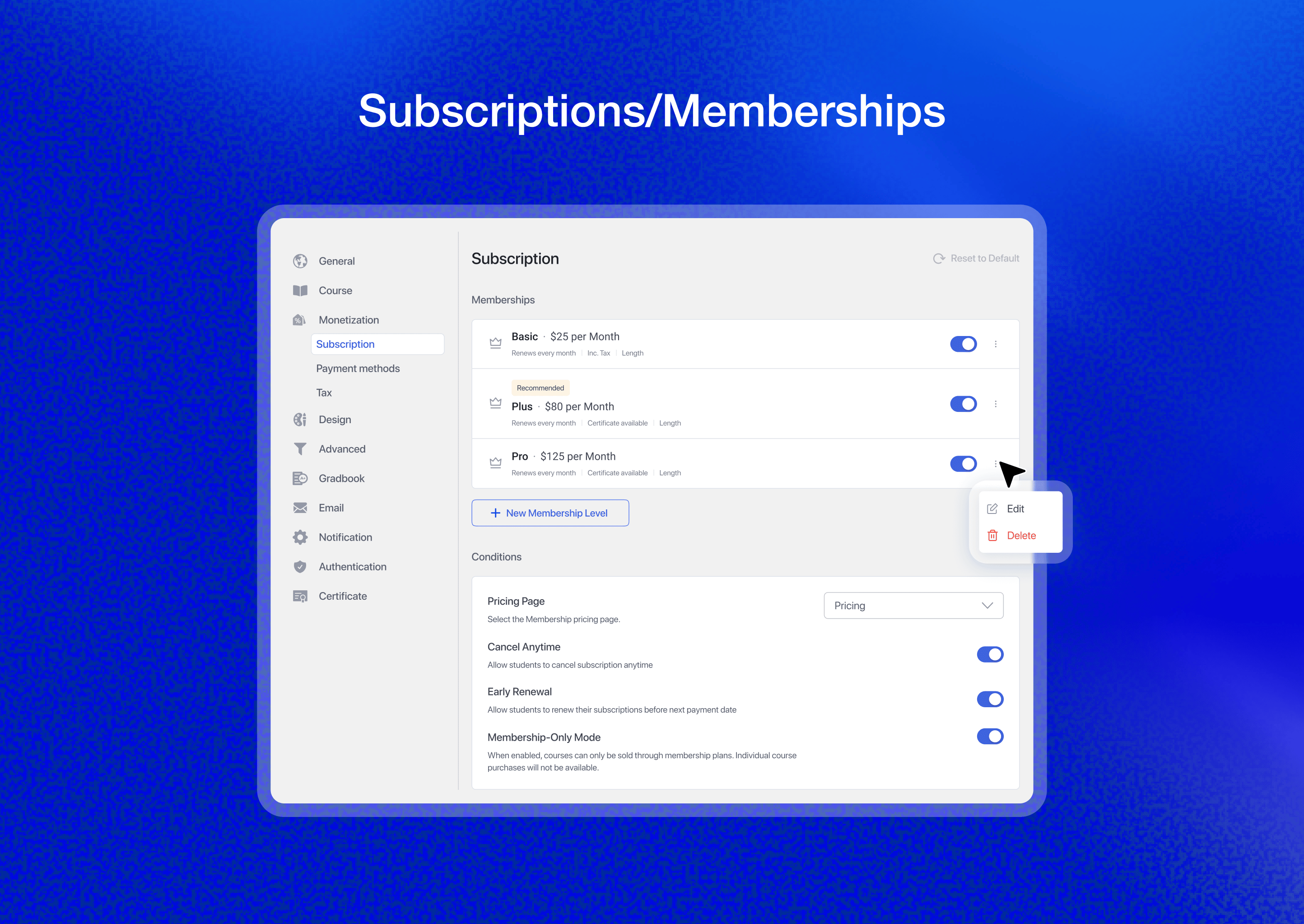
📆 Built-in subscriptions
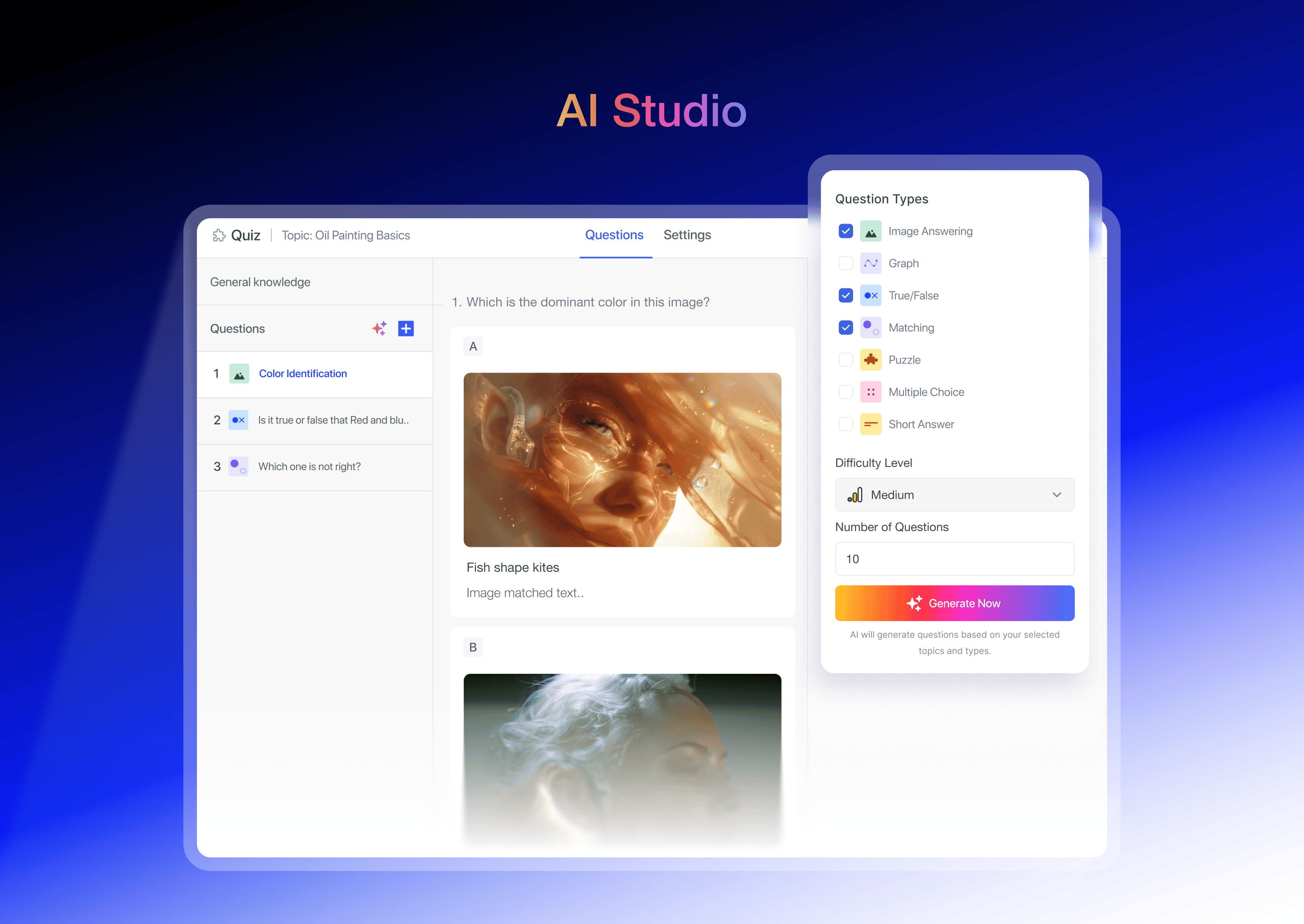
🖥️ Tutor LMS AI Studio
📚 Unlimited courses and lessons
🎓 Course bundle
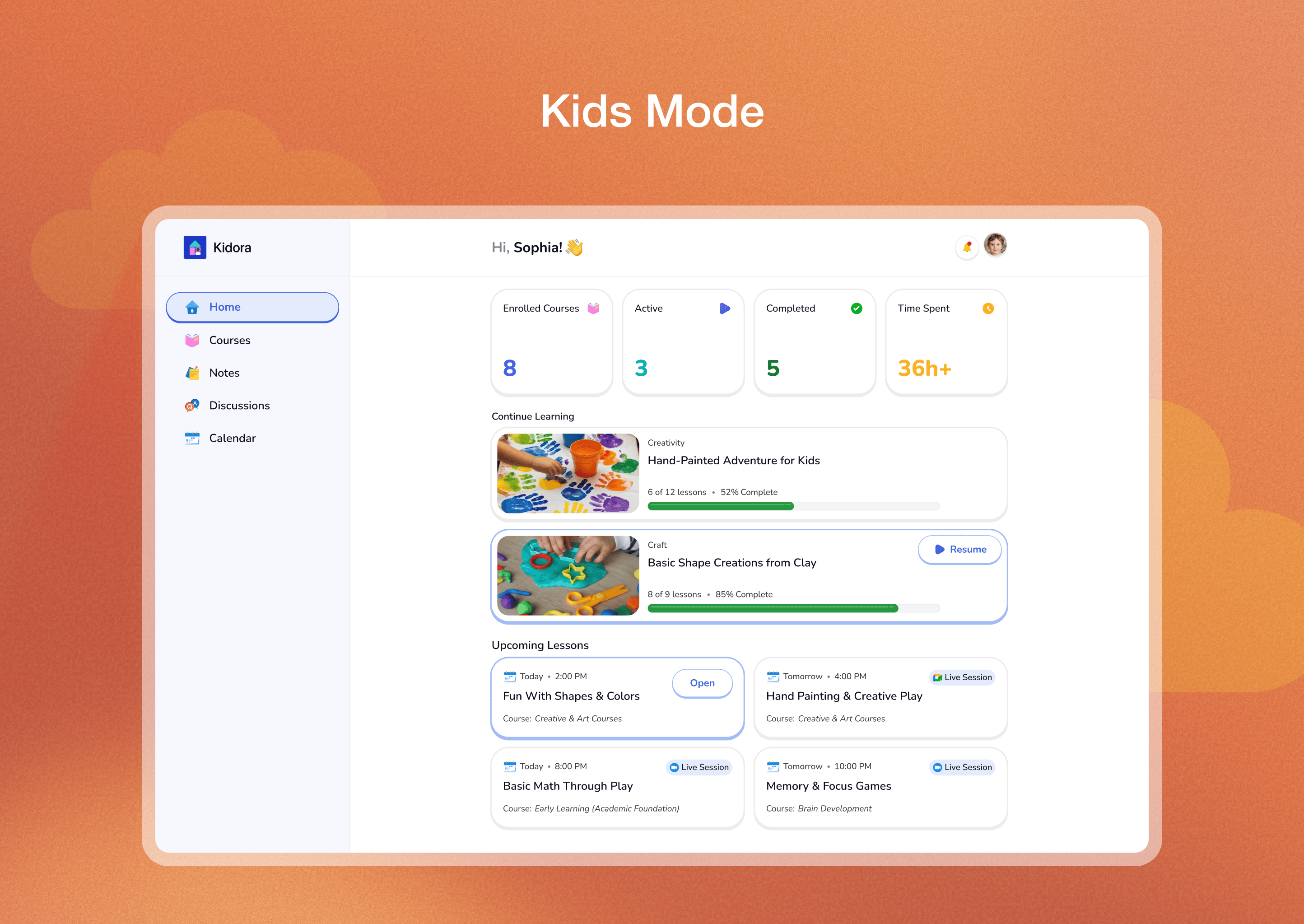
🧒 Kids mode
🎁 Gift course
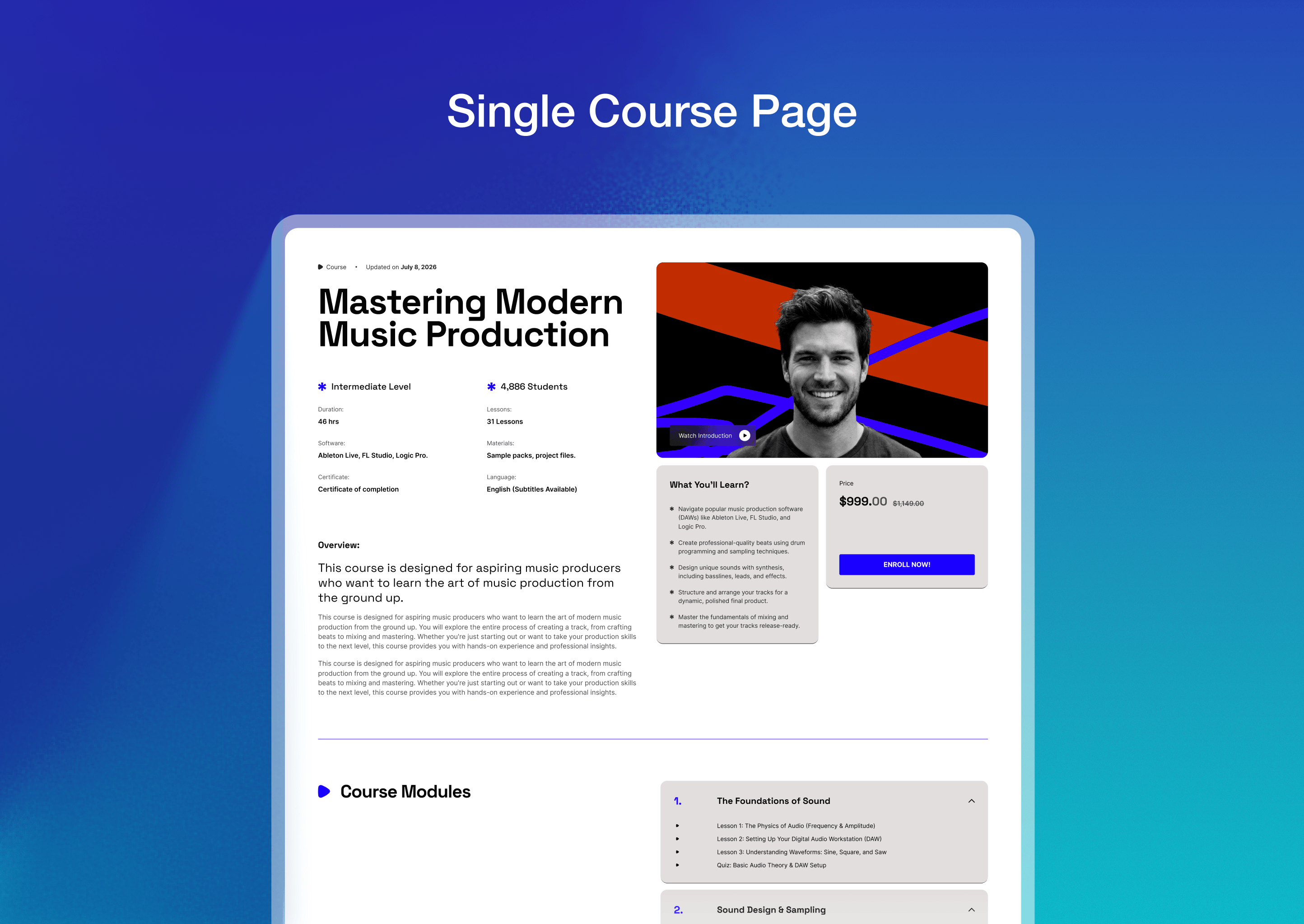
👁️ Course preview
⏱️ Quiz timer
📝 Quiz attempts
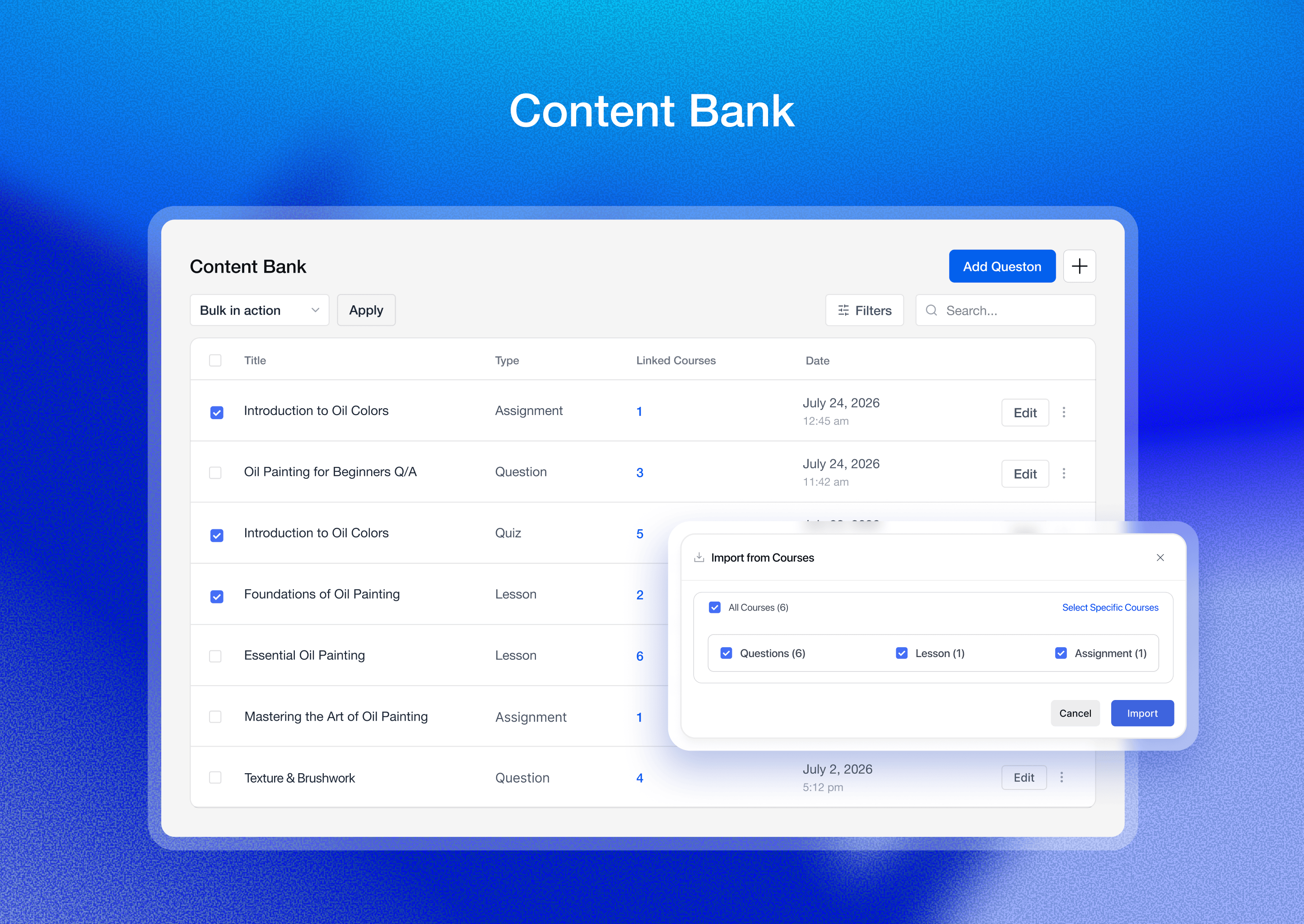
🗂️ Content bank
📊 Individual student & instructor dashboard
📌 Personalized dashboard for each role (admins, instructors, students)
📽️ Video lessons
📹 Multiple video sources (self-hosted, YouTube, Vimeo, embedded video, etc)
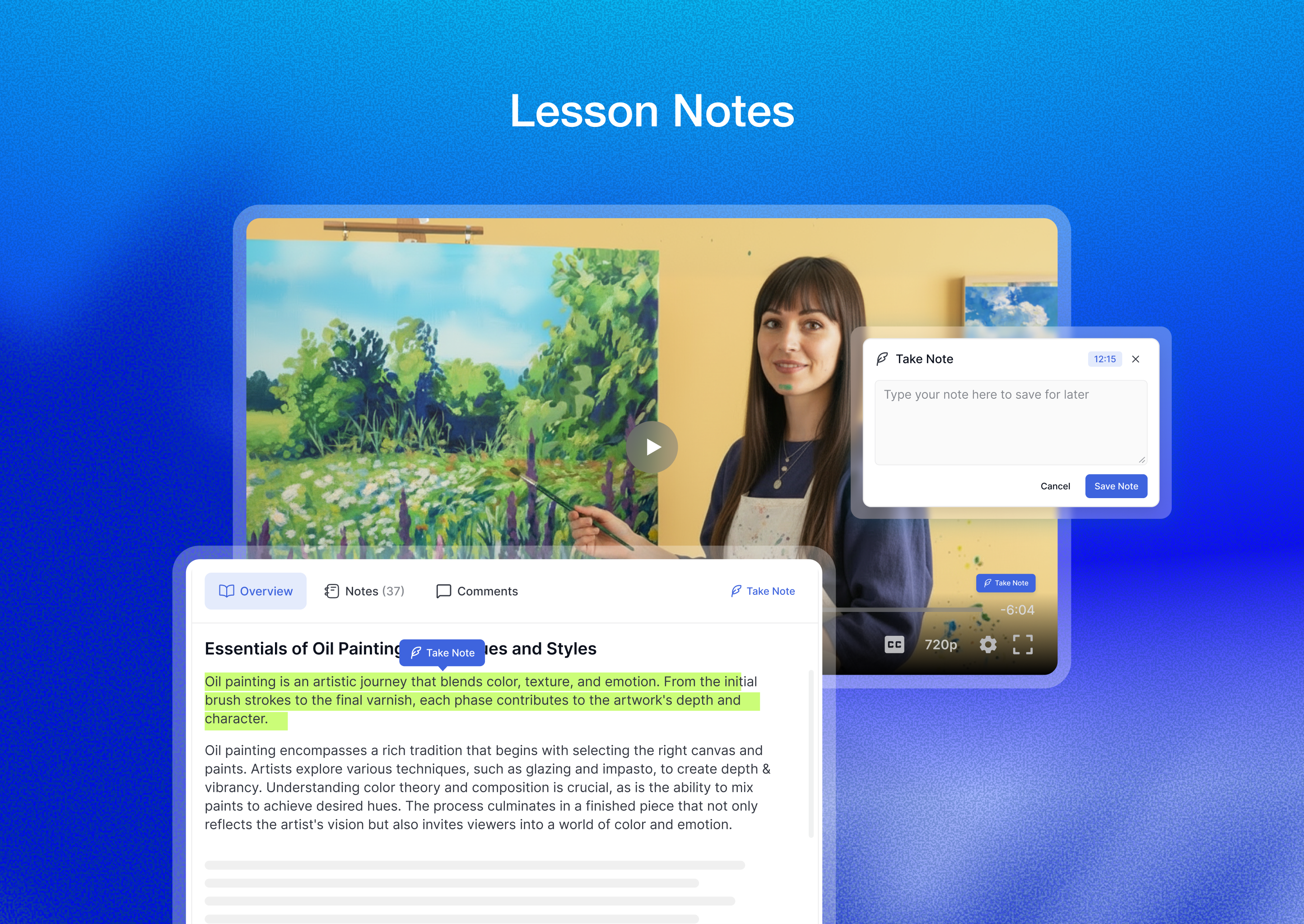
✍️ Note taking for lessons and videos
📅 Content drip
📝 Lesson management
💳 Centralized monetization settings
🛍️ Guest checkout
💰 Earning and commission allocation
💸 Multiple withdrawal options
📜 Purchase history
🎨 Course customization
📊 Course widget
📝 Instructor registration form
⭐ Course review and rating system
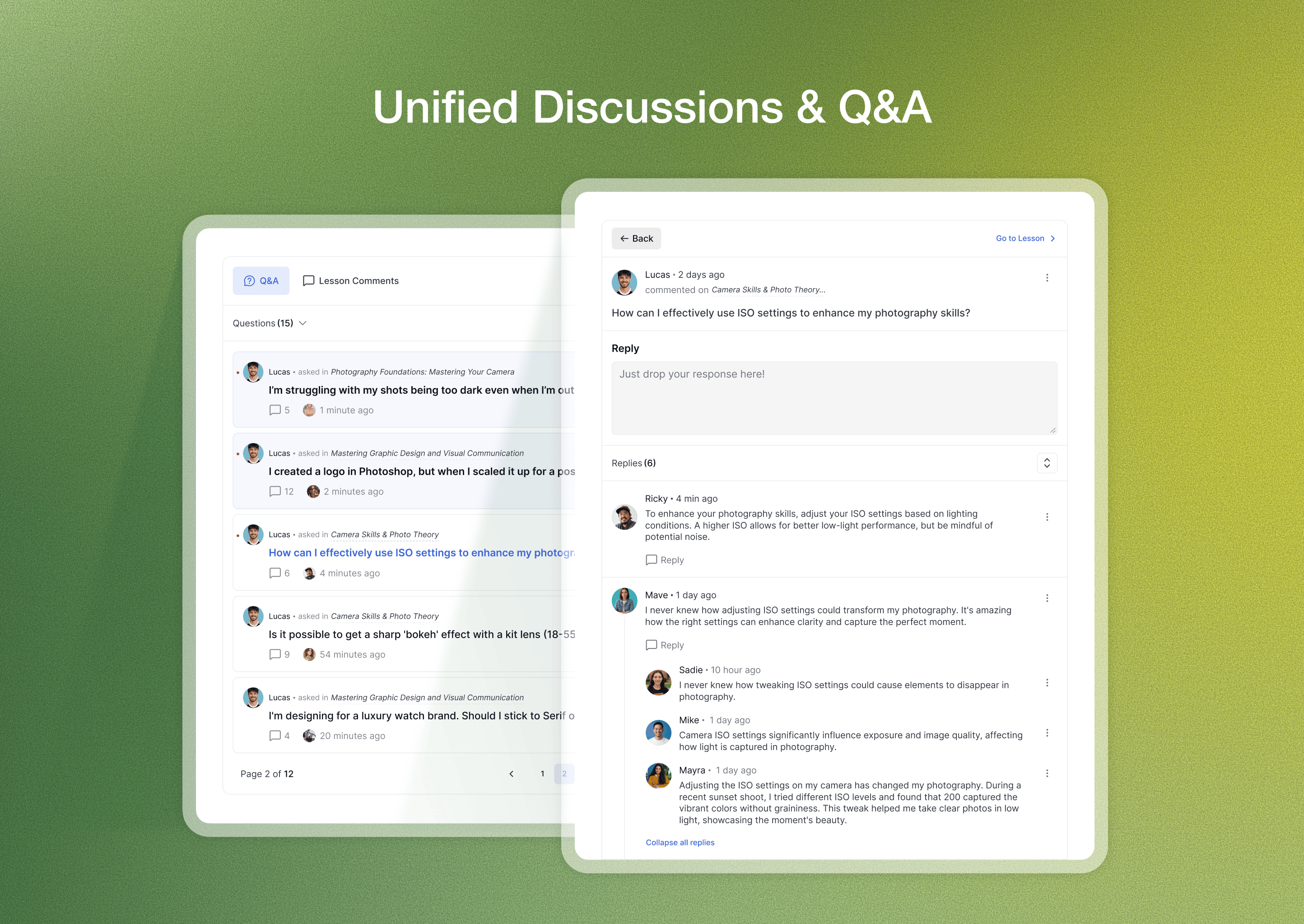
💬 Unified Discussions & Q&A
🎥 Video thumbnail (trailer/teaser)
🚀 Tracking and resetting course progress
🌟 Course difficulty level
⏳ Set course duration
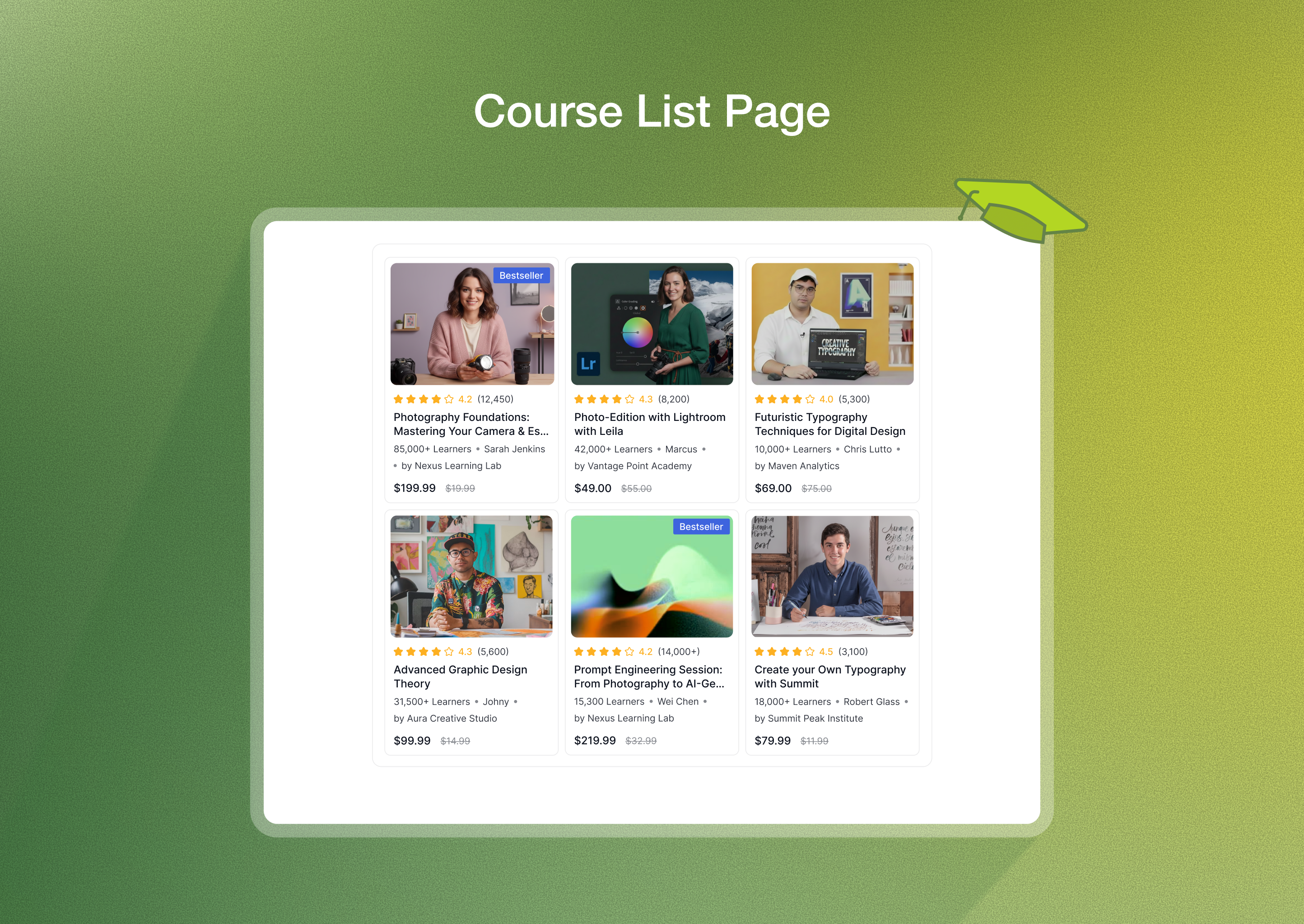
🌐 Course marketplace
📋 Add course requirements and instruction
🔦 Spotlight mode
🏗️ Page builder support
🔐 Content security
📈 Advanced analytics and more
👥 Manual enrollment
📊 Creating custom grading scales
🔔 Automated notifications
👩🏫 Multi-instructor system
🔐 Social login functionalities
📧 Email verification
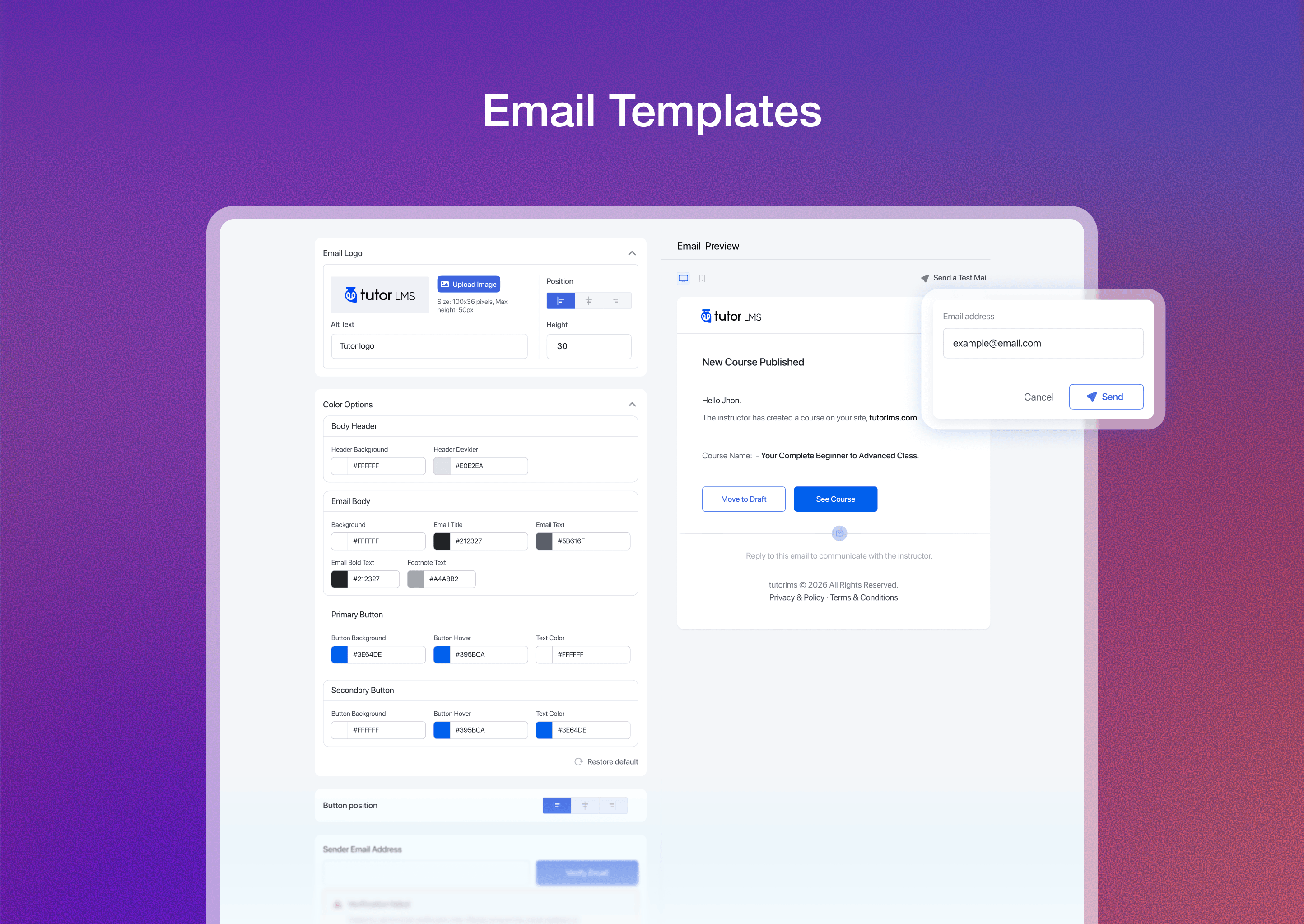
✉️ Email template editor
🔒 Tutor LMS REST API authentication support
🏆 Advanced drag-and-drop certificate builder
📜 Certificate verification
👤 Manage active login sessions
📱 Two-factor authentication
🛡️ Fraud protection
🔄 RTL ready
🌐 Multilingual support
🔏 GDPR compliance
🌗 Light/Dark mode
♿️ Accessibility
You can learn more about these features from our website.
튜터 LMS 확장 기능
튜터 LMS는 본격적인 학습 관리 시스템을 만들고자 하는 모든 사람에게 완벽한 솔루션입니다. 다음은 튜터 LMS의 몇 가지 핵심 용도입니다:
👨🎨 Individual Creators
📚 Schools & Academies
🏫 LMS Agencies
💻 Coaching Businesses
🎓 Nonprofits & Communities
이는 몇 가지 가능성에 불과합니다! 이 워드프레스 LMS 플러그인을 사용하면 아직 발견하지 못한 완전히 새로운 e러닝의 세계가 펼쳐집니다.
🎨 MODERN AND UNIFORM DESIGN
Tutor LMS has the most modern, functional, and uniform user interface for an LMS plugin. The entire interface has been redesigned with perfectionism in mind. It’s also more accessible now to make things easier for users with disabilities.
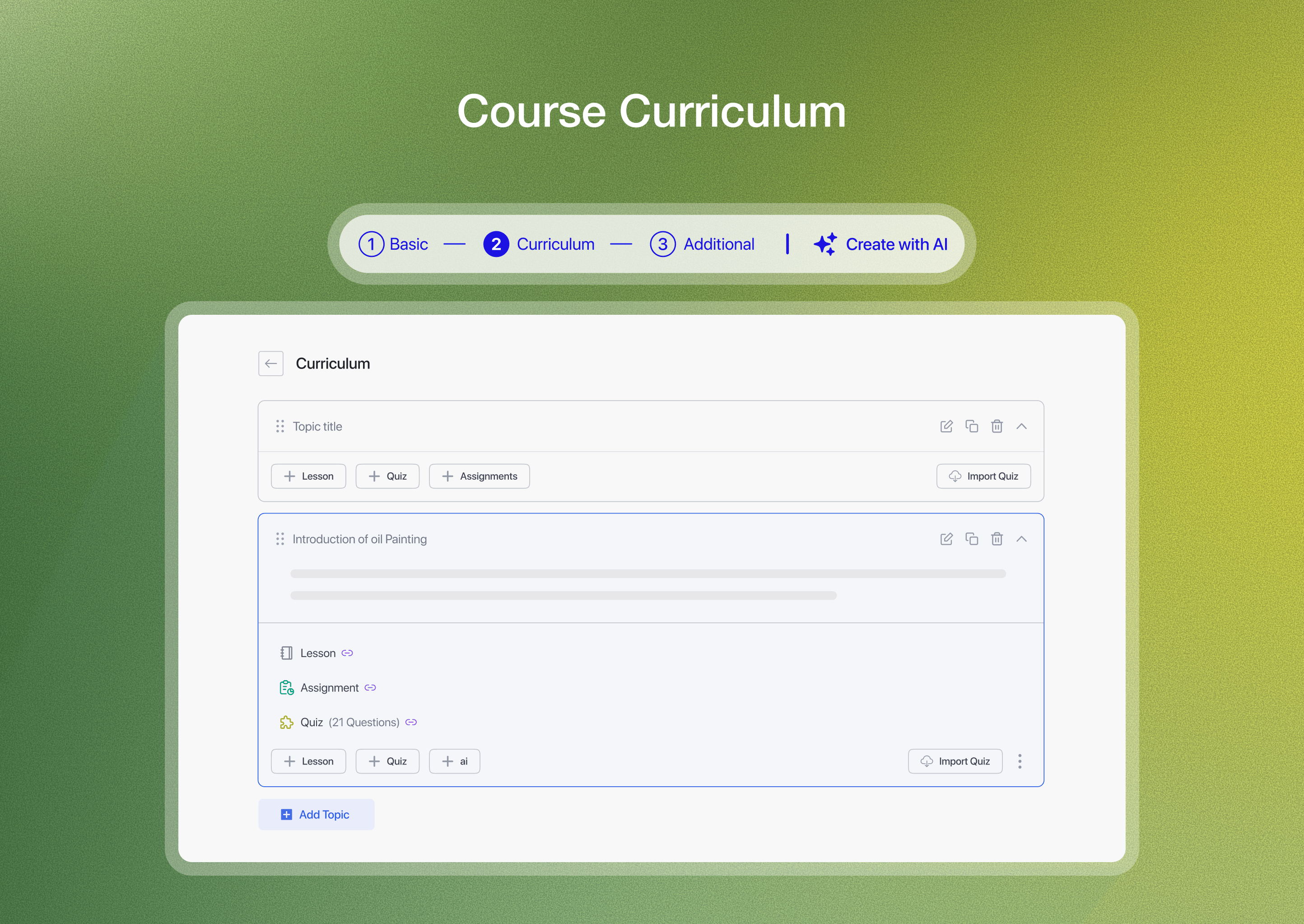
📒 직관적인 코스 빌더
튜터 LMS의 최첨단 코스 빌더를 사용하면 매력적인 온라인 코스를 그 어느 때보다 쉽게 만들 수 있습니다. 이 고급 워드프레스 LMS 플러그인을 사용하면 무제한 강의, 퀴즈, 과제, 동영상 등으로 무제한 코스를 디자인할 수 있습니다.
To focus solely on the course-building process, Tutor LMS also lets you hide headers and footers in the course builder using the spotlight mode. So, whether you’re a seasoned educator or just starting your online teaching journey, this WordPress LMS plugin equips you with the tools you need to create an interactive learning experiences for your students.
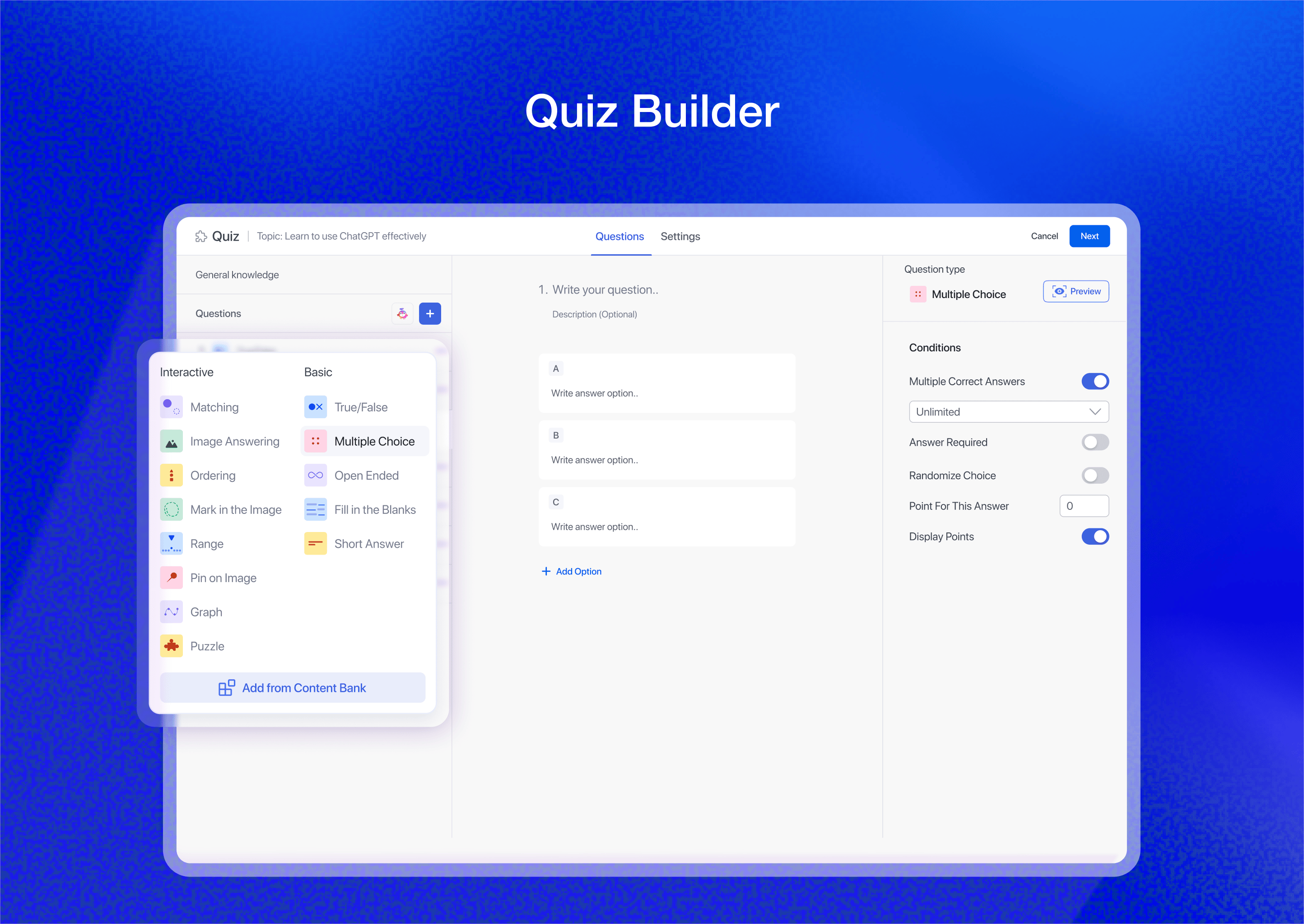
🧩 고급 퀴즈 빌더
Create unlimited quizzes with this WordPress course plugin. You can add questions, set the time limit, restrict attempts, set passing grades, etc, right from this WordPress LMS plugin.
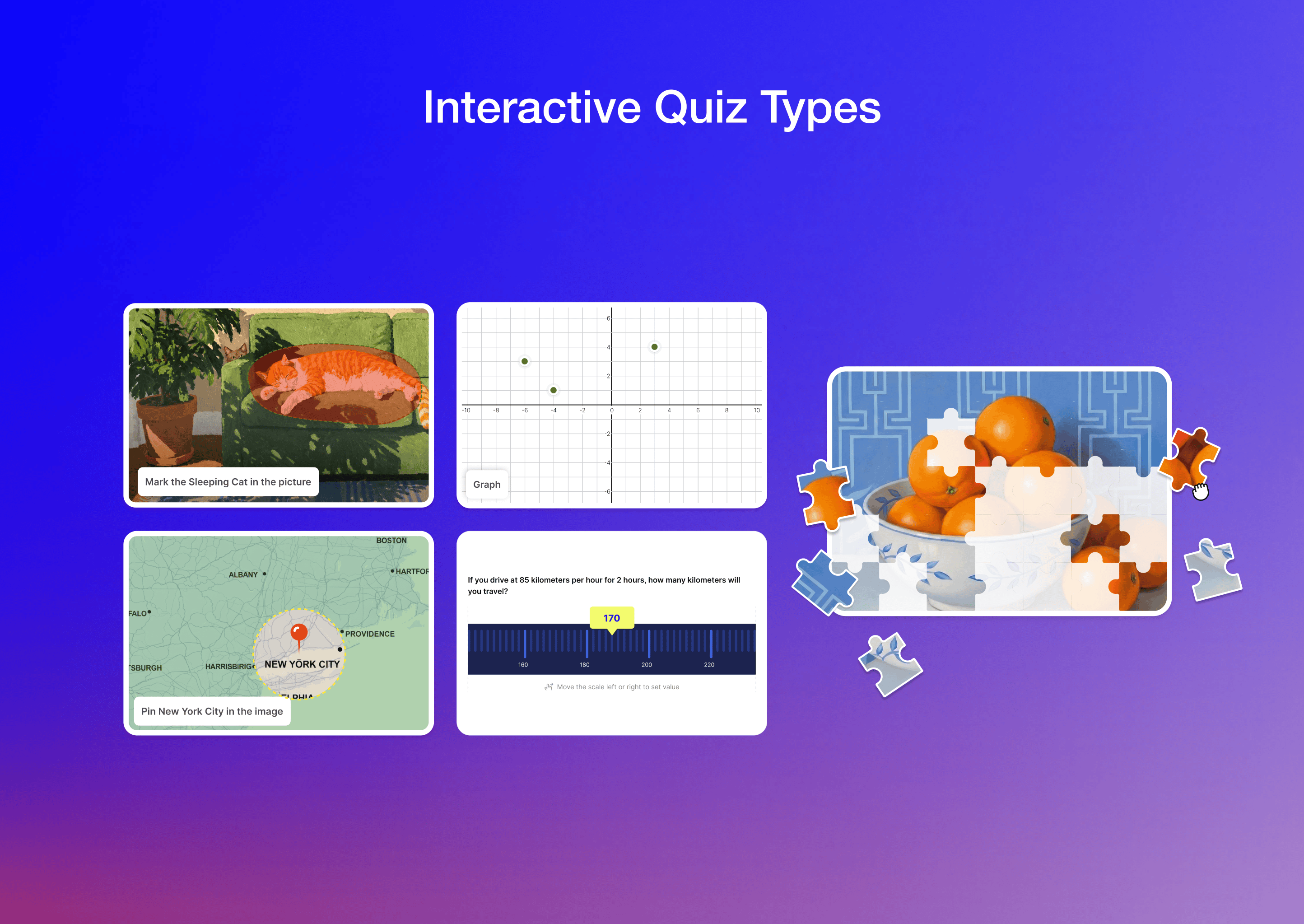
This free LMS plugin supports various quiz types. For example, true/false, multiple choice, single choice, matching, fill-in-the-blanks, and interactive quiz types like draw image, pin image, range, puzzle, and graph.
🛒 기본 전자 상거래
Tutor LMS has the most streamlined Native eCommerce solution to sell courses directly without relying on third-party plugins. You can offer coupons, manage taxes, manage orders, offer refunds, etc via the Tutor LMS native eCommerce. It also supports both individual and guest checkout and is compatible with popular payment gateways like PayPal, Stripe, Paddle, Mollie, Razorpay, etc.
📆 BUILT-IN SUBSCRIPTIONS & MEMBERSHIPS
The Tutor LMS built-in subscriptions feature offers a complete system for managing recurring payments and membership-based access.
You can create flexible subscription plans such as monthly, yearly, or custom durations to control how learners access courses. Memberships allow you to group courses or learning content under a single plan, making it easier to offer structured learning access and recurring billing.
It also supports enrollment fees, seasonal discounts, and certificate access for subscribers, giving you full control over monetization and member experience.
🖥️ AI 스튜디오
튜터 LMS는 최첨단 AI Studio로 코스 생성에 혁신을 가져왔습니다. 이 혁신적인 도구를 사용하면 강사가 최소한의 노력으로 강의 개요, 강의, 퀴즈 등 고품질의 강의 콘텐츠를 생성할 수 있습니다. 프롬프트만 제공하면 AI가 몇 초 만에 체계적이고 매력적인 콘텐츠를 생성합니다.
🎓 MULTIPLE LEARNING MODES
Tutor LMS offers two learning modes to suit different types of learners and teaching needs:
- Modern mode
- Kids mode
Modern mode provides the default standard LMS experience for general learners and instructors. It is designed for structured online learning and full course functionality.
Kids mode delivers a playful and more engaging learning environment for younger learners with simplified navigation and a more interactive interface that helps to boost concentration.
📚 코스 번들
튜터 LMS를 사용하면 여러 코스를 코스 번들로 판매할 수 있습니다. 번들은 할인된 가격으로 제공하거나 학생들이 상호 보완적인 주제를 탐색하도록 유도하여 가이드 학습 경로로 구성할 수 있습니다. 이 기능은 코스 접근성을 향상시키고 학생의 필요에 맞게 선별된 학습 여정을 생성합니다. 번들 코스에 대한 인증서를 제공할 수도 있습니다.
🗂️ 콘텐츠 은행
튜터 LMS 콘텐츠 은행을 사용하면 재사용 가능한 수업, 퀴즈 및 과제로 구성된 개인 라이브러리를 만들 수 있습니다. 컬렉션에서 콘텐츠를 쉽게 구성하고 여러 코스에서 재사용하며 사용량도 모니터링할 수 있습니다. 또한 컬렉션을 가져오거나 내보내서 여러 튜터 LMS 웹 사이트에서 자료를 공유하거나 백업할 수 있습니다.
🎁 기프트 코스
튜터 LMS 선물 코스 기능을 사용하면 사용자가 코스를 구매하여 다른 사람에게 선물로 보낼 수 있습니다. 수신자는 선물 받은 강좌에 대한 액세스 세부 정보가 포함된 이메일 알림을 받습니다.
🖥 STUDENT DASHBOARD
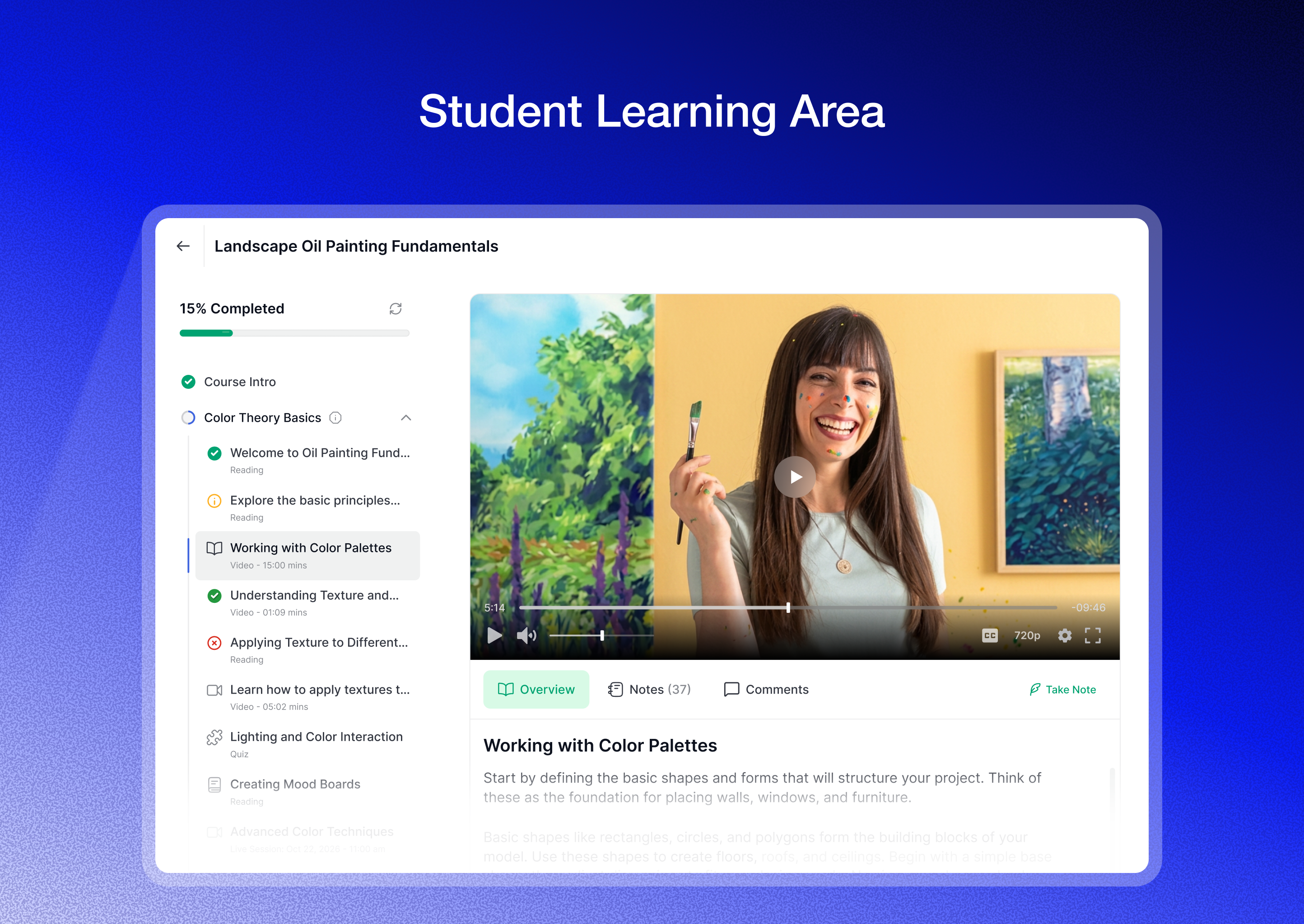
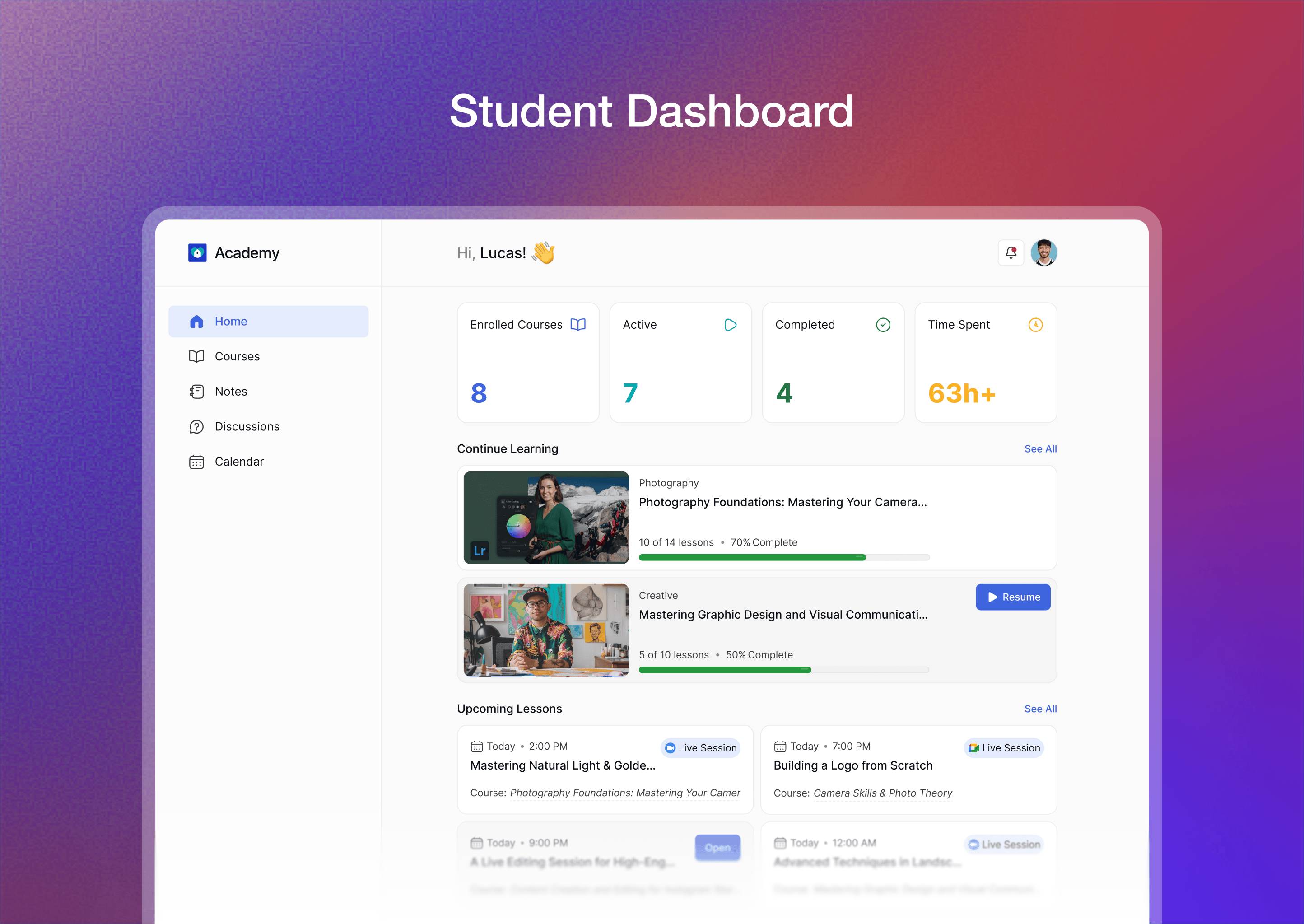
워드프레스 학습 관리 시스템에 등록된 각 학생과 교수자는 등록한 코스, 진행 상황, 결과, 공지 사항 등을 확인할 수 있는 프론트엔드 대시보드를 갖게 됩니다.
🧑🏫 COURSE MARKETPLACE
Tutor LMS is the best LMS plugin to create a course marketplace. You can create unlimited courses and instructors using Tutor LMS. As Admin, you can review instructor profiles, manage earnings, set commission rates, deduct charges, and more. Instructors can also withdraw their earnings conveniently via bank transfer, PayPal, eCheck, etc.
📹 멀티미디어 첨부 파일
Keep your eLearning students engaged using multimedia lessons, H5P interactive lessons, SCORM files, etc. Tutor LMS supports versatile video sources such as Vimeo, YouTube, Bunny Stream, etc.
💬 라이브 레슨으로 학생 참여 유도
Instructors can conduct live video sessions with students within Tutor LMS and increase interaction with students. They can schedule real-time video meetings using Google Meet, Zoom, Jitsi Meet etc. Simply share the meeting link within the lesson and students can join your live classes. During the live lessons, instructors can use all of the required features to conduct a live class like screen sharing, live Q&A, face-to-face engagement, etc.
💬 STUDENT’S Q&A
Tutor LMS includes a unified Student’s Q&A section where learners can ask questions and interact with instructors in one organized space.
📝 LESSON NOTES
Lesson notes allows students to take notes on lessons and videos while learning. Students can access all these notes from their dashboard.
✉️ 빌트인 이메일 마케팅 & 자동화
Tutor LMS supports automatic email notifications for admins, instructors, and students. It is equipped with 50+ email triggers and numerous placeholders. You can use those placeholders to send personalized emails. You can use these Tutor LMS email placeholders in both the subject lines and the email body.
💵 여러 코스 수익 창출 도구
You can monetize your eLearning courses using the Tutor LMS native eCommerce. Besides, this WordPress LMS plugin has supports for various monetization plugins such as WooCommerce, Easy Digital Downloads, Paid Memberships Pro, etc. These integrations help you manage course sales, memberships, commissions, and subscriptions efficiently. You can also create coupons, manage taxes, and track revenue with detailed reports and analytics.
🏗️ 페이지 빌더 호환성
Tutor LMS is a versatile WordPress learning management system plugin that is compatible with popular page builders like Kirki, Elementor, Divi, Oxygen Builder, etc. It also has a dedicated Elementor addons plugin, Divi modules, etc.
🛡️ 콘텐츠 보안
튜터 LMS는 최고 수준의 콘텐츠 보안을 제공하여 온라인 학습 웹사이트를 안전하게 보호합니다. 무단 복제를 방지하는 복사 방지, 외부 사이트에서 파일을 오용하는 것을 차단하는 핫링크 방지, 활성 로그인 세션 관리와 같은 기능을 통해 사용자 액세스를 쉽게 모니터링하고 제어할 수 있습니다.
또한 이메일 인증은 합법적인 사용자만 코스에 등록할 수 있도록 보장합니다. 또한 튜터 LMS에는 봇과 스팸을 방지하기 위한 허니팟 및 reCAPTCHA 통합, 로그인 보안 강화를 위한 2단계 인증, 취약점 패치를 위한 정기 업데이트와 같은 보안 조치가 포함되어 있습니다. 이러한 강력한 보안 기능이 모두 함께 작동하여 콘텐츠를 안전하게 보호하고 콘텐츠 보안과 관련하여 최고의 워드프레스 LMS 플러그인이 됩니다.
It also includes GDPR compliance support to help manage user data responsibly and meet global privacy requirements.
🚀 강력한 애드온
This WordPress online course plugin has lots of advanced addons to enhance your eLearning platform. A few notable add-ons are Course Bundle, Subscriptions, Content Drip, Certificate, Reports, Social Login, Email, Quiz Export/Import, H5P, Gradebook, Prerequisite, Google Meet, etc.
📅 코스 콘텐츠 예약을위한 콘텐츠 드립
튜터 LMS의 콘텐츠 드립 기능을 사용하면 코스 콘텐츠가 공개되는 시기를 예약할 수 있습니다. 즉, 특정 사전 요구 사항 또는 특정 미래 날짜를 기준으로 강의, 퀴즈 및 기타 자료를 잠금 해제할 수 있습니다. 한꺼번에 새 콘텐츠에 대한 접근 권한을 제공하는 것이 아니라 시간이 지남에 따라 점진적으로 제공함으로써 Content Drip은 학생들의 참여와 동기 부여를 유지하는 데 도움이 됩니다.
🧑🏻🏫 강사 협업
튜터 LMS의 멀티 강사 애드온을 사용하면 여러 강사가 단일 코스에서 함께 작업할 수 있습니다. 여러 강사가 협업하여 단일 코스의 강의와 퀴즈를 생성하고 관리할 수 있습니다. 각 강사는 자신의 계정에서 학습자의 진행 상황을 추적할 수 있습니다.
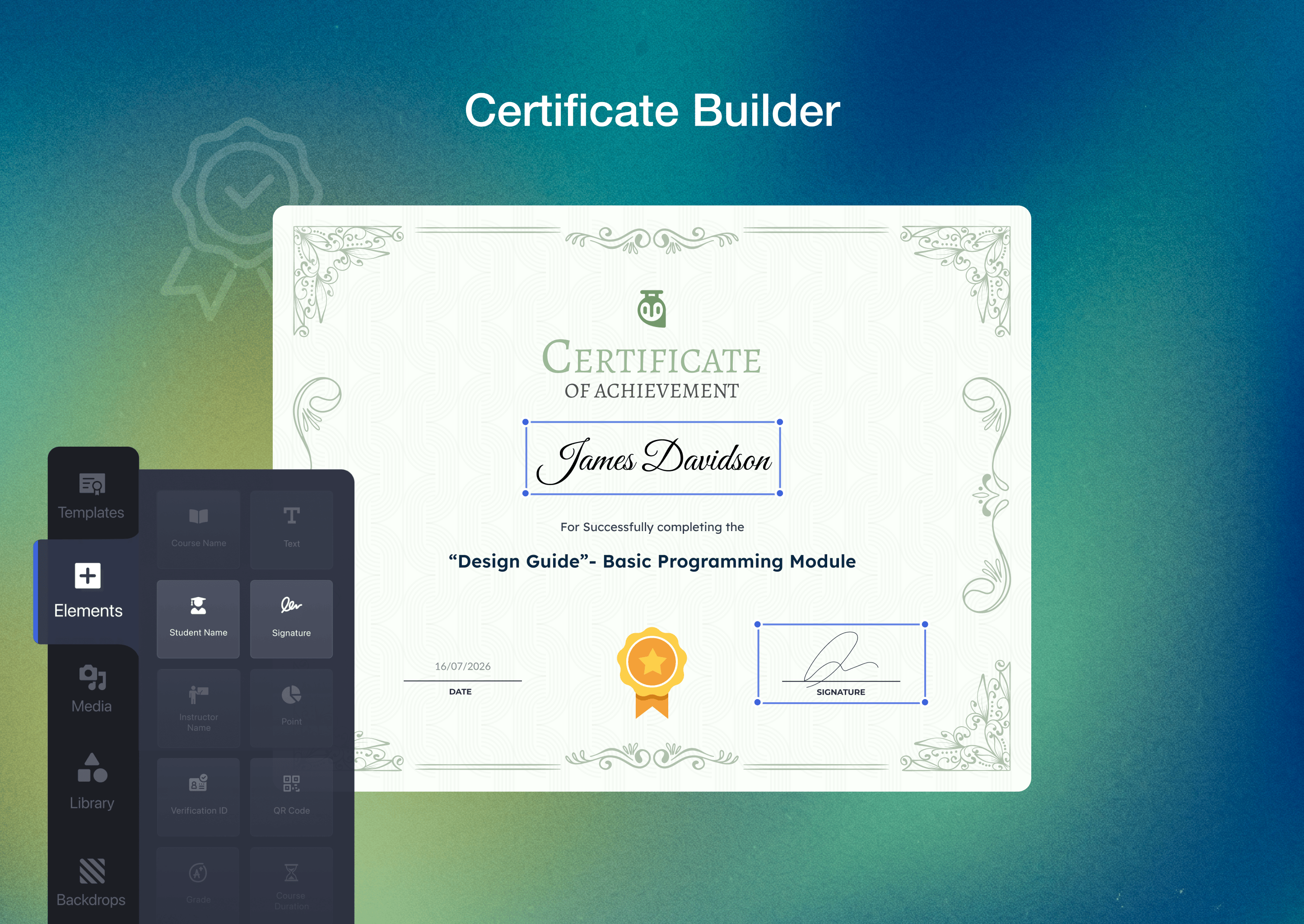
📜 드래그 앤 드롭 인증서 빌더
Tutor LMS offers an advanced drag-and-drop Certificate Builder. You can design a certificate from scratch or use a pre-designed template. It comes with multiple pre-designed templates, plenty of design elements, backdrops, media files, etc. Besides, students can also share their certificates on social media to showcase their educational achievements.
Certificates also support verification to ensure authenticity and prevent misuse. Anyone can verify the student’s certificates using the certificate ID. You can also add a QR code on the certificate to make the verification easier.
🔗 SINGLE CLICK SOCIAL LOGIN
튜터 LMS는 소셜 로그인 애드온을 사용하여 원클릭 로그인 기능을 제공합니다. 학생은 기존의 Google, Facebook 및 X(이전의 Twitter) 계정을 사용하여 e러닝 웹사이트에 등록하고 로그인할 수 있습니다.
📊 통찰력 있는 보고서
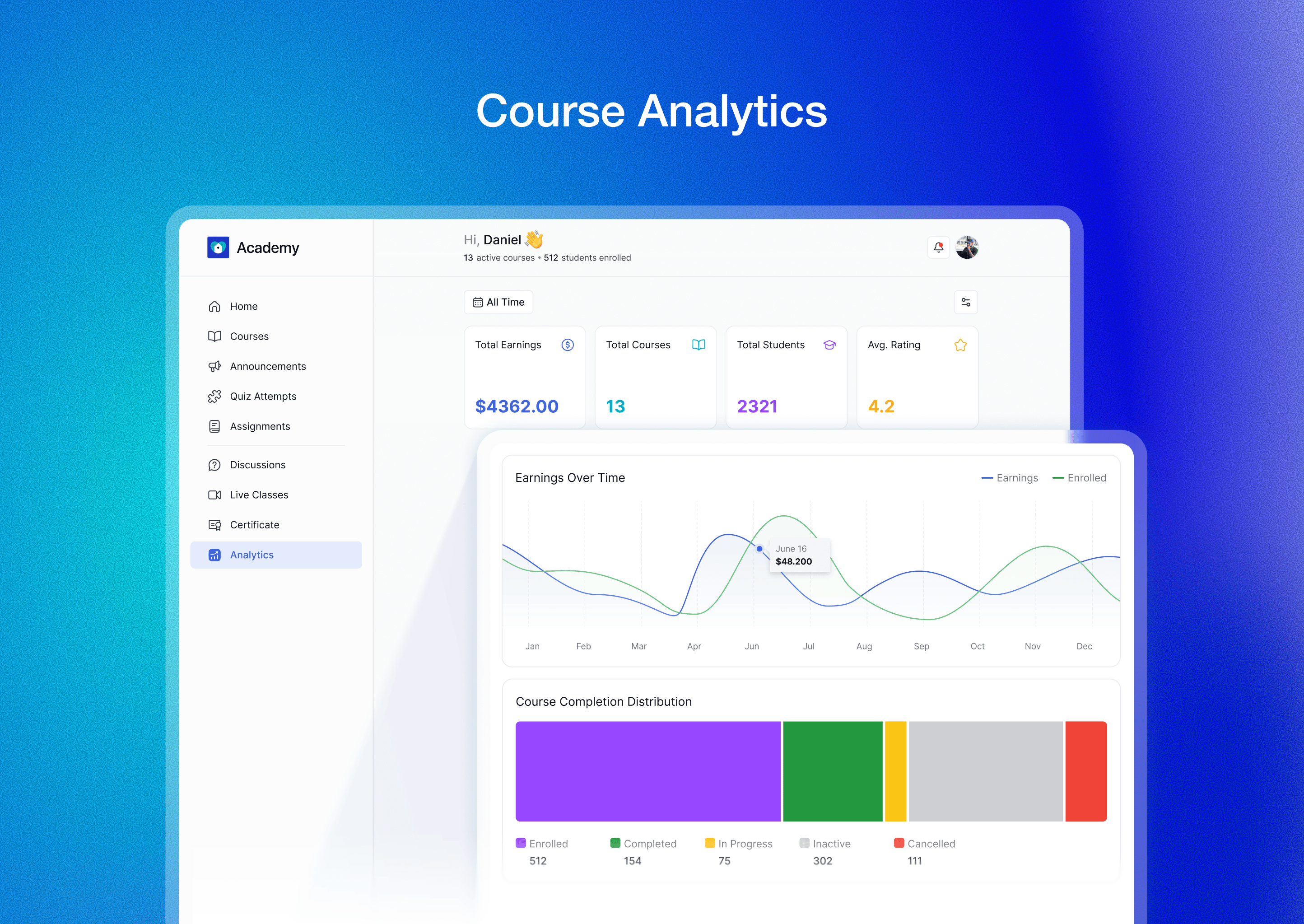
튜터 LMS의 보고서 애드온은 학생 진도, 코스 성과, 분석 등에 대한 종합적인 데이터를 제공합니다. 관리자는 LMS 플랫폼에서 바로 코스, 리뷰, 판매, 학생 데이터, 수익 데이터 등에 대한 자세한 정보에 액세스할 수 있습니다. 이러한 보고서는 코스 효과에 대한 귀중한 인사이트를 제공하여 교수자가 보다 정보에 입각한 교수 전략을 구현하는 데 도움을 줍니다.
🌐 다국어 지원
튜터 LMS e러닝 플러그인은 WPML, Weglot, Loco Translate, TranslatePress 등을 사용하여 다국어 지원을 제공합니다. 다국어 코스를 통해 학생들은 원하는 언어로 코스에 접근할 수 있습니다.
🛡️ GDPR COMPLIANCE
Tutor LMS includes built-in GDPR compliance support to help manage user data responsibly. It allows administrators to handle personal data with transparency and meet privacy requirements across different regions. Tutor LMS also maintains a complete record of when and which students have accepted the legal terms. You can easily track compliance activity in your dashboard and export consent logs as CSV files whenever needed.
♿️ ACCESSIBILITY
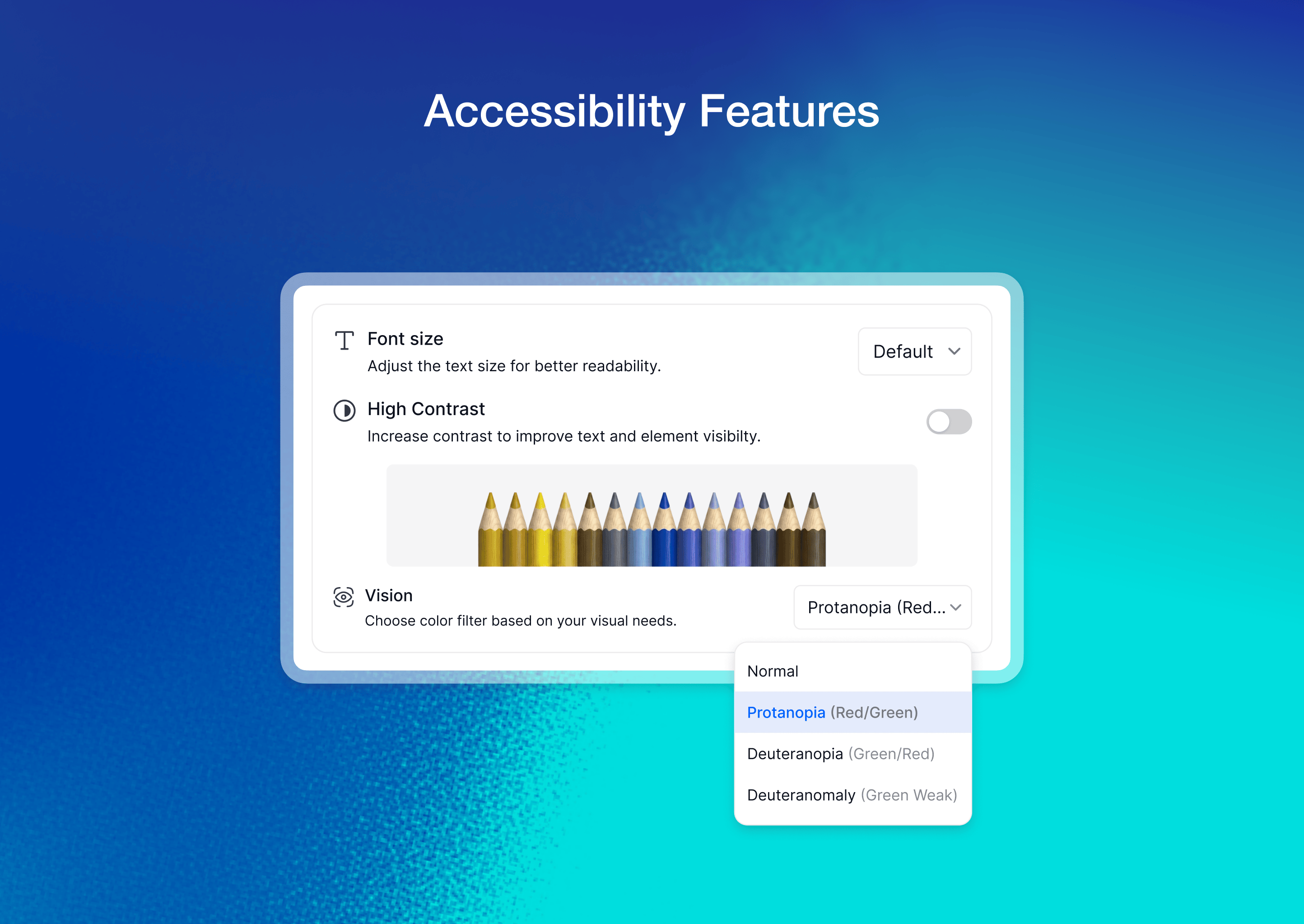
Tutor LMS is designed with improved accessibility in mind to support a wider range of learners. It enhances usability across the interface, making navigation and course interaction easier for users with different abilities and learning needs.
🎨 튜터 LMS 테마
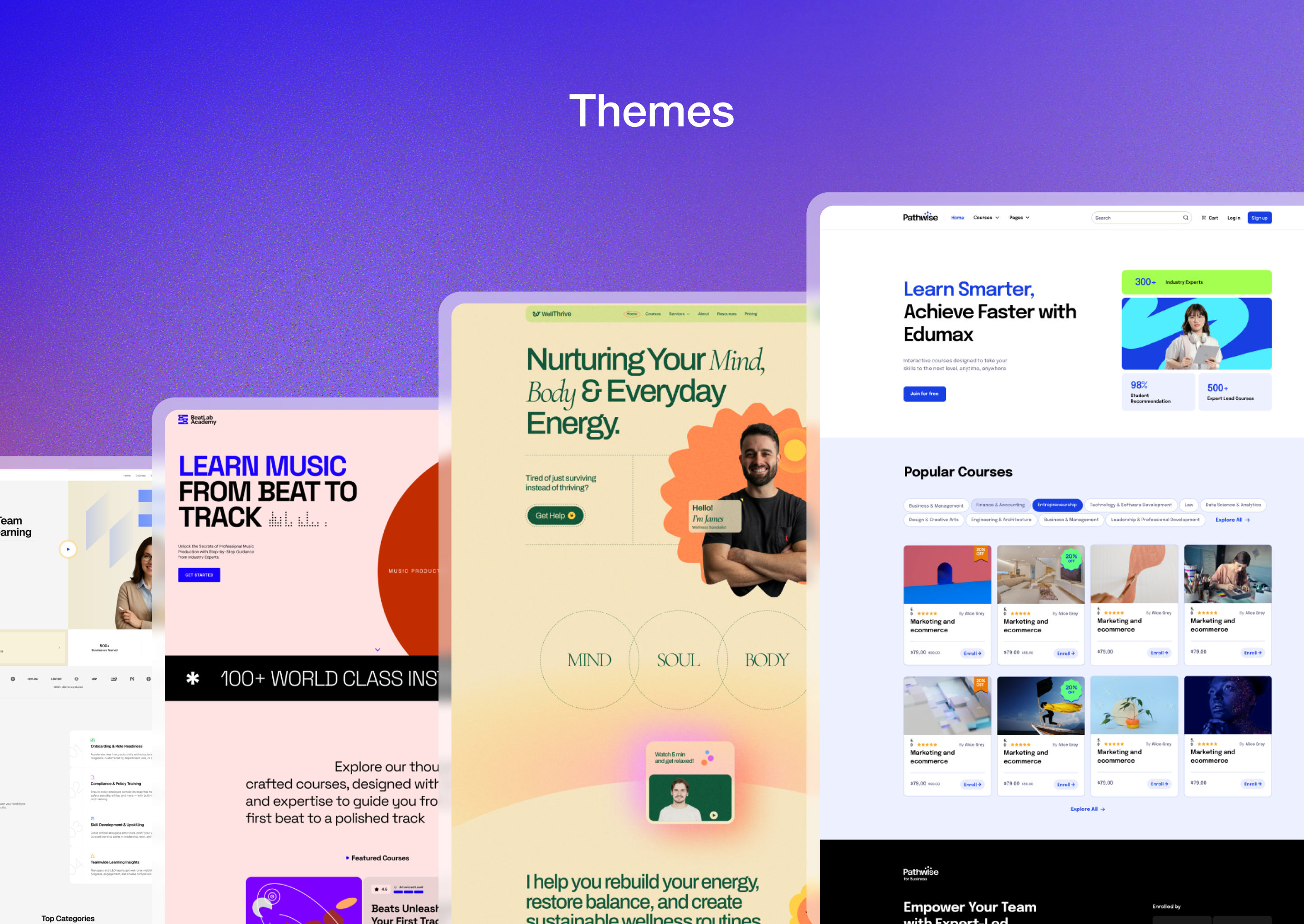
Tutor LMS offers fast modern, lightweight themes like Pathwise, WellThrive, etc. So, you can create responsive, professional courses and customize them with Kirki. See all available themes on the Tutor LMS themes page.
🔄 다른 LMS에서 마이그레이션
튜터 LMS는 원활한 마이그레이션 도구를 제공하여 LearnDash, LearnPress 및 Lifter LMS에서 코스를 마이그레이션할 수 있습니다. 모든 코스 데이터, 판매 데이터, 학생 데이터 및 관련 정보를 튜터 LMS로 손쉽게 전송하여 원활하게 전환할 수 있습니다.
기타 주목할 만한 기능
이 무료 워드프레스 LMS 플러그인의 몇 가지 주목할 만한 기능은 다음과 같습니다.
-
Google 클래스 룸 통합
-
Zoom 통합
-
퀴즈 내보내기/가져오기
-
코스 미리 보기
-
코스 첨부 파일
-
통지
-
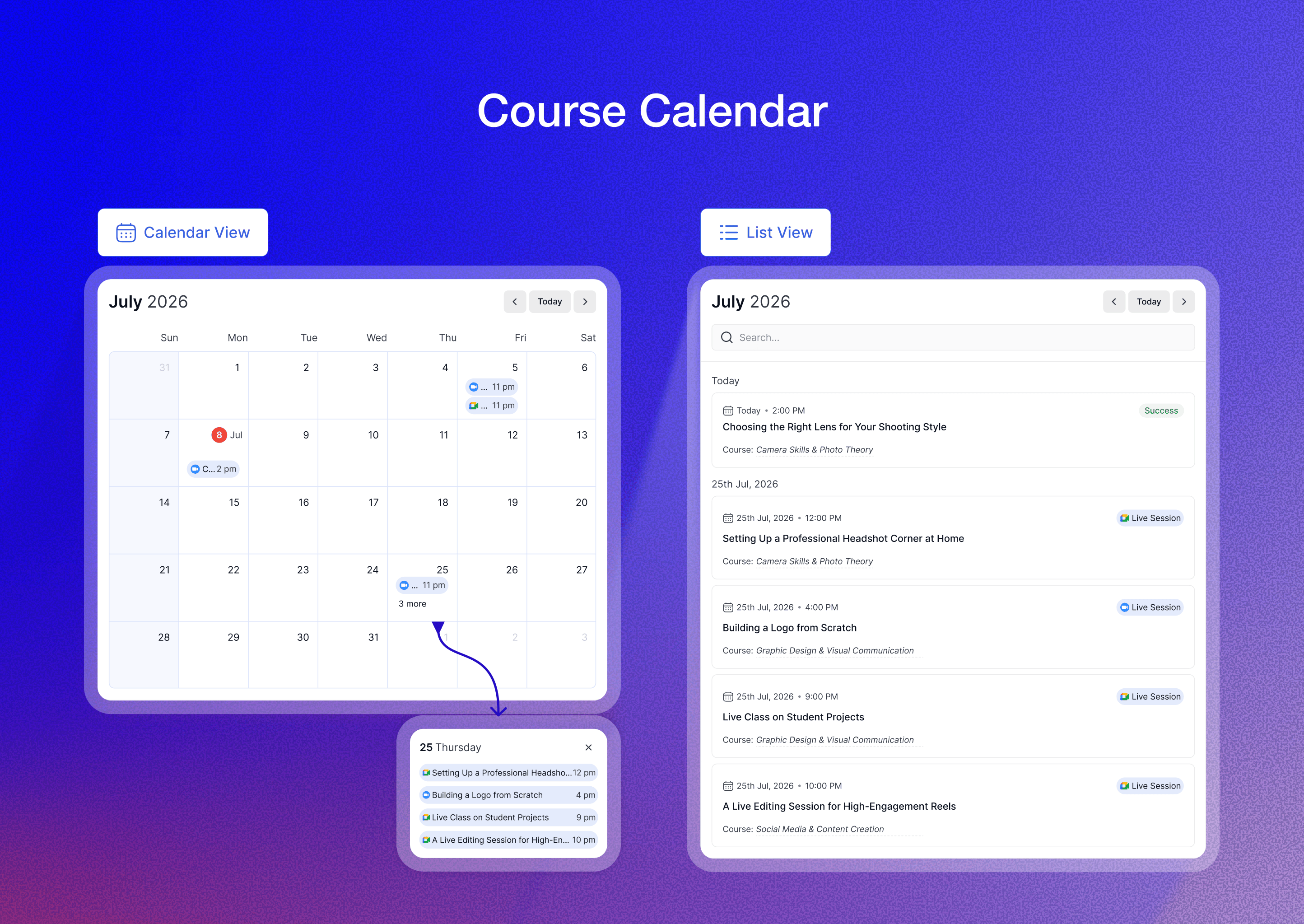
캘린더
-
버디프레스 지원
-
H5P 통합
이러한 모든 튜터 LMS 기능을 통해 사용자는 더욱 강력하고 다양한 학습 관리 시스템을 설계할 수 있습니다.
스크린샷
블록
이 플러그인은 1개의 블록을 제공합니다.
- Cart Button Display a cart button with item count for Tutor LMS ecommerce
FAQ
튜터 LMS는 무료인가요?
예, 튜터 LMS는 코스를 생성하고 관리하는 데 도움이 되는 다양한 기능을 무료로 사용할 수 있습니다. 추가 고급 기능을 사용하려면 프로 버전으로 업그레이드할 수 있습니다.
튜터 LMS로 코스를 판매하려면 어떻게 해야 하나요?
튜터 LMS는 기본 전자상거래 시스템과 함께 제공되므로 워드프레스 사이트에서 직접 강좌를 판매할 수 있습니다. 플랫폼 내에서 결제, 할인, 세금도 관리할 수 있습니다.
튜터 LMS로 퀴즈를 만들 수 있나요?
예, 튜터 LMS는 객관식, 참/거짓, 짝 맞추기 등 다양한 유형의 퀴즈를 만들 수 있는 고급 퀴즈 생성기를 제공합니다. 시간 제한을 설정하고, 시도를 제한하고, 합격 성적을 정의할 수도 있습니다.
멤버십 사이트에 튜터 LMS를 사용할 수 있나요?
예, 튜터 LMS에는 멤버십 기반 온라인 학습 플랫폼을 생성할 수 있는 기본 제공 구독 기능이 있습니다.
튜터 LMS로 인증을 제공할 수 있나요?
튜터 LMS를 사용하면 코스 완료 시 학생에게 인증서를 제공할 수 있습니다. 인증서 디자인을 생성 및 사용자 지정하고 학생 정보, 코스 세부 정보 및 브랜딩을 포함할 수 있는 튜터 LMS 인증서 빌더를 사용할 수 있습니다.
후기


기여자 & 개발자

변경이력
= 4.1.0 – 29 Sep, 2026
New: Introduced negative and partial marking for quizzes. (Pro)
New: Added a new Cart button for Block and Classic themes.
Update: Integrated the WordPress AI Connector with Tutor AI Studio. (Pro)
Update: Improved page loading performance on the Instructor Dashboard.
Update: Quiz grading emails are now sent only after manual evaluation is complete. (Pro)
Update: Learners enrolled through a course bundle are now automatically enrolled when new courses are added to that bundle. (Pro)
Fix: Fixed a data integrity error when duplicating courses. (Pro)
Fix: Fixed an issue where the “New Lesson Added” email notification was not triggered. (Pro)
Fix: Fixed course image generation when using the Tutor AI connection. (Pro)
Fix: Fixed Tutor LMS Player videos being cropped at the top in fullscreen landscape mode on Android.
= 4.0.9 – 17 Sep, 2026
Update: Improved overall performance and strengthened security measures.
= 4.0.8 – 10 Sep, 2026
Update: Added an option to show or hide the Header and Footer in the Dashboard and Learning Area.
Update: Added options to upload separate logos for Light and Dark modes.
Update: Added a setting to control the Puzzle Quiz reference image visibility. (Pro)
Update: Improved the assignment submission flow for learners. (Pro)
Update: Added links to the associated course and lesson in frontend Q&A lists.
Update: Improved Quiz pagination and quiz attempt details for a better browsing experience.
Update: Optimized instructor dashboard database queries to improve page load speed.
Fix: Resolved a blank screen issue with Google OAuth when using incognito mode. (Pro)
Fix: Resolved LaTeX rendering issues in quiz answer explanations.
Fix: Corrected category and tag display issues in the learner dashboard.
Fix: Resolved an issue where Quiz Answer Option 0 was not displaying on the frontend.
Fix: Reduced image size in new quiz type views to resolve inner scrolling issues. (Pro)
Fix: Resolved an issue where course prerequisites were missing after section removal. (Pro)
Fix: Resolved an invalid Question ID issue when adding questions to an existing quiz from Content Bank. (Pro)
Fix: Resolved an issue where lesson time duration was not saving or updating properly.
Fix: Removed the attachment input from assignment attempt details where it should not be visible. (Pro)
Fix: Resolved the quiz marks calculation issue.
= 4.0.7 – 20 Aug, 2026
Fix: Fixed course creation issues caused by the Multi Instructor addon. (Pro)
= 4.0.6 – 18 Aug, 2026
Update: Improved WPML compatibility. (Pro)
Fix: Resolved the author ID mismatch after changing the course author. (Pro)
Fix: Patched a security vulnerability.
= 4.0.5 – 12 Aug, 2026
Update: Added an option to return to the homepage from the student dashboard on mobile devices.
Update: Strengthened instructor capability checks for better security.
Update: Changing a course author now updates authorship across all content.
Update: Hid course products from the shop page settings when using Native Monetization.
Fix: Resolved the PHP fatal error caused by WooCommerce Subscriptions renewal orders. (Pro)
Fix: Fixed the incorrect date issue on the enrollment time extension date picker. (Pro)
Fix: Resolved the manual email delivery issue. (Pro)
Fix: Fixed the incorrect URL issue in OTP verification emails. (Pro)
Fix: Resolved the course bundle enrollment limit issue. (Pro)
Fix: Fixed the issue where canceling a failed order removed course access.
Fix: Resolved the issue preventing co-authors from viewing submitted assignments. (Pro)
Fix: Fixed the YouTube preview issue in quiz answer explanations.
Fix: Resolved the display limitation that capped the cart and checkout page at 10 products.
Fix: Fixed the incorrect enrollment date issue on course records. (Pro)
Fix: Resolved the LaTeX equations rendering issue in quiz options.
= 4.0.4 – 31 July, 2026
Fix: Resolved the dark theme compatibility issue in the Course Builder.
Fix: Added translation support for some previously untranslatable strings.
Fix: Fixed the incorrect update notification in Tutor LMS Pro. (Pro)
Fix: Prevented certificates from appearing for courses with no assigned certificate. (Pro)
= 4.0.3 – 24 July, 2026
Fix: Resolved an issue where quiz submissions failed in Legacy Mode.
Fix: Resolved an issue where the correct answer was incorrectly marked in True/False quizzes.
Fix: Resolved an issue where the certificate footer displayed “Tutor LMS” instead of the site title. (Pro)
= 4.0.2 – 22 July, 2026
Update: Add Hyperlink Support to Instructor Feedback and Instructor Notes
Update: Add support for Vimeo unlisted/private video URLs
Update: UX updated for the ordering quiz
Update: Show Full Lesson Name Without Ellipsis in the learning area
Fix: Forgot Password Redirection Mail (Pro)
Fix: Course deletion issue from the wp admin dashboard
Fix: Unable to Access Locked Lessons from the Sidebar (Pro)
Fix: Users Can Progress Despite Failing a Quiz in Sequential Mode
Fix: Ordering Quiz Questions Reveals Correct Answer Through Predefined Numbering (Pro)
Fix: In RTL mode, the Complete course button icon reverts along with the content – UI Issue
Fix: Admin can not manually enrolled a student when they already have expired enrollment record. (Pro)
Fix: Manual Payment Gateway Description Disappears When Underline Formatting Is Applied.
Fix: Tutor LMS Native Invoice issue with Elementor.(Pro)
Fix: Fixed an issue where license need to reconnect to get product updates. (Pro)
Fix: Facebook Social Media login does not work.(Pro)
Fix: Quiz Responsive issue.
= 4.0.1 – 10 July, 2026
Update: Enhanced course access security through REST APIs.
Fix: Resolved the lesson video loading issue.
Fix: Resolved an issue preventing learners from starting quizzes.
Fix: Added the missing Quiz Details button on mobile devices.
Fix: Resolved the PHP error triggered by 100% discount coupons.
Fix: Restricted certificate downloads when no certificate template is selected. (Pro)
= 4.0.0 – 08 July, 2026
New: Fully redesigned student learning experience
New: App-like mobile experience with thumb-friendly navigation
New: 5 new quiz types: Draw Image, Pin Image, Graph, Puzzle, and Range (Pro)
New: Kids Mode with a playful, colorful interface
New: Light/Dark mode with improved accessibility contrast
New: Accessibility support added for users with visual impairments
New: Added GDPR compliance support for improved data handling
New: Student Dashboard showing live lessons, progress, and tasks at a glance
New: Instructor Dashboard with earnings overview, course stats, and student activity
New: Switch between instructor and student views right from the dashboard
New: New Live Lesson Hub (Pro)
New: New Course Calendar with milestones and visual roadmap (Pro)
New: Unified discussion and Q&A experience across courses
New: Centralized notes across all lessons and videos
New: Certificates linked to progress, with dynamic unlocking (Pro)
New: Certificate verification feature (Pro)
New: Resource Center for PDFs and downloadable assets
New: Redesigned quiz interface with detailed tracking and review options
New: Question preview added to the Quiz Builder
New: AI Studio can now generate quiz questions independently
New: Course bundle expiry functionality (Pro)
New: Clearer analytics for engagement, progress, and course performance (Pro)
New: Centralized course billing with subscriptions, history, and renewals
New: Profile management with certificate signature and personal info updates
New: Preferences for lesson autoplay, downloads, themes, and accessibility settings
New: Micro-interactions with animations and sound effects
New: New global design modes — Modern, Kids, and Legacy layouts
New: Order history list added for PMPro monetization (Pro)
Update: Design compatibility improvements for the TutorStarter theme
Update: Full compatibility with the Twenty Twenty-Five theme
Update: Improved H5P support in the student learning area
Update: WPML compatibility updates (Pro)
Update: Better compatibility with Yoast SEO and Rank Math SEO
Update: Gradebook is now shown in the Learning Area (Pro)
Update: Improved translation compatibility
Update: Lesson Note enable/disable option added to admin settings
Update: Improved overall assignment functionality, with further UI refinements (Pro)
Update: Improved Instructor Quiz Attempts preview for better usability
Update: Subscription expiry date is now shown for WooCommerce Subscription enrollments (Pro)
Update: Content Bank now supports all new quiz question types (Pro)
Update: Improved notification list navigation (Pro)
Update: Improved Live Class section on the homepage
Update: Enhanced theme compatibility across Tutor LMS pages and layouts
Update: Improved dashboard and learning area consistency with system default themes
Update: Enhanced login experience and social login modal UI
= 3.9.15 – Jul 06, 2026
Update: Enhanced security for REST API requests.
= 3.9.14 – Jun 29, 2026
Update: Improved compatibility with the block-based WooCommerce checkout page.
Fix: Added validation to ensure withdrawal amounts do not exceed the available payout balance. (Pro)
= 3.9.13 – Jun 17, 2026
Update: Patched multiple security vulnerabilities.
= 3.9.12 – Jun 09, 2026
Update: Added compatibility support for PHP 8.5
Update: Added compatibility support for WordPress 7.0
Update: Patched multiple security vulnerabilities.
= 3.9.11 – May 20, 2026
Update: Improved compatibility with Tutor LMS themes.
= 3.9.10 – Apr 29, 2026
Update: Improved user permission checks to enhance security.
Fix: Resolved an issue where line breaks were not preserved in question–answer text created via the API. (Pro)
= 3.9.9 – Apr 13, 2026
Update: Updated Tutor LMS modals and icons for better WCAG 2 accessibility support.
Update: Added a terms and conditions agreement checkbox to the signup page.
Update: Strengthened security for the eCommerce checkout process.
Fix: Resolved an SQL injection vulnerability on the instructor listing page.
Fix: Resolved Stripe pending status issue for delayed payments. (Pro)
= 3.9.8 – Apr 01, 2026
Update: Added proper authorization check while updating the lessons.
Update: Strengthen SQL queries across multiple deletion and update operations.
Update: Improved security in quiz attempts search by preventing SQL injection.
Fix: Fixed private course enrollment via AJAX without proper validation.
Fix: Resolved the billing profile overwrite issue in Tutor LMS native eCommerce.
Fix: Replaced wp_remote_get with wp_safe_remote_get for safer course import with media files.
= 3.9.7 – Feb 25, 2026
Fix: Resolved SQL injection security vulnerabilities to enhance system security.
Fix: Fixed an issue where Stripe orders were automatically canceled in certain cases.
= 3.9.6 – Jan 28, 2026
Update: Removed the autoload option from ‘email_template_data’ to improve site load performance. (Pro)
Fix: Course content edited with Divi can now be reverted to its original content from the Tutor Course Builder.
Fix: Improved user email verification by validating the token during Google login. (Pro)
Fix: Enhanced the security of email verification link generation. (Pro)
Fix: Added a capability check to the coupon details AJAX request.
Fix: Restricted instructors from deleting courses created by other admins or instructors. (Pro)
Fix: Improved WPML compatibility. (Pro)
= 3.9.5 – Jan 08, 2025
New: Added a certificate download button for Admins and Instructors. (Pro)
Update: Added support for PHP 8.4
Update: Instructors can remove co-instructors from their own courses. (Pro)
Update: Multiple improvements and fixes to gift course functionality. (Pro)
Fix: Fixed security issues.
Fix: Users can now retry payment after a failed transaction. (Pro)
Fix: Filters no longer stop working when the category filter is disabled on the course list page.
Fix: Fixed datepicker style conflict with WooCommerce coupon date picker UI.
Fix: Unpublished rating count no longer appears on the course details page.
Fix: Added some missing cities of Spain to the checkout page dropdown.
Fix: Gift course messages now support special characters. (Pro)
= 3.9.4 – Dec 18, 2025
Update: Compatibility with WordPress 6.9
Fix: Security vulnerabilities
= 3.9.3 – Nov 27, 2025
수정: 학생이 퀴즈를 시도한 후 모든 퀴즈에 대한 성적이 자동으로 생성되었습니다. (프로)
수정: 사용자가 취소된 코스에 등록할 때 자동 등록이 작동하지 않던 문제.
수정: 교수자 단축 코드를 사용할 때 잘못된 교수자 목록이 표시되던 문제.
수정: 인증서를 제공하지 않는 코스에 인증서 다운로드 옵션이 표시되는 문제. (Pro)
수정: 과제 평가 트리거의 잘못된 이메일 콘텐츠. (Pro)
= 3.9.2 – Nov 10, 2025
신규: 네이티브 수익 창출을 위한 수동 등록에 대한 결제 옵션 지원이 추가되었습니다. (프로)
업데이트: 강화된 엄격 모드 – 이제 과제를 실패하면 코스 완료가 차단됩니다. (프로)
수정: 활성 로그인 세션 제한과 WooCommerce 게스트 결제 간의 충돌을 해결했습니다. (프로)
수정: 모바일 장치에서 비디오 플레이어 문제를 수정했습니다.
수정: 코스 완료 이메일이 잘못된 사용자에게 전송되던 문제를 수정했습니다. (프로)
수정: 수익 창출을 위해 WooCommerce를 사용한 적이 없는 사이트의 PHP 오류를 수정했습니다.
수정: WooCommerce 수동 등록에서 원시 HTML 코드가 표시되는 문제를 해결했습니다. (프로)
수정: 여러 구매 옵션이 있는 코스에 세부 정보 보기 대신 카트에 추가가 표시되던 표시 문제를 수정했습니다. (프로)
수정: 퀴즈 가져오기 문제를 수정했습니다. (Pro)
수정: 특정 시나리오에서 WPML 404 리디렉션 문제를 해결했습니다. (프로)
= 3.9.1 – Oct 23, 2025
수정: 버니넷 비디오가 로드되지 않는 문제 해결.
수정: 퀴즈 시도 액세스 거부 문제가 해결되었습니다.
수정: 과제 검색이 작동하지 않는 문제 해결. (Pro)
= 3.9.0 – Oct 22, 2025
신규: 레슨 및 비디오 노트 필기 기능 소개. (Pro)
신규: 코스 번들에 대한 인증서 지원. (Pro)
신규: 관리자와 교수자가 개별 학생의 코스 진행률을 재설정할 수 있습니다. (프로)
수정: 팝오버 RTL 문제.
수정: 과제 시작/업데이트 페이지에 과제 세부 사항이 표시되지 않는 문제. (프로)
수정: 프런트엔드 예약된 코스의 드롭다운 문제가 수정되었습니다.
수정: 학생이 가져온 퀴즈를 시도한 후 경고가 표시되는 문제 수정.
수정: 보안 문제가 수정되었습니다.
= 3.8.3 – Sep 30, 2025
업데이트: 호환성 및 성능 향상을 위해 튜터 LMS x Droip 통합이 개선되었습니다.
수정: WooCommerce 이메일 미리보기 화면의 PHP 치명적인 오류.
= 3.8.2 – Sep 25, 2025
신규: 과제 재제출 기능을 도입했습니다. (Pro)
신규: 코스 위시리스트 기능을 비활성화하는 옵션이 추가되었습니다.
신규: 튜터 LMS x Droip 통합의 2단계가 도입되었습니다.
업데이트: 학생 및 교수자가 프런트엔드 프로필 설정에서 이메일 주소를 업데이트할 수 있도록 했습니다. (프로)
수정: WooCommerce 구독 갱신 시 잘못된 이메일이 전송되는 문제를 해결했습니다. (프로)
수정: 코스 번들 제품이 WooCommerce에서 가상 대신 실물로 기본 설정되는 문제 수정. (프로)
수정: 라텍스 방정식 렌더링 문제를 해결했습니다.
수정: 최종 성적을 기준으로 퀴즈 총점 계산을 수정했습니다.
수정: 인증서의 인증된 이름에 백슬래시가 표시되는 문제를 수정했습니다. (프로)
수정: WooCommerce 구독에 대한 선물 코스 버튼을 숨겼습니다. (프로)
= 3.8.1 – Sep 17, 2025
업데이트: 관리자는 이제 학생 세부 정보, 코스 진행률, 리뷰, 주문, 구독 등을 포함한 사용자 데이터와 함께 코스를 내보낼 수 있습니다(Pro).
수정: 지원되는 퀴즈 유형에 대한 퀴즈 대기 시간 문제가 해결되었습니다.
수정: 이제 게스트 결제 시 학생의 이름과 성이 올바르게 등록됩니다. (프로)
수정: 이제 코스 가져오기에 예약된 코스 및 과제 수가 올바르게 포함됩니다. (프로)
수정: WPML 플러그인 사용 시 대시보드 슬러그 문제가 해결되었습니다. (Pro)
= 3.8.0 – Sep 04, 2025
신규: 선물 코스 – 이제 다른 사람에게 코스를 선물로 보낼 수 있습니다. (프로)
새로운 기능: 더 쉽게 탐색할 수 있도록 WP 관리자 메뉴 구성이 개선되었습니다.
신규: 구독 코스 및 코스 번들에 대한 수동 등록 지원. (프로)
업데이트: 이제 과제 필터가 선택한 시작 날짜 및 종료 날짜를 기준으로 데이터를 정확하게 필터링합니다. (프로)
업데이트: 교수자를 위한 향상된 콘텐츠 은행 환경. (Pro)
업데이트: 퀴즈 설명이 개선되었습니다.
업데이트: 코스 및 번들 구독 플랜을 활성화 또는 비활성화하는 옵션이 추가되었습니다. (Pro)
업데이트: PDF 인증서 다운로드 프로세스를 최적화했습니다. (Pro)
수정: 유료 코스가 실수로 공개로 설정될 수 있었습니다.
수정: 수동 등록 시 잘못된 세금이 계산되었습니다. (프로)
수정: 콘텐츠가 추가되지 않은 경우 백엔드 코스 페이지에 주제 수가 표시되지 않았습니다.
수정: 사용자 지정 연장 날짜가 만료된 후에도 학생이 코스에 접근할 수 있었습니다. (프로)
수정: 코스 필터를 활성화한 경우 선호하는 코스 필터가 표시되지 않았습니다.
수정: WordPress 편집기로 수정한 후 강의 미리 보기가 꺼져 있었습니다. (Pro)
= 3.7.4 – Aug 22, 2025
수정: RTL 사이트 언어 사용 시 디자인 문제 해결
= 3.7.3 – Aug 20, 2025
업데이트: WPML 호환성 개선(Pro)
수정: 공개 코스가 유료로 잘못 설정될 수 있는 문제 수정
수정: 편집자 역할이 있는 사용자가 게시글 미리 보기를 볼 수 없던 문제 수정
수정 : 사용자가 비활성 상태이거나 탭을 전환하면 퀴즈 타이머가 일시 중지되었습니다.
수정: 타이머가 만료된 후에도 퀴즈 제출이 가능했습니다.
수정: 다른 시간대(Pro)에서 액세스하면 달력에 잘못된 날짜가 표시되던 문제 수정
수정: 향후 날짜의 미팅 및 과제가 캘린더에 렌더링되지 않는 문제 (Pro)
수정: 사용자가 번들 기반 구독에 액세스할 수 없는 문제 (Pro)
수정: WooCommerce 구매 내역 CSV에 항목이 누락되었습니다.
= 3.7.2 – Aug 11, 2025
업데이트: WooCommerce 수익 창출 사용 시 튜터 테마에 대한 게스트 결제 지원이 추가되었습니다.
업데이트: 네이티브 수익 창출 사용 시 튜터 테마에 대한 게스트 결제 지원이 추가되었습니다. (프로)
수정: WooCommerce 수익 창출을 사용하는 튜터 테마의 코스 카트 문제를 해결했습니다.
수정: 수동 이메일 편집기의 PHP 오류를 수정했습니다. (Pro)
= 3.7.1 – Aug 05, 2025
업데이트: 기존 코스 콘텐츠를 콘텐츠 은행으로 원활하게 가져올 수 있습니다(Pro).
업데이트: 취소된 구독은 이제 청구 주기가 끝날 때까지 활성 상태로 유지됩니다(Pro).
업데이트: 관리자는 이제 언제든지 코스 번들에서 코스를 추가하거나 제거할 수 있습니다(Pro).
업데이트: 이제 필수 코스가 포함된 경우 번들 내에서 필수 구성 요소 규칙이 적용됩니다(Pro).
업데이트: 다국어 지원을 개선하기 위해 WPML과의 호환성이 향상되었습니다(Pro).
업데이트: 더 나은 데이터 보호를 위해 다양한 보안 개선 사항이 구현되었습니다.
업데이트: 코스 생성기의 코스 콘텐츠 정렬 성능이 개선되었습니다.
수정: 교수자 프로필에 게시되지 않은 평점이 잘못 표시되던 문제 수정.
수정: 수업 및 과제에 대한 LaTeX 호환성이 개선되었습니다.
수정: 학생 등록 중에 발생하는 치명적인 오류를 수정했습니다.
수정: 이제 수업 REST API를 통해 임베드된 비디오를 성공적으로 추가할 수 있습니다.
수정: 내보내기 파일(Pro)에서 주관식 및 단답형 문제가 누락되었습니다.
수정: 이제 코스 생성기에서 코스 가격에서 소수점 값을 지원합니다.
= 3.7.0 – Jul 22, 2025
신규: 콘텐츠 은행 – 여러 코스에서 강의, 문제 및 과제를 저장하고 재사용할 수 있습니다. (프로)
신규: 인증서 용지 크기를 사용자 지정하는 옵션. (프로)
새로운 기능: 검토 후 제출을 위한 새로운 이메일 트리거가 추가되었습니다. (Pro)
신규: 개별 코스와 구독 플랜 모두에 대한 세금 징수 관리 기능이 추가되었습니다. (프로)
업데이트: 관리자 페이지의 목록 및 필터링 구성 요소에 통합 디자인 시스템이 적용되었습니다.
업데이트: 이제 비밀번호 재설정 이메일에 사용자명/로그인이 아닌 전체 사용자명이 표시됩니다.
수정: 영어 이외의 언어로 시간 제한 없이 과제를 생성할 때 PHP 치명적인 오류가 수정되었습니다. (Pro)
MCQ 문제 수정 내용이 제대로 저장되지 않고 오래된 데이터가 표시되던 문제 수정.
수정: 파일 크기가 서버의 최대 업로드 제한을 초과할 때 가져오기에 실패했습니다. (Pro)
수정: 퀴즈 피드백 제출 후 {인스트럭터_피드백} 자리 표시자가 렌더링되지 않던 문제.
수정: 환전 오류로 인해 대만 달러를 사용한 결제가 실패했습니다.