
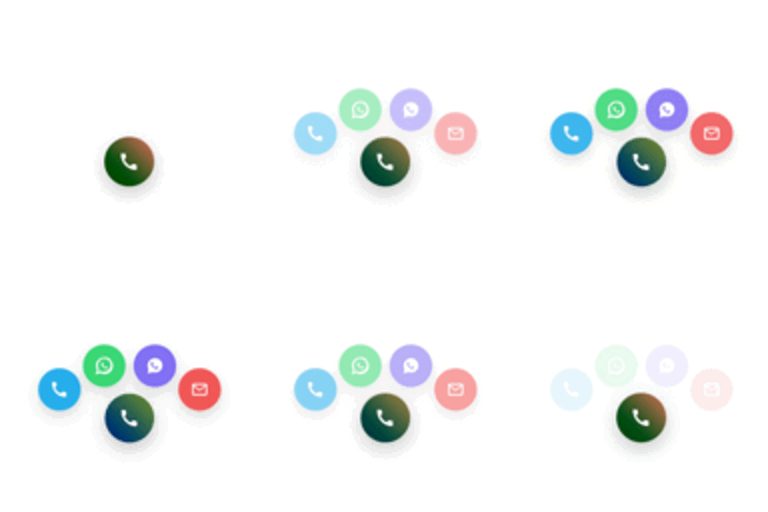
설명
Web Solution Smart Contact Button adds a stylish floating contact widget to your WordPress site,
allowing visitors to reach you instantly
Features
– Floating button with animated bubbles
– Phone, Email, and chat app integration (e.g. WhatsApp, Viber)
– Gradient, Minimal, or Glass button styles
– Smooth pulse and color animations
– Live admin preview (identical to front-end)
– Responsive design for all devices
– Lightweight and fast loading
Perfect for
Freelancers, small businesses, and agencies who want an elegant contact shortcut on their website.
Credits
Developed by Web Solution Network
설치
- Upload the plugin files to
/wp-content/plugins/web-solution-smart-contact-button/,
or install it directly from the WordPress Plugins screen. - Activate the plugin through the Plugins menu in WordPress.
- Go to Settings Web Solution Smart Contact Button.
- Enable and configure your contact channels.
- Save changes — the floating button will appear on your site.
FAQ
-
Does it slow down my website?
-
No — it’s lightweight and optimized for performance.
-
Can I customize the colors and animations?
-
Yes, you can set your own primary and secondary colors, and choose between multiple animation effects.
-
Is it mobile-friendly?
-
Absolutely. It works perfectly on both mobile and desktop devices.
-
Can I disable some channels?
-
Yes, you can enable or disable Phone, Email, or chat options individually.
후기
이 플러그인에 대한 평가가 없습니다.
기여자 & 개발자
“Web Solution Smart Contact Button”(은)는 오픈 소스 소프트웨어입니다. 다음의 사람들이 이 플러그인에 기여하였습니다.
기여자
자국어로 “Web Solution Smart Contact Button”(을)를 번역하세요.
개발에 관심이 있으십니까?
변경이력
1.0.0
- Initial release under the new name “Web Solution Smart Contact Button”.