

설명
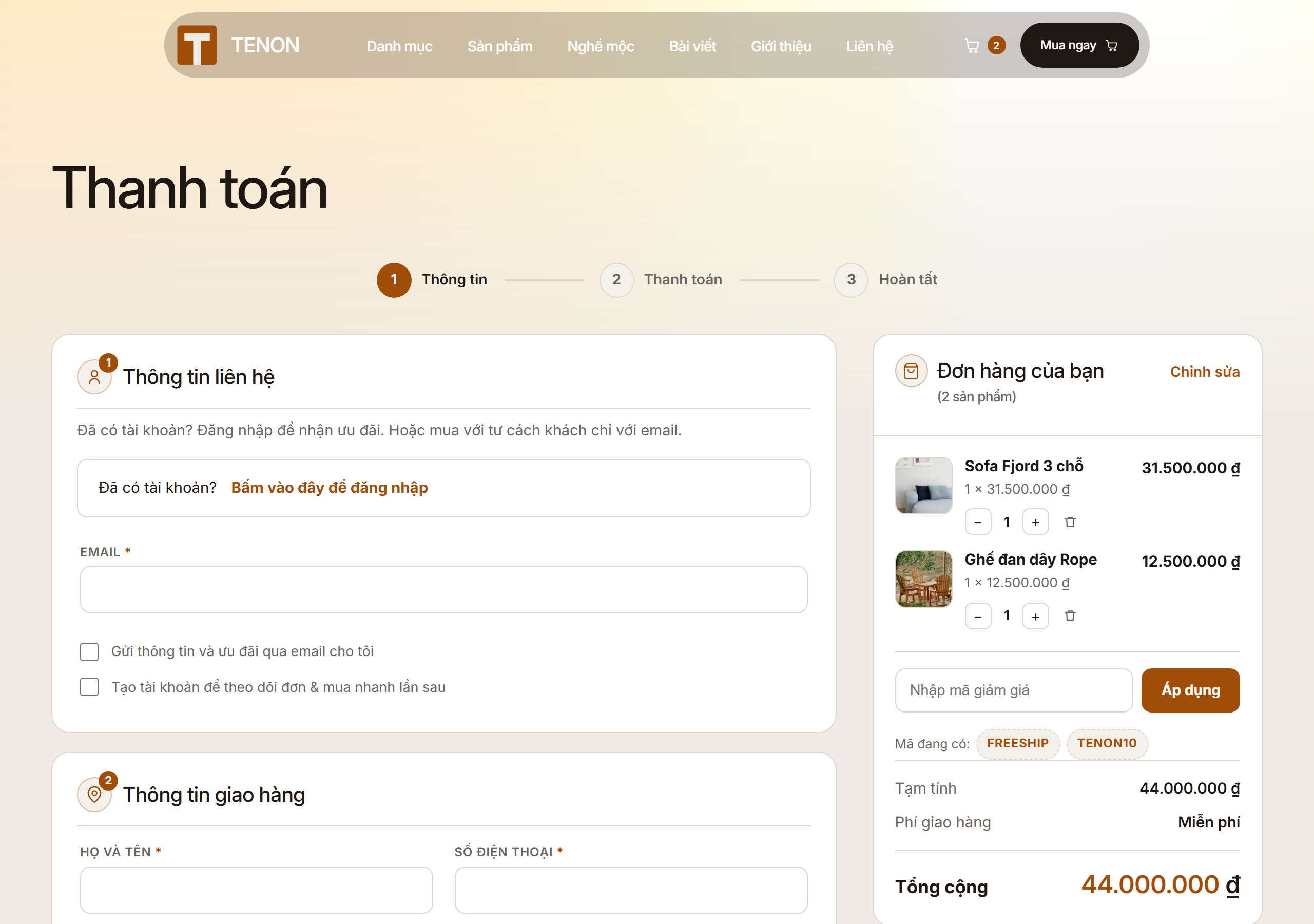
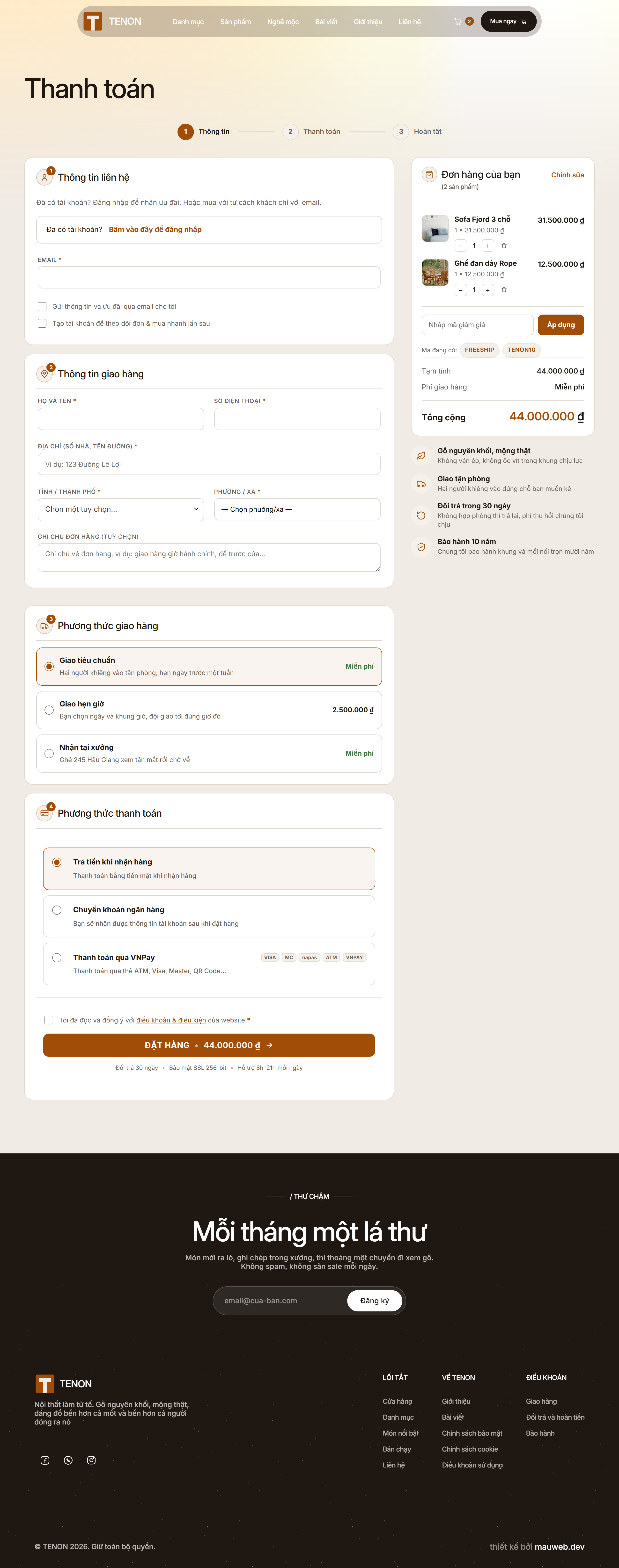
Web22 Checkout replaces the default WooCommerce checkout with a compact, modern one-page layout (two columns): shipping and payment cards, an order summary with product thumbnails and trust badges, and a support box. It is theme-independent — all styling uses neutral CSS variables so each store can apply its own brand colors.
The plugin is built specifically for the Vietnamese market, solving the things global checkout plugins do not handle well:
- Vietnam 2-tier address following the 2025 administrative reform (Province/City -> Ward, districts removed). Bundled province and ward data, no external API needed. Shipping cards re-render on address change so the displayed price always matches the recalculated total.
- Readable bank transfer details on the order-received page: bank logos (Vietcombank, Techcombank, BIDV, MB, ACB, VPBank, TPBank, Sacombank, Agribank, VietinBank), account number, amount and payment reference, each with a one-tap copy button. This replaces the plain WooCommerce BACS table.
- Guest checkout (buy without creating an account) — on by default.
- Single full-name field and phone-required options suited to VN buyers.
- Editable order summary: change quantity or remove an item without leaving the checkout page, plus inline coupon entry.
Everything is customizable through filters (guest checkout, phone requirement, name field, VN address toggle, trust badges, support phone, shipping/payment subtitles).
Payments. This plugin does not process payments and does not add a payment gateway. It only improves the layout of the checkout and the order-received page for the gateways you already use, such as WooCommerce Cash on Delivery and Direct bank transfer (BACS).
Language. The plugin interface is in Vietnamese, which fits its target audience. The code is fully internationalization-ready (text domain web22-checkout, all strings wrapped in translation functions), so a translation to any language can be added via a standard .po/.mo file without touching the code. The Vietnam-specific address module can be turned off with the web22_checkout_vn_address filter if you do not need 2-tier VN addresses.
스크린샷

설치
- Upload the
web22-checkoutfolder to/wp-content/plugins/, or install the ZIP via Plugins -> Add New -> Upload. - Activate the plugin through the Plugins menu.
- WooCommerce must be installed and active.
- Go to your Checkout page — the one-page layout is applied automatically.
- (Optional) Adjust behavior with the filters listed under Description.
FAQ
-
Does it require WooCommerce?
-
Yes. Web22 Checkout builds on WooCommerce and needs it active.
-
Does it process payments?
-
No. It adds no payment gateway and never changes an order status by itself. Payment is handled and confirmed by the gateways you already have installed.
-
Can I use it outside Vietnam?
-
Yes. The checkout layout is generic. Disable the Vietnam address module with the
web22_checkout_vn_addressfilter if you do not need 2-tier VN addresses. -
Will it work with my theme?
-
Yes. Styling uses neutral CSS variables, so it inherits nicely and you can override brand colors.
후기
이 플러그인에 대한 평가가 없습니다.
기여자 & 개발자

변경이력
2.3.0
- Removed the demo payment gateway, the illustrative QR image and the customer-facing “I have paid” button, along with their AJAX endpoint. The plugin no longer changes any order status.
- Security: the ward lookup and the cart quantity endpoint now verify a nonce.
- Security: all output is escaped at the point it is printed.
- Bank transfer details on the order-received page are now shown without a QR image: amount, payment reference and account cards with copy buttons.
2.1.0
- Vietnam 2-tier address (2025 administrative reform), bank transfer block, one-page layout, shipping cards that re-render on address change.