
설명
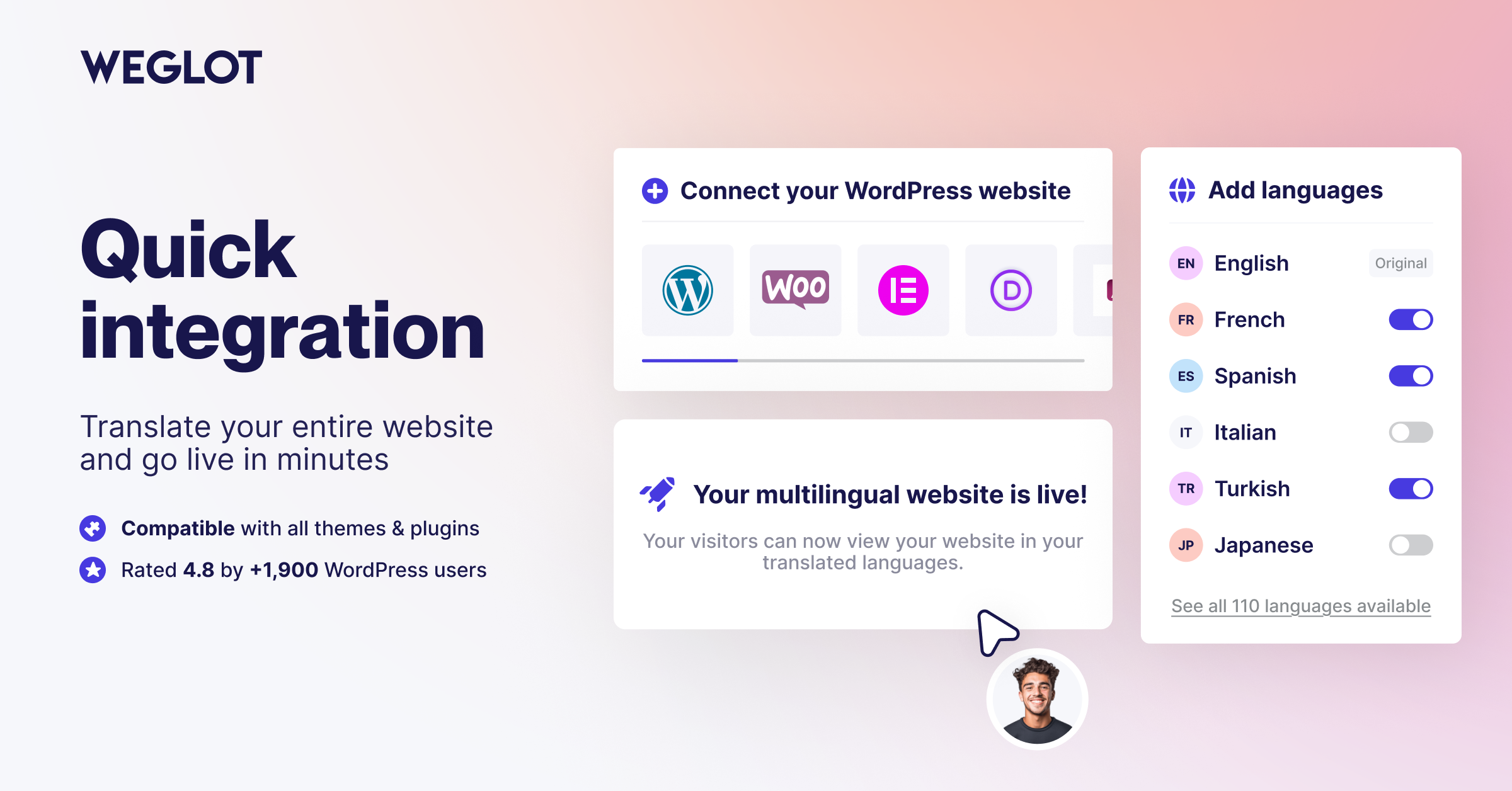
Weglot 2.0 is a website translation plugin that translates your WordPress site into 110+ languages, with AI translations built around your brand. Trusted by 110,000+ websites, Weglot detects and translates all of your content, from pages and posts to WooCommerce products, emails, and the text inside your images, then gives you full control to review and publish every translation. Weglot installs in 5 minutes, with no coding required.
What’s New in Weglot 2.0
Weglot 2.0 builds on the Weglot you know, with even better translations tailored to your brand that you can trust and publish: a new AI Translation Model, a redesigned translation experience, and built-in multilingual visibility.
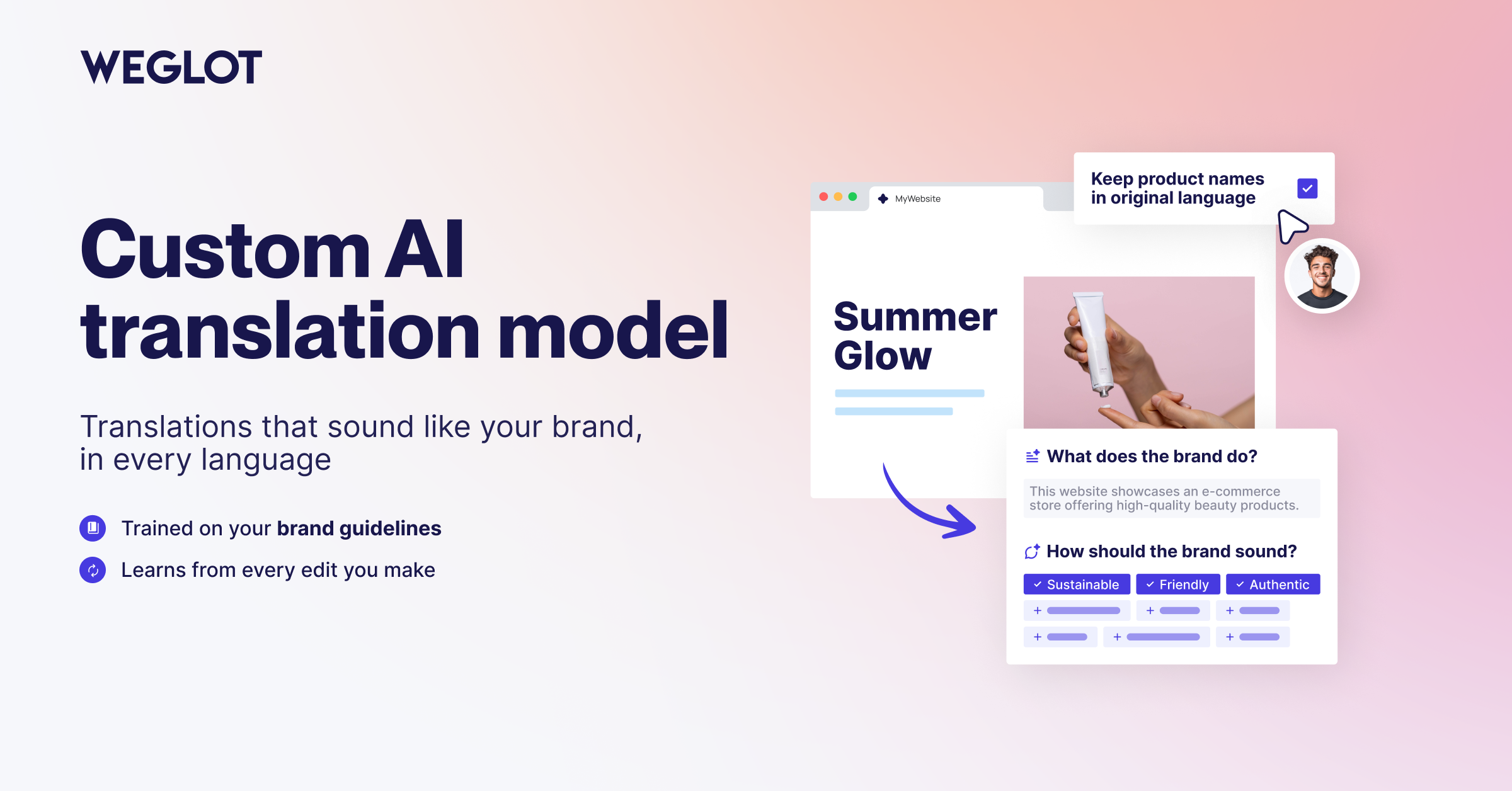
- A new AI Translation Model shaped by your Brand Profile and Translation Guidelines, for more accurate, context-aware translations that sound like you.
- A redesigned translation experience with a new dashboard, publishing workflow, Visual Editor, and Translation List.
- Image Translation to localize text inside your images directly from the Visual Editor.
- Weglot MCP to connect Weglot to your favorite AI assistant and update translations without opening the dashboard.
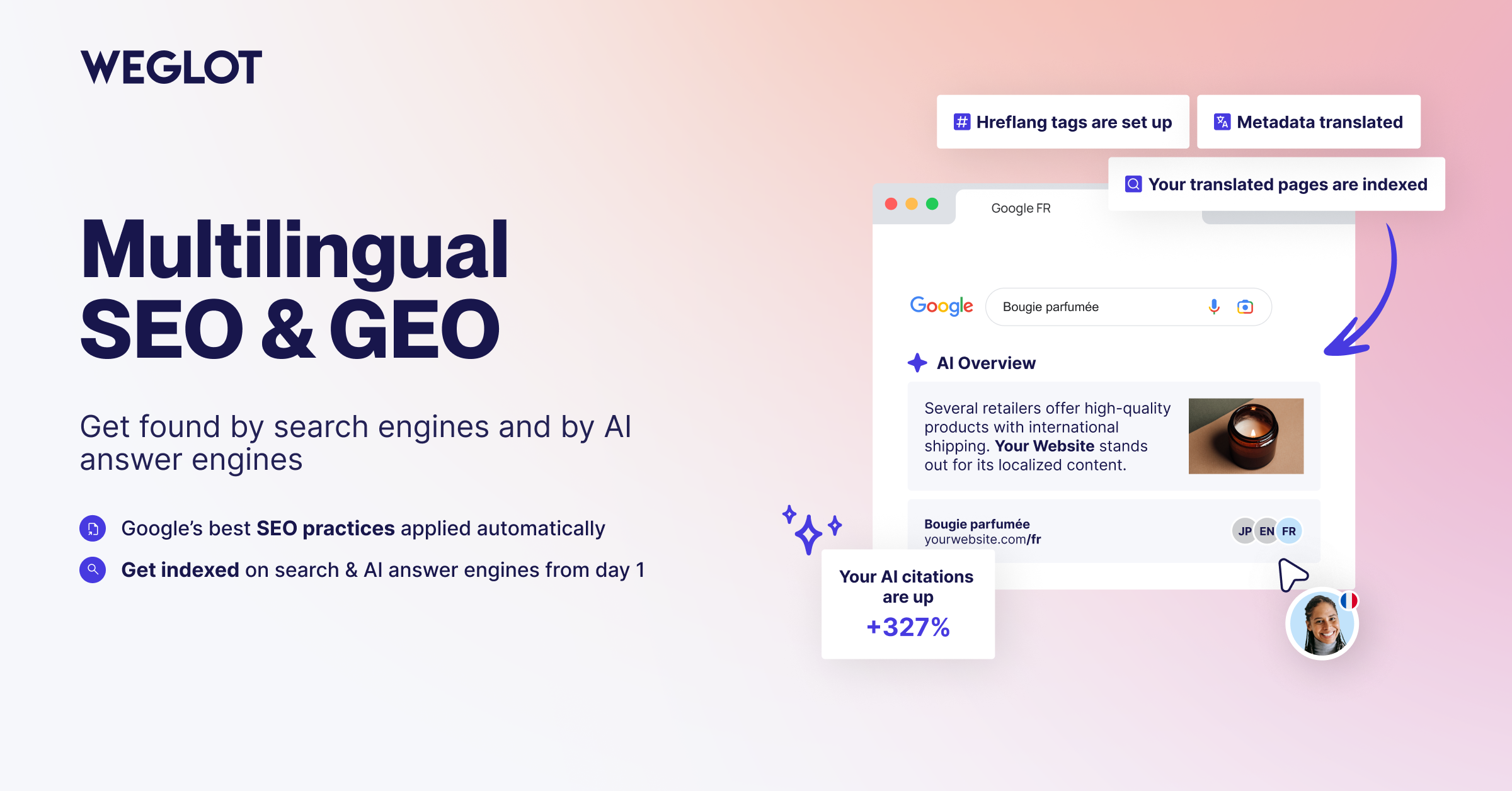
- Built-in multilingual visibility with multilingual SEO and GEO foundations: automatic hreflang tags, translated metadata, and publish or unpublish per language.
- New collaboration and analytics tools, including a dedicated Agency Workflow.
AI Translation Built Around Your Brand
Weglot’s AI Translation Model combines leading AI models with your Brand Profile, Translation Guidelines, and page context. Your translated content reads like your brand in every language, so you can publish with confidence.
- AI Translation Model shaped by your Brand Profile and Translation Guidelines for accurate, consistent translations.
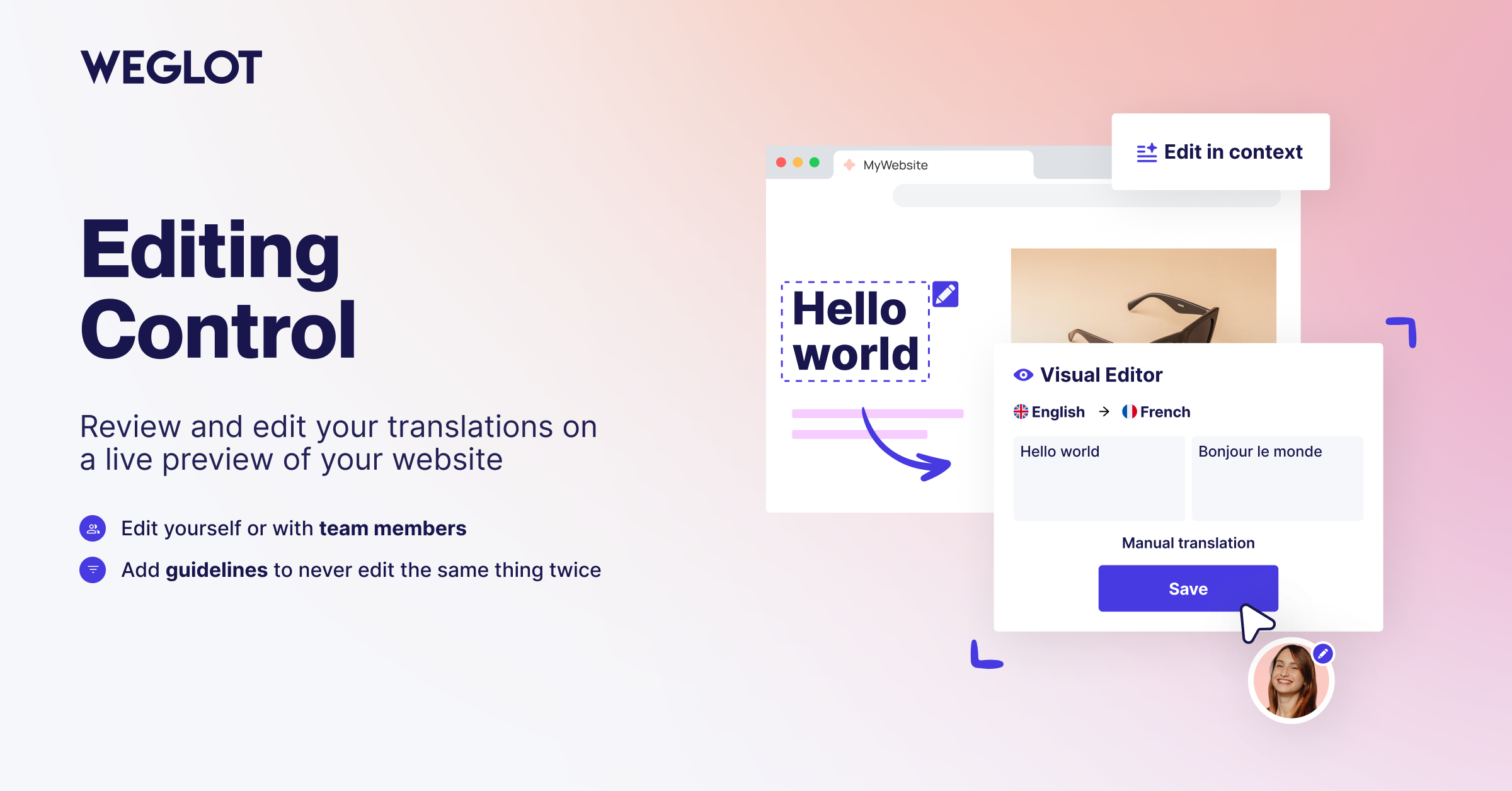
- In-context review in the Visual Editor: read and edit each translation on a live preview of your website.
- Translation List to search, filter, and manage every translation from one place.
- Full editing control: keep the AI translation, edit it yourself, or hand it to your team or your translators.
- 110+ languages available, including regional variants.
- Publishing workflow to control what gets translated and when each language goes live.
- Automatic content synchronization: when you publish new content, Weglot detects it and translates it, so your multilingual website stays up to date.
Multilingual SEO and GEO for WordPress
Weglot handles the technical foundations of multilingual SEO, so every translated page is ready to be discovered by search engines and by AI-powered answer engines.
- Language-specific URLs: subdirectories such as /es/ or /fr/, or subdomains, so each language is indexed separately.
- Automatic hreflang tags to tell search engines which language version to serve to which audience.
- Translated metadata, including page titles, meta descriptions, and translated slugs.
- Publish and unpublish per language to control exactly what is live in each market.
- Pages ready for indexing across search engines and AI-powered discovery experiences, in every market you localize for.
- Compatible with your SEO plugins, including Yoast SEO, Rank Math, and All in One SEO.
Image Translation and Weglot MCP
Not everything that needs translating is text on a page, and not every translation job starts in the dashboard.
- Image Translation: translate the text inside your images in one click from the Visual Editor while preserving the original design. Generate the translated image with AI or import your own.
- Weglot MCP: connect Weglot to your favorite AI assistant to review translations, manage projects, and update content using natural language.
WooCommerce Translation Features
Translate and localize your entire WooCommerce store, so shoppers buy in their own language:
- Product descriptions, categories, and attributes.
- Cart, checkout, and account pages.
- Customer emails in the shopper’s own language.
- WooCommerce-specific metadata and taxonomies.
Built for Teams and Agencies
Weglot 2.0 adds the tooling teams and agencies need to run multilingual projects at scale.
- Agency Workflow to manage client websites and multilingual projects in one place.
- Word Count for clear visibility into how much content you translate.
- Team collaboration to invite members and assign translation work.
- Pro plans unlock unlimited languages, higher word counts, advanced multilingual SEO, multisite support, and priority support.
Why Teams Choose Weglot
Weglot’s AI Translation Model works from your brand, your guidelines, and your audience, because a good translation is one that fits the company it belongs to. Weglot 2.0 detects all of your content automatically, whether you run a blog, a marketing site, or a WooCommerce store, so you never duplicate pages or maintain PO files by hand. Your translations are served from the cloud, which keeps your database light and your WordPress site fast as you add languages and markets.
Proven Global Results
- The Bradery: scaled their fashion ecommerce store to 500+ daily product translations while keeping their catalogue consistent in every language.
The biggest win for us is the time we’ve saved. It takes us about ten minutes twice a week to double-check everything is running how we want it. Everything else is done by Weglot.
Adèle Aubry, Ecommerce Manager at The Bradery
- REVIEWS.io: achieved a 120% increase in German traffic and a 20% conversion boost after localizing their website with Weglot.
We needed a product that dramatically increased the speed of website translation. Our clunky manual coding approach was time-consuming, but with Weglot, it’s fast and effortless.
Rich Ball, Marketing Manager, REVIEWS.io
- Ron Dorff: now generates 70% of their revenue from international markets with a fully localized customer experience.
Weglot interface is really friendly and easy to use. You can find all your content in a few clicks and then translate it quickly and efficiently.
Jamila Halloum, Digital Marketing Director at Ron Dorff.
Get Started
Install the plugin from your WordPress dashboard, connect your Weglot account, and select the languages you want. Weglot translates your website and puts every translation in front of you to review before you publish.
Create your free account: https://auth.weglot.com/register/wordpress?utm_source=wordpress.org&utm_medium=plugin-directory&utm_campaign=readme
중요 링크
- https://www.weglot.com/
- https://www.weglot.com/terms
- https://www.weglot.com/security
이 플러그인을 사용하면 위글롯의 이용 약관과 정책에 동의하는 것입니다. 이 문서를 검토하여 데이터와 콘텐츠가 어떻게 관리되고 보호되는지 이해하시기 바랍니다.
If you decide to stop using Weglot, your website will no longer be translated. All translations are stored on Weglot’s servers. However, you can export all your translations using our import/export feature before discontinuing the service to save your translations. More details on how to do this can be found here: https://support.weglot.com/article/206-can-i-export-my-translations. If you do not have access to this feature, you can request support from Weglot to assist with the export before you leave.
스크린샷
블록
이 플러그인은 2개의 블록을 제공합니다.
- Weglot Widget Weglot switcher widget
- Weglot Widget menu Weglot switcher menu
FAQ
How do I translate WordPress with Weglot?
To translate WordPress with Weglot, install the plugin, add your API key, and select your languages. Weglot detects all of your content, including pages, posts, and WooCommerce products, and translates it with its AI Translation Model. You then review each translation in context and publish when you are happy with it.
What is Weglot 2.0?
Weglot 2.0 builds on the Weglot you know. It brings a new AI Translation Model that translates around your brand, a redesigned translation experience with a new dashboard, Visual Editor and Translation List, Image Translation, and built-in multilingual visibility for SEO and GEO.
Why does the plugin version not say 2.0?
Weglot 2.0 is the name of the product generation, not the plugin release number. The plugin keeps its own version numbering, which is what you see in your WordPress dashboard when an update is available.
What is a translation plugin for WordPress?
A translation plugin for WordPress creates and serves translated versions of your content without duplicating your site. Weglot detects your content, translates it with AI built around your brand, and gives you a Visual Editor to review and refine every translation before it goes live.
How to translate WordPress automatically?
To translate WordPress automatically, Weglot scans and translates your content as soon as you publish it. Your translations stay synchronized across all languages, and you keep full control to review and edit any translation in the Visual Editor.
Can I translate WordPress with AI?
Yes, you can translate WordPress with AI using Weglot’s AI Translation Model. It combines leading AI models with your Brand Profile, Translation Guidelines, and page context to produce translations that match the way your brand speaks in every language.
Can Weglot translate the text inside my images?
Yes. With Image Translation, you translate the text inside an image in one click from the Visual Editor, and Weglot preserves the original design. You can generate the translated image with AI or import your own version.
Does Weglot translate WooCommerce?
Yes, Weglot translates WooCommerce stores completely, from the product catalog to the checkout experience. It gives shoppers a localized buyer journey, which is critical for increasing international conversion rates.
How do I translate WooCommerce products?
To translate WooCommerce products, activate Weglot and it automatically detects your product titles, descriptions, and attributes. Use your Translation Guidelines to keep product names or brand terms in the original language, so your catalogue stays consistent across markets.
Can Weglot translate WooCommerce emails?
Yes, you can translate WooCommerce emails with Weglot so your customers receive order confirmations and shipping updates in their own language, for a professional post-purchase experience.
How to make WordPress multilingual?
To make WordPress multilingual, Weglot creates dedicated subdirectories (like /es/ or /fr/) for each language. This structure is recommended by Google and makes sure every translated page is indexed separately.
Does Weglot support multilingual SEO?
Weglot supports multilingual SEO by automatically adding hreflang tags and translating your metadata. This helps search engines understand which version of your website to show users in different countries. The plugin also lets you choose the site structure you prefer, such as subdirectories or subdomains.
Will my translated pages show up in AI search?
Weglot builds the multilingual SEO and GEO foundations that AI-powered answer engines rely on: language-specific URLs, hreflang tags, translated metadata, and pages ready for indexing. Your translated pages are ready to be discovered across search engines and AI-powered discovery experiences.
Can I translate WordPress URLs?
Yes, you can translate WordPress URLs with Weglot. Localizing your slugs (for example /shop/ to /boutique/) helps your search rankings and makes your website feel more authentic to local audiences.
Does Weglot work with Elementor, Divi, and other page builders?
Yes, Weglot works with page builders such as Elementor, Divi, Gutenberg, and Beaver Builder. Because the plugin translates content at the source code level, it detects and translates text inside any design element without breaking your layout or requiring a custom integration.
Is Weglot compatible with other SEO plugins?
Weglot is compatible with SEO plugins such as Yoast SEO, Rank Math, and All in One SEO. Weglot handles the technical side of multilingual SEO, like hreflang tags and translated metadata, and works alongside the SEO tools you already use.
How does Weglot handle new content updates?
Weglot scans your website for new posts and changes. Once detected, the new content is translated with your AI Translation Model and added to your Translation List, so you can review it and publish it in every language.
Can I use a custom language switcher design?
Yes, you can use a custom language switcher design with Weglot. We provide several built-in styles, including flags and dropdowns, and you can use custom CSS to match your branding. Place the switcher in your menu, as a widget, or anywhere on the page using a shortcode.
Is my translation data secure and private?
Your translation data is secure and private with Weglot. We are fully GDPR compliant and use encrypted connections to process your content. Your WordPress database stays untouched, and you keep full ownership of all your translations, which you can export at any time.
후기


기여자 & 개발자
“Translate WordPress with Weglot 2.0 – Multilingual AI Translation”(은)는 오픈 소스 소프트웨어입니다. 다음의 사람들이 이 플러그인에 기여하였습니다.
기여자


변경이력
6.4.1 (30/09/2026)
- Fix: The front end no longer shows a fatal error (Cannot unset string offsets) when the Weglot CDN refuses the API key, for example right after a wrong key was set. The site is served untranslated instead, until the key is corrected.
- Improvement: The settings cache is now refreshed automatically when the API key changes (database key replaced by the WEGLOT_API_KEY_PRIVATE constant, key rotation, wrong key corrected), so clearing the transients by hand is no longer needed.
Older versions
전체 변경 로그는 플러그인 폴더의 changelog.md 파일에 있습니다.