
설명
CREATE A COMPELLING DARK MODE VERSION OF YOUR WEBSITE ✨
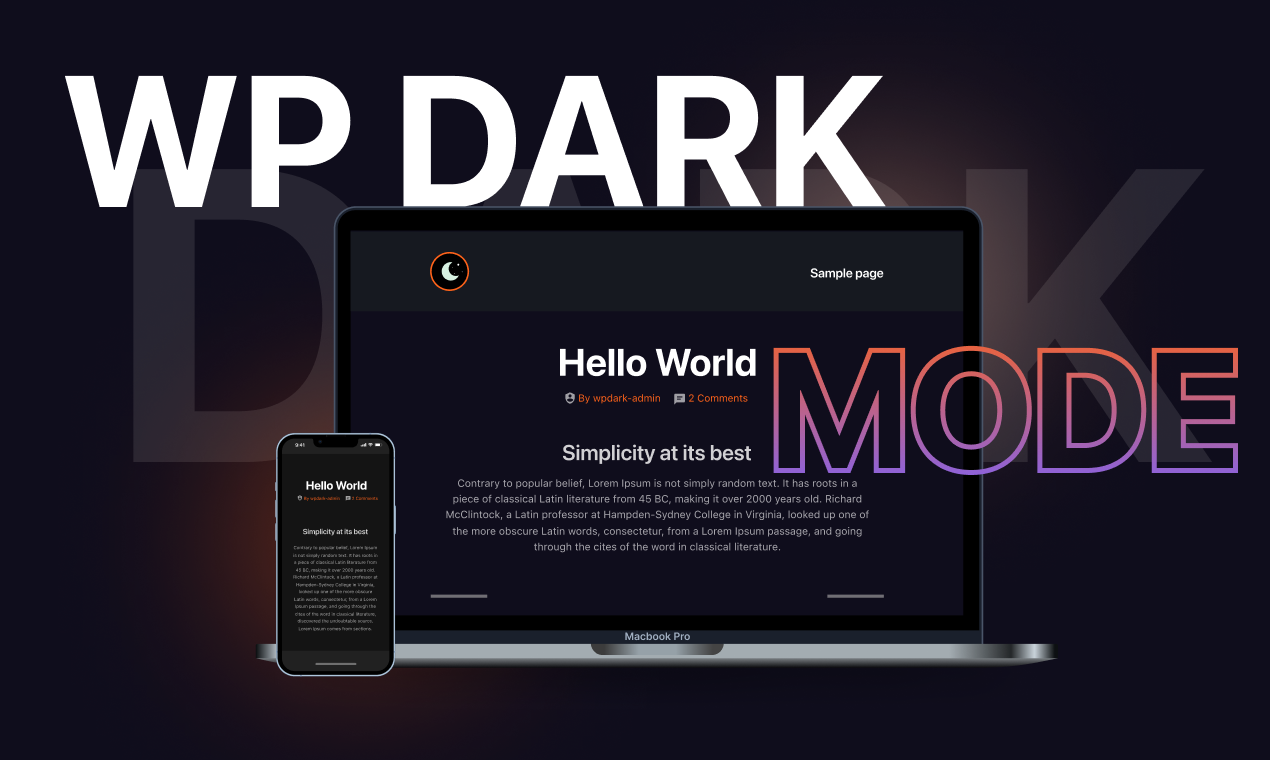
Create a dark mode version of your website without any complicated setup. Activate the plugin and your site visitors will experience a dark mode or light mode version of your website as per their preferred operating system preference. This is a reliable dark mode plugin for WordPress, designed to make setup simple.
Let’s grow, connect, and thrive together!
- 🤝 Join Our Facebook Community
- 🌐 Follow Us on X (Twitter)
- 🎥 Subscribe on YouTube
- 👍 Like Our Facebook Page
Check what popular WordPress expert Matt (WPress Doctor) thinks about Dark Mode.
[유튜브 https://www.youtube.com/watch?v=CT8yy2v05tE?rel=0]
👁️ View Demo | 🚀 Get Ultimate | 🤝 Join Our Facebook Community
🔝 DARK MODE FEATURES
- Floating Dark Mode Switch – Display a floating switch in the footer of your website. The switch lets your site visitors easily toggle between different modes.
- Default Dark Mode – Make it the default mode of your website. Users will experience it first after entering your website.
- Elementor Widget Support – Place the mode switch on any page/post using the Elementor widget.
- Gutenberg Block Support – Place the mode toggle on any page/post using the Gutenberg block.
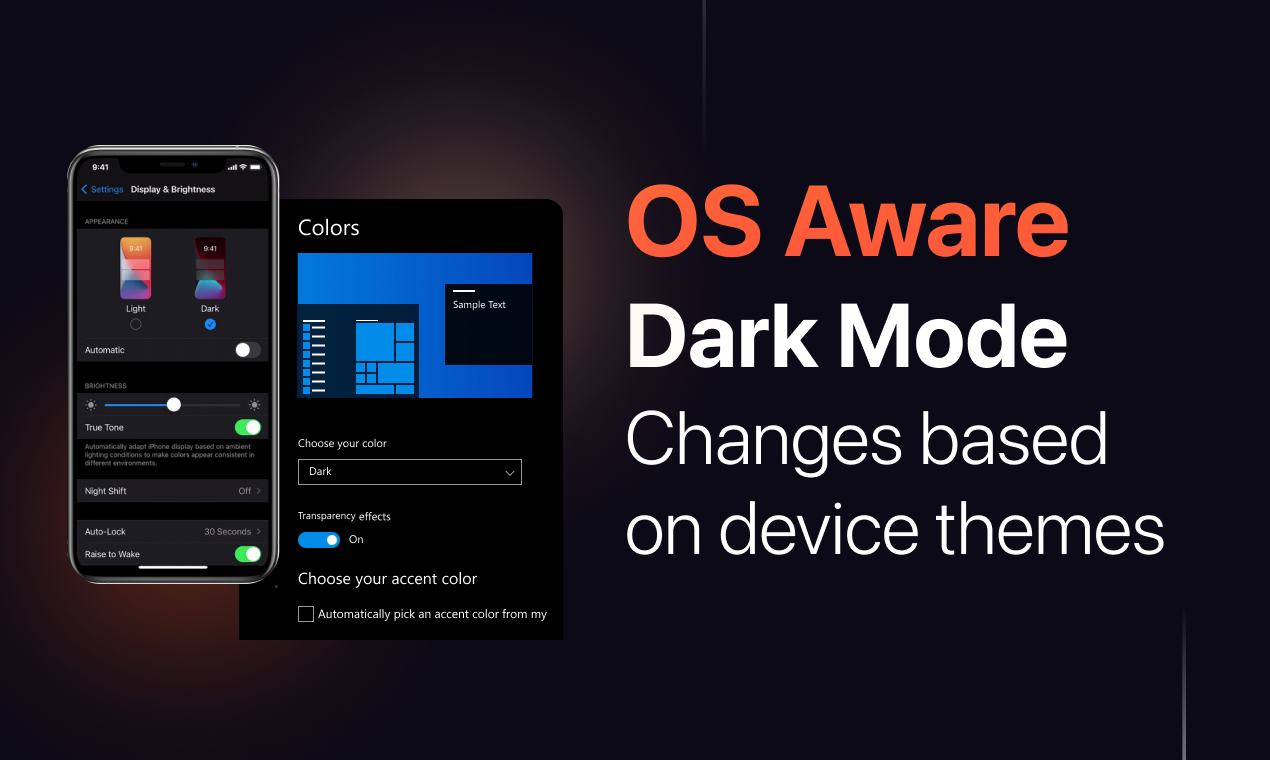
- Apply Light or Dark Theme Based on OS Setting – Detect an user’s device theme and automatically enable preferred mode for your visitors to ensure a seamless website experience.
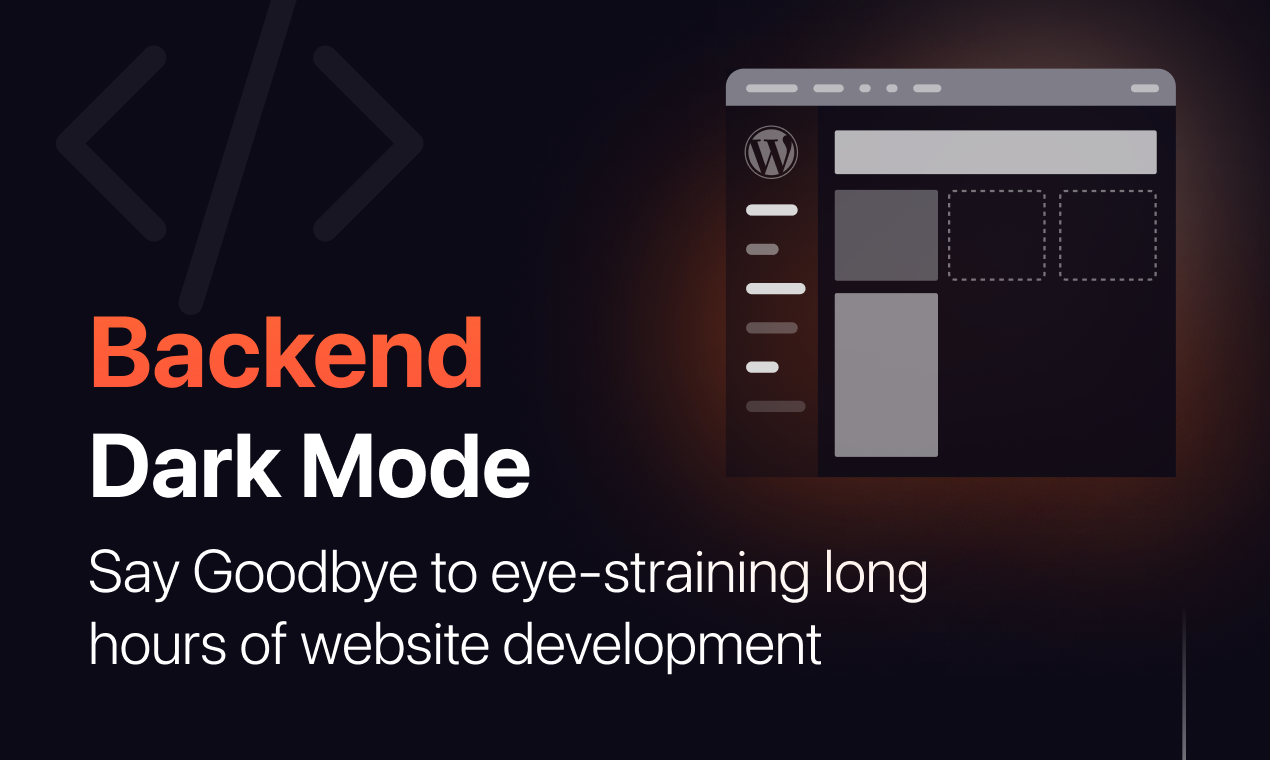
- Admin Panel Dark Mode – Enable dark mode on the WordPress admin panel/dashboard. Give your eyes a much-needed rest while working long hours by enabling it.
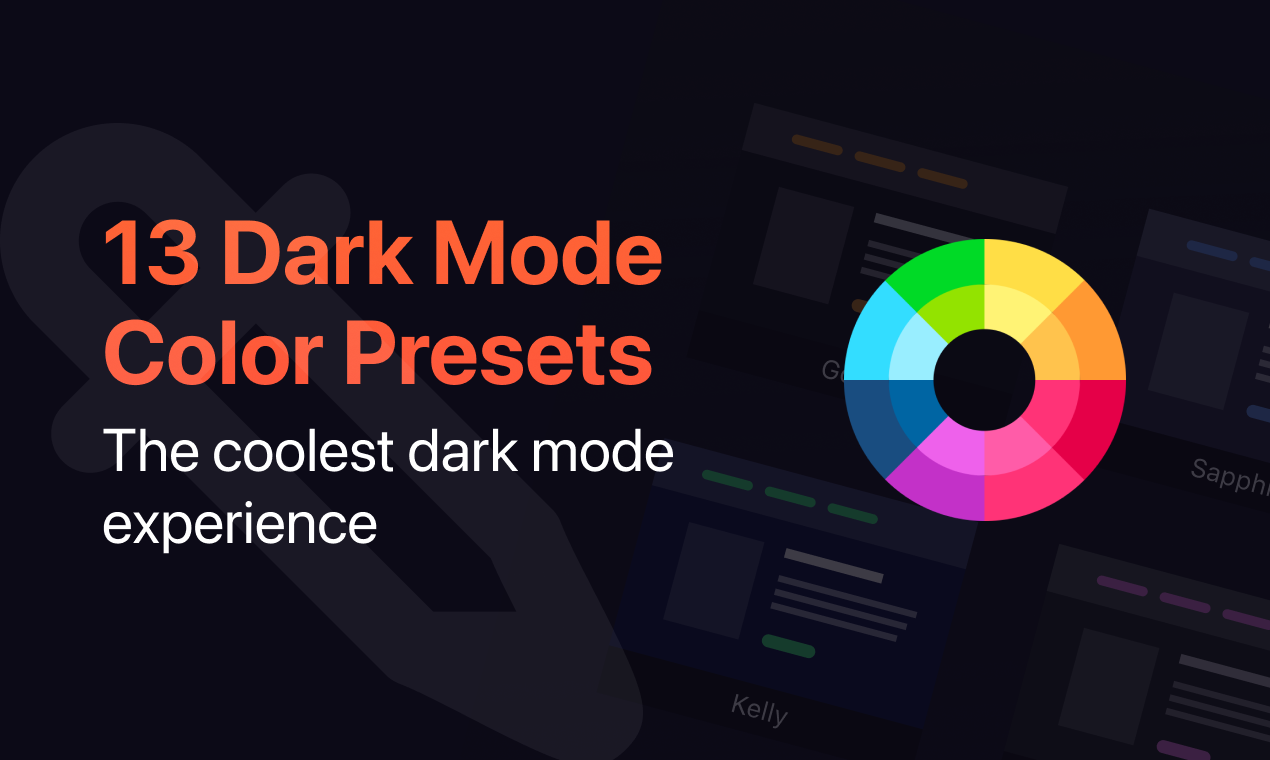
- Dark Mode Color Presets – 2 exclusive color presets are available to quickly change the color from the predefined preset. Give your website a brand new look and feel by changing the preset.
- Remember User Preference – Enable the plugin to remember users’ choices and automatically enable preferred mode for visitors who used it before.
- Shortcode Support – Take advantage of the [wp_dark_mode_switch] shortcode to display the switch anywhere on your website.
- Low Image Brightness – Decrease the brightness and contrast of images in the dark.
- Accessibility Features – Toggle your preferred mode by using a keyboard shortcut (Ctrl + Alt + D) or using a URL/domain parameter.
- Toggle Animation – Choose the animation effect between dark/white theme with numerous options including Fade In, Pulse, Flip and many more.
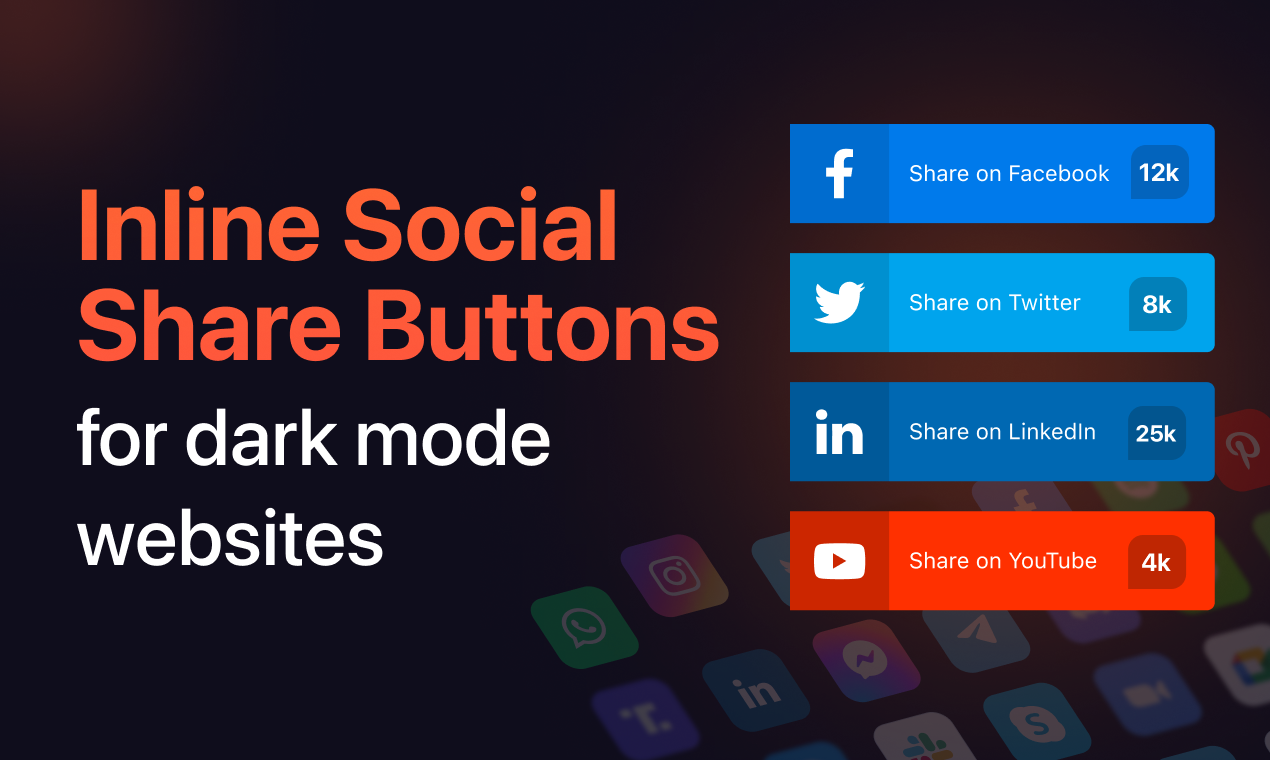
- Social Share Buttons – Social share icons allow your website visitors to share your content with ease. With plenty of cool social media icon templates and share count displays, this plugin supports dedicated social share buttons.
- Caching Exclusion Option – Enable this feature to exclude Dark Mode from server-side caching and ensure a seamless mode transition.
- Device-wise Toggle – Easily choose where to display the mode switch: Desktop, Mobile or Tablet.
- Dark Mode Analytics – Track how many times site visitors have used dark theme in a certain period from the analytics menu and your WordPress admin dashboard.
- Custom CSS Support – With custom CSS, you can perfect the best mode version of your website. Customize specific sections/elements exactly how you want.
⚡ GO BEYOND WITH DARK MODE ULTIMATE
- Schedule Dark Mode – Schedule a time for enabling it on your website and take full control over your website’s appearance.
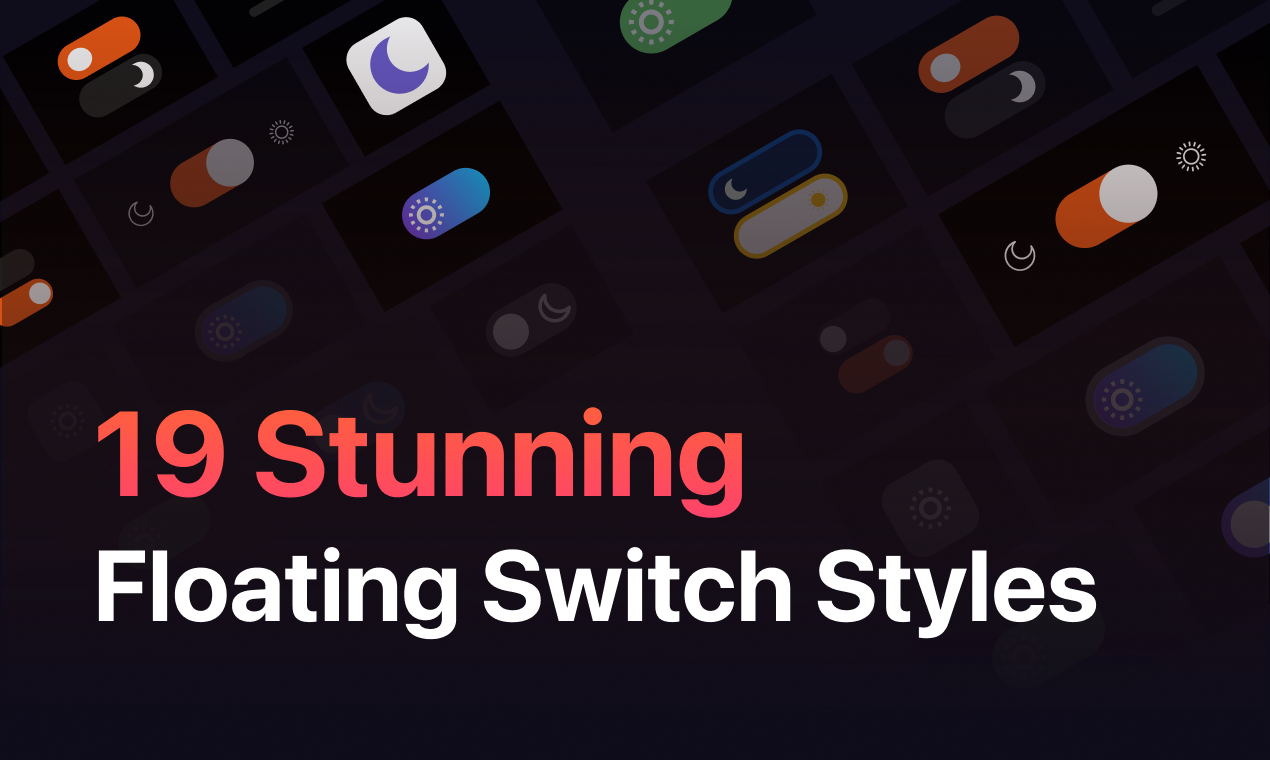
- Access 21 Floating Switch Styles – Get access to 21 beautiful dark mode switch styles. Choose your preferred switch button for the users to toggle.
- Customize Floating Switch Placement – Customize the placement of the mode switch. You can place it anywhere on your website.
- Time Delay Trigger for Floating Switches – Now you can set a time delay before the floating switch appears, giving visitors time to explore your site before the toggle shows up.
- Auto-Hide Switch with Timeout – Automatically hide the floating switch after a specified timeout, keeping your UI clean while still offering your preferred mode accessibility.
- Premium Color Presets – 13 exclusive ready-made color presets are available to quickly change the mode color from the predefined presets.
- Preset Color Customization – Tailor your experience to perfection. Choose a preset and customize the color of every element, starting from the body and text to links, input fields, buttons and even the scrollbar – exactly the way you want.
- Create Custom Color Preset – Create and customize your color presets. Dive into a palette of possibilities, shaping colors for every element – from the body to text and scrollbar.
- Automatic Dark Mode Based on Sunset – Automatically enable the dark theme based on your visitor’s time.
- Multiple Switch Options – Toggle between different mode switch options. Whether you need a menu switch, a floating switch, or a content switch for your posts/page, the power is on your end. Get a distinct switch style for every section.
- Custom Switch Support with Call-to-Action Customization – Upload a custom switch of your own choice and customize call-to-action text on your mode switch.
- Mode-Based Image Replacement – Replace light-mode images with the different images you want in the dark theme.
- Mode-Based Video Replacement – If your website has videos, you can replace them with something more fitting for a dark theme.
- Adjust Brightness Level & Apply Grayscale Effect – Adjust your images and video’s brightness level while dark theme is enabled to get an immersive content viewing experience. You can also add a grayscale effect to your images/videos.
- Exclude Preferred Mode on Certain Pages/Elements – Exclude specific pages/elements from changing into a dark theme.
- Include Preferred Mode on Selected Posts & Pages – Exclude all the pages and posts on your website from your selected mode except the specific ones where you want it.
- Exclude Post Tags & Categories – Exclude all the post tags from dark mode. Keep only the specific tags whitelisted.
- Include Preferred Mode on Custom Post Types – You can also enable your preferred mode only for specific post types, excluding all.
- WooCommerce 제품 및 카테고리 제외 – 특정 제품 및 카테고리를 제외한 WooCommerce 사이트의 모든 제품 및 카테고리를 다크 모드에서 제외합니다.
- Dark Mode Switch in Website Menu – You can display the switch as a menu item on any menu on your website.
- Font Size Toggle for Better Accessibility – Make your site more accessible by resizing your font size (increase/decrease).
- Plenty of Performance Options – This plugin comes with multiple performance settings, putting complete control at your fingertips. By using these features, you can improve page loading performance and track dynamic content.
- Choose Mode Behavior – You can choose between loading preferred mode or website content first by selecting these options.
- Scheduled Email Reporting on Dark Mode Usage – Get daily/weekly reports via email on the analytics of your website.
👁️ View Demo | 🚀 Get Ultimate | 🤝 Join Our Facebook Community
🤔 Why Choose Dark Mode?
It is used by thousands of WordPress sites to enhance accessibility and reading comfort. It adds a dark theme toggle for both frontend and WordPress admin, improving accessibility and user experience. With increasing device-level dark mode adoption, providing this option can improve the browsing experience for many visitors. The widespread use of dark theme features across mobile and desktop platforms makes this compatibility beneficial for modern websites.
🔨 Page Builder Compatibility
Dark Mode works with popular page builders, including:
- Gutenberg Block Editor
- Elementor Page Builder
- Divi Builder
- Beaver Builder
- Oxygen Builder
- SiteOrigin
- CornerStone
- Themify Builder
- MotoPress
- LayersWP
- WPBakery Page Builder
- Spectra
- Visual Composer
- …and more
- Check the full list
🎨 Theme Compatibility
WP Dark Mode is optimized to work with thousands of WordPress themes, including the most popular ones:
- Astra
- Divi
- Hello Elementor
- Neve
- Avada
- Kadence
- GeneratePress
- OceanWP
- Blocksy
- Betheme
- The7
- Flatsome
- BuddyBoss
- Hestia
- Inspiro
- Spacious
- Responsive
- Customizr
- ColorMag
- Phlox
- Photograph
- …and more
- Full theme list
Slider Compatibility
WP Dark Mode is fully compatible with the most popular slider plugins:
- Revolution Slider
- Smart Slider 3
- Soliloquy Slider
- …and more
- Full list
WP Dark Mode works across all operating systems including Windows, Android, iOS and macOS. No additional setups are required. It detects the user’s system theme preference and applies a matching dark theme to the site. You can also enable a toggle to switch between different modes manually.
🔥 More Awesome Plugins
If you like Dark Mode, then consider checking out our other awesome plugins:
-
🟢 Google Sheets to WP Table:
Try FlexTable – Sheets To WP Table Live Sync | Google Sheets allows you to input data on your Google sheet and show the same data on WordPress as a table effortlessly. Try Flex Table now! -
🔄 Manage WooCommerce Inventory from Google Sheets:
FlexStock – Stock Sync with Google Sheet for WooCommerce | Auto-sync WooCommerce products from Google Sheets. Flex Stock is an easy, powerful, and simple inventory management system to handle your WooCommerce products. -
🛒 Manage Order with Google Sheets:
Try FlexOrder – Bulk Order Sync with Google Sheet for WooCommerce | Manage WooCommerce orders from Google Sheets. WooCommerce order sync, e-commerce order management, and sales order management with Google Sheets. Try Flex Order now! -
💬 Form to Chat:
Try FormyChat | Connect Form to Chat Apps with Contact Form 7, WPForms, Gravity Form | Welcome Popup & Multi-agent Live Chat
개인 정보 정책
WP 다크 모드는 Appsero SDK를 사용하여 사용자 확인 시 일부 원격 측정 데이터를 수집합니다. 이를 통해 문제를 더 빨리 해결하고 제품을 개선할 수 있습니다.
Appsero SDK 는 기본적으로 데이터를 수집하지 않습니다. SDK는 사용자가 관리자 알림을 통해 허용하는 경우에만 기본 원격 분석 데이터 수집을 시작합니다. 당사는 모든 사용자에게 우수한 사용자 경험을 보장하기 위해 데이터를 수집합니다.
Appsero SDK를 통합하면 어떤 경우에도 사용자의 확인 없이 즉시 데이터 수집이 시작되지 않습니다
Appsero가 이 데이터를 수집하고 사용하는 방법에 대해 자세히 알아보세요.
또한 WPPOOL 개인 정보 보호 정책을 읽으십시오.
External services
This plugin relies on the following third party and external services. Each is described below with what it is used for, what data is sent, and when.
1. WPPOOL AI Preset Generator (aiware.wppool.dev)
Used to generate dark mode colour presets from a text description. This service performs the AI colour generation on WPPOOL’s servers; it cannot be performed locally by the plugin.
Data sent: only the text prompt an administrator types into the AI Preset Generator, plus a randomly generated per-request identifier. No visitor data, no site content and no personal data are sent. The request is made only at the moment an administrator clicks the generate button in the plugin settings; it never runs on the front end and never runs automatically.
This service is provided by WPPOOL: terms of service, privacy policy.
2. Headway (cdn.headwayapp.co)
Used to display the plugin’s changelog inside the WordPress admin.
Data sent: loading the widget script causes your browser to contact Headway’s CDN, which receives your IP address, browser user agent and the referring page, as with any remotely loaded script. The widget is loaded only on the WP Dark Mode settings screen in the admin area, and never on the front end.
This service is provided by Headway: terms of use, privacy policy, security information.
3. Appsero (appsero.com, icanhazip.com)
Used for optional usage telemetry and for licence management of the paid add-on.
Data sent: nothing is sent unless an administrator explicitly opts in via the admin notice. After opt-in, Appsero receives site URL, WordPress and PHP version, active theme and plugin list, and the administrator’s email address and name. icanhazip.com is contacted to determine the site’s public IP address as part of the same opt-in telemetry.
This service is provided by Appsero: privacy policy. See also the icanhazip privacy notice.
4. WPPOOL contact sync (fluent.wppool.dev)
Used to subscribe an administrator to product update emails when they opt in to telemetry.
Data sent: the administrator’s email address, first name and last name. This request is made only as part of the same explicit opt-in described above. If you do not opt in, no request is made.
This service is provided by WPPOOL: terms of service, privacy policy.
5. Social sharing networks
The optional Social Share module renders share buttons. When, and only when, a visitor clicks one of these buttons, their browser opens a share URL on the network they chose: www.facebook.com (Facebook and Messenger), twitter.com (X/Twitter), www.linkedin.com (LinkedIn), www.google.com (Google), plus.google.com (Google+), pinterest.com (Pinterest), www.tumblr.com (Tumblr), reddit.com (Reddit), www.stumbleupon.com (StumbleUpon), delicious.com (Delicious), www.evernote.com (Evernote), wordpress.com (WordPress.com), getpocket.com (Pocket), api.whatsapp.com (WhatsApp), telegram.me (Telegram), www.instagram.com (Instagram), chat.openai.com (ChatGPT), grok.com (Grok), www.perplexity.ai (Perplexity) and claude.ai (Claude). The module also offers sms: and mailto: links, which open the visitor’s own SMS or email app and do not contact any external server.
Data sent: only the permalink and title (or, for the AI assistant channels ChatGPT/Grok/Perplexity/Claude, a short prompt built from the permalink and title) of the post being shared, as part of that URL. No data is sent to any of these networks until a visitor actively clicks a share button, and each network’s own terms and privacy policy then apply.
6. Webmail compose links (mail.google.com, outlook.office.com, compose.mail.yahoo.com)
The admin-side “Mail To” helper opens a pre-filled compose window on Gmail, Outlook or Yahoo Mail when an administrator clicks one of these options, so they can email a link from the plugin settings. This only happens when the administrator clicks the option; no data is sent automatically. Each provider’s own terms and privacy policy apply to that webmail service.
7. Embedded video players (youtube.com, player.vimeo.com)
If a site owner embeds a YouTube or Vimeo video, the plugin adjusts that embed for dark mode. The embed itself is created by WordPress or the site owner, not by this plugin, and those providers’ terms apply to the embedded player.
Build Instructions
The JavaScript and CSS shipped in this plugin are generated with build tools. The complete, human-readable source for every generated file is included in the src/ directory of this plugin, along with the build configuration. package.json (npm) and composer.json (Composer) are also included at the plugin root, so exact dependency versions can be installed.
Toolchain: Vite, Vue 3, Tailwind CSS and Sass.
To build from source:
- Install Node.js 18 or later.
- From the plugin directory, run
npm install - Run
npm run build
Individual bundles can be rebuilt with the scripts listed in package.json. For example, npm run frontend:js builds assets/js/app.min.js from src/frontend/main.js using src/frontend/vite.config.js.
Note on .map files: this plugin’s build tooling can generate .map sourcemap files alongside each minified bundle. These are excluded from the packaged plugin via .distignore because they are dev-only debug artifacts, not executable code, and they embed literal URL strings copied from bundled third-party libraries’ own metadata (for example a state-management library’s devtools logo URL) which are never …
스크린샷
블록
이 플러그인은 2개의 블록을 제공합니다.
- Switcher
- Dark Mode Switch
설치
- After activating the plugin, your website will by default turn into a dark theme for your users if the Operating System of the users sets into a dark theme.
- Gutenberg 블록, Elementor 위젯 또는 Shortcode와 같은 다양한 방법으로 다크 모드 표시/숨기기 스위치를 사용할 수 있습니다. 사용 방법에 대한 자세한 내용은 FAQ 섹션을 참조하십시오.
- If you want to disable the OS-aware mode functionality, navigate to your Admin Dashboard > Settings > WP Dark Mode and turn off the “Enable OS-aware Dark Mode” switch button.
비디오 자습서를 따를 수도 있습니다:
[유튜브 https://www.youtube.com/watch?v=L6EmXREa6OA&rel=0]
FAQ
-
다크 모드 스위치는 어떻게 표시하나요?
-
You can display a dark mode floating switch button in the footer all over the website by turning on the “Show Floating Switch” settings from the general settings.
Ultimate 버전에서는 모든 게시물/페이지 상단에 전환 버튼을 표시할 수도 있습니다. 다양한 스위치 스타일에서 스위치 버튼의 스타일을 선택할 수 있습니다.
-
This plugin provides shortcode to display the switch. Using the shortcode, you can place the switch button anywhere on your website. This shortcode supports an optional style attribute for the switch style.
Example –[wp_dark_mode_switch style="3"] -
이 플러그인은 다크 모드 이미지를 지원합니까?
-
Yes, it does.
-
구텐베르크와 함께 사용할 수 있습니까?
-
Yes, you can place the switch button on any page/post by using Gutenberg block.
-
Elementor와 함께 사용할 수 있습니까?
-
Yes, you can place the switch button on any page/post by using the Elementor widget.
-
Yes, You can display the switch button before any page/post.
-
Can we change the colors from predefined presets?
-
Yes, using the ready-made color schema you can quickly change many aspects of the theme.
-
Does it also work for the backend page?
-
Yes, you can enable your preferred mode on the back end of the admin page.
-
단축 코드를 사용하여
[wp_dark_mode_switch]모든 페이지/게시물에 다크 모드 전환 버튼을 표시할 수 있습니다. -
이 플러그인은 모든 최신 브라우저와 호환됩니까?
-
Yes, We have tested this plugin in all modern browsers (Safari, Chrome, Firefox, Edge, etc) and it works without any issue.
-
이 플러그인을 사용하기 위해 프로그래밍 언어를 알아야 합니까?
-
No. It is a very user-friendly and simple plugin. Just download and use it accordingly.
-
Can I toggle the between modes by using a keyboard?
-
Yes, You can toggle modes by keyboard shortcut
(Ctrl + Alt + D).
후기


기여자 & 개발자
“Dark Mode – Improve Accessibility with AI Powered Dark Theme”(은)는 오픈 소스 소프트웨어입니다. 다음의 사람들이 이 플러그인에 기여하였습니다.
기여자


변경이력
5.3.19 – 29 SEP 2026
- Enhancement: Enhanced compatibility to support WordPress 7.1.
5.3.18 – 28 SEP 2026
- Fix: Prevented light-mode restoration from incorrectly applying background images to images such as site logos.
5.3.17 – 17 SEP 2026
- Fix: Improved Color Presets to correctly apply colors to links, buttons, and input fields, along with the background color.
5.3.16 – 16 SEP 2026
- Improvement: Updated plugin banner and icon assets.
5.3.15 – 14 SEP 2026
- Fix: Activation no longer prints an incompatibility notice directly to output, which could trigger a WordPress “unexpected output” warning and interfere with the post-activation redirect. The notice is now shown through the standard admin notices system on the next page load.
- Fix: Reduced unnecessary database queries on every page load by checking the visitor table’s structure only once instead of on every request.
5.3.14 – 09 SEP 2026
- Improvement: Security enhancement.
5.3.13 – 28 AUG 2026
- Fix: All switch styles are now fully selectable and functional in every builder integration (Elementor, WPBakery, SiteOrigin, Divi, Themify, Gutenberg), removing UI restrictions that did not match the underlying rendering.
- Fix: All Gutenberg editor canvas themes are now fully selectable.
5.3.12 – 24 AUG 2026
- Improvement: Security enhancement.
5.3.11 – 11 AUG 2026
- New: Added native support for the Dark Mode Switch in Divi Builder with a dedicated builder element.
- New: Added native support for the Dark Mode Switch in SiteOrigin Page Builder with a dedicated builder element.
- New: Added native support for the Dark Mode Switch in Themify Builder with a dedicated builder element.
- Improvement: Maintenance and security updates
5.3.10 – 19 JUL 2026
- New: Introduced a dedicated WPBakery Page Builder element for the Dark Mode Switch, providing a native drag-and-drop experience similar to the existing Elementor widget and Gutenberg block.
5.3.9 – 24 JUN 2026
- Fix: Improved compatibility with Hostinger AI admin pages.
5.3.8 – 09 JUN 2026
- Fix: Resolved a dark mode issue in TinyMCE Classic Editor when Hestia’s Local Fonts Hosting option is enabled.
5.3.7 – 02 JUN 2026
- Fix: Admin bar Light/Dark Mode switcher compatibility with Classic Editor and TinyMCE Advanced.
- Fix: TinyMCE editor background now responds correctly to admin bar Light/Dark Mode switching when the Classic Editor Dark Mode button is disabled.
- Improvement: Improved compatibility with Classic Editor and TinyMCE Advanced’s “Replace Block Editor” setting.
5.3.6 – 25 MAY 2026
- Improvement: Improved compatibility with Gutenberg block editor
- Improvement: Compatible with WordPress 7.0
5.3.5 – 09 APR 2026
- Fix: “Exclude” feature broken in the previous version has been fixed
- Fix: Minor bug fixes and enhancements
- Improvement: Minor bug fixes and enhancements
5.3.4 – 01 APR 2026
- Improvement: Added multilingual support with native translations
- Fix: Dark mode support added for media library and preview loading screen in admin
5.3.3 – 16 FEB 2026
- Fix: Compatible with screen readers (Verified ARIA support).
- Fix: Resolved keyboard navigation issues for accessibility switches.
5.3.2 – 10 FEB 2026
- Fix: Fixed minor issues and maintenance update.
5.3.1 – 26 JAN 2026
- Improvement: Fixed a compatibility issue with the Site Reviews plugin where star ratings and text colors were not displaying correctly in Dark Mode without a page refresh.
- Fix: Resolved a 404 error occurring in the WordPress admin panel when Dark Mode was enabled.
- Fix: Fixed an issue where the WP Dark Mode usage counter was not updating immediately when Dark Mode was enabled or disabled by visitors.
- Fix: Resolved an analytics chart rendering issue where the chart would not reappear after switching tabs, causing a blank canvas until the page was reloaded.
5.3.0 – 22 DEC 2025
- New: AI-Powered Color Preset Generator:
You can now generate custom dark mode color presets using AI prompts in WP Dark Mode. Simply describe the color style you want, and AI will instantly create a unique preset for your website that would be perfect for branding, accessibility, and creative themes.
This feature extends our existing Custom Color Presets to give you more control and flexibility. Enjoy!
5.2.20 – 08 DEC 2025
- New: Introduced the new color preset Tailwind & Midnight Bloom.
5.2.19 – 04 DEC 2025
- New: Introduced the new color preset Sweet Dark.
- Improvement: Set Sweet Dark as the default preset for new installations.
5.2.18 – 25 NOV 2025
- New: “Custom Triggers” added to Switch Settings, allowing users to assign their own elements or buttons.
- Improvement: Changed the Save button position from right to left.
For older changelog entries, please see the additional changelog.txt file delivered with the plugin.