
설명
Discover GDPR-compliant analytics with WP Statistics, the top choice for WordPress users seeking an alternative to Google Analytics. No external accounts, unlimited visitor tracking, and full data ownership—all stored directly in your WordPress database.
Checkout Demo | View Screenshots
GDPR 준수 (데이터 개인 정보 보호)
WP Statistics is GDPR, CCPA, PECR, and cookie compliance by default.
- 쿠키를 사용하지 않습니다.
- 기본적으로 개인 식별 정보를 저장하지 않습니다.
- 100% 데이터 소유권. 데이터는 완전히 귀하의 서버에 생성 및 저장됩니다.
- 랜덤 일일 솔트 메커니즘으로 IP 해싱 강화
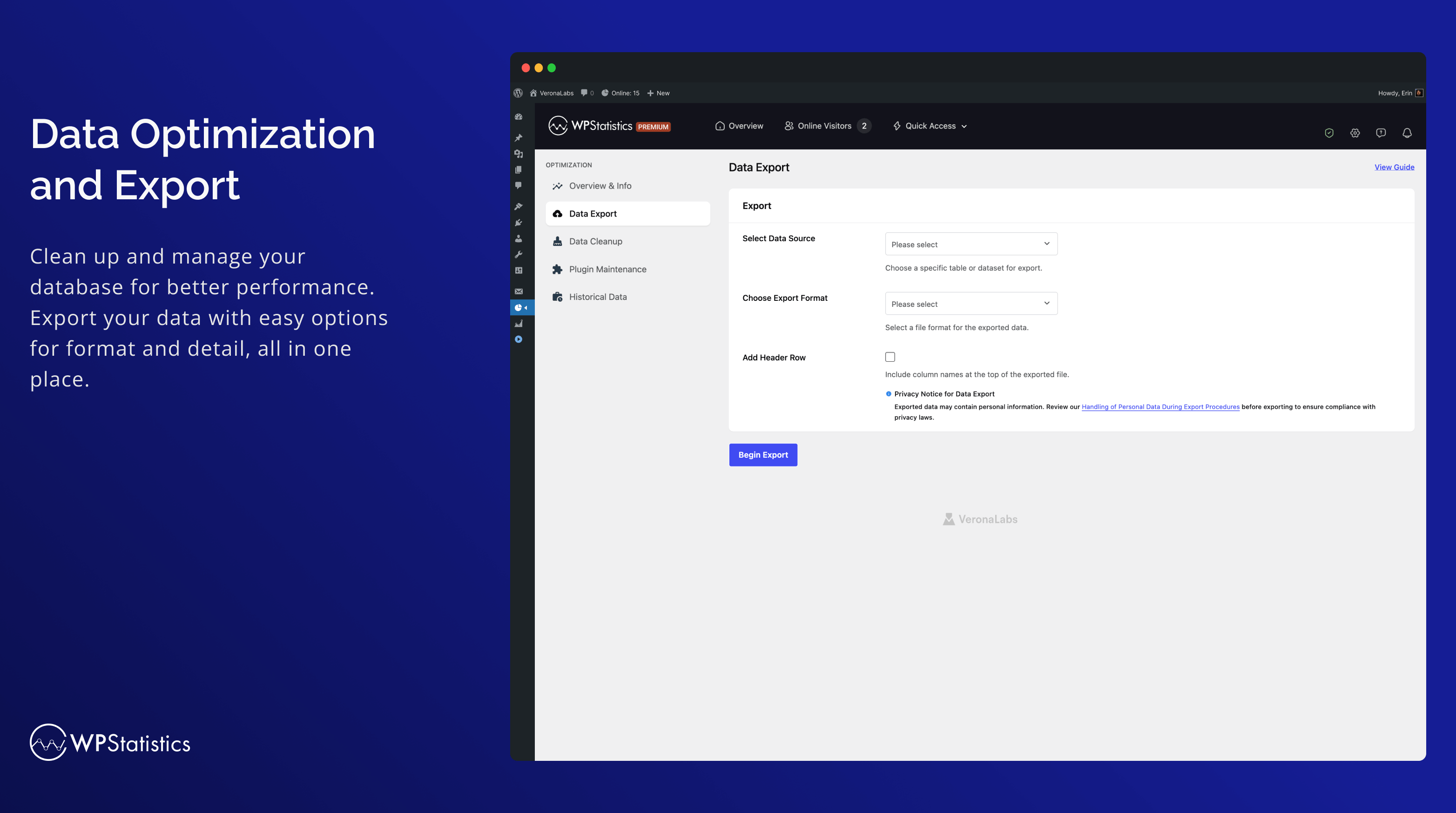
- GDPR에 따른 데이터 내보내기 및 삭제 기능
- Do Not Track (DNT) 설정으로 사용자 개인정보 보호 존중
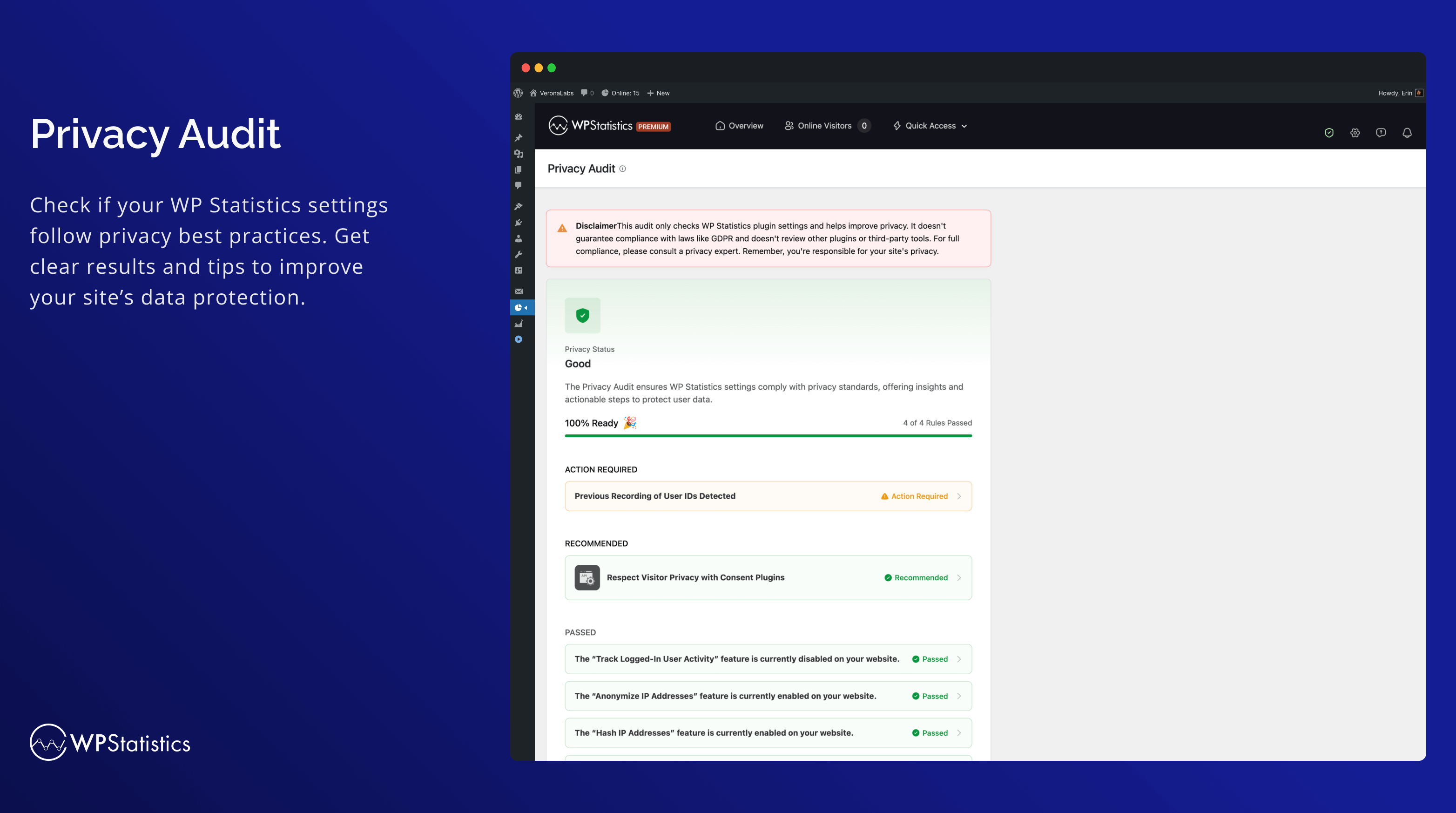
- 개인정보 보호법 준수를 위한 개인정보 감사 도구
Your site won’t need to have a cookie popup since WP Statistics uses cookie-less tracking.
You can find more information in “What we collect“.
주요 기능
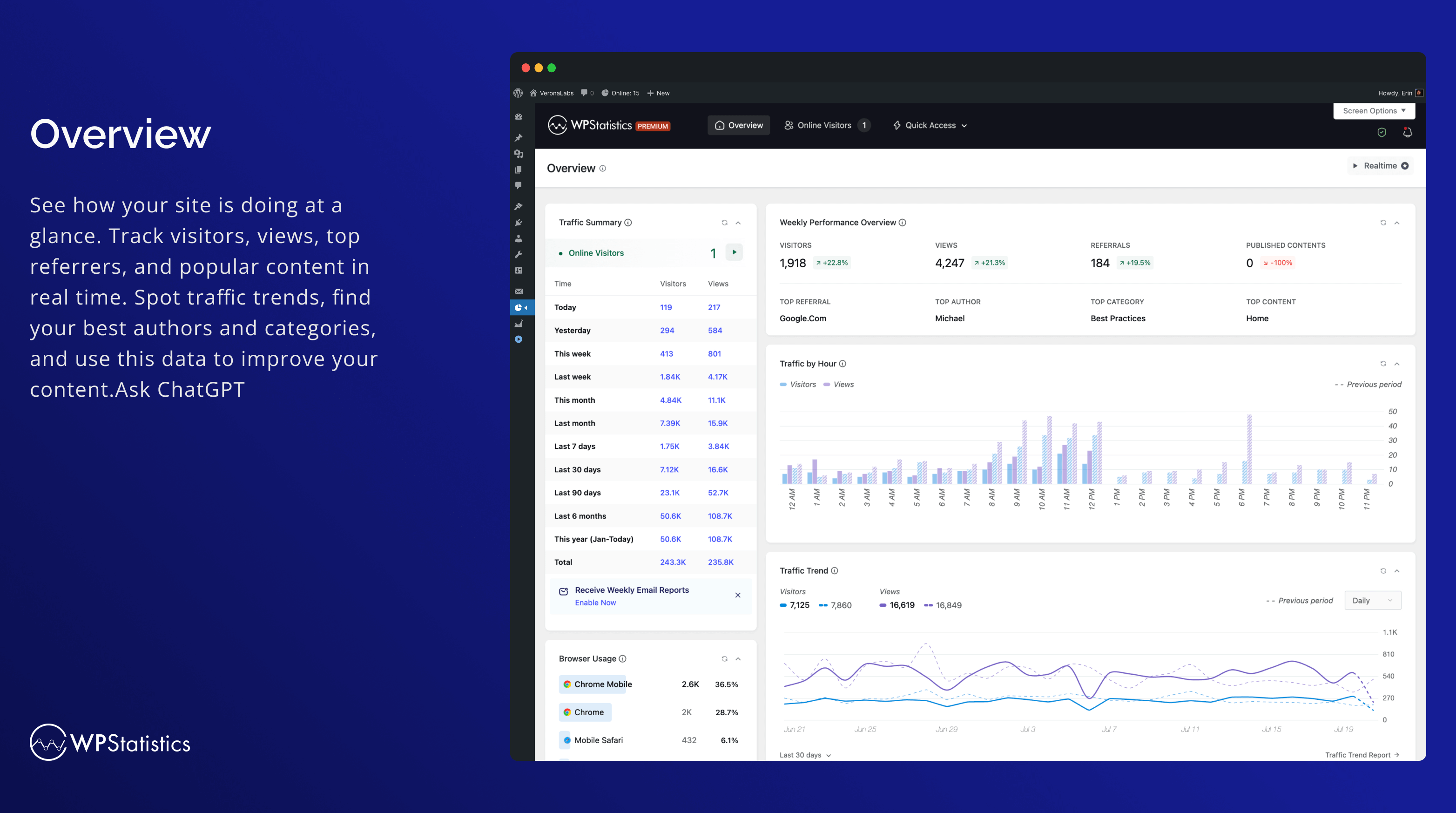
- WordPress 및 콘텐츠 구조와 완전 통합되어 모든 보고서를 WP 대시보드에서 확인할 수 있습니다.
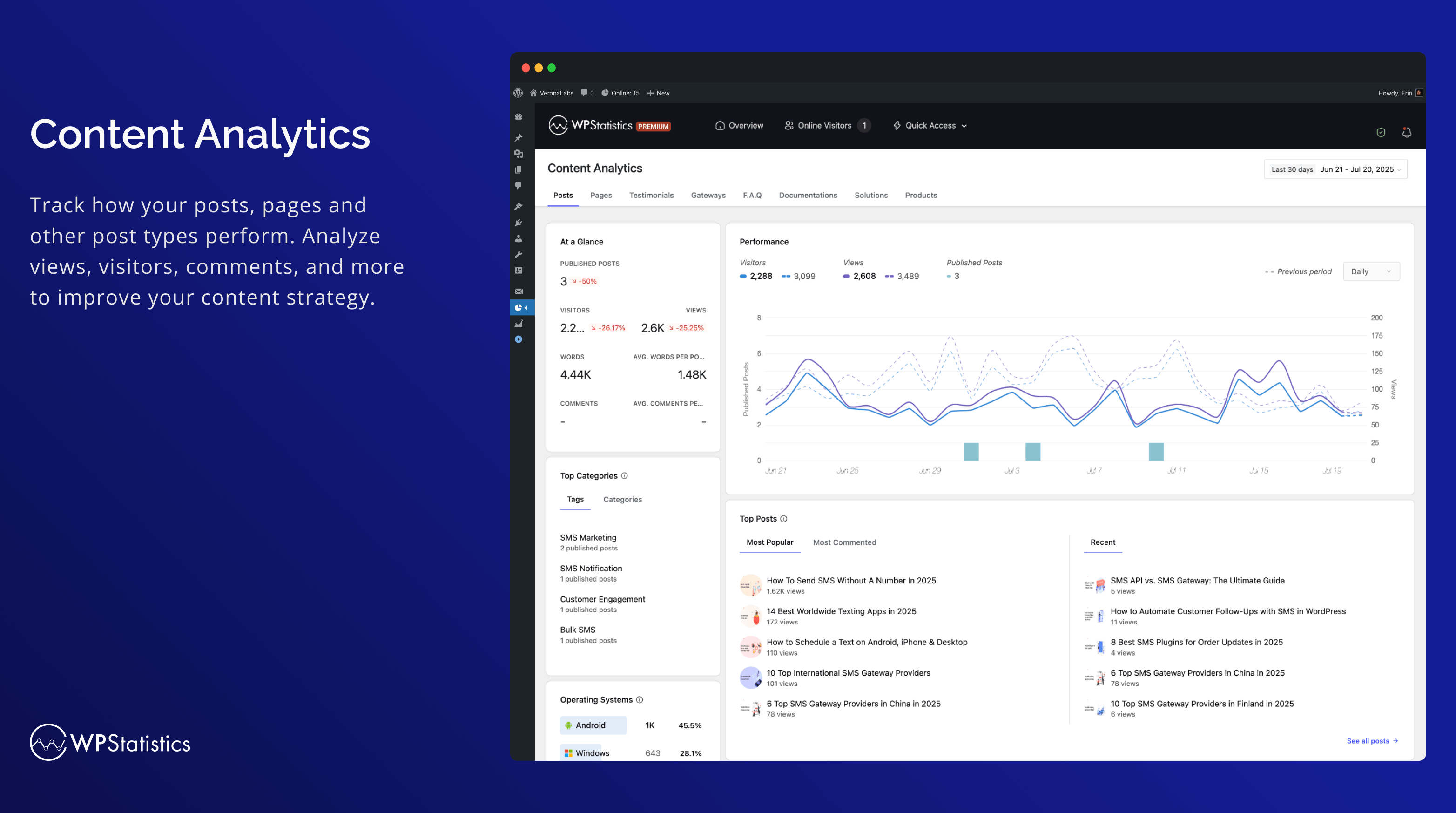
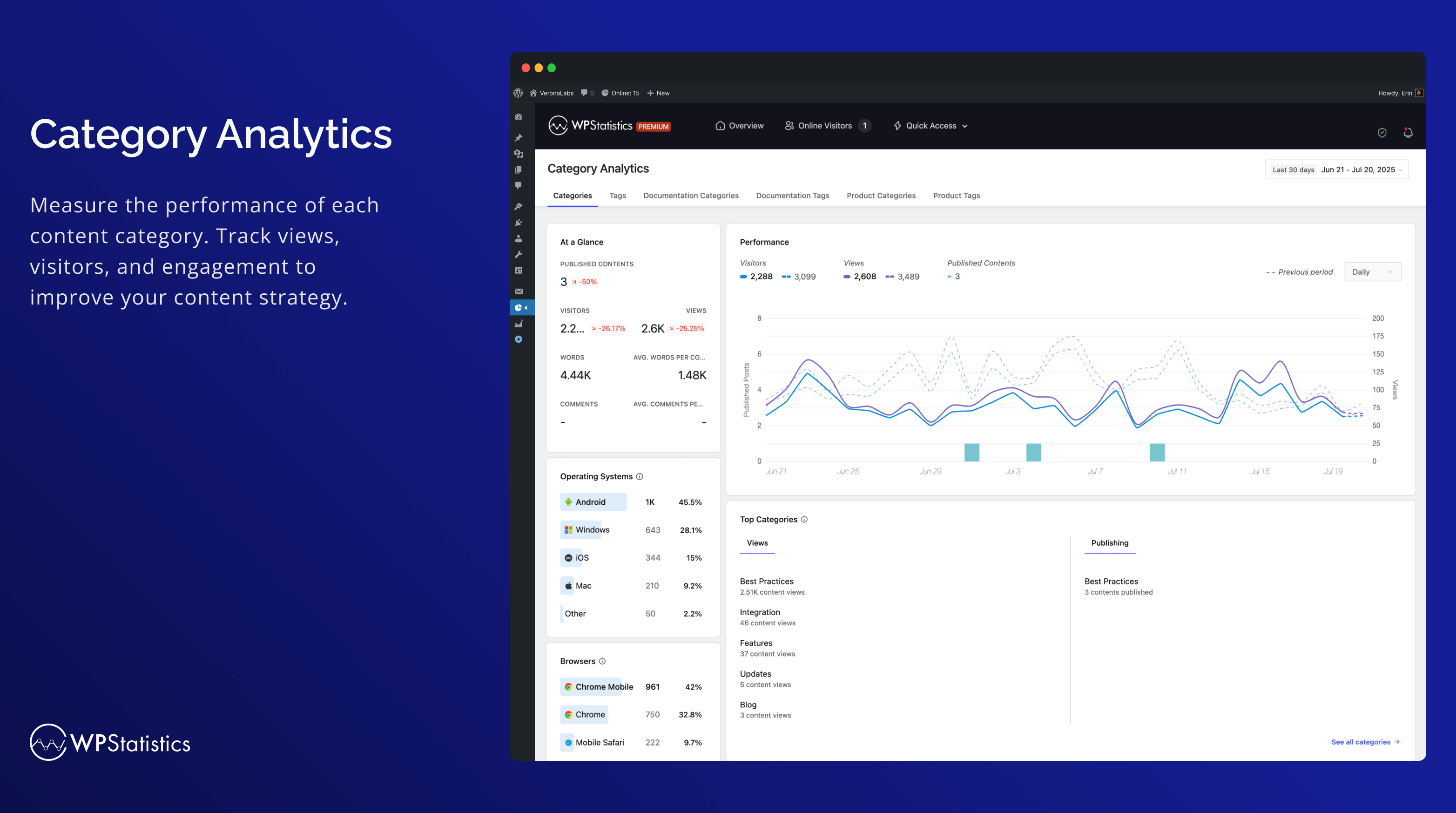
- 콘텐츠 및 카테고리 분석: 사이트의 콘텐츠와 카테고리를 기반으로 성과를 추적합니다.
- 간단한 분석 대시보드
- Bounce Rate Tracking: See your site-wide bounce rate in Visitor Insights and per-page bounce rate in the Entry Pages report, so you can spot pages that lose visitors after a single page view.
- 설치가 매우 간편합니다. 코딩이나 전문 지식이 필요 없습니다.
- 다양한 데이터 보호 법규를 준수하면서 필요에 맞게 사용자 정의할 수 있는 고급 데이터 개인 정보 보호 설정
- 캠페인 분석을 위해 UTM을 포함한 URL 매개변수를 추적합니다.
- With configurable settings, manage large amounts of data on high-traffic websites
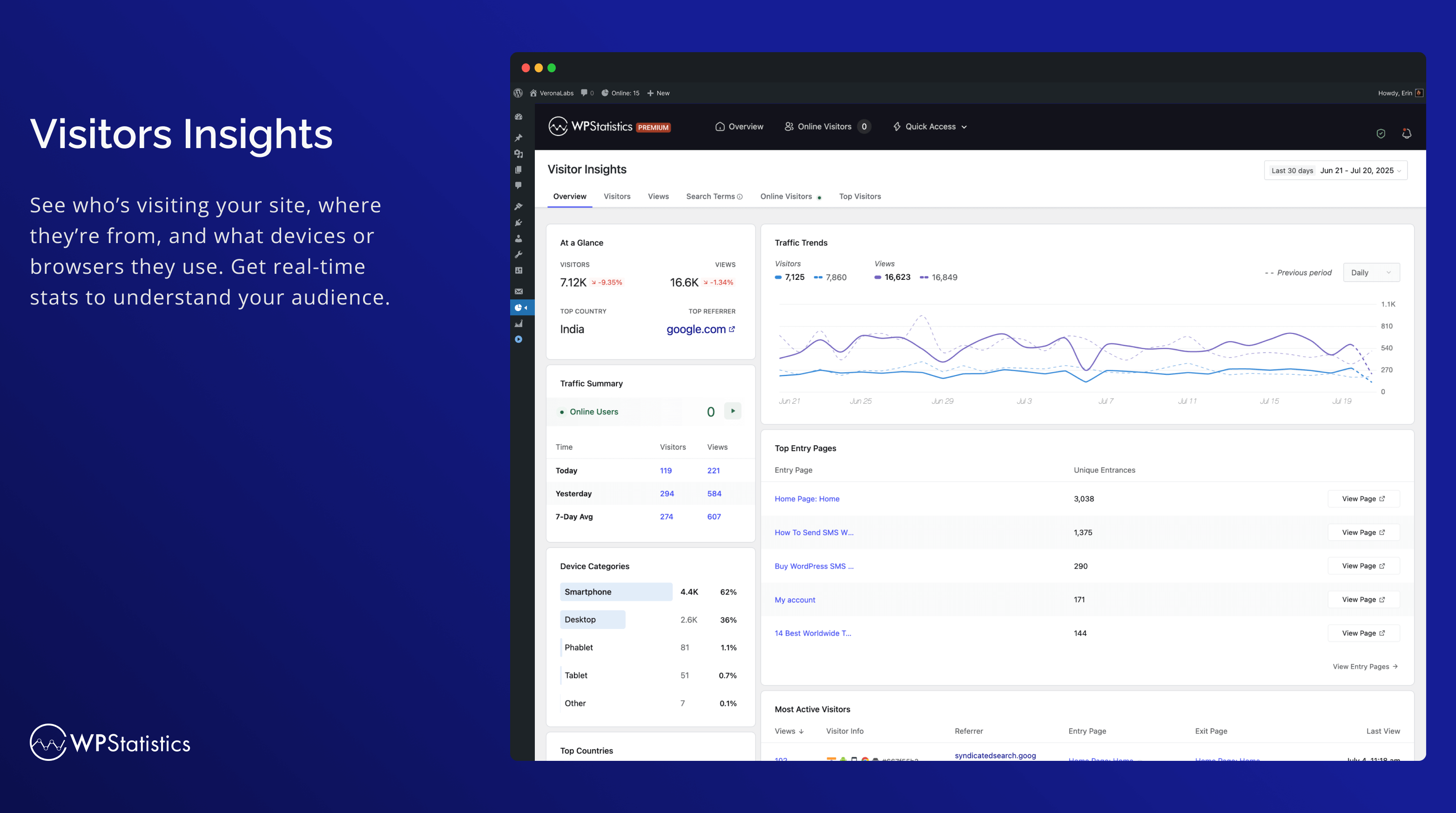
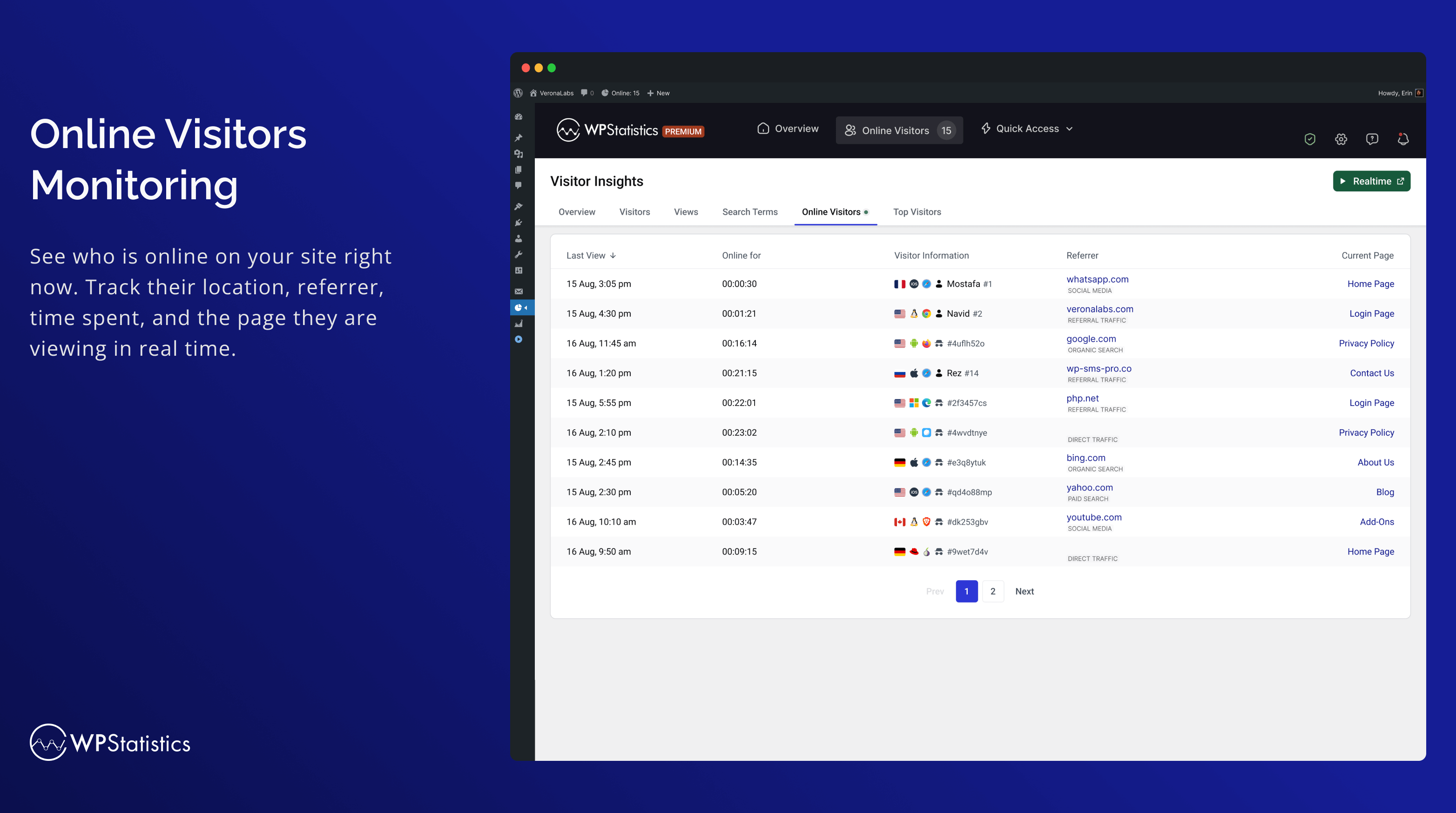
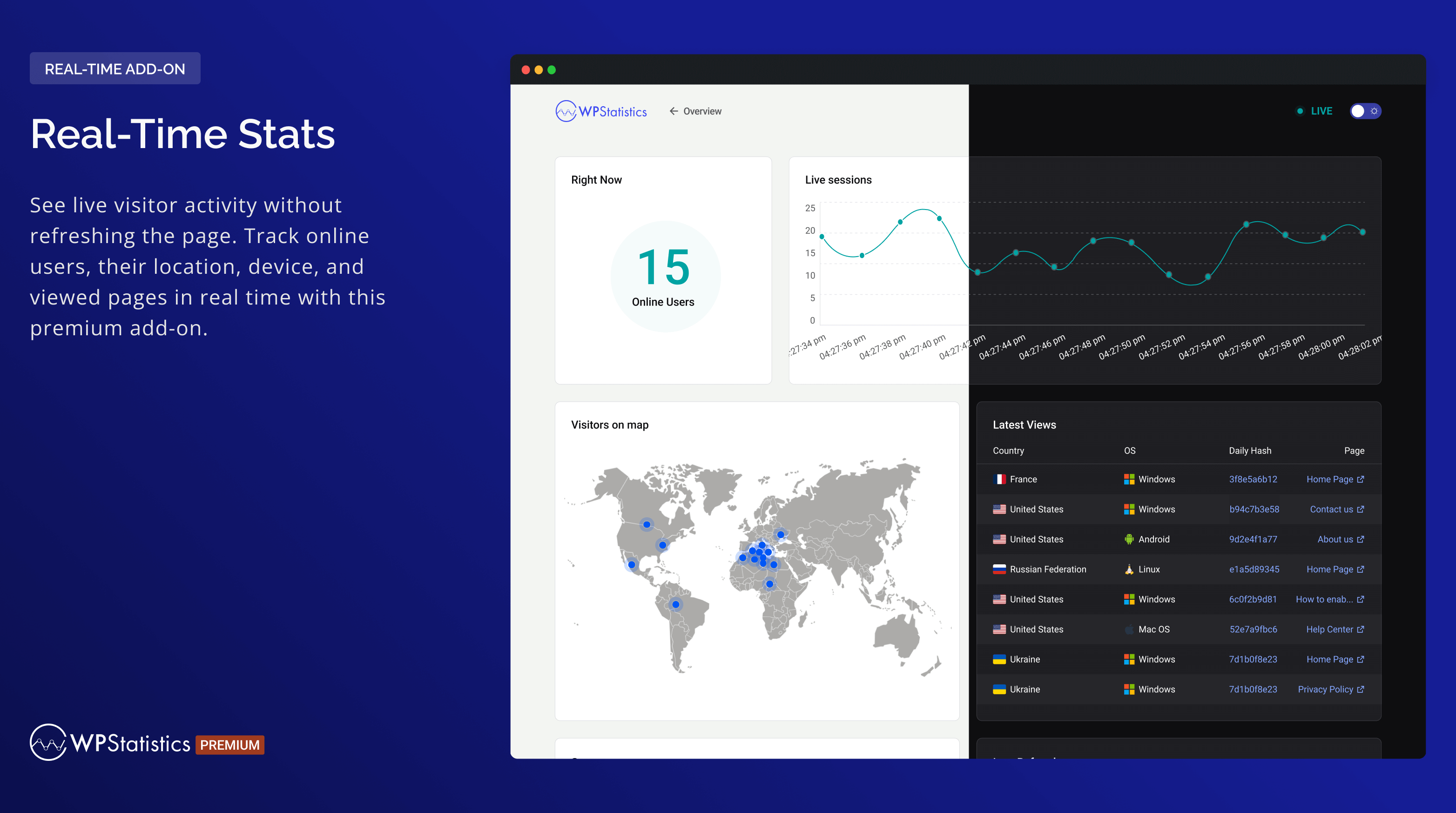
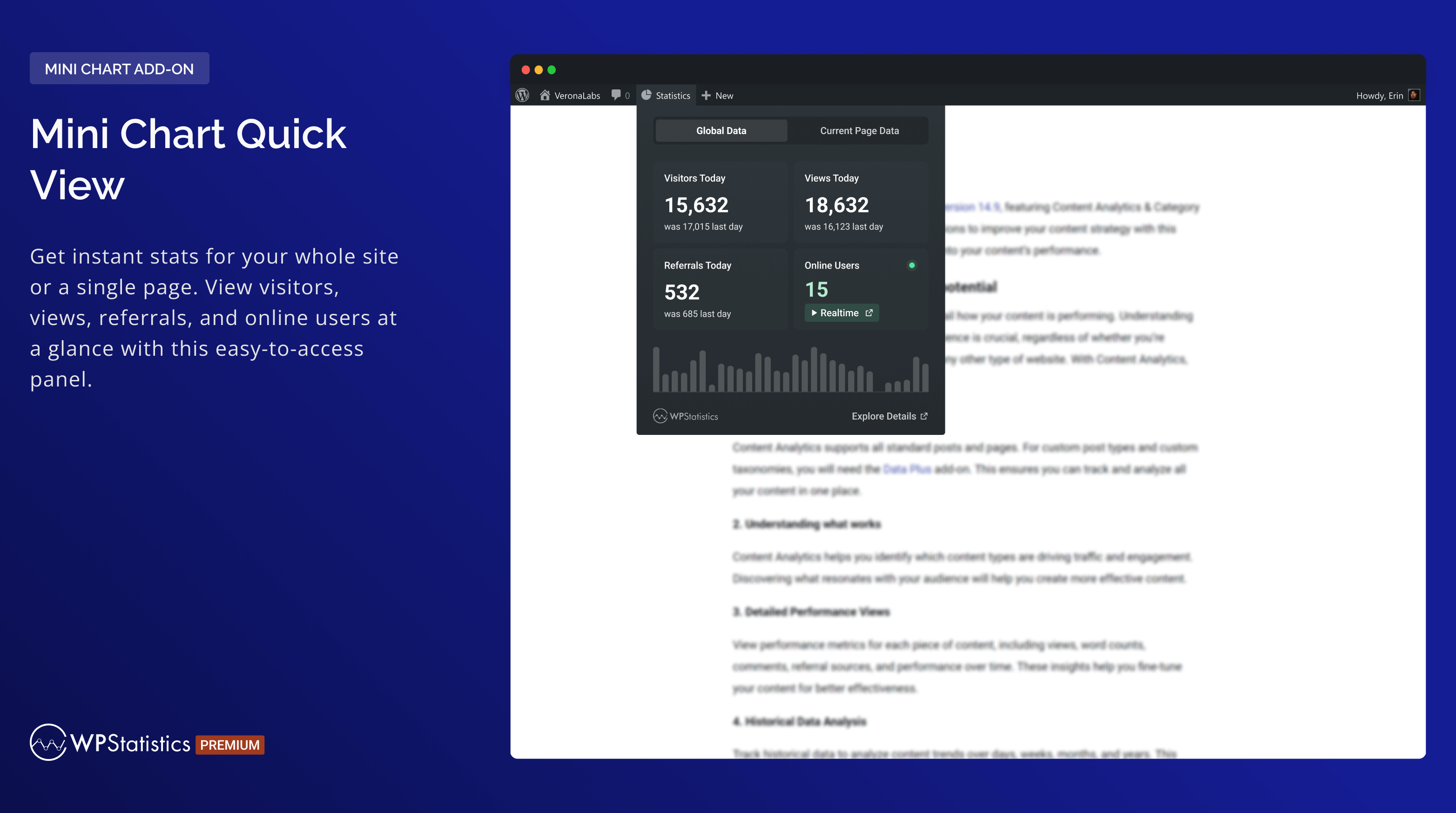
- Monitor live online user traffic in real-time
- Fully customized overview dashboard page
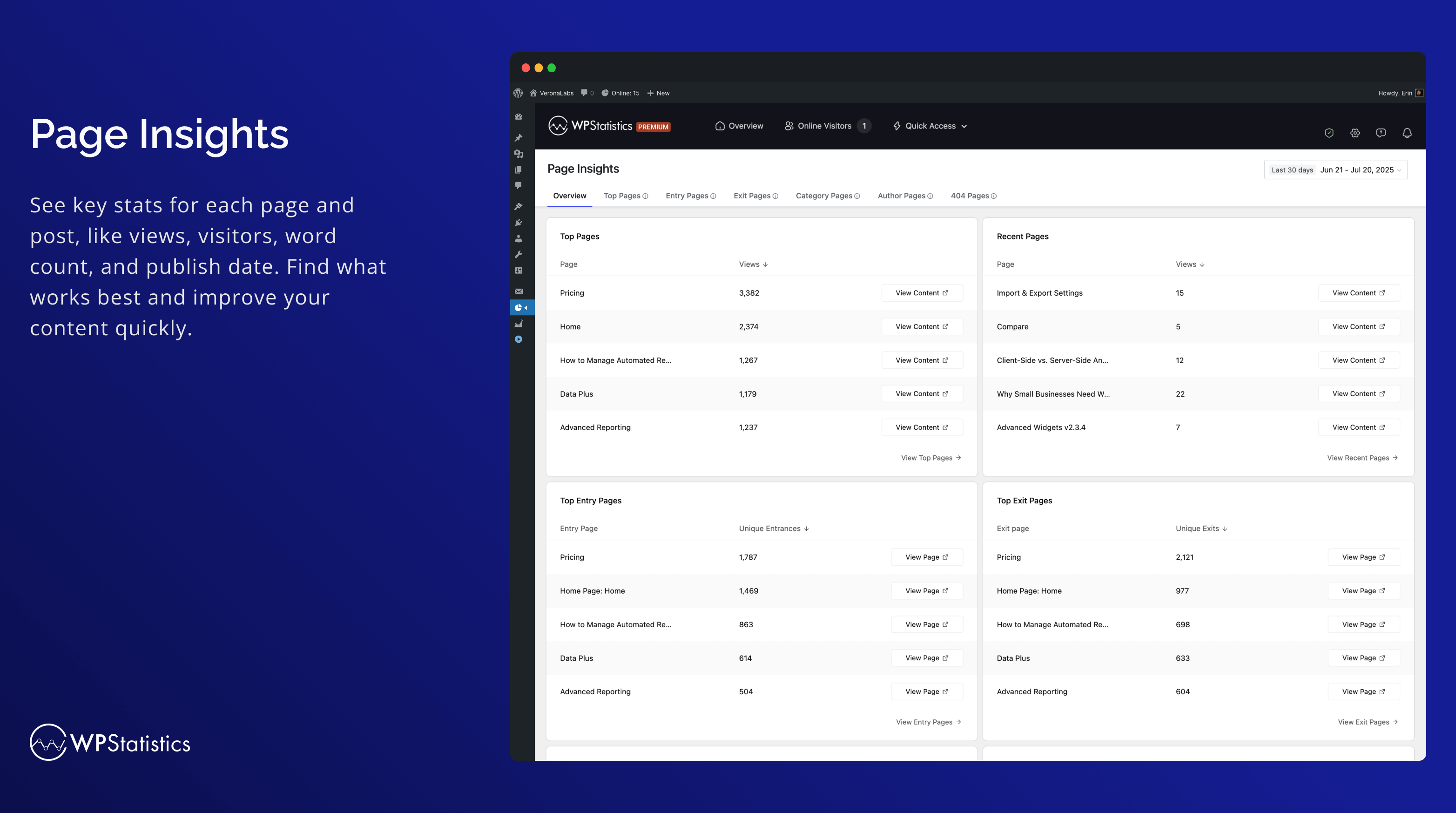
- Shows your most popular posts and pages
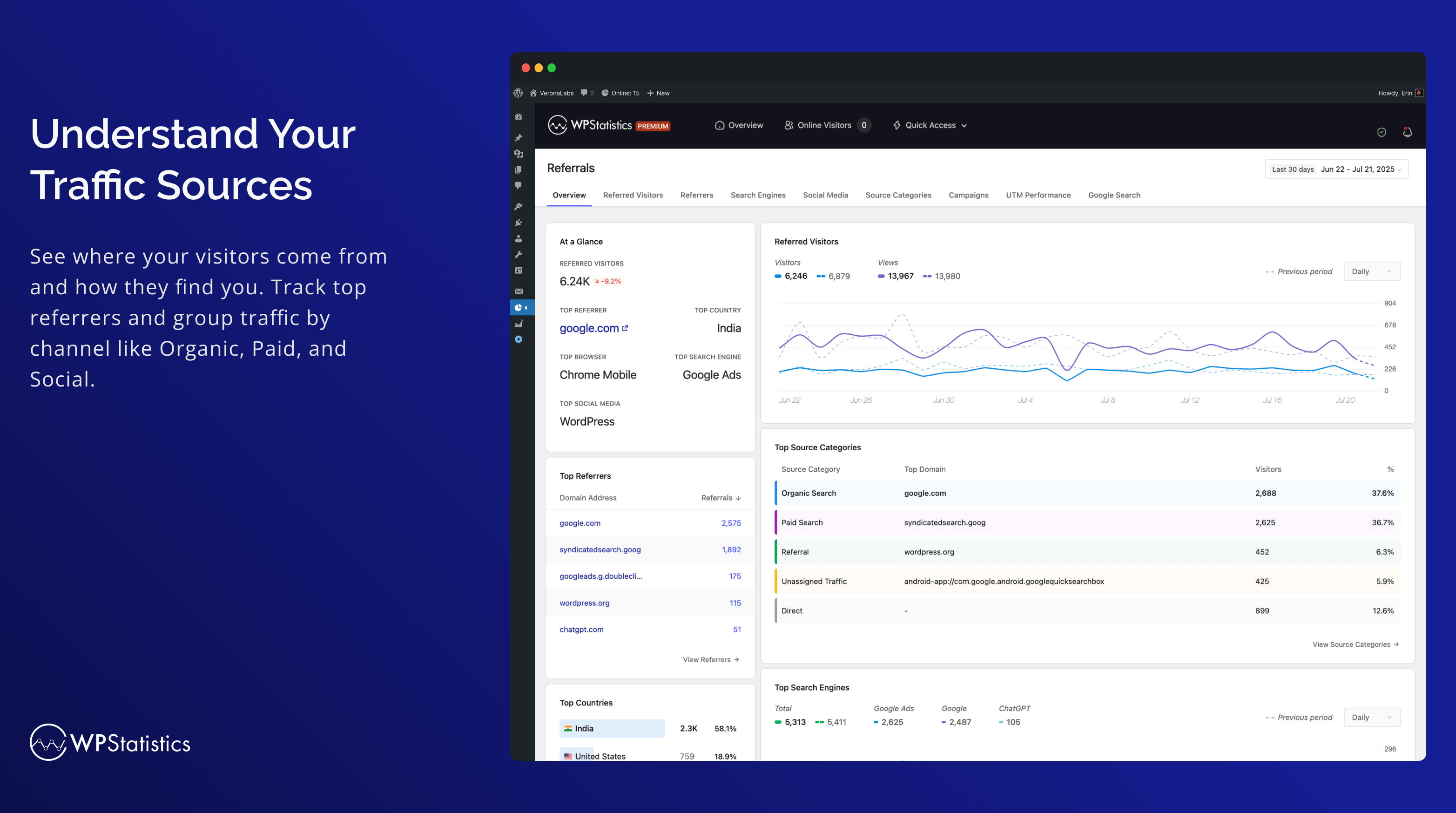
- Referrals Tracking: Track and analyze referrals with five reports: Referred Visitors, Referrers, Search Engines, Social Media, and Source Categories. The new Source Categories report includes support for Organic Search, Paid Search, Organic Social, Paid Social, and more.
- Lists your top referral sources such as search engines
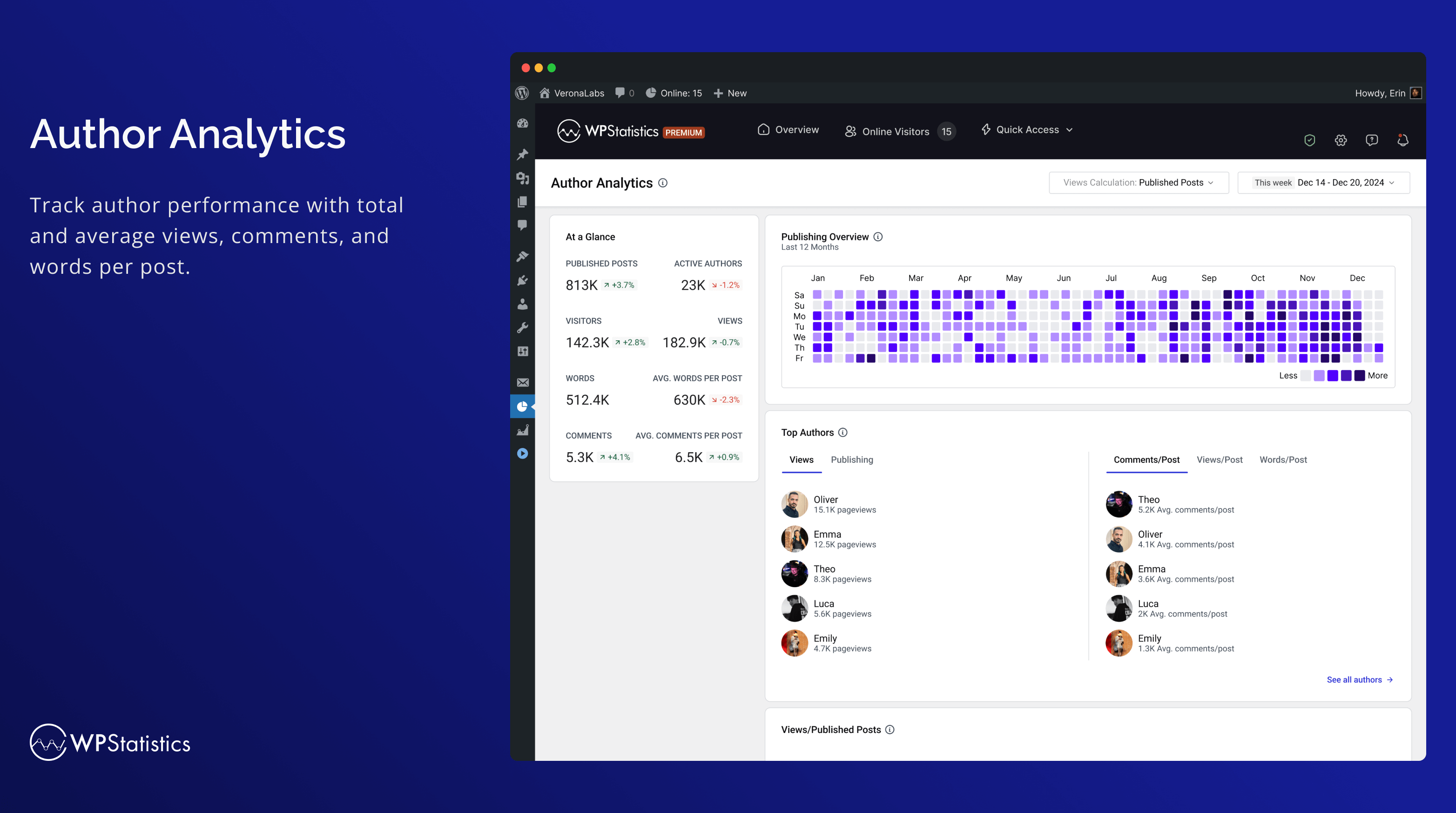
- 작성자 분석: 작성자의 성과를 측정합니다.
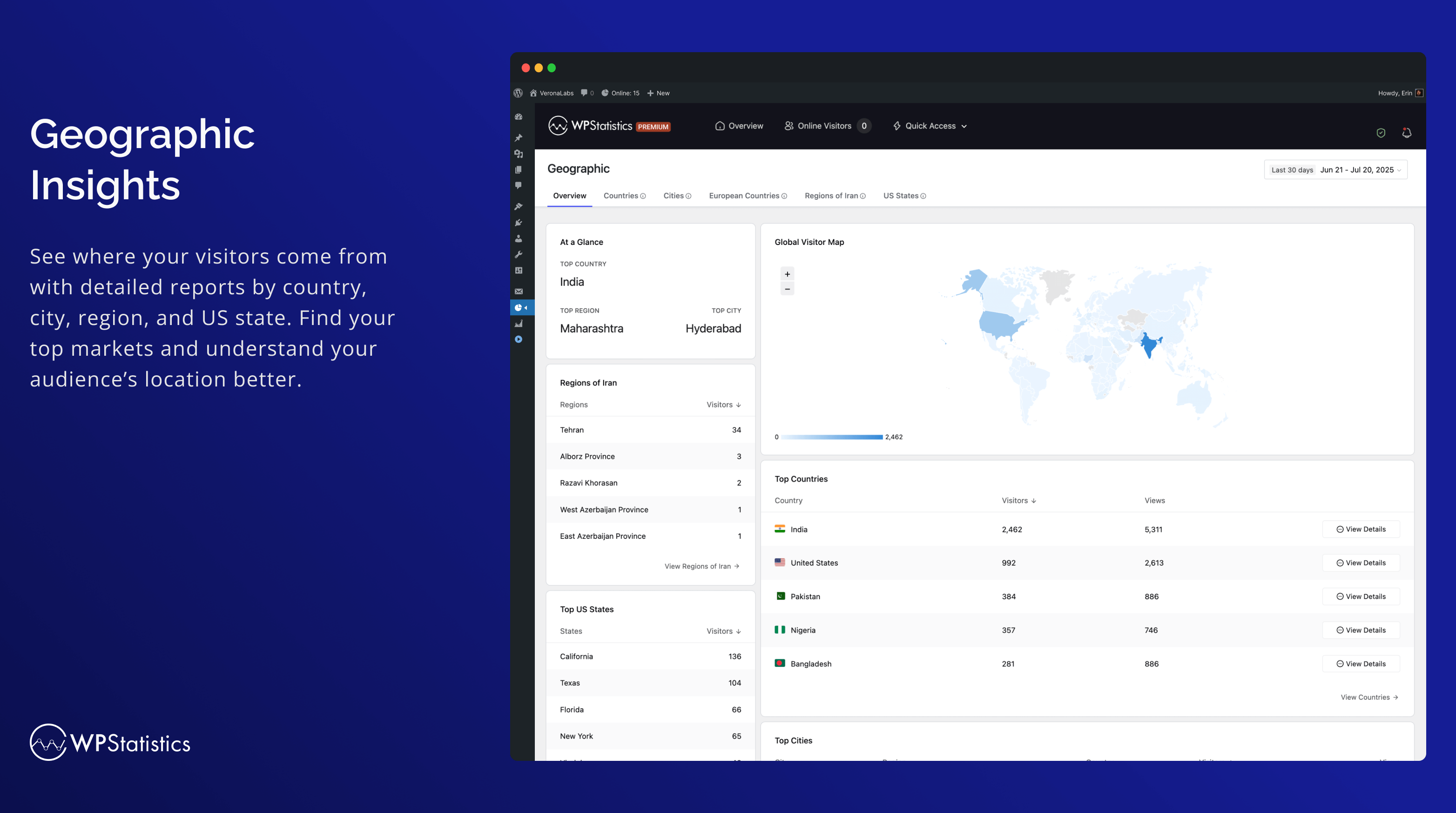
- 지리적 보고서: 국가, 도시, 유럽 국가들, 미국 주 및 귀하의 국가 내 지역을 포함한 위치 기반 분석을 제공합니다.
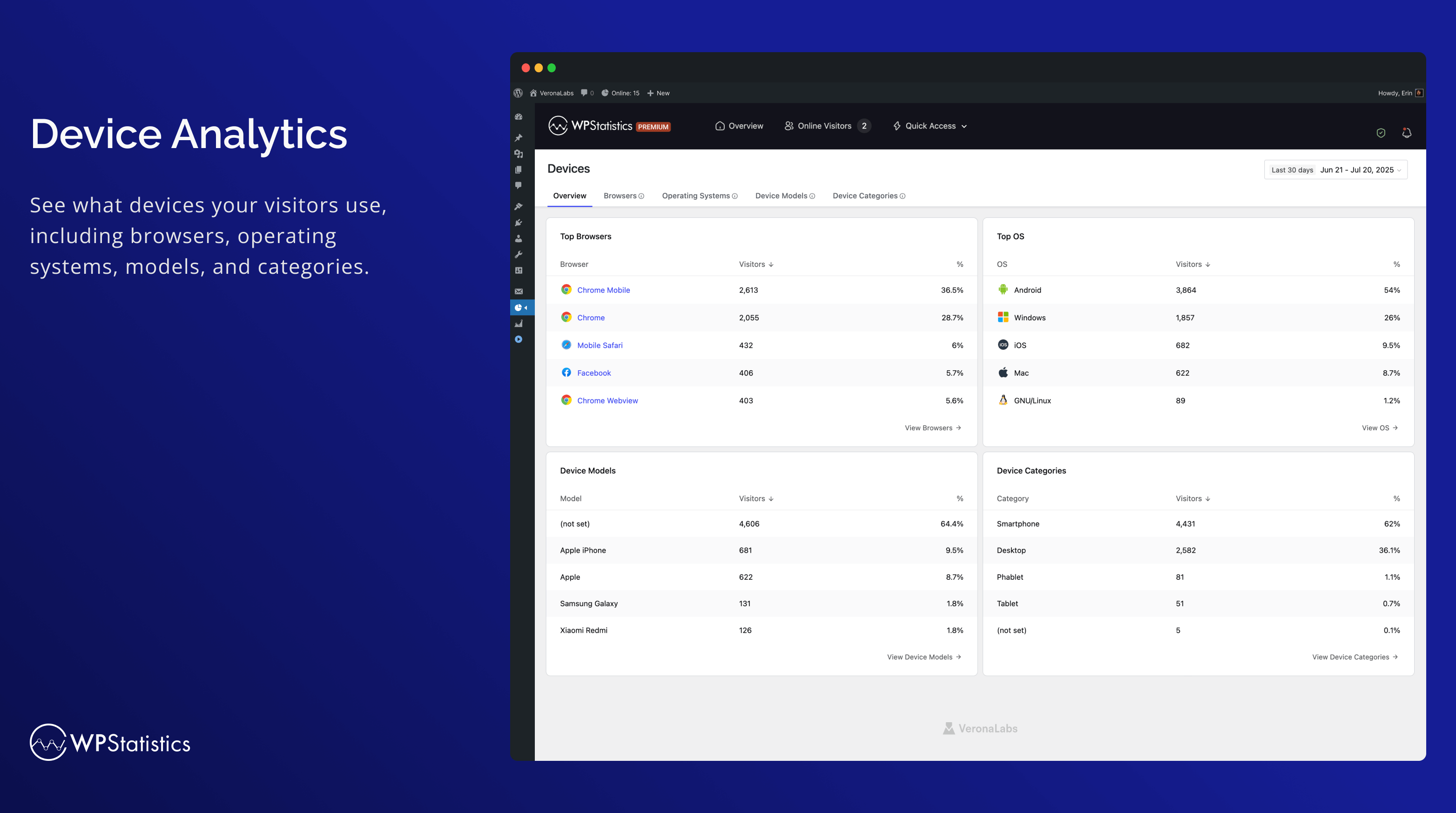
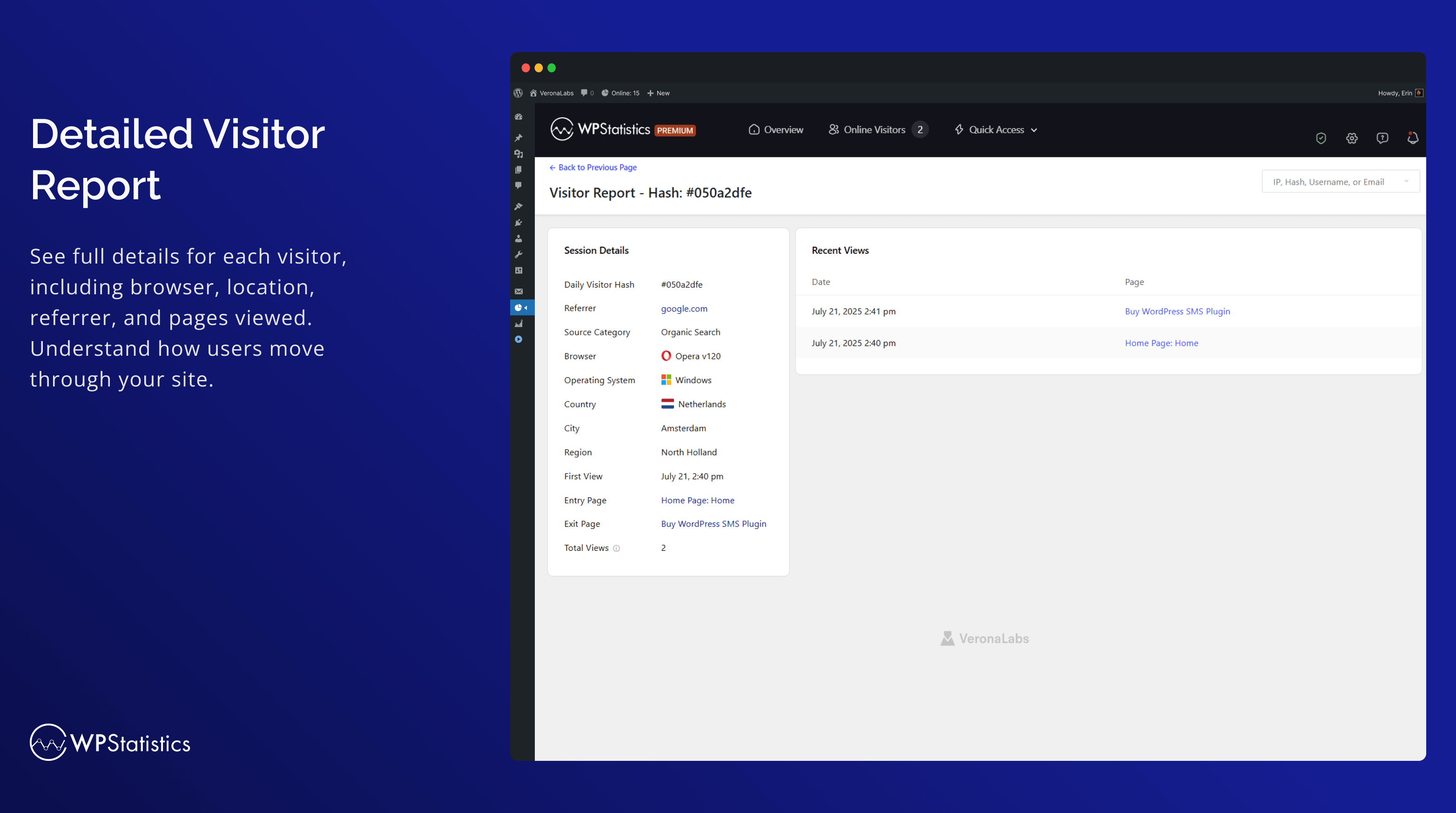
- 기기 보고서: 브라우저, 운영체제, 기기 카테고리 및 기기 모델을 포함한 상세한 기기별 분석을 제공합니다.
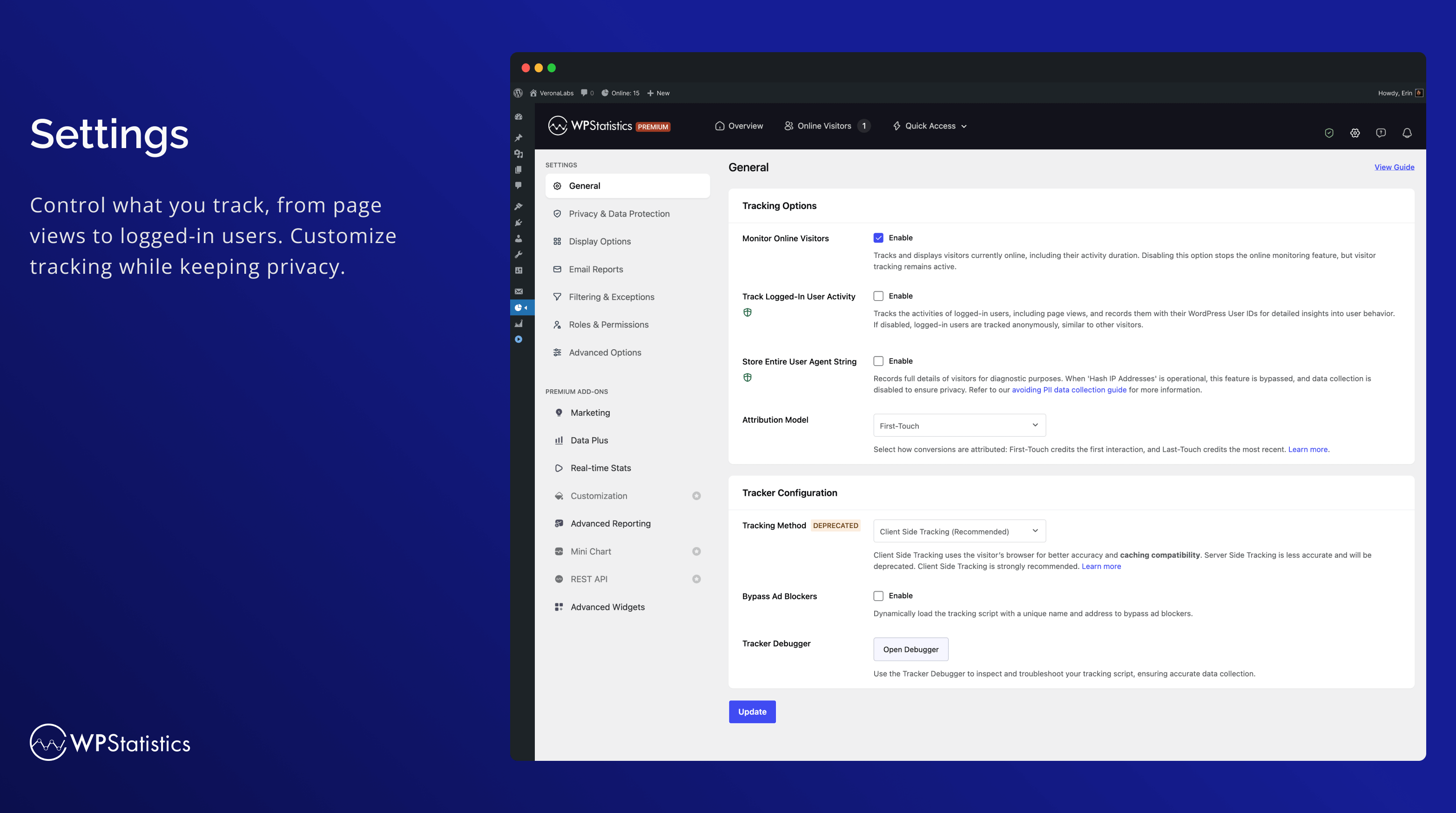
- 광고 차단기 우회: 고유한 이름과 주소로 추적 스크립트를 동적으로 로드하여 광고 차단기를 우회합니다.
- WP 동의 API와 통합: Complianz 및 Cookiebot과 같은 동의 플러그인과의 호환성을 보장합니다.
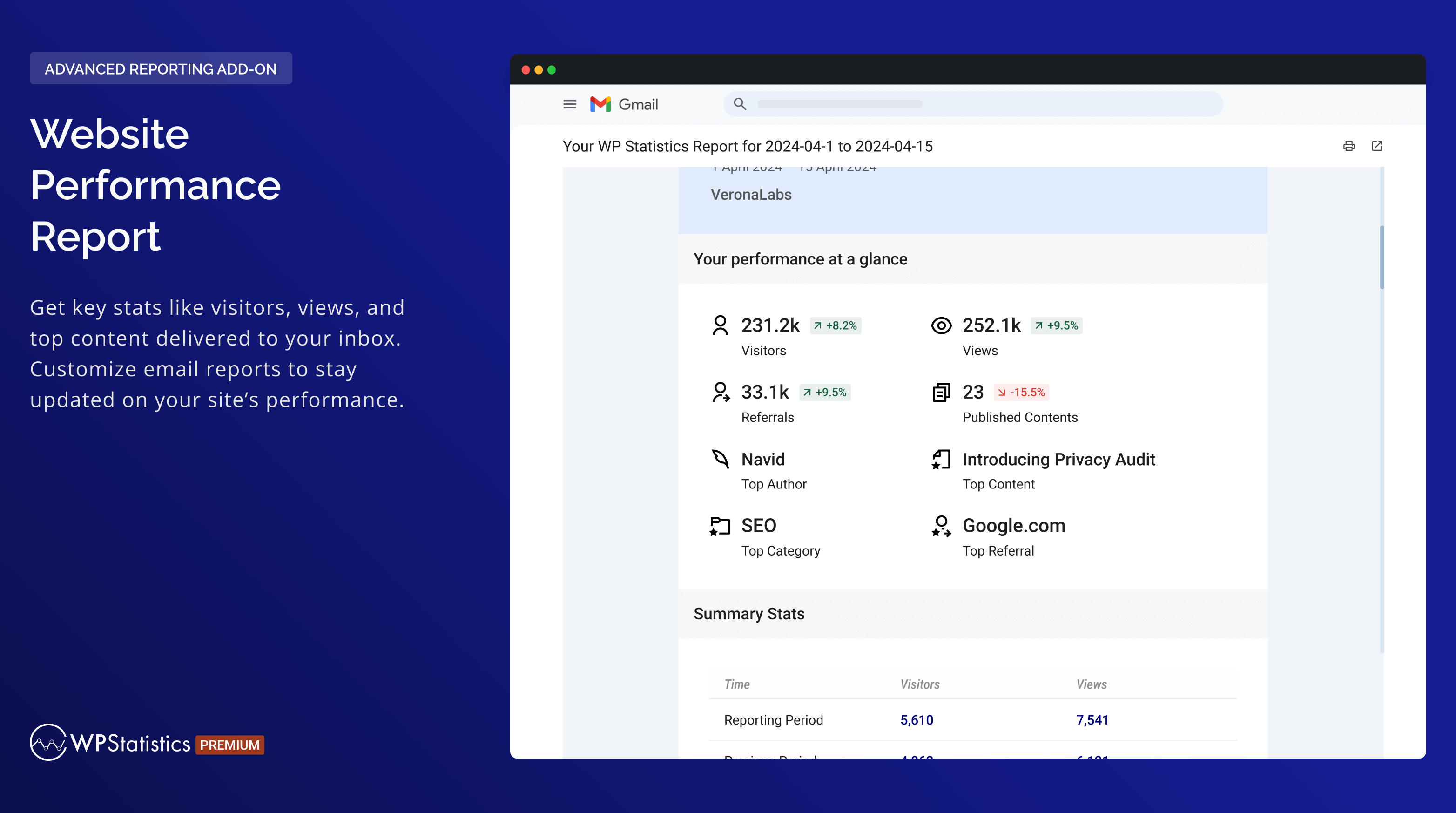
- Email reports with customizable content
- Customize role-based access to view analytics and modify settings.
- Advanced Filtering & Exceptions: By user roles, IPs, countries, URLs, and more.
- 프리미엄 애드온: Data Plus
- Custom Post Type Tracking: DataPlus extends WP Statistics’ tracking to include all custom post types in addition to Posts and Pages.
- Custom Taxonomy Analytics: In addition to monitoring default taxonomies like Categories and Tags, DataPlus also tracks custom taxonomies.
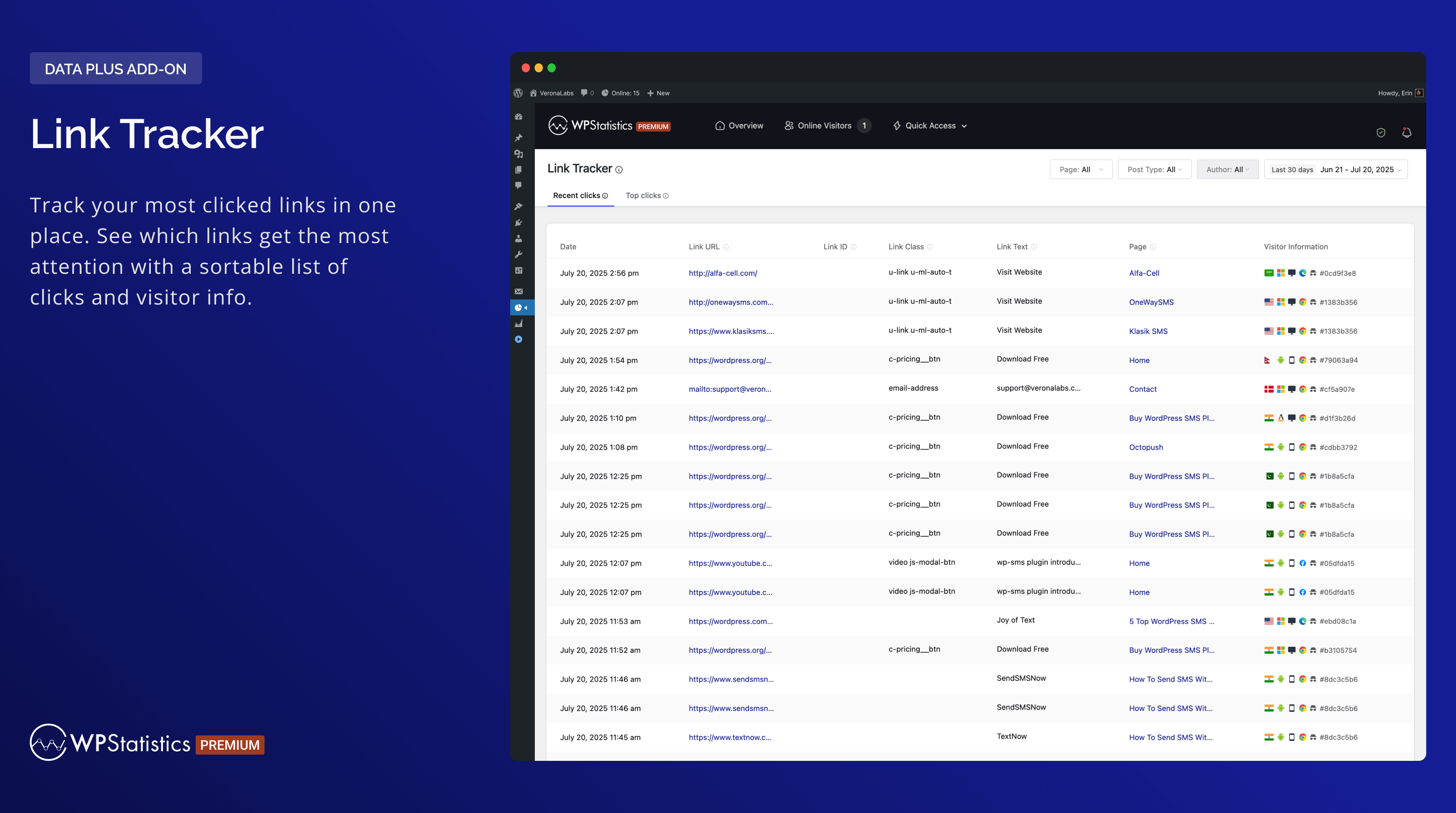
- Link Tracker: Find out which outbound links your audience clicks on, giving you insights into their preferences and behaviors.
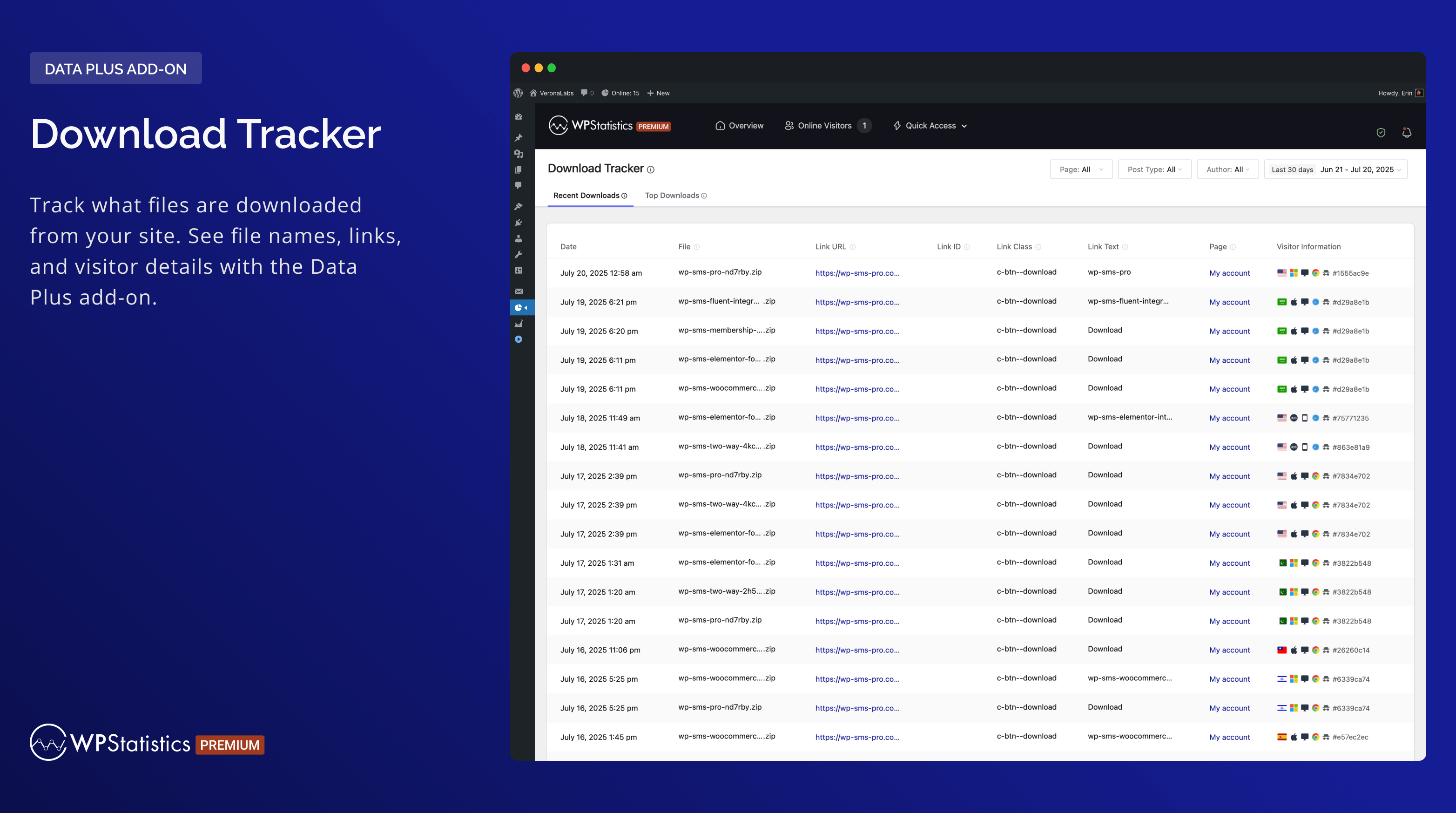
- Download Tracker: Keep track of what’s being downloaded, who’s downloading it, and when.
- Individual Author Performance: Detailed metrics on the performance of individual authors.
- Detailed Analytics for Each Country: In-depth analytics for each country to enhance geographical reporting.
- And more!
- Premium Add-on: Marketing
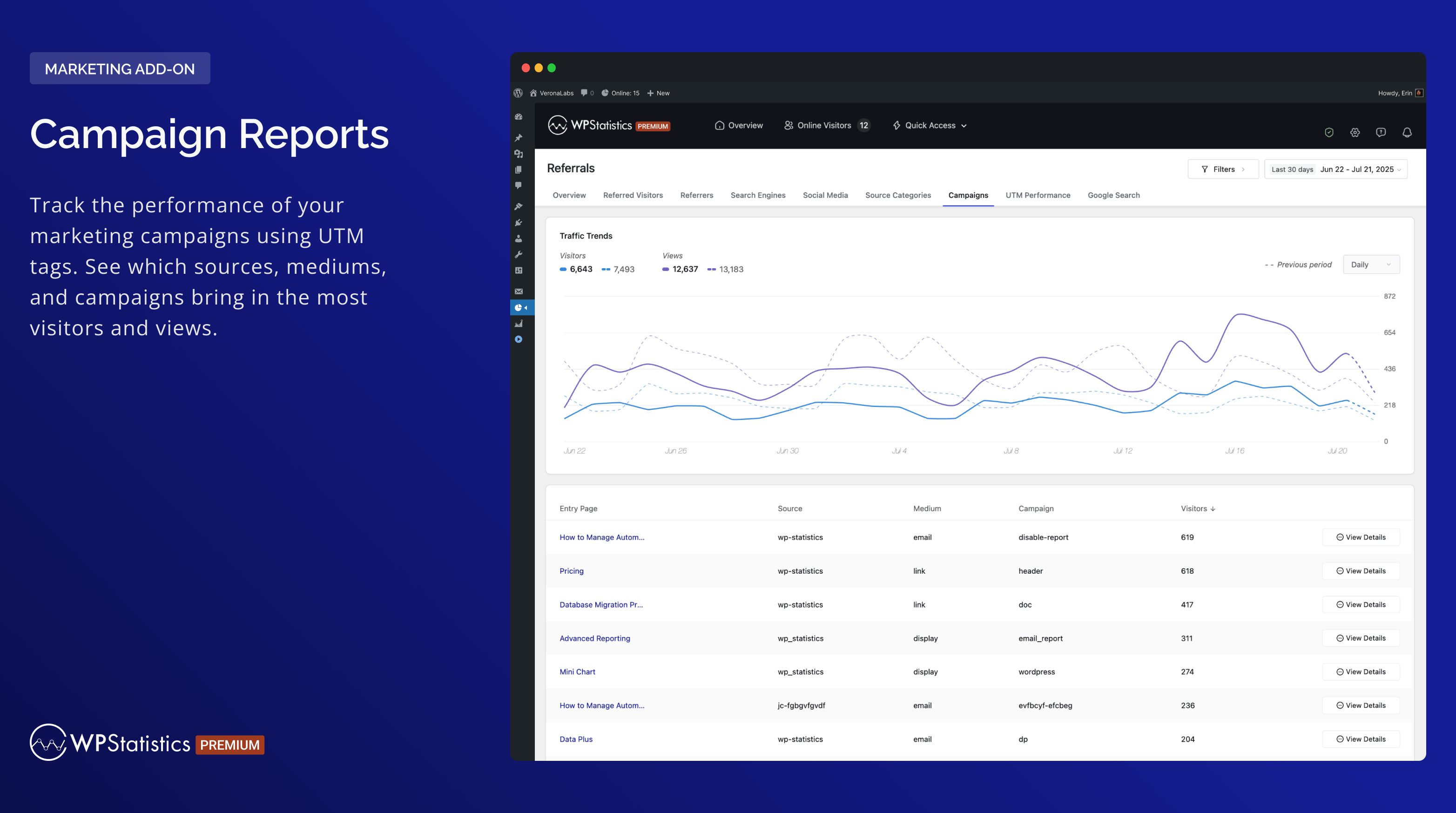
- Campaign Analytics: Track UTM-tagged links and see which campaigns drive the most visitors.
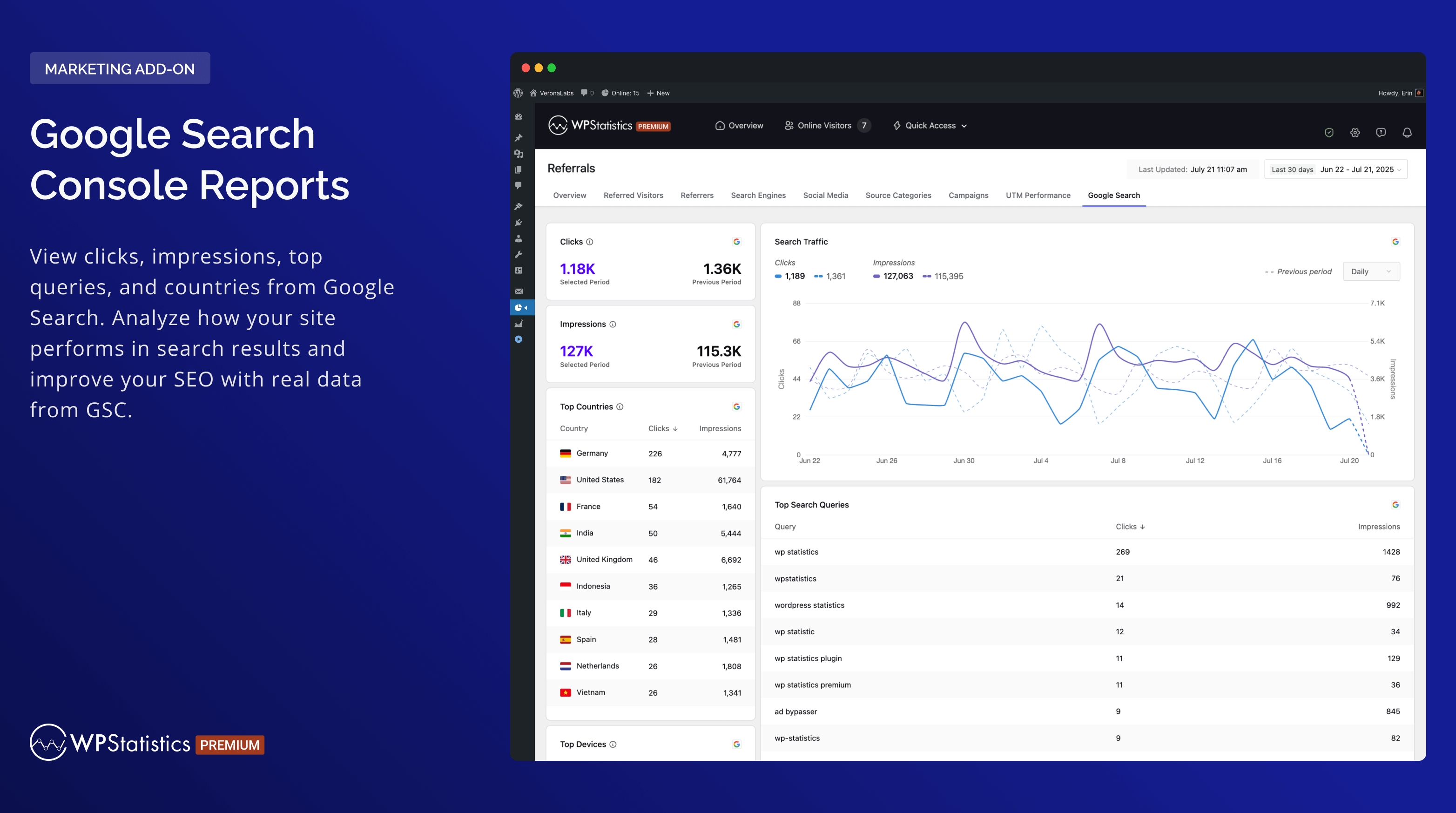
- Google Search Console Integration: Monitor impressions, clicks, and queries.
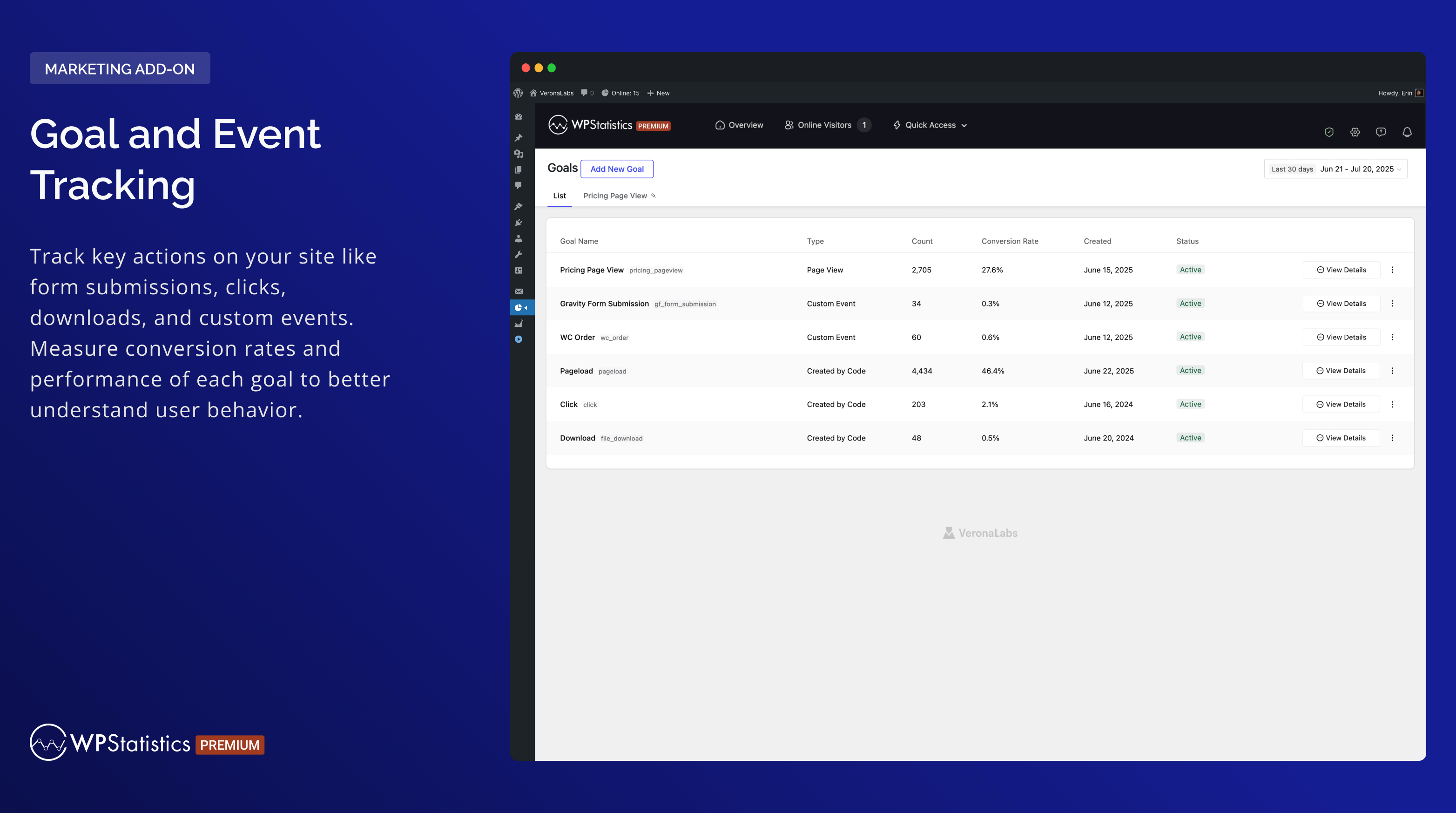
- Custom Event Tracking: Create goals based on clicks, pageviews, or events and monitor conversions.
- Built-in UTM Link Builder: Generate and validate campaign URLs inside your dashboard.
WP Statistics 프리미엄 추가 기능을 사용하여 웹사이트 분석을 최대한 활용하세요
Data Plus, Advanced Reporting, Real-Time Stats, Mini Chart, Marketing 및 기타 다양한 프리미엄 추가 기능으로 분석 도구를 업그레이드하세요. 이러한 강력한 도구를 통해 정보에 입각한 결정을 내리는 것이 더 쉬워집니다.
Special Offer: Save up to 60% on all premium features when you purchase WP Statistics Premium.
버그 신고
Having trouble with a bug? Please create an issue on GitHub. Kindly note that GitHub is exclusively for bug reports; other inquiries will be closed.
For security vulnerabilities, please report them through the Patchstack Vulnerability Disclosure Program. The Patchstack team will validate, triage, and handle any security issues.
스크린샷
설치
wp-statistics를/wp-content/plugins/디렉터리에 업로드합니다.- WordPress의 ‘플러그인’ 메뉴를 통해 플러그인을 활성화합니다.
- WordPress에서 날짜와 시간이 정확하게 설정되었는지 확인합니다.
- 플러그인 설정 페이지로 이동하여 필요에 따라 구성합니다 (첫 실행 시 GeoIP 데이터베이스 다운로드도 포함됩니다).
FAQ
-
Who should use WP Statistics?
-
WP Statistics는 WordPress 사이트의 트래픽을 추적하고 이해하고자 하는 웹사이트 소유주, 블로거, 마케터 및 분석가를 위해 설계되었습니다. 전문가에게는 강력하면서도 초보자에게도 쉽게 접근할 수 있습니다.
-
Is technical knowledge required to operate WP Statistics?
-
아니요, WP Statistics는 단순함에 초점을 맞춥니다. 코딩 기술 없이도 사용할 수 있으며, WordPress 대시보드에서 바로 설치하고 사용할 수 있습니다.
-
Will WP Statistics affect my site’s performance?
-
WP Statistics를 사용하면 사이트의 로딩 시간이 빠르게 유지됩니다. “최적화” 설정 페이지를 통해 트래픽이 많은 사이트의 데이터 처리 방식을 세밀하게 조정하여 성능을 최적화할 수 있는 도구를 제공합니다.
-
Is it GDPR compliant?
-
예, WP Statistics는 기본적으로 GDPR을 준수합니다. “우리가 수집하는 내용“에서 자세한 정보를 확인할 수 있습니다.
-
Are individual page analytics available?
-
모든 게시글, 페이지 및 맞춤형 게시물 유형이 상세하게 추적됩니다.
-
캐싱 및 CDN과 호환되나요?
-
WP Statistics는 모든 캐싱 플러그인과 CDN과 완벽하게 호환됩니다.
-
로그인한 사용자가 추적되나요?
-
기본적으로는 아니지만, 설정 페이지에서 로그인한 사용자의 추적을 활성화할 수 있습니다.
-
WP Statistics와 Google Analytics를 동시에 사용해도 되나요?
-
예, 두 가지를 동시에 실행해도 아무런 문제가 없습니다.
-
봇 방문이 집계되나요?
-
최적의 실천 방법을 사용하여 봇 방문을 필터링합니다. Google Analytics와 비교했을 때, 귀하의 조회 수와 방문자는 매우 유사합니다. “데이터 정확도 향상” 문서는 봇을 더욱 효과적으로 제거하는 방법을 안내합니다.
-
Does WP Statistics show bounce rate?
-
Yes. WP Statistics reports your site-wide bounce rate in Visitor Insights and a bounce rate for each entry page. Bounce rate is the share of visits that recorded a single page view, where a visit is one visitor on one day. No Google Analytics account is needed.
-
데이터를 내보낼 수 있나요?
-
데이터는 백업이나 보고 목적으로 XML, CSV 또는 TSV 파일로 내보낼 수 있습니다.
-
멀티 사이트 지원이 있나요?
-
WP Statistics는 WordPress 멀티 사이트/네트워크 설치를 지원합니다. 네트워크 관리자 페이지에서 각 서브사이트의 통합 또는 별도의 분석 데이터를 확인할 수 있습니다.
후기


기여자 & 개발자
“WP Statistics – 간단하고 개인정보 친화적인 Google Analytics 대안”(은)는 오픈 소스 소프트웨어입니다. 다음의 사람들이 이 플러그인에 기여하였습니다.
기여자


변경이력
14.16.15 – 2026-10-01
- Enhancement: Hardened URL escaping in the filter dropdowns of the Referrals and Author Analytics reports.
- Enhancement: Removed the unused
tracker.min.jsfile. The tracker loadsjs/tracker.js.
14.16.14 – 2026-09-19
- Enhancement: DuckDuckGo noai, html, lite and start endpoints now count as DuckDuckGo search traffic (issue #1142).
- Enhancement: Hardened link escaping in admin reports.
- Fix: Taxonomy archive views are now attributed correctly when term and taxonomy IDs differ (issue #1139).
- Fix: Fewer repeated licence API requests after a refusal (issue #1123).
14.16.13 – 2026-09-05
- Fix: Corrected report links in Category Analytics.
- Fix: Date filters no longer trigger PHP warnings when the period name is unrecognized (issue #1130).
- Fix: Analytics page access and the date range picker now work correctly for custom roles and per-user capabilities (issue #1126).
- Enhancement: Internal improvements and PHP 8.5 compatibility.
14.16.12 – 2026-08-31
- 개선: 전반적인 보안 강화 및 내부 개선.
14.16.11 – 2026-08-22
- New: Bounce Rate in Visitor Insights and a Bounce Rate column in the Entry Pages report.
- Enhancement: Faster bounce rate calculation. Existing per-content bounce rates may shift slightly.
- Enhancement: New
wp_statistics_online_visitors_timeframefilter to set how long a visitor counts as online. - Enhancement: Lighter admin dashboard for users without statistics access.
- Fix: Email report schedules now update when the report frequency changes.
- Enhancement: Tested up to WordPress 7.1.
14.16.10 – 2026-07-25
- 수정: 리퍼러 파라미터가 단일 값 대신 배열로 전송되었을 때 추적 요청에서 치명적인 오류가 발생하지 않도록 했습니다.
- 개선: 전반적인 보안 강화 및 내부 개선.
14.16.9 – 2026-07-21
- 수정: Content Analytics는 더 이상 사이트 전체의 과거 기준선을 각 게시물의 총 보기 수에 추가하지 않으므로, 이제 게시물별 총합이 다시 정확합니다(이슈 #1097).
- 수정: 라이선스 검증이 실패하거나 라이선스 키가 비어 있을 때 관리자 로드 중 치명적인 오류가 발생하지 않도록 했습니다.
- 향상: 방문자 및 추천자 보고서 전반에 걸쳐 입력 처리와 출력 이스케이프를 강화했습니다.
14.16.8 – 2026-05-19
- 향상: 관리자 AJAX 엔드포인트, 동적 쿼리 빌더, 리퍼러 파이프라인, GeoIP 다운로드 URL 전반의 입력 처리를 강화했습니다.
- 개선: 번들로 포함된 moment.min.js를 제거하고 워드프레스 코어에 포함된 버전을 사용하도록 변경했습니다.
- 향상: 직접 파일 접근 방어를 추가하고, date() 호출을 gmdate()로 변경했으며, parse_url()을 wp_parse_url()로 라우팅했습니다.
- 향상: 번역자 플레이스홀더와 텍스트 도메인을 표준화했습니다. 번역된 UI 문자열은 escape/kses 함수를 통해 처리하도록 했습니다.
- 개선: 플러그인 코드의 직접 unlink() 호출을 wp_delete_file()로 대체했습니다.
14.16.7 – 2026-05-12
- 개선 사항: 기기 보고서에서의 강화된 이스케이프 및 정화(sanitization).
- 개선 사항: 추적 엔드포인트가 이제 Google Search Console에서 ‘유령 페이지’를 방지하기 위해 noindex 및 no-cache 헤더를 전송합니다.
- `수정: Cloudflare IP 지오로케이션 사이트에서 GeoLite2-City 배경 다운로드를 중단했습니다(이슈 #1093).`
- `수정: “광고 차단 우회”가 더 이상 업로드로 트래커를 복사하지 않아, 강화된 호스팅과의 호환성이 개선됩니다.`
- 수정: 마이그레이션 실행 버튼은 멈춘 큐를 복구하기 위해 활성 마이그레이션 중에도 클릭 가능 상태로 유지됩니다.
- `폐기 예정:
wp_statistics_hashed_asset_root및wp_statistics_hashed_asset_dir필터는; 향후 릴리스에서 제거될 예정입니다.`
14.16.6 – 2026-04-16
- 수정: 클래식 편집기에서 “플러그인 로드 실패” 오류를 일으키던 구형 TinyMCE 통합을 제거했습니다. 특히 Corvix 및 Avada 같은 테마에서 발생했습니다.
- 수정: 방문 수를 부풀렸던 브라우저의 prefetch 및 prerender 요청을 제외했습니다.
- 수정: 실제 방문자로 계산되던 헤드리스 브라우저 및 자동화 도구(Headless Chrome, PhantomJS, Puppeteer, Playwright, Selenium)를 제외했습니다.
14.16.5 – 2026-04-11
- 개선: WP Consent API의 동의 수준 로직을 단순화합니다.
- 향상: 플러그인 보안 강화 및 개선
- 개선: 워드프레스 v7.0까지 테스트 완료되었습니다
- 수정: 다운로드/링크 추적기가 사용자 역할 제외 설정(예: 관리자)을 준수하지 않아 제외된 관리자의 다운로드가 기록되는 문제를 수정했습니다.
14.16.4 – 2026-03-16
- 수정: AJAX 핸들러의 권한 검사 개선으로 보안 강화.
- 향상: 최신 브라우저, 장치, 봇 감지 규칙을 반영하여 Device Detector 라이브러리(6.4.7 6.5.0)를 업데이트했습니다.
- 향상: MaxMind DB Reader(1.12.1 1.13.1) 및 GeoIP2 라이브러리 업데이트.
14.16.3 – 2025-02-23
- 수정: 사소한 개선 및 버전 수정.
14.16.1 – 2025-02-09
- 수정: 단일-콘텐츠/단일-리소스 보고서에 과거 데이터가 포함되지 않던 문제를 수정했습니다.
- 수정: 자산 해싱 및 난독화된 트래커 경로 해석을 수정하여 WP Statistics가 mu-plugins에 배치된 경우 Bedrock과의 호환성을 향상시켰습니다.
- 수정: 인터랙티비티 API 내비게이션 및 barba.js 전환 중에 페이지 ID가 올바르게 업데이트되지 않던 문제를 수정했습니다.
- 수정: 이전 분석 데이터가 없을 때 무한대 또는 매우 큰 퍼센트 값이 표시되는 것을 방지합니다.
- 수정: 단일 콘텐츠 분석에서 “모든 시간” 필터가 잘못된 시작 날짜를 표시하던 문제를 수정했습니다.
- 수정: 비어 있는 해제됨 탭을 볼 때 알림 표시기가 숨겨지던 문제를 수정했습니다.
- 수정: 다국어 사이트에서 과도한 요청을 방지하기 위해 라이선스 API 캐싱을 최적화함.
- 수정: WordPress.org 규정 준수를 위해 안전하지 않은 SQL 호출 및 직접 파일 접근 문제를 해결했습니다.
- 새로운 기능: 트래픽 요약 위젯에 전체 방문자 및 조회수(과거 데이터 포함)를 표시하는 “총계” 행 추가되었습니다.
- 향상: 카테고리 분석에 대한 페이지 매김 지원 추가.
- 향상: 플러그인 전반에 걸쳐 일관된 모양을 위해 비활성화된 프리미엄 버튼을 통합함.
- 개선: 익명 사용량 데이터에 PHP 환경 구성 값(memory_limit, max_execution_time, post_max_size, upload_max_filesize)을 추가했습니다.
- 향상: Advanced Reporting 프리미엄 모달 문구 업데이트됨.
- 개발자: 추가된
wp_statistics_register_background_jobs필터로 애드온이 커스텀 배경 작업을 회원가입할 수 있도록 허용. - 개발자: 추가 기능이 사용자 정의 데이터 마이그레이션 키를 등록할 수 있도록
wp_statistics_register_data_migrations필터를 추가했습니다. - 개발자: SPA 추적을 위해 URL에서 사용자 지정 페이지 해석을 허용하도록
wp_statistics_resolve_page_from_uri필터를 추가했습니다.
14.16 – 2025-12-01
- 새로운 기능: 모든 보고서 페이지에 내보내기 버튼을 추가했습니다(Advanced Reporting 애드온 필요).
- 새로운 기능: 일일 집계 데이터를 저장하는 새로운
Summary Totals테이블을 도입하여 성능을 향상했습니다. - 향상: 워드프레스 v6.9까지 테스트 완료.
- 향상: 최소 PHP 요구사항을 v7.4로, 워드프레스 요구사항을 v6.6로 업데이트함.
- 향상: 모든 보고서 페이지 전반의 요약 위젯을 재설계하여 더 깔끔하고 일관된 모양으로 개선했습니다.
- 향상: 데이터베이스 쿼리를 최적화하고 전체 성능을 개선함.
- 향상: 하트비트 요청을 제거하여 온라인 추적 시스템을 개선하여 서버 부하를 줄이고 성능을 향상시켰습니다.
- 사용 중단: 설정에서 Matomo 리퍼러 스팸 블랙리스트 옵션을 제거했습니다.
주요 업데이트에 대한 자세한 내용은 릴리스 게시글을 방문하거나 Twitter에서 @wp_statistics를 팔로우하십시오.