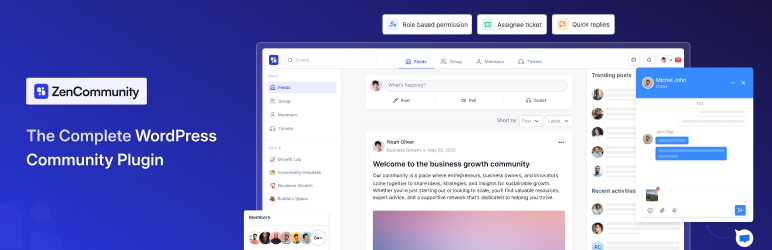

설명
그룹, 소셜 피드, 실시간 채팅 및 지원을 위한 올인원 WordPress 커뮤니티 플러그인
ZenCommunity is the first WordPress community plugin that unifies groups, posts, support ticketing, and live chat into one native powerhouse. Build social, Facebook-style communities with real-time chat and posts, convert community posts into tracked support tickets, and offer instant live help — all inside your WordPress site.
👉 ZenCommunity 사이트
👉 프리미엄 기능 잠금 해제
👉 공식 커뮤니티에 가입하기
핵심 기능 한눈에 보기
커뮤니티 도구
- User-friendly UX
- 무제한 그룹/공간
- 사용자 프로필
- 활동 피드
- 멤버 제어
- 피드
- 댓글 및 반응
- 실시간 채팅
- 알림
- 개인정보 보호 설정
- 멘션
- 해시태그
- 설문 조사 및 투표 (곧 출시 예정)
- 리더보드 (곧 출시 예정)
- 북마크
- 브랜딩 옵션
- 환영 메시지
- 사용자 지정 슬러그
- 검색
- 회원 디렉토리
- 파일 업로드
- GIF
- 이모지
- 미디어 저장소
- 역할 관리자
- 사용자 승인
- 이메일 요약
- Dark & light mode
지원 티켓 시스템 [PRO]
- 피드를 티켓으로 변환
- 티켓 상태 추적
- 티켓 할당
- 티켓 단계(진행 중, 해결됨 등)
- 티켓 알림
- 자동 응답(곧 제공 예정)
라이브 채팅 [PRO]
- 맞춤형 웹사이트 라이브 채팅 위젯(크로스 도메인도 지원)
- 다중 세션 처리
- 즉시 방문자 지원
- 실시간 알림
- 파일 공유
- 24시간 연중무휴 지원 시스템
ZenCommunity isn’t just another community plugin. It’s the first WordPress solution that combines the three strongest engagement systems — Community, Real-Time Chat, and Support Tickets — together in one place.
Most WordPress websites use 3–5 different tools to achieve what ZenCommunity does alone. That creates scattered conversations, missed messages, and poor user experience. ZenCommunity removes that problem completely.
커뮤니티 게시물, 채팅 및 지원을 하나의 시스템 안에 유지하면 사용자는 사이트를 떠나지 않고도 연결되고 참여하며 지원을 받을 수 있습니다.
아래는 ZenCommunity가 돋보이는 핵심 섹션들입니다.
커뮤니티 기능 — 워드프레스 내 완전한 소셜 시스템
ZenCommunity gives you everything needed to build a full, social-style community inside WordPress — no third-party platforms, no separate plugins.
고급 커뮤니티 그룹
Build public or private groups with full admin control. Groups can be used for LMS classes, client spaces, internal teams, membership circles, or interest-based communities. Each group has its own feed, members, and settings.
페이스북 스타일 게시 및 참여
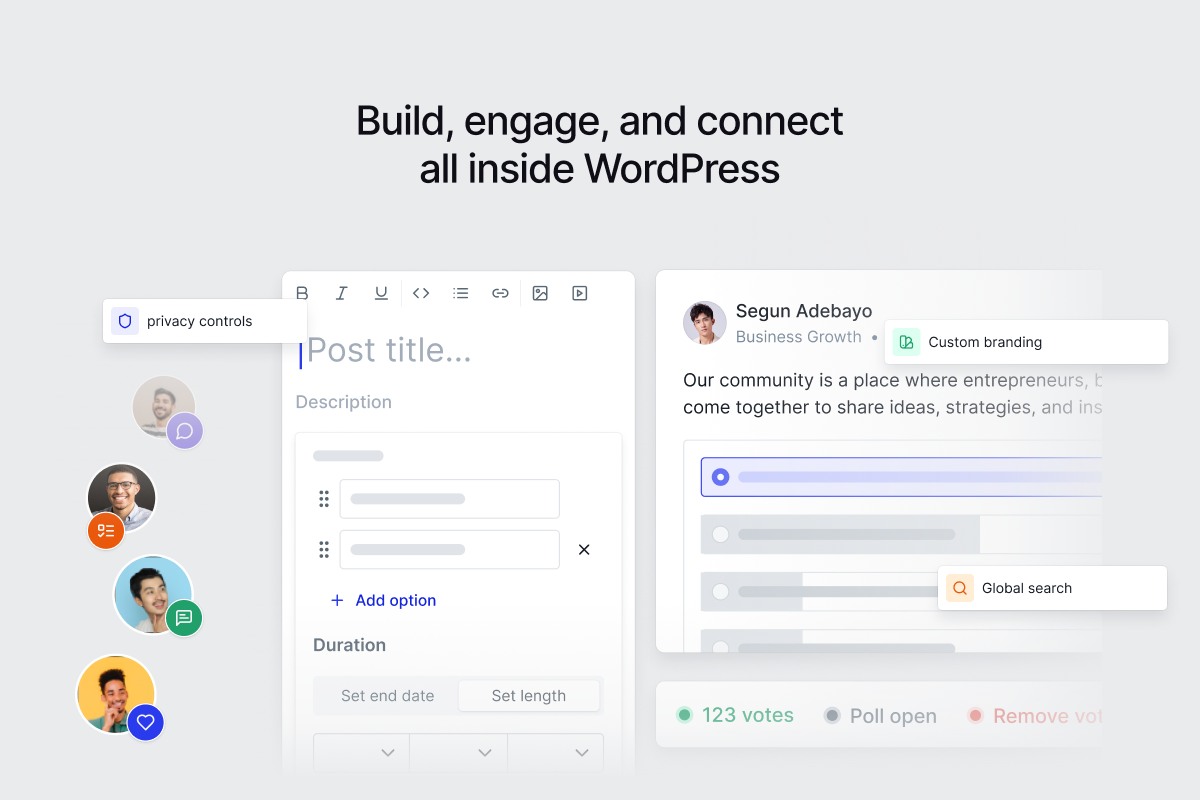
Your members can publish posts, attach media, use @mentions, comment, reply, react, and follow discussions. The interface feels familiar, simple, and fast — encouraging users to talk and stay active.
실시간 커뮤니티 채팅
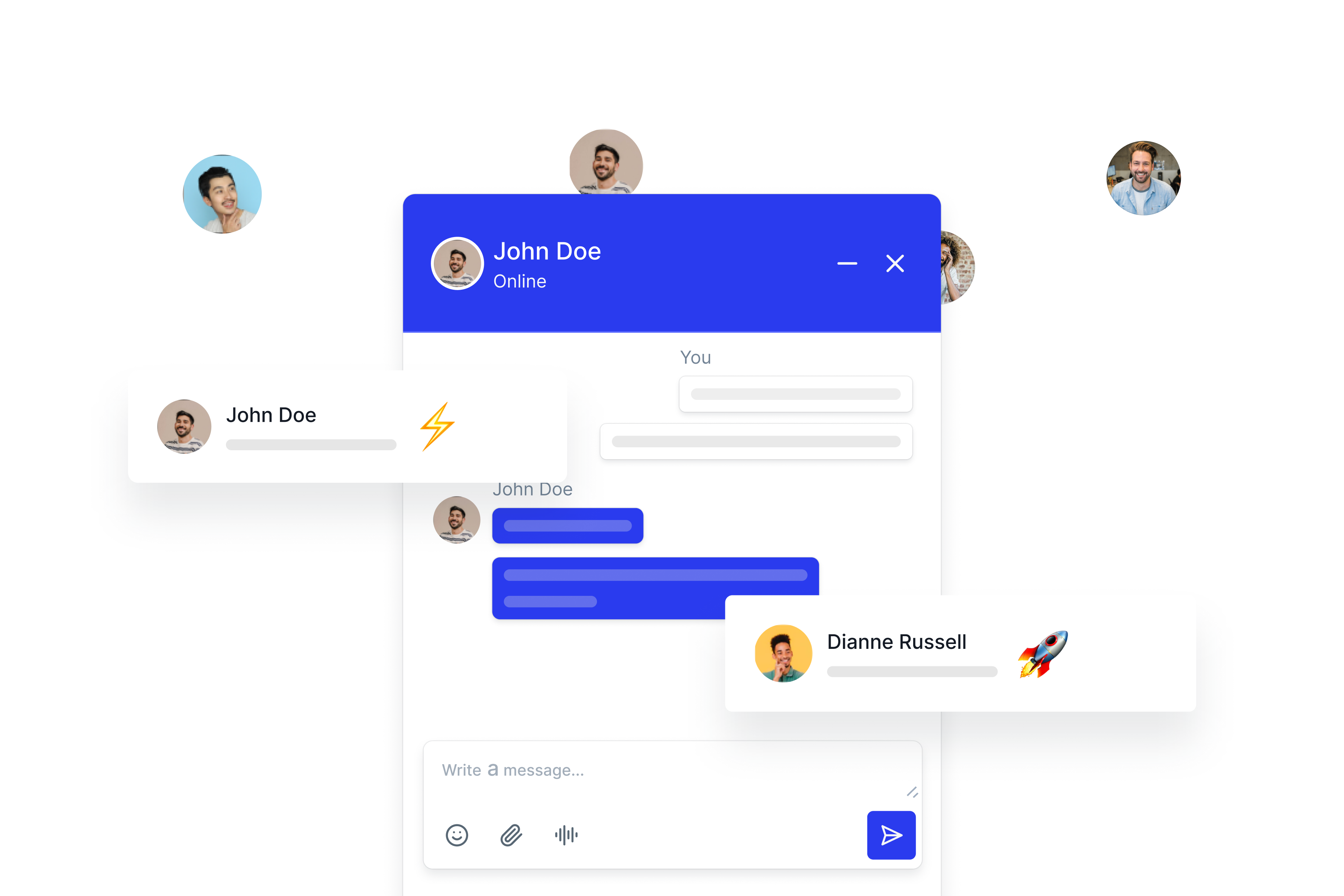
ZenCommunity includes built-in chat inside groups. Members can start private one-to-one chats or chat as a group with typing indicators, read status, file sharing, and notifications. Conversations stay active without page reloads.
사용자 프로필 및 활동 추적
Each user gets a profile with activity, groups, posts, and engagement. This makes your community feel more personal and interactive.
커뮤니티 성장 기능
Hashtags, polls, surveys, leaderboards, bookmarks, and email summaries help keep engagement high. Members always have a reason to come back.
관리자 제어 및 커뮤니티 안전
Moderators can manage posts, approve members, customize branding, set privacy rules, and control roles. You decide how open or private each group should be.
지원 티켓 시스템 — 커뮤니티 내 완전한 헬프데스크
ZenCommunity includes a complete support ticketing system connected directly to your community and chats.
게시물을 지원 티켓으로 전환
If a user posts a question that needs deeper help, convert it into a ticket with one click — no platform switching.
명확한 티켓 할당
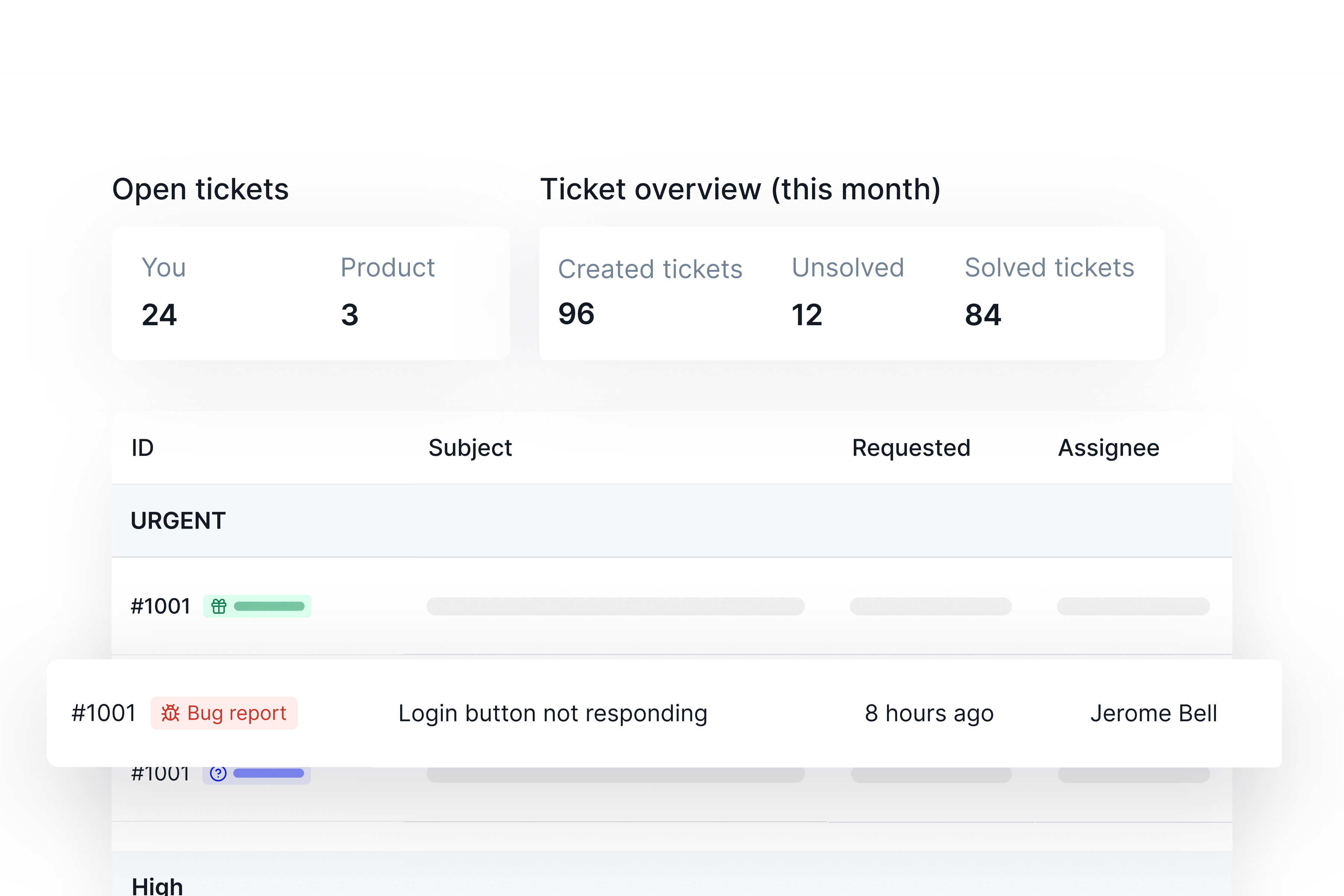
Assign each ticket to a responsible team member so the right person handles the issue. This reduces confusion and improves response time.
상태 추적
Each ticket has clear stages (new, ongoing, solved, etc.) so both sides can follow progress. Your support team stays organized, and users always know what’s happening.
각 티켓별 개인 지원 채팅
Tickets include an instant one-to-one chat. Users don’t need email or external help desks — everything is live and inside your site.
스마트 알림
Both users and team members get notifications when ticket updates happen. Nothing gets lost.
자동 응답
Helpful for off-hours, acknowledgment messages, or routing requests.
라이브 채팅 — 방문자를 전환시키는 즉각적인 도움
ZenCommunity includes a built-in real-time live chat widget for your entire site.
맞춤형 위젯
Add your supporter’s name, photo, availability status, and greeting message. This makes your support feel personal and trustworthy.
즉시 방문자 지원
Visitors can start chatting immediately. Control visitor login or anonymous chat.
다중 세션 처리
Support agents can handle multiple conversations at once without losing track.
실시간 알림 및 파일 공유
Send and receive files instantly, get notified when new messages arrive, and keep the conversation going smoothly.
24/7 지원 시스템
The widget stays active at all times, so users always have access to help.
ZenCommunity가 돕는 사람들
ZenCommunity fits a wide range of websites and business types:
- LMS 웹사이트(학생 및 강사)
- 멤버십 사이트
- 지역 그룹 및 커뮤니티
- 대행사
- SaaS 기업
- 이커머스 스토어
- 서비스 제공자
- 창작자 및 교육자
- 내부 팀 및 조직
🔥 Deep Academy LMS 통합
ZenCommunity는 Academy LMS와 직접 연결되어 관리자의 추가 작업 없이 커뮤니티 내에서 모든 코스 활동을 자동으로 처리합니다.
이 통합이 사용되면 주요 Academy LMS 이벤트가 자동으로 ZenCommunity 그룹에 게시물을 생성합니다. 즉, 학습자들은 수동 게시 없이도 최신 정보를 유지하고 활발하게 참여하며 소식을 받을 수 있습니다.
자동으로 공유되는 항목
ZenCommunity can post updates in your community when any of the following events happen inside Academy LMS:
- 강좌 등록됨
- 강좌 완료
- 강좌 공지사항
- 사용자 질문
- 질문에 대한 답변
- 수업 업데이트
- 퀴즈 시작
- 퀴즈 종료
This makes ZenCommunity the perfect LMS community plugin.
확장된 LMS 통합
ZenCommunity now supports multiple popular WordPress LMS plugins, making it easy to add community, discussion, chat, and support features to your learning website.
Tutor LMS와 ZenCommunity 통합
ZenCommunity integrates with Tutor LMS to bring key course activities directly into your community groups, helping learners stay informed and engaged inside WordPress.
This integration turns Tutor LMS course progress into visible community updates, encouraging discussion around learning milestones.
Tutor LMS 이벤트가 ZenCommunity에서 공유됨
When Tutor LMS integration is enabled, the following course activities are automatically posted in ZenCommunity group feeds:
- 과정 등록
- Topic Complete
- 강좌 완료
- 퀴즈 시작
- 퀴즈 종료
Each event appears inside the selected community group, allowing students and instructors to interact around real course progress in real time.
LearnPress와 ZenCommunity 통합
ZenCommunity integrates with LearnPress to connect course activity, learner questions, and progress updates directly with your community groups.
This integration helps LearnPress users turn learning actions into shared discussions, keeping students active and connected inside WordPress.
LearnPress 이벤트가 ZenCommunity에서 공유됨
When LearnPress integration is enabled, the following course activities are automatically posted in ZenCommunity group feeds:
- 과정 등록
- 강좌 완료
- Lesson Completion
- 사용자 질문
- 질문에 대한 답변
- 퀴즈 시작
- 퀴즈 종료
These updates appear inside the selected community groups, allowing learners and instructors to interact around real learning progress in one place.
MasterStudy LMS와 ZenCommunity 통합
ZenCommunity integrates with MasterStudy LMS to connect course progress, learner questions, and completion updates directly with your community groups.
This integration helps MasterStudy-based learning sites turn course activity into shared discussions, keeping learners engaged inside WordPress.
MasterStudy LMS 이벤트가 ZenCommunity에서 공유됨
When MasterStudy LMS integration is enabled, the following course activities are automatically posted in ZenCommunity group feeds:
- 과정 등록
- 강좌 완료
- Lesson Completion
- 사용자 질문
- 질문에 대한 답변
- 퀴즈 종료
These updates appear inside the selected community groups, allowing students and instructors to interact around real learning progress in one place.
Lifter LMS와 ZenCommunity 통합
ZenCommunity integrates with Lifter LMS to bring course activity, learner questions, and progress updates directly into your community groups.
This integration helps Lifter LMS websites keep students engaged through shared discussions and real-time updates inside WordPress.
Lifter LMS 이벤트가 ZenCommunity에서 공유됨
When Lifter LMS integration is enabled, the following course activities are automatically posted in ZenCommunity group feeds:
- 과정 등록
- 강좌 완료
- Lesson Completion
- 사용자 질문
- 질문에 대한 답변
- 퀴즈 종료
These updates appear inside the selected community groups, allowing learners and instructors to interact around real course progress in one central place.
LearnDash와 ZenCommunity 통합
LearnDash integrates with ZenCommunity to connect course activity directly with your community groups, helping learners stay active and engaged inside WordPress.
This integration turns LearnDash progress into shared community updates, encouraging discussion, motivation, and peer interaction around learning milestones.
LearnDash 이벤트가 ZenCommunity에서 공유됨
When LearnDash integration is enabled, the following course activities are automatically posted in ZenCommunity group feeds:
- 과정 등록
- 강좌 완료
- Topic Complete
- 퀴즈 종료
Each event appears inside the selected community group, allowing students and instructors to interact around real course progress in real time.
This makes ZenCommunity a strong companion for LearnDash-based learning sites that want to combine structured courses with active community engagement.
⚡ 성능 및 안정성
- ZenCommunity는 속도를 위해 설계되었습니다:
- 외부 도구 없음
- 외부 서버 없음
- 추가 앱 없음
- 모든 것이 워드프레스 내에서 로드됩니다
- 경량 스크립트를 통한 실시간 업데이트
플러그인은 작은 사이트와 엔터프라이즈 수준 커뮤니티 모두에 최적화되어 있습니다.
🛠 관리자 도구
Site admins get:
- 그룹, 게시물, 티켓 및 채팅을 위한 단일 대시보드
- 역할 기반 권한
- 커뮤니티 중재 제어
- 브랜딩 설정
- 참여 및 지원 활동에 대한 완전한 가시성
스크린샷


블록
이 플러그인은 1개의 블록을 제공합니다.
- Community Portal
FAQ
Does ZenCommunity support real-time chat?
Yes. Both group and private chats are real-time.
Can I convert posts into support tickets?
Yes — any post or chat can become a ticket with one click.
Does it work with LMS platforms?
Yes, especially with Academy LMS where it integrates deeply.
Is live chat included?
A full live chat widget is included but it’s our Pro Features
Is this a complete WordPress community plugin?
Yes. It covers groups, posts, chat, and support — all together.
후기


기여자 & 개발자
“ZenCommunity — 메시징, 피드, 실시간 채팅 및 지원 시스템을 갖춘 실시간 커뮤니티 플러그인”(은)는 오픈 소스 소프트웨어입니다. 다음의 사람들이 이 플러그인에 기여하였습니다.
기여자

변경이력
2.2.0 – 03/09/2026
- Changed – The AI agent’s name now defaults to “Ava” and is said out loud: the assistant opens a conversation with “Hi, I’m Ava, the virtual assistant for “. The name field on Settings -> AI Agent says where the name is used, and the description field beside it – collected since the addon shipped and read by nothing – is now the “what your business does” line the assistant answers from.
- Fixed – Settings -> Live chat told every site to install the Live Chat plugin on the site it was connecting, on every visit, directly above the table listing the sites that had already done it. The instructions now appear only while nothing is connected; the download stays on the heading.
- Improved – The community asks the server far less to open a page. Identical requests that are already in flight are shared rather than repeated, so the three notification calls that used to fire in the same millisecond are one; ticket counters follow the statuses and assignments they are derived from instead of refetching on every poll; and the six small things every page needs — settings, menus, the welcome banner, sidebar widgets, group permissions and the group tree — arrive together from a single /bootstrap request instead of six that each pay WordPress’s startup cost. Measured on the community home: fourteen requests and 99 KB down to six and 36 KB.
- Improved – Menu icons are sent once each rather than repeated inline for every item in every menu, which took the menus response from 38 KB to 24 KB on every page load.
- Improved – The member directory is no longer loaded on every page in the community. The two screens that read it — mentions, and the “closed by” name on a ticket — ask for it themselves.
- Fixed – A member with no avatar caused a request to a hostname built by string concatenation (“example.comnull”), so every such page spent a DNS lookup failing to resolve it. Seven places that built media URLs this way now share one helper that cannot.
- Fixed – The profile avatar built its URL with a trailing space inside it.
- Accessibility – The app shell declares the site’s language, exposes its content as a
mainlandmark, and the logo has an accessible name.
2.1.0 – 31/08/2026
- Added – Date of Birth field (opt-in, off by default) and minor-safe messaging: when enabled, adults can no longer start a private message or send into a group chat with a member flagged as a minor, while a minor can still reach an adult; the check fails open for anyone with no Date of Birth on file, so turning the setting on never retroactively blocks existing conversations.
- Added – Upvote/downvote voting via a new “Idea” post type: a dedicated composer tab posts vote-only content (regular posts keep the existing Like button), with a pro-gated “Top Ideas” sort.
- Added – “Team Post” composer tab (Pro, group admins/moderators) to post under the group’s identity, and a dedicated “Allow Anonymous Comments” group setting (separate from the existing anonymous-post setting, Pro), plus a clearer, more visible anonymous-comment toggle in the composer that only appears when the group allows it.
- Added – Member moderation actions for groups: warn, mute, and a timed auto-expiring suspend, alongside the existing permanent ban.
- Added – Group “first post requires approval” setting so a new member’s first post can be held for admin review before it’s visible.
- Added – Group rules, with a rich-text info box editor for admins to explain them.
- Added – A real, editable title field in the post composer instead of always auto-generating it from the post body.
- Added – A dark-mode site logo option, shown automatically when the theme is in dark mode.
- Fixed – Select dropdown text was unreadable in dark mode.
- Added – Auto-saved ticket drafts, editor keyboard shortcuts, Cmd/Ctrl+K link paste, and general UI polish in the ticket composer.
- Added – Support for a message/variable in the ticket auto-close notice.
- Added – Notification links now go directly to the related post/feed instead of a generic page.
- Added – A “Remove logo” button in the branding settings.
- Added – “About” and “Connection” (the renamed, merged Follower/Following tabs) are now managed from Menu Settings Profile Menu instead of being hardcoded, alongside a new “Bookmarked” entry, and all three can be reordered like any other menu item.
- Added – Account & Profile: custom display name and pronouns (shown on the profile header, in mention hover cards, and search), the community avatar now syncs to the site-wide WordPress avatar, a profile-completion progress bar, per-user follow-list privacy with a merged “Connections” (Followers/Following) tab, and automatic badge assignment based on admin-defined rules (role, group membership, points, or a profile field being filled in).
- Added – Notification emails now include a magic-link “View in Community” button that signs the recipient in on click, plus a per-user email delivery preference (send right away, or batch into a daily/weekly digest).
- Improved – Raised the “Read more” truncation length for posts (250 600 characters) and comments (160 320 characters) so normal-length content no longer gets cut short.
- Fixed – A group’s tab list could reorder or fold the Discussion and Featured tabs into the customizable tab set; they’re now always two fixed, separate tabs regardless of custom tab ordering.
- Fixed – Group names now truncate with an ellipsis (with a tooltip showing the full name) instead of hard-cutting or wrapping across lines, consistently across post cards, the schedule view, single post view, group header, grid/list views, the sidebar, and the admin Users table.
- Fixed – Posts and comments now render paragraph/list/blockquote spacing correctly instead of collapsing into unstyled raw text.
- Fixed – The Follow/Unfollow button on a post card’s hover mini-profile rendered as an invisible white-on-white box in dark mode.
- Fixed – Clicking a reaction emoji left the reaction tray open instead of closing it, most noticeable on touch devices.
- Added – A confirmation prompt before losing an in-progress post, comment, ticket, or chat message you’ve started typing — covers the post composer, comment box, new-ticket drawer, ticket replies, direct/group messages, and the floating chat bubble, plus a browser warning if you close or reload the tab with unsent text.
- Fixed – Selecting a group while composing a post could trigger an unwanted zoom-in on mobile Safari that required a pinch gesture to undo.
- Fixed – The notifications dropdown could extend past the edge of the screen on mobile, requiring horizontal scrolling to see the full panel.
- Fixed – The AI agent could stop responding on a ticket after its first reply and never resume; a background job that silently failed to start is now automatically retried within a few minutes instead of being lost.
- Fixed – Ticket activity notes (e.g. “assigned to…”) were unreadable in dark mode.
- Fixed – Ticket ID numbers (“#1”, “#2″…) in the admin ticket list were nearly invisible in dark mode.
2.0.1 – 12/08/2026
- Fixed – Several strings (“Assign a Support Agent”, “Test Email Sent!”, “Upgrade”, “Close”, “Cancel”, “Save Changes”, and a handful of others) were wrapped in the wrong text-domain (‘community’, ‘zenboards’, ‘zen-com’, misspelled variants of ‘zencommunity’, or no domain at all) and were silently untranslatable in any language; they now consistently use the ‘zencommunity’ text domain.
- Fixed – Poll option placeholders (“Option 1”, “Option 2″…) and the comment counter (“N Comments”) were built with JS template literals, so every value produced a different, never-translatable string; they now use sprintf()/_n() with a proper singular/plural “%d Comment(s)” pair.
- Fixed – Rebuilt JS bundles and translation template so recently added strings (Collections, Course Completed, Failed, and other 2.0.0 additions) are picked up by translate.wordpress.org on the next string import.
- Fixed – In the admin Users “Add user” dialog, the email address wasn’t included in the create-user request when it came from the browser’s autofill (Chrome/Safari can silently fill grouped fields like name and email without notifying the page); the field is now kept in sync so the submitted email always matches what’s shown.
- Fixed – Adding a user with an email/username that already exists always showed a generic “fields are required” error instead of the actual reason; the specific backend message (e.g. “email already exists.”) is now shown.
- Fixed – The admin Dashboard’s Members/Spaces/Collections stat cards briefly showed “0” before their real counts loaded; they now show a skeleton loader while the data is being fetched.
- Fixed – Failing to RSVP to an event (e.g. hitting the RSVP limit) showed a generic “Failed to update RSVP” notification that overwrote the backend’s specific error message; the specific message is now shown as-is.
- Fixed – Starting a comment reply prefilled the “@username” mention with no trailing space, so typed text ran directly into the username; a space is now preserved after the mention.
- Fixed – In FSE (Full Site Editing) mode, the single ticket view’s list/conversation/info panels and the notifications “Mark all as read” button were misaligned or overlapped the page’s own sidebars.
- Fixed – In FSE mode, the floating chat bubble and message windows relied on state that only existed inside the classic SPA layout, so they didn’t work when chat rendered as its own FSE block; chat-head state now lives in Redux (persisted to localStorage) and works the same in both modes.
- Fixed – The uploaded image preview in the Spaces “Add/Edit space” dialog didn’t stretch to fill its container, leaving it visually inconsistent with the rest of the form.
- Fixed – The ZenCommunity top-level admin menu had no explicit position and could land at the very bottom of the wp-admin sidebar; it’s now pinned just above Appearance.
- Fixed – Switching settings tabs kept the previous tab’s scroll position, so moving from a long tab to a shorter one could leave the new panel scrolled partway down; the scroll position now resets to top on every tab change.
2.0.0 – 11/08/2026
- Added – Full Site Editing (FSE) mode: build the community layout visually in the Gutenberg Site Editor using a granular block catalog (Community Portal, Content Outlet, Content Body, Navigation, Search, and more), with preset portal layouts and smooth client-side navigation between blocks.
- Added – Rebuilt the wp-admin panel as a client-side app (StoreEngine/SureDash-style): Dashboard, Spaces, Posts, Users, Collections, and Settings are now real wp-admin pages that navigate without a full reload.
- Added – Space content types, with the frontend layout and admin post-creation flow adapting to the selected type.
- Added – Login & Registration settings: control whether ZenCommunity accepts registrations when WordPress’s native registration is disabled, and choose which page (built-in, WordPress default, or a custom page) handles login and registration.
- Added – Configurable sidebar widgets (Content List, Recent Activities, Info Box) with drag-and-drop reordering, enable/disable, and per-widget settings.
- Added – Dedicated top-level Users page for managing community members, moved out of Settings.
- Added – “One Ecosystem, Endless Possibilities” dashboard cards now show each product’s real logo.
- Added – Ticket close/reopen and assignee email notifications, plus an in-conversation open/close message and a closed-ticket banner.
- Added – CSV, PDF, DOC, JSON, and ZIP file upload support for tickets and live chat.
- Added – “Redirect to dashboard” button on the frontend for admins.
- Added – Permalink misconfiguration notice shown directly in the ZenCommunity admin screens.
- Added – Empty-state messaging for Live Chat’s sidebar and support chat preview when there’s no data yet.
- Added – GameEngine (gamification) integration: points, ranks, badges, leaderboard, and an Achievements page for community members.
- Added – Academy LMS integration: course catalog, course details, curriculum, enrollment, reviews, and course Q&A.
- Added – Migration add-on support
- Added – Developer role support.
- Added – Connectivity settings page; moved the Knowledge Base token out of AI Agent preferences.
- Added – Ticket settings UI for auto-closing inactive tickets.
- Added – Member ban/unban option in groups.
- Added – Edit option on engineering issues linked from a ticket.
- Added – Unread message count shown in Support Chat and the browser tab title.
- Added – Point-restricted post content, course certificates, and course Q&A support.
- Added – Review functionality in the community.
- Added – Enrollment post-feed and notification settings.
- Added – Post-close CSAT feedback for AI-handled live chats: a single-use, expiring feedback link is emailed to the client, their star rating and comment appear inline in the chat thread, and agents get a notification linking straight to the conversation.
- Added – “Recent Feedback” and “Unread Feedback” filters in the Live Chat dashboard.
- Added – Member badge widget support added.
- Added – Native in-community course learning: “Start learning” now renders the Academy LMS course player directly inside ZenCommunity (no iframe or redirect) in a clean, chrome-free view, and “Back to course” keeps learners in the community.
- Added – Pagination on the course catalog and on each Space’s Courses tab.
- Added – Multi-step Space add/edit dialog: a centered, two-column modal where creating a Space flows straight into configuring its LMS integrations.
- Improved – Redesigned Achievements, Leaderboard, and Course pages with the newer Tailwind-based UI.
- Improved – Reworked the Engineering issues table, modal, and ticket-page Engineering/Purchases panel UI.
- Improved – Extended gamification achievements UI and functionality.
- Improved – Gamification and Academy LMS integration settings UI.
- Improved – Notification message wording.
- Improved – Removed Course and Leaderboard from the top navigation menu.
- Improved – Settings screens (General, Brand & Style, Customization, Welcome Banner, Role and Permission, Notifications, Menu, Social Login, AI settings, Ticket settings, Live Chat settings, Gamification) redesigned on the new Tailwind admin UI.
- Improved – Group creation is now admin-only (removed from the community frontend) to match the admin-first management workflow.
- Improved – Table UI for Posts, Spaces, and Collections management.
- Improved – Role based menu visibility.
- Improved – Mark notification as read when clicked on the notification pane.
- Improved – Course cards now fall back to Academy LMS’s default thumbnail when a course has no featured image.
- Improved – Trimmed and clarified the admin Settings descriptions; PRO-only settings entries now show a PRO badge instead of appearing greyed out.
- Fixed – Gutenberg (FSE) render mode: course detail, learning, and checkout pages no longer render unstyled.
- Fixed – Community showing a logged-out state after a normal browser refresh in the React render mode.
- Fixed – Login button shown to already-logged-in members in the FSE header.
- Fixed – Left sidebar footer overlapping the menu items; refined the sidebar corner radius.
- Fixed – Admin Settings top bar no longer sticks to the top while scrolling.
- Fixed – Settings and Collection pages occasionally rendering blank.
- Fixed – Numerous UI issues across Tickets (filters, sidebar, assignee, recent activity, settings), Live Chat (modal scroll, create button, floating chat section, spacing), Notifications, Role and Permission, Menu (including drag-and-drop scroll), Social Login, Email Notification templates, Welcome Banner, Collections, Brand & Style, Customization, and General settings screens.
- Fixed – Dark mode styling conflicts in the admin panel and on Events/Posts.
- Fixed – Modal scroll and positioning issues; drawer transition and spacing issues.
- Fixed – Reaction and poll UI issues (jumping reactions, poll gap/color, feeling activity).
- Fixed – Router and admin page layout issues, including doubled submenu URLs and Settings tabs resetting on reload.
- Fixed – Profile tab alignment and profile image upload button color.
- Fixed – Post edit and preview issues in the admin editor.
- Fixed – Sticky header/top bar border and scroll issues.
- Fixed – Ticket “Ticket History” panel showing other users’ tickets instead of the same requester’s other tickets.
- Fixed – Ticket details left sidebar responsive layout issue.
- Fixed – Course detail page responsiveness; added a matching loading skeleton.
- Fixed – Course card, course details, and course curriculum data/UI issues.
- Fixed – Enrolled-course fetch conflicts and profile course tab not showing data.
- Fixed – Group course tab condition and group settings UI.
- Fixed – Engineering modal select and option-menu alignment issues.
- Fixed – Engineering issue conversation sync issue.
- Fixed – Engineering page missing from the primary menu.
- Fixed – Notification placeholder issue.
- Fixed – Ticket reply issue and empty-conversation state not shown.
- Fixed – Profile gamification margin and placeholder color issues.
- Fixed – Missing GameEngine logo and leaderboard UI.
1.7.1 – 25/06/2026
- Added – Single-ticket desktop header rendering.
- Added – “Mark as Read” action in the Support Chat menu.
- Added – Live chat send-error states for both agent and visitor chat boxes.
- Added – Loading/submitting state for guest ticket form submissions.
- Added – Rich text and mention editor support for Engineering issue descriptions.
- Added – Shared WebSocket connection state broadcasting across hook instances.
- Added – Internal notes support on Engineering issues.
- Added – Background color setting for the AI agent widget.
- Added – Description field on Role and Permission entries.
- Added – Editable subject and heading for email templates.
- Added – Download link and a previous-step navigation flow on the live chat setup wizard’s final step.
- Added – Loading indicator for the group invite search input.
- Fixed – Engineering dark mode styling issues.
- Fixed – Ticket overflow and editor issues.
- Fixed – Support Live Chat width issues across breakpoints.
- Fixed – Community chat default width behavior.
- Fixed – Live chat sidebar scroll behavior.
- Fixed – Socket connection indicator accuracy after remounts.
- Fixed – Message send synchronization behavior.
- Fixed – Skeleton loader issues.
- Fixed – Menu open/close behavior in ticket and support chat lists.
- Fixed – Ticket right-side panel positioning.
- Fixed – Support Chat Mark as Read behavior.
- Fixed – Large-device ticket toggle and header layout issues.
- Fixed – Ticket sidebar “Open” status filter returning no results even when active tickets exist.
- Fixed – Copy link error, pin button visibility, and pinned-conversations popover overflow in the ticket header.
- Fixed – Ticket status dropdown offering already-applied statuses.
- Fixed – Member search in the group invite modal using stale results and a mismatched loading skeleton.
- Fixed – Ticket satisfaction (CSAT) rating modal not displaying correctly.
- Fixed – Feature post notification issue.
- Fixed – Report modal issue.
- Fixed – Post composer’s group selector listing groups the user has no permission to post in.
- Fixed – Incorrect error status when viewing private group events without access.
- Fixed – Message, live chat message, and ticket reply input bugs; message content is now optional when attachments are present.
- Fixed – Background color and background image selection conflicts in the post editor.
- Fixed – Tooltip position issue.
- Fixed – Admin settings skeleton loader issue.
- Fixed – Border and border-radius mismatches across settings, community, ticket, and agent activity pages.
- Fixed – Welcome banner action button UI issue.
- Fixed – Collection management drag-and-drop UI issue.
- Fixed – Email modal UI issue.
- Fixed – Menu settings sorting issue.
- Fixed – Caching issue on the sign-in/sign-up routes.
- Fixed – Ticket settings UI issues.
- Fixed – Academy LMS default activation value.
- Fixed – Modal scroll issue.
- Fixed – User login issue.
- Improved – Reworked Support Live Chat list polling to strip chat_id from list fetches.
- Improved – Preservation of support chat list scroll position during pagination and polling.
- Improved – Automatically marks unread live chat conversations as read when opened.
- Improved – Pending message handling by immediately clearing inputs while sending and restoring text if sending fails.
- Improved – Live chat skeleton loader layout.
- Improved – Adjusted ticket/chat layout offsets for updated header spacing.
- Improved – Feed layout sizing on member pages.
- Improved – Dark mode button text color and muted text colors.
- Improved – Changed notification type from notification to info.
- Improved – Rebuilt the admin settings panel UI using Tailwind CSS.
- Improved – Menu settings UI and item editing experience.
1.7.0 – 11/06/2026
- Added – Guest ticket creation support.
- Added – Ticket creation option from the chat widget.
- Added – Purchase/customer purchase info panel in ticket details.
- Added – Engineering feature add-on support.
- Added – Engineering integration settings and issue panel.
- Added – Report modal, report API, report database table, and report model.
- Added – Bookmark menu in profile.
- Added – Preferences, notifications, and moderation pages.
- Added – AI compose, canned replies, edited badge, ticket CSAT, and loading button components.
- Added – Live chat session-based AI enable/disable control.
- Added – Per-product AI agent/product support.
- Added – Timezone, country code, and reply in live chat messages.
- Improved – Live chat product creation UI and functionality.
- Improved – Live chat reply-to functionality and UI.
- Improved – Live chat UI.
- Improved – Ticket conversation API calls and ticket details UI.
- Improved – Ticket sidebar default opening behavior and scroll handling.
- Improved – Ticket filters and advanced filtering system.
- Improved – AI agent preferences, knowledge base, and agent manager UI.
- Improved – Community chat scroll fetching.
- Improved – Feed/group post rendering, group media gallercy, and sidebar behavior.
- Fixed – Null ticket and agent user name issues.
- Fixed – Reply text issue.
- Fixed – Non-blocking request bug.
- Fixed – Image preview issue.
- Fixed – Anonymous post and trending anonymous member name.
- Fixed – Reaction issue in group feed posts.
- Fixed – Country code display and tag rendering issues.
- Fixed – Ticket filter issues.
1.6.1 – 27/05/2026
- Fixed – 404 route issues
- Fixed – Welcome banner image
1.6.0 – 24/05/2026
- Added – AI Agent settings, provider preferences, knowledge base, agent management, and activity management UI.
- Added – Poll post support, poll display, voting, and poll edit options.
- Added – Group event support, event, RSVP/event, and event UI.
- Added – Featured posts and group media gallery support.
- Added – Chat head feature for community chat.
- Added – Support chat current user ticket list.
- Added – Ticket conversation sidebar filters and single ticket sidebar UI.
- Added – SDK integration settings UI and functionality.
- Added – Comment URL and feed URL template tag support.
- Improved – Responsive layouts across posts, members, profiles, feeds, groups, tickets, support chat, live chat, user management, collection modal, welcome banner, and notification dropdown.
- Improved – Ticket table, ticket overview for medium devices, ticket reply input width, ticket sidebar scrolling, and ticket header/sidebar layout.
- Updated – Group header, group settings, invite modal, member routes, and group role handling.
- Updated – Support chat and community chat responsive behavior.
- Updated – Brand/style settings, theme colors, license spacing, and admin settings UI.
- Updated – Infinite loader behavior.
- Fixed – Profile/feed main content responsive issues.
- Fixed – Sidebar scrolling and live chat table scrolling issues.
- Fixed – Community chat responsive issues.
- Fixed – Ticket data display and responsive issues.
- Fixed – Asset issues and missing theme color.
1.5.1 – 22/04/2026
- Added – StoreEngine SDK integration ( License Management )
1.5.0 – 16/03/2026
- 추가 – 로그아웃 상태(게스트) 사용자에 대한 방문자 검색 및 테마 전환 지원.
- 추가 – 글, 댓글 및 답글 삭제 동작에 대한 확인 팝업 지원.
- 추가 – 티켓 상태 업데이트 지원(사용자용).
- 추가됨 – 헤더, 피드 글, 프로필 피드, 사이드바 및 프로필 페이지용 로딩 스켈레톤과 로더.
- 추가됨 – 레이아웃, 알림, 설정, 티켓, 프로필 및 그룹 페이지 전반에서 모달 포털 지원과 더 부드러운 UI 전환.
- 고정 – 멤버 로딩, 템플릿 저장, 티켓 상태 옵션 너비 및 선택 메뉴 표시 문제.
- 수정됨 – 그룹 데이터 가져오기, 언급 UI 상호작용, 피드 그리드 활성 탭 상태 및 사이드바 메뉴 로딩 동작.
- 수정됨 – 관련 로더 동작과 함께 애드온(추가 기능) 가져오기 조건 추가됨.
- 수정됨 – 프로필 로딩 상태, 프로필 탭 점프 문제, 프로필 그룹 그리드 UI, 및 커버 이미지 액션 버튼.
- 수정됨 – 이메일 알림 스위치 동작 및 오타로 인한 빈 페이지 문제.
- 수정됨 – 쿠키 검사 실패로 인한 400/403 API 오류.
- 개선됨 – 업데이트된 검색 경험을 위한 검색 모달 UI 및 상호작용 흐름.
- 개선됨 – 다크 테마 색상, 강조 색상 처리, 기본 및 보조 색상 스타일링, 헤더, 사이드바, 설정 패널 전반의 활성 상태 개선.
- 개선됨 – 글 폼 배경 스타일, 프로필 팝업 및 글 팝업 UI, 글 리액션, 댓글 테마 일관성, 익명 글 및 티켓 표시.
- 향상됨 – 탭 그룹화, 그룹 액션 버튼, 멤버 UI, 초대 아이콘 스타일링, 아이콘 사이드바 및 설정 사용자 역할 UI 일관성.
- 개선됨 – 티켓 색상, 티켓 설정 UI 및 이메일 설정 표시.
- 개선됨 – 지원되는 LMS 통합 전반의 통합 설정 UI 및 빈 상태(Empty-state) 스타일링 개선.
- 개선됨 – 커뮤니티 채팅, 지원 실시간 채팅 표, 지원 실시간 채팅 색상, 및 지원 채팅 마지막 메시지 아바타/이름 표시.
- 개선 — 불필요한 root/settings 로더를 제거하고 로딩 상태를 정교화하여 로더 사용 개선됨.
- 개선됨 – 기능 가용성 표시, 글 카드 툴팁 상호작용, 글 아바타 UI, 버튼 콘텐츠, 왼쪽 사이드바 콘텐츠, 아바타 테두리, 및 전반적인 인터페이스 일관성.
v1.4.0 – 19/02/2026
- 글로벌 피드, 그룹 피드, 프로필 피드에 예약 게시물 기능 추가
- 추가됨 – 사용자 프로필 내에서 예약 게시물 관리(보기 및 업데이트).
- 추가됨 – 피드에서 날짜 클릭으로 트리거된 글 팝업 미리보기.
- 로그아웃(게스트) 사용자용 헤더 방문자 검색 기능 추가되었습니다.
- 추가됨 – 로그아웃 상태(게스트) 사용자에 대한 테마 전환 지원.
- 수정됨 – ZCLabel 변형 및 지원 채팅 아이콘 스타일 불일치.
- 수정됨 – 인기 게시물(트렌딩 글) 비어 있음 상태 색상 불일치.
- 수정됨 – 글(게시물) 폼 배경 스타일 문제.
- 해결됨 – 그룹 설명 레이아웃 정렬 문제.
- 수정됨 – 그룹 데이터 가져오기 로직의 불일치 해결.
- 수정됨 – 언급 UI 상호작용 문제.
- 개선됨 – 타임스탬프 입력 필드에 사용자 지정 아이콘 통합
- 개선됨 – 제한된 모듈에 대한 기능 사용 가능 표시(“곧 제공 예정”).
- 개선됨 – 게시물 이미지 레이아웃 및 렌더링 동작.
- 개선됨 – 글 댓글 수 표시.
- 개선됨 – 글 아바타 UI 일관성.
- 개선됨 – 게시물 카드 툴팁 상호작용 및 동작.
- 개선됨 – 게시물 버튼 조건부 로직 처리.
- 향상됨 – 멤버 인터페이스의 스타일 및 레이아웃.
- 개선됨 – 검색 모달 UI 및 상호작용 흐름.
- 개선됨 – 애드온 하위 제목 색상 스타일링 추가.
- 개선됨 – 커뮤니티 설정 페이지 스타일링(테두리 및 그림자 정교화).
- 향상됨 – 그룹 세부 정보 간격 및 레이아웃 일관성.
- 향상됨 – 전반적인 UI 일관성과 테마 처리 성능.
v1.3.3 – 3/02/2026
- 추가 – 게시물에 리액션한 회원들을 표시하는 지원
- 추가됨 – 마우스 오버 시 회원 프로필 요약.
- 추가됨 – 최근 활동 섹션이 로그아웃 상태(방문자 모드) 화면에 표시됩니다
1.3.2 – 22/01/2026
- 추가: 상담원용 ZenCommunity Pro 티켓 통계 호환성.
- 추가: 티켓에서 상담원용 ZenCommunity Pro 공식/비공식 답장 옵션 호환성.
1.3.1 – 15/01/2026
- 수정 – 알림 페이지가 빈 콘텐츠를 표시하던 문제 해결.
- 개선 – 설정의 환영 UI 업데이트.
- 개선 – 그룹 페이지 카드 UI 향상.
- 개선 – 프로필 데이터 동기화 향상.
1.3.0 – 13/1/2026
- 추가 – 익명 게시물 지원.
- 추가 – 사용자 팔로우 및 차단 기능.
- 추가 – 티켓 대화 보기에서 티켓 기록 탐색 기능.
- 추가 – 티켓 대화에서 PDF, 동영상 및 기타 파일 첨부 지원.
- 개선 – 사용성 향상을 위한 티켓 대화 페이지네이션 개선.
- 개선 – 티켓 대화 인터페이스의 반응형 레이아웃 개선.
- 개선 – 커뮤니티 전반의 아바타 대체 동작 개선.
- 개선 – LMS 통합 및 관련 설정을 위한 피드 게시물 콘텐츠 처리 개선.
- 수정 – 새로 생성된 티켓에서 이미지가 표시되지 않던 문제.
1.2.1 – 31/12/2025
- Fixed – Member responsive under 768px
- Fixed – Chat responsive
- 수정 – 설정에서 컬렉션 반응형 문제 수정.
- Fixed – Group tab responsive under 768px
- Fixed – Profile responsive under 768px
- Fixed – Notification responsive in header under 768px
- Fixed – Group details responsive under 768px
- Fixed – Header responsive fixed in 1024px
- Fixed – Feed responsive fixed
- 수정 – 포스트카드 반응형 문제 수정.
1.2.0 – 25/12/2025
- 추가 – 비밀번호 재설정 기능.
- 추가 – Tutor LMS 통합.
- 추가 – LearnPress 통합.
- 추가 – MasterStudy LMS 연동.
- 추가 – LifterLMS 연동.
- 추가 – 환영 배너 기능.
- 추가 – 게시물 미리보기 기능 지원.
- 수정 – 누락된 테마 색상 문제 수정.
- 수정 – 일반 사용자에 대한 업그레이드 버튼 표시 문제 수정.
- 수정 – 게시물 에디터의 배경색 처리 문제 수정.
- 수정 – 게시물 에디터에 URL을 붙여넣을 때 중복 링크 문제 수정.
- 개선 – 에디터에서 텍스트 붙여넣기 동작 개선.
- 개선 – 티켓 대화에서 긴 메시지 처리 개선.
- Improved – Settings customization for feed sorting and post social share options.
- 개선 – 로그인/회원가입 입력 필드 유효성 검사 개선.
1.1.0 – 11/12/2025
- 추가 – 게시물 기분 표시 옵션.
- 추가 – 게시물 배경 색상 옵션.
- 추가 – 게시물 반응 지원.
- 추가 – 에디터 이모지 지원.
- 추가 – 댓글 반응.
- 추가 – 고객 지원 채팅용 에디터 지원.
- 추가 – 다크/라이트 테마 모드 지원.
- Added – Dark and light theme mode color settings.
- 개선 – 지원 위젯 내비게이션.
- 개선 – 모든 페이지 로딩 표시기.
- 수정 – 지원 채팅, 커뮤니티 채팅, 티켓 대화 반응형 문제.
- Fixed …