
설명
Advanced Category Manager provides an enhanced interface for managing WordPress categories. It offers an intuitive way to organize your post categories with features that go beyond the standard WordPress category management.
Key Features
- Advanced Category Management – Intuitive drag-and-drop interface for organizing categories hierarchically
- Bulk Editing – Edit multiple categories at once to save time
- Import/Export – Easily transfer your category structures between sites
Taxonomy Support
This free version of Advanced Category Manager works only with WordPress post categories. It does not support custom taxonomies, tags, or other term types.
For full taxonomy management across all WordPress taxonomies, please check out our premium Advanced Taxonomy Manager plugin, available exclusively to GBTI Network members.
External services
This plugin offers an optional integration with the OpenAI API for generating category descriptions:
* What it does: When enabled and configured with an API key, the plugin can generate descriptive text for your categories using OpenAI’s language models.
* When data is sent: Data is only sent to OpenAI when you explicitly click the “Generate Description” button in the category editor.
* What data is sent: The plugin sends the category name and a customizable prompt to OpenAI’s servers.
* Terms of Service: OpenAI Terms of Service
* Privacy Policy: OpenAI Privacy Policy
This feature is completely optional and requires you to provide your own OpenAI API key in the plugin settings. No data is sent to OpenAI unless you explicitly initiate the description generation.
Additional Information
Documentation
For detailed documentation, please visit our GitHub repository.
Support
For support inquiries, please use the GitHub issue tracker.
Privacy
Advanced Category Manager respects your privacy and does not collect any personal data.
Credits
This plugin is developed and maintained by the GBTI Network.
스크린샷
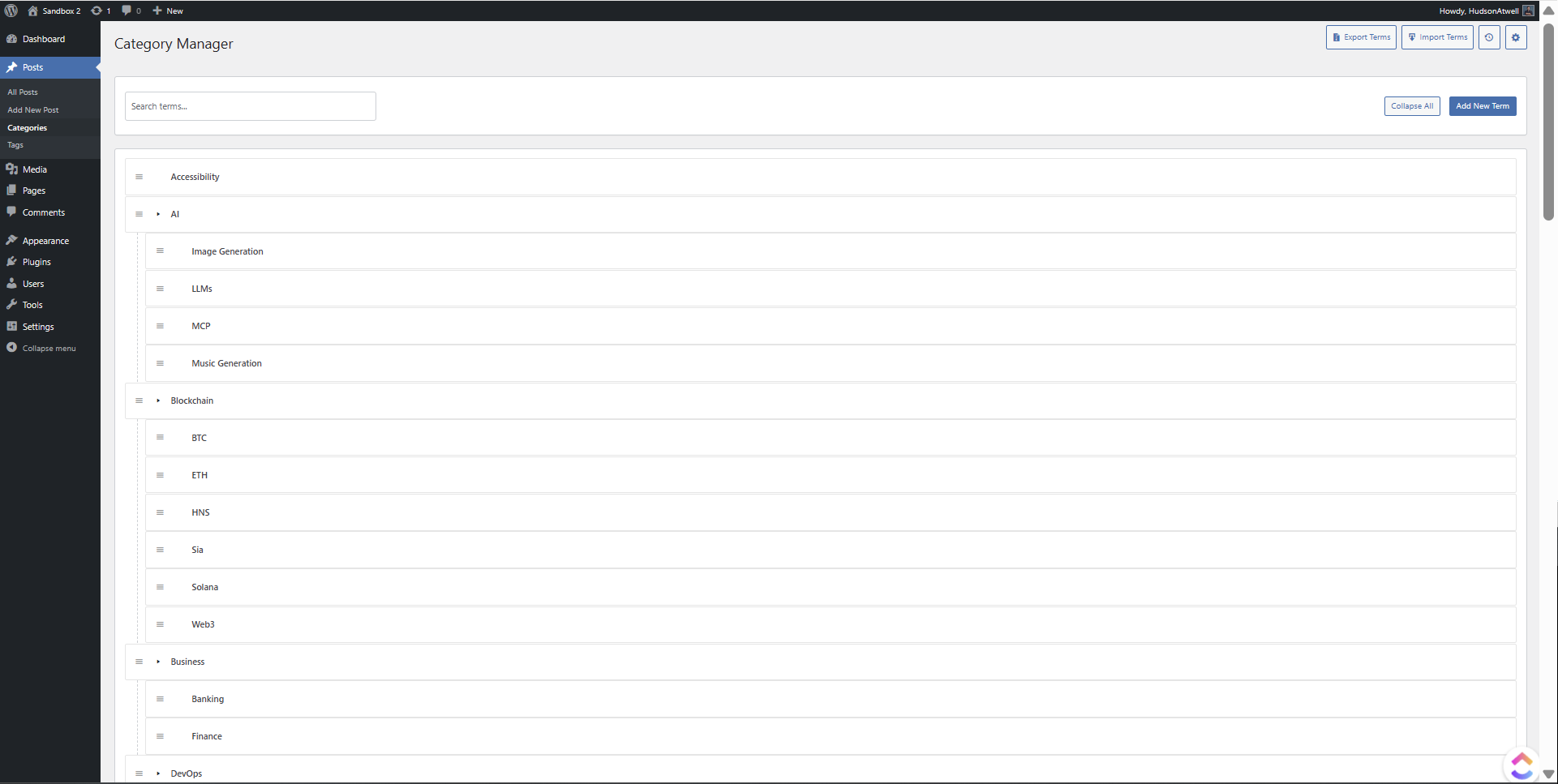
Main interface showing the category tree view 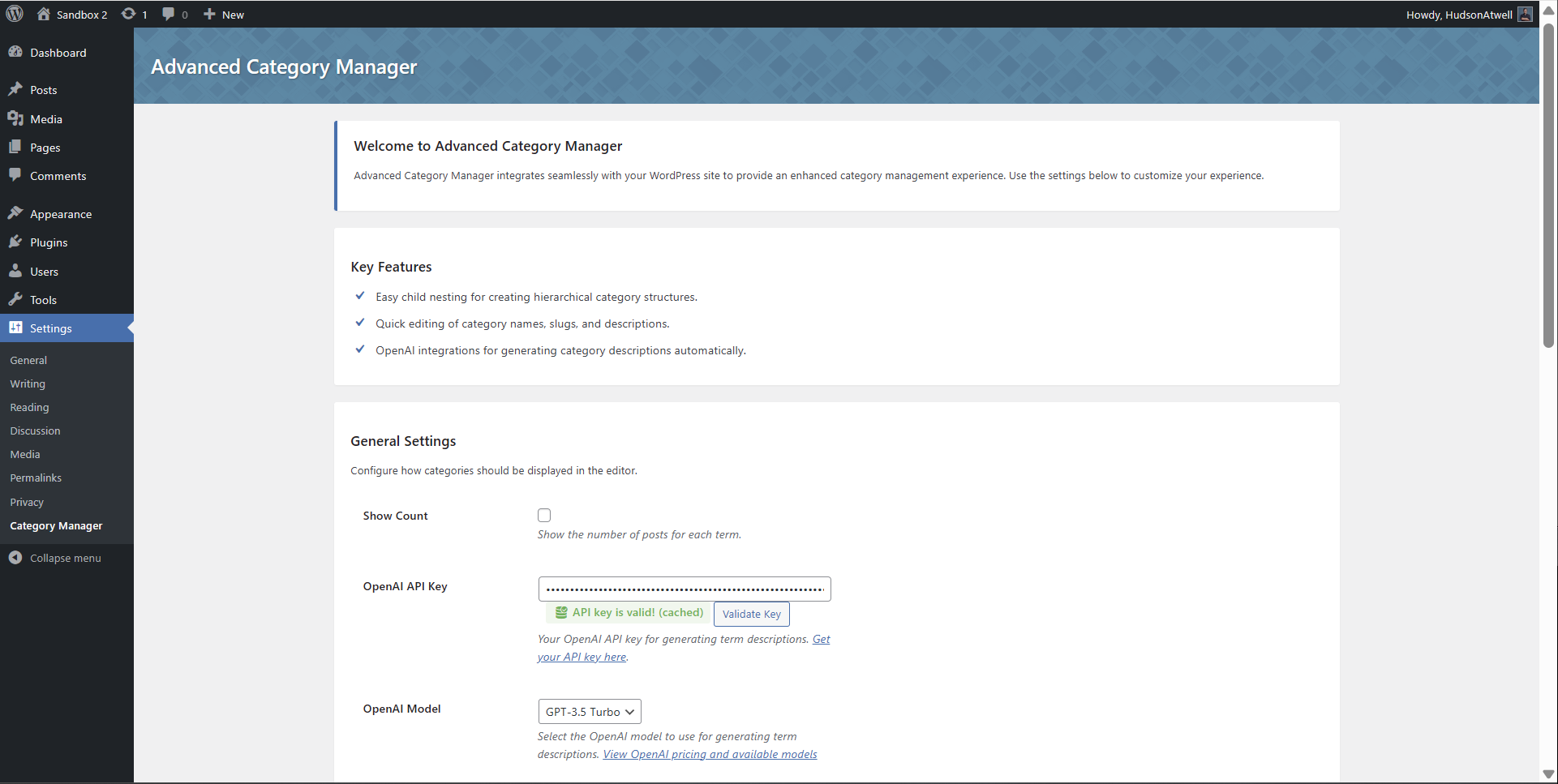
Settings Interface 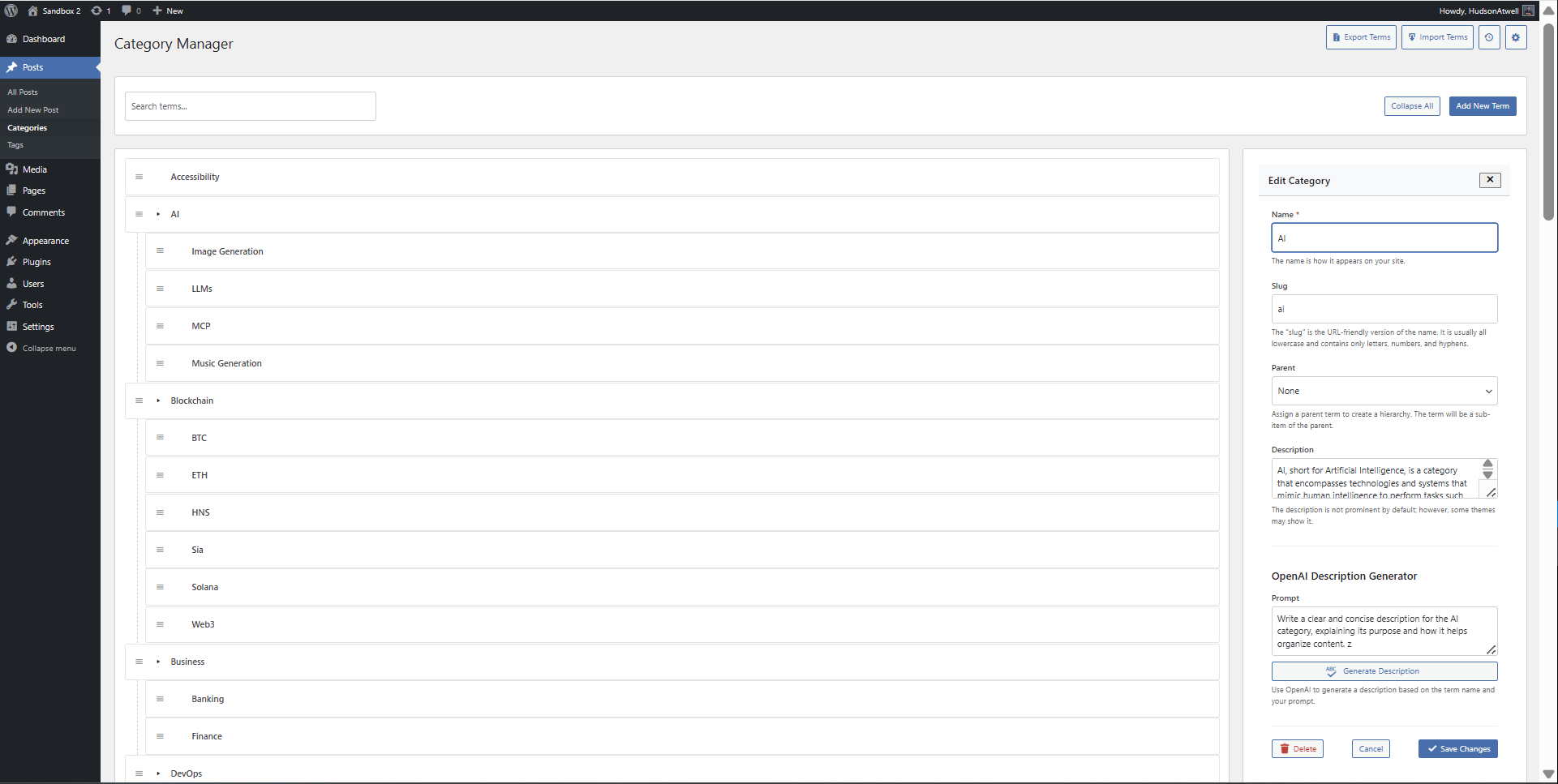
Category Editing Drawer
설치
- Upload the
better-category-managerfolder to the/wp-content/plugins/directory - Activate the plugin through the ‘Plugins’ menu in WordPress
FAQ
-
Can I still access the old category system?
-
Yes, the plugin provides a link to the legacy category manager in the top-right corner of the interface.
-
Can I import categories from another site?
-
Yes, the plugin includes an import/export feature that allows you to transfer category structures between WordPress sites.
-
Will this plugin affect my existing categories?
-
No, installing the plugin will not modify your existing category structure. It provides an alternative interface for managing them. We also provide easy access to the legacy category manager.
-
How do I report bugs or request features?
-
Please visit our GitHub repository to report issues or request new features.
후기
이 플러그인에 대한 평가가 없습니다.
기여자 & 개발자
“Advanced Category Manager”(은)는 오픈 소스 소프트웨어입니다. 다음의 사람들이 이 플러그인에 기여하였습니다.
기여자

자국어로 “Advanced Category Manager”(을)를 번역하세요.
개발에 관심이 있으십니까?
변경이력
1.0.4
- Adding support for 6.8.2
1.0.3
- Initial release